1. Bubuka
The Leica DD120 Utility Locator is an advanced instrument designed for the accurate detection and mapping of buried underground services. This device simplifies the process of locating cables and pipes, minimizing the risk of accidental strikes during excavation. Its user-friendly design requires minimal adjustment, ensuring that detectable services are not overlooked. The DD120 features a numeric signal strength readout for easy cable identification and a 'Hazard Zone' alert to warn users of shallow services within 30cm, enhancing safety on site.
2. Émbaran Kasalametan
Awas: This device is designed to locate buried utilities. Always use with care to avoid damaging underground services. Keep away from heat and moisture. Do not dispose of batteries in fire.
- Always perform a site risk assessment before commencing any excavation work.
- Ensure all personnel operating the device are trained and familiar with its functions.
- Anggo alat pelindung diri (PPE) anu pas.
- Ulah ngoperasikeun alat ieu dina atmosfir anu gampang ngabeledug atanapi caket bahan anu gampang kaduruk.
- Regularly inspect the device for any damage before use.
3. Setélan
Before operating the Leica DD120, ensure proper setup for optimal performance and safety.
- Pamasangan batré: Open the battery compartment and insert the required alkaline batteries, ensuring correct polarity. Close the compartment securely. (Note: Batteries are not included with the unit.)
- Daya Hurung: Pencét jeung tahan tombol daya nepi ka tampilan hurung.
- In-built Self Test: The DD120 features an in-built self-test function. Upon powering on, the unit will automatically perform a quick check to ensure all internal systems are functioning correctly. This test can also be initiated manually as a routine check.
- Cék awal: Before use, perform a quick check to ensure the unit is working correctly. This is particularly important when off-hiring locators or handing them over to new users.
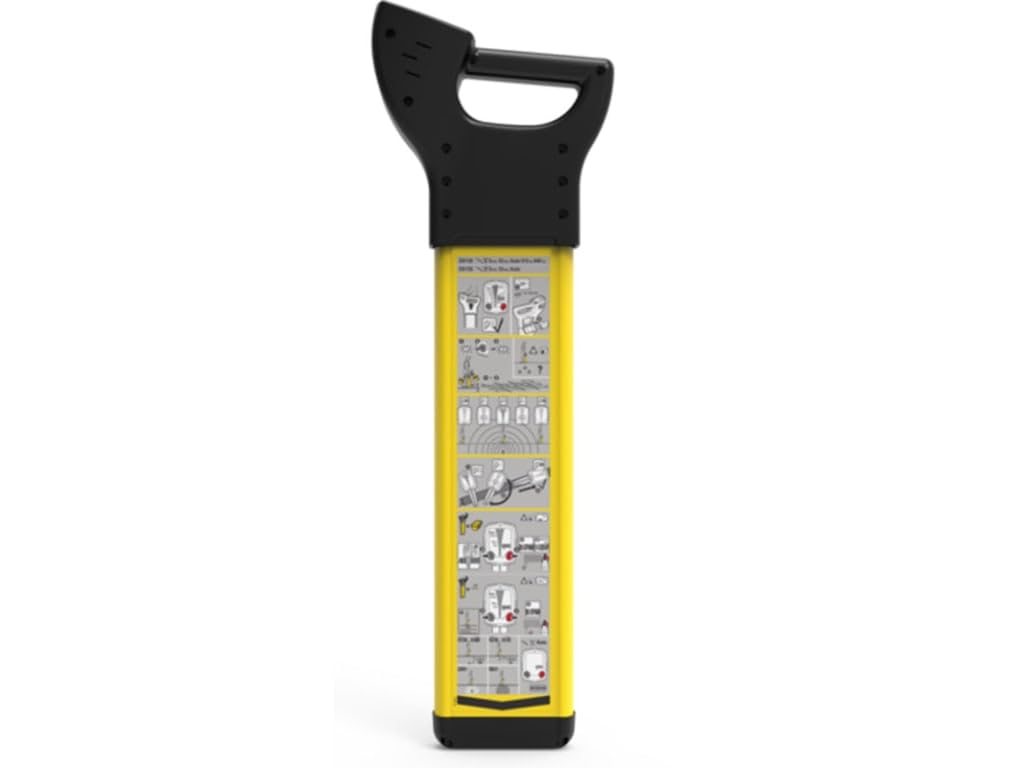
Figure 3.1: The Leica DD120 Utility Locator. This image displays the main unit, highlighting its robust yellow casing and the user interface screen.
4. Parentah Operasi
The Leica DD120 is designed for ease of use, requiring minimal adjustment to locate services effectively.
4.1 Modeu deteksi
The DD120 operates in several detection modes to suit various site conditions and utility types:
- Modeu Otomatis: Automatically selects the optimal frequency for detection.
- Mode kakuatan: Detects live electrical cables by sensing their electromagnetic fields (60Hz mains power region).
- Modeu Radio: Detects re-radiated radio signals from buried metallic utilities.
- Modeu pamancar: Used in conjunction with a separate signal transmitter (sold separately) to apply a specific frequency to a utility for precise tracing.
4.2 Signal Strength Indication (SSI)
The DD120 features a numeric Signal Strength Indication (SSI) readout on its display. This provides a clear, quantifiable measure of the signal strength, specifically designed for easy and accurate cable identification. A higher numeric value indicates a stronger signal and closer proximity to the utility.
4.3 Hazard Zone Alert
The Hazard Zone feature alerts the user to shallow services located within 30cm (approximately 12 inches) of the locator. When a shallow utility is detected, an audible and visual alarm will activate. This critical safety feature enables users to adjust their excavation methods, significantly reducing the risk of cable strikes and potential injury.
5. Pangropéa
Proper maintenance ensures the longevity and accuracy of your Leica DD120 Utility Locator.
- beberesih: Ngusap alat ku lemes, damp cloth. Do not use abrasive cleaners or solvents. Ensure no moisture enters the battery compartment or other openings.
- Panyimpenan: Store the locator in a dry, cool place, away from direct sunlight and extreme temperatures. Remove batteries if the device will not be used for an extended period.
- Perawatan batré: Use only alkaline batteries as specified. Replace batteries promptly when the low battery indicator appears.
- Pamariksaan: Periodically check the casing for cracks or damage. Ensure all buttons and the display are functioning correctly.
6. Cara ngungkulan
If you encounter issues with your Leica DD120, refer to the following common problems and solutions:
- Alat teu hurung: Check battery installation and ensure batteries are fresh. If the issue persists, contact support.
- Inaccurate readings or no signal: Ensure you are in the correct detection mode for the utility you are trying to locate. Check for strong electromagnetic interference from other sources. Perform the in-built self-test.
- tampilan teu jalan: Check battery level. If the display remains blank or faulty, contact customer support.
- Hazard Zone alert constantly active: This may indicate multiple shallow utilities or strong interference. Adjust your search pattern or consider using a transmitter for more precise location.
For issues not covered here, please contact Leica Geosystems customer support.
7. Spésifikasi
| Fitur | Rincian |
|---|---|
| Produsén | LEICA GEOSYSTEMS INC |
| Nomer Bagian | DD120 - 872939 |
| Item Beurat | 8.03 pon |
| Dimensi produk | 1 x 1 x 1 inci |
| Nomer Modél Item | DD120 - 872939 |
| Ukuran | Leutik |
| Warna | Konéng |
| Bahan | palastik |
| Sumber Daya | See product details |
| Item Paket Kuantitas | 1 |
| Sistem pangukuran | Kaisar |
| Gaya tampilan | LCD |
| Pamakéan | Profésional |
| Komponén Kaasup | DD120 - 872939 |
| Batré Kaasup? | No |
| Batré Diperlukeun? | No |
| Deskripsi Tumpukan | Alkali |
| Tanggal Kahiji Sadia | 4 Juli 2019 |
8. Garansi jeung Rojongan
Specific warranty information for the Leica DD120 Utility Locator is not provided in this manual. For details regarding warranty coverage, technical support, or service, please contact Leica Geosystems directly or refer to the documentation provided at the time of purchase. You may also visit the official Leica Geosystems websitus pikeun inpormasi kontak sareng sumber dukungan.