Bubuka
This manual provides essential information for the safe and effective operation of your UNIWA Alps F40 device. Please read this manual thoroughly before using the device and keep it for future reference.
The UNIWA Alps F40 is a robust communication device combining the functionalities of a 4G mobile phone and a Push-to-Talk Over Cellular (POC) walkie-talkie. It is designed for durability and performance in challenging environments, featuring IP65 water resistance and a shock-proof build.
Eusi pakét
Pastikeun sadaya item aya dina bungkusan:
- 1 x UNIWA Alps F40 Zello Walkie Talkie
- 1 x 4000 mAh Li-polymer Battery
- 1 x Kabel USB
- 1 x USB Adaptor Daya
- 1 x Sabuk Klip
- 1 x Manual Pamaké

Alat Langkungview
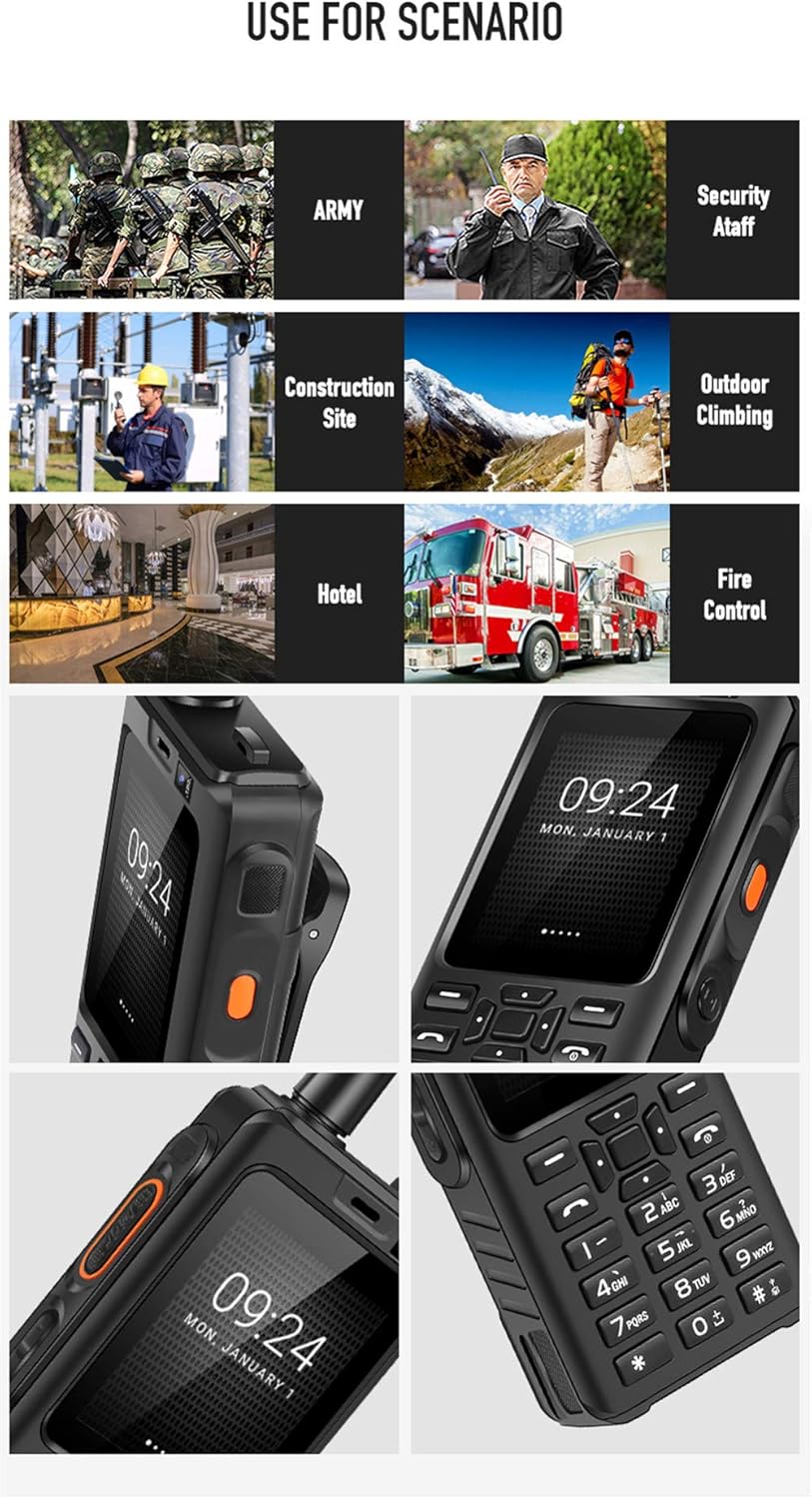
Familiarize yourself with the physical features of your UNIWA Alps F40.

- tampilan: 2.4-inci Capacitive Touchscreen
- Papan tombol: Physical numeric and navigation keys
- Tombol PTT: Dedicated Push-to-Talk button for walkie-talkie function (typically orange)
- anteneu: Integrated for enhanced signal reception
- Kaméra: Rear 5MP, Front 0.3MP
- Speaker: High-volume loudspeaker for clear audio
- Slot Klip Sabuk: For attaching the included belt clip

Disetél
1. Masang Kartu SIM sareng Batré
- Pareuman alat teras cabut panutup tukang.
- Insert the SIM card(s) into the designated slot(s). The device supports dual SIM.
- Insert the 4000 mAh Li-polymer battery, ensuring proper alignment of the contacts.
- Replace the back cover and secure it firmly to maintain IP65 water resistance.
2. Ngecas Alat
- Connect the USB cable to the device's charging port.
- Connect the other end of the USB cable to the provided USB power adapter.
- Colokkeun adaptor kakuatan kana stop kontak témbok.
- Allow the device to charge fully before first use. The charging indicator will show the battery status.
Parentah Operasi
Daya Hurung/Pareuman
- To power on: Press and hold the Power button until the UNIWA logo appears.
- Pikeun mareuman: Pencét terus tahan tombol Daya, teras pilih "Pareuman" tina pilihan.
Napigasi Dasar
- Use the physical keypad for dialing numbers and text input.
- The 2.4-inch touchscreen supports touch gestures for navigating menus and applications.
- The device runs on Android 6.0, providing access to various applications.

Using the Walkie-Talkie (POC) Function
The UNIWA Alps F40 is optimized for Push-to-Talk Over Cellular (POC) communication, primarily through applications like Zello.
- Ensure the device has an active 4G network connection or is connected to Wi-Fi.
- Open the Zello application (pre-installed).
- Asup atawa jieun akun.
- Select the desired channel or contact.
- Press and hold the dedicated PTT button on the side of the device to transmit your voice. Release to listen.

The device features a powerful loudspeaker (Φ32) for clear communication even in noisy environments.

Pangropéa sareng Perawatan
- beberesih: Ngusap alat ku lemes, damp lawon. Ulah make bahan kimia kasar atawa cleaners abrasive.
- Tahan cai: The device is IP65 water-resistant. Ensure all ports and covers are securely closed to maintain this rating. Avoid submerging the device in water.
- Perawatan batré: To prolong battery life, avoid extreme temperatures. Charge the battery regularly and do not let it fully discharge for extended periods.
- Panyimpenan: Simpen alat dina tempat anu tiis sareng garing jauh tina sinar panonpoé langsung sareng suhu anu ekstrim.

Pamérésan masalah
| Masalah | Mungkin Cukang lantaranana | Solusi |
|---|---|---|
| Alat teu hurung. | Low battery; faulty battery; software issue. | Charge the device for at least 30 minutes. Ensure battery is correctly installed. Perform a hard reset (refer to advanced troubleshooting if needed). |
| Taya sinyal jaringan. | Out of network coverage; SIM card not properly inserted; network settings issue. | Move to an area with better coverage. Reinsert SIM card. Check APN settings in network settings. |
| Walkie-talkie function not working. | No internet connection; Zello app not logged in or configured; PTT button issue. | Ensure 4G or Wi-Fi is active. Verify Zello app login and channel selection. Restart the Zello app or the device. |
| Kualitas audio goréng. | Obstruction of speaker/microphone; low signal strength; environmental noise. | Clean speaker/microphone openings. Move to an area with stronger signal. Utilize the high-volume speaker in noisy environments. |
spésifikasi
| Fitur | Rincian |
|---|---|
| Modél | UNIWA Alps F40 |
| Sistem operasi | Android 6.0 |
| Prosesor | MTK6737M Quad Core, 1.1 GHz |
| Ram | 1 GB |
| Panyimpenan internal | 8 GB |
| tampilan | 2.4-inch Capacitive Touchscreen, 320 x 240 resolution |
| Kaméra tukang | 5 MP |
| Kaméra hareup | 0.3 MP |
| Batré | 4000 mAh Li-polimér |
| Tahan cai | IP65 |
| Rojongan jaringan | 2G/3G/4G (WCDMA) |
| Diménsi | 119 x 55 x 24.5 mm |
| Beurat | 188 gram |
| Konektipitas | USB, Wi-Fi, Bluetooth |
| Fitur husus | Dedicated PTT button, Dual SIM support, Zello compatible |
Garansi sareng Rojongan
The UNIWA Alps F40 typically comes with a manufacturer's guarantee. Please refer to the warranty card included in your package for specific terms and conditions. For technical support or service inquiries, please contact your retailer or the official UNIWA support channels.
For further assistance, visit the official UNIWA website or contact customer service through the details provided in your product documentation.


