
Bubuka
This manual provides essential information for the setup, operation, and maintenance of your Korg Kross 2-88-MB 88-key Synthesizer Workstation. Please read this manual thoroughly to ensure proper usage and to maximize the lifespan of your instrument.
Émbaran Kasalametan
Always follow basic safety precautions when using this product to reduce the risk of injury or damage. Keep this manual for future reference.
- Ulah ngalaan unit ka hujan, Uap, atawa suhu ekstrim.
- Hindarkeun nempatkeun unit caket sumber panas atanapi dina sinar panonpoé langsung.
- Ulah muka unit casing. Rujuk sadayana jasa ka tanaga anu mumpuni.
- Use only the specified power adapter or batteries.
- Jauhkeun tina jangkauan barudak.
Eusi pakét
Pastikeun yén sadaya item aya dina bungkusan:
- Korg Kross 2-88-MB Synthesizer Workstation
- Adaptor AC
- Gancang Mimitian Guide
- Manual Pamilik (dokumén ieu)
Disetél
1. Sambungan Daya
Connect the supplied AC adapter to the DC IN jack on the rear panel of the Kross 2-88-MB. Plug the adapter into a suitable power outlet. Alternatively, the unit can be powered by 6 AA batteries (not included) for portable use.
2. Kaluaran Audio
Connect the L/MONO and R OUTPUT jacks on the rear panel to your amplifier, mixer, or headphones using appropriate cables. Ensure volume levels are set low before powering on.
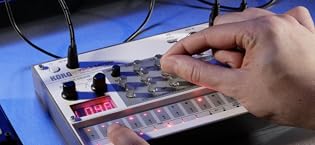
Image: Rear panel of the Korg Kross 2-88-MB, showing various input/output jacks including power, audio outputs, and USB ports.
3. USB/MIDI Connection
The Kross 2-88-MB features USB MIDI connectivity for integration with a computer or other MIDI devices. Use a standard USB cable to connect the USB B port to your computer for MIDI and audio transfer.
Parentah Operasi
1. Daya Hurung / Pareum
Press the POWER button located on the rear panel to turn the unit on or off. Allow a few seconds for the system to boot up.
2. Sound Selection (Program Mode)
The Kross 2-88-MB offers a wide variety of sounds. Use the CATEGORY dial to browse through different instrument types (e.g., Piano, Electric Piano, Organ, Strings, Synth). Once a category is selected, use the VALUE dial or the cursor buttons to select a specific program.

Image: Detail of the Kross 2-88-MB's display and category selection knob, showing sound program browsing.
3. Real-time Controls
Adjust sound parameters in real-time using the dedicated knobs and sliders. These controls can be assigned to various functions such as filter cutoff, resonance, attack, and release, allowing for dynamic sound shaping during performance.

Image: Real-time control section of the Korg Kross 2-88-MB, featuring assignable knobs for sound modification.
4. Bantalan Kinerja
The 16 performance pads can be used to trigger samples, chords, or drum patterns. These pads are velocity-sensitive, allowing for expressive control over your performance.

Image: Illuminated performance pads on the Korg Kross 2-88-MB, used for triggering sounds and patterns.
5. Audio Recorder
The built-in audio recorder allows you to record your performances directly to an SD card (not included). This feature is useful for capturing ideas or creating backing tracks.
Pangropéa
1. beberesih
Wipe the unit with a soft, dry cloth. Do not use liquid cleaners or abrasive materials, as these may damage the finish.
2. Panyimpenan
When not in use, store the Kross 2-88-MB in a dry, dust-free environment. If storing for an extended period, remove batteries to prevent leakage.
Pamérésan masalah
Taya Sora
- Pariksa naha unitna dihurungkeun.
- Pariksa deui naha kenop volume master parantos diangkat.
- Ensure audio cables are correctly connected to the output jacks and your ampsistem lification.
- Check the volume levels on your amplifier atanapi mixer.
- If using headphones, ensure they are properly plugged into the PHONES jack.
Unit Teu Nyala
- Confirm the AC adapter is securely connected to both the unit and a working power outlet.
- If using batteries, check if they are correctly inserted and have sufficient charge.
Unexpected Behavior / Freezing
- Try performing a factory reset (refer to the Quick Start Guide for instructions).
- Ensure the latest firmware is installed. Visit the Korg websitus pikeun apdet.
spésifikasi
| Fitur | Rincian |
|---|---|
| Ngaran modél | Kross |
| Nomer Modél Item | KROSS288MB |
| Jumlah kenop kibor | 88 |
| Tipe Keybed | Natural Weighted Hammer Action |
| Mesin Sora | EDS-i (Enhanced Definition Synthesis - integrated) |
| Input | Masukan Mic / Line |
| Kaluaran | L/MONO, R, PHONES |
| Konektipitas | MIDI USB |
| Sumber Daya | AC Adapter (included) or Battery Powered (6 AA batteries) |
| Item Beurat | 38.5 pon |
| Dimensi produk | 64 x 20 x 10.5 inci |
| Bahan Awak | palastik |
| Tipe rengse | Matte |
| Warna | Hideung |
Émbaran jaminan
This product is covered by a limited manufacturer's warranty. Please refer to the warranty card included in your package or visit the official Korg websitus kanggo syarat sareng katangtuan anu lengkep. Simpen bukti pameseran anjeun kanggo klaim garansi.
Ngarojong
For further assistance, technical support, or to download the latest drivers and firmware updates, please visit the official Korg websitus:
You may also contact Korg customer service directly through the contact information provided on their websitus.