Bubuka
This manual provides detailed instructions for the installation, operation, and maintenance of your TRENDnet 12-Port Gigabit PoE+ Smart Surveillance Switch (TPE-3012LS). This switch is designed to simplify the management of surveillance networks, offering advanced features optimized for IP cameras and NVRs.
Disetél
Eusi pakét
- TRENDnet TPE-3012LS Switch
- Guide Instalasi Gancang
- Kabel listrik (1.5m/5 ft.)
- Rackmount kit
Pamasangan fisik
The TPE-3012LS is designed for either desktop placement or 1U 19-inch rackmount installation. Ensure adequate ventilation around the unit.

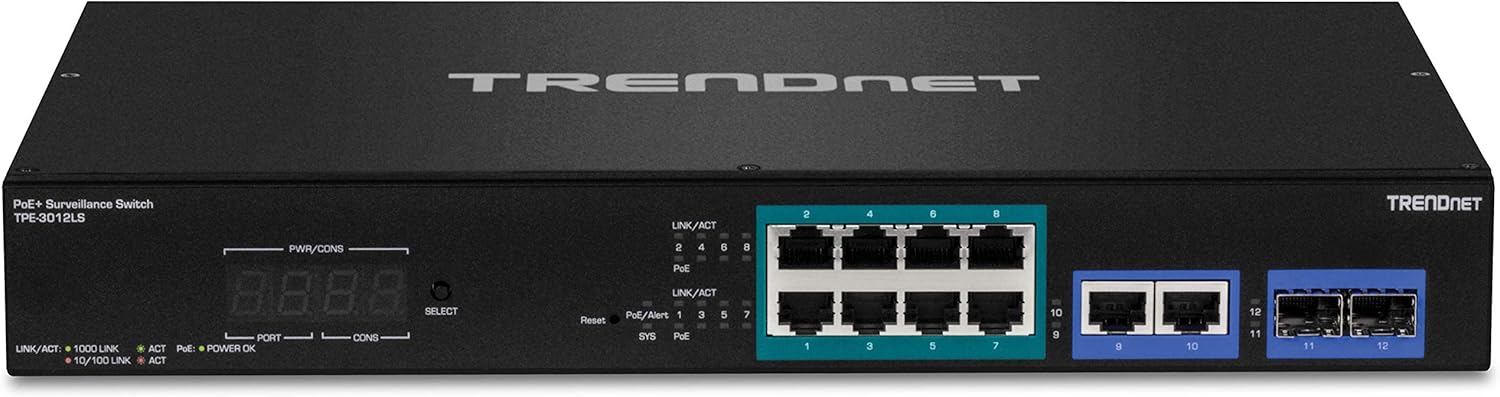
Gambar 1: Hareupeun view of the TRENDnet TPE-3012LS switch, showing 8 PoE+ ports, 2 Gigabit ports, and 2 SFP slots.
Gambar 2: Balik view of the TRENDnet TPE-3012LS switch, showing the AC power input (100-240 VAC, 50/60 Hz).
Nyambungkeun Switch
- Sambungan Daya: Connect the provided power cord to the AC LINE input on the rear panel of the switch and to a standard electrical outlet.
- Sambungan Alat Jaringan:
- For PoE-powered devices (e.g., IP cameras, access points), connect an Ethernet cable from the device to any of the 8 Gigabit PoE+ ports (ports 1-8). These ports deliver up to 30W of power and data over a single cable.
- For non-PoE network devices (e.g., NVRs, computers), connect an Ethernet cable from the device to the 2 Gigabit ports (ports 9-10).
- SFP Module Installation: Insert compatible SFP modules into the 2 SFP slots (ports 11-12) for fiber optic connections, extending network reach over long distances.
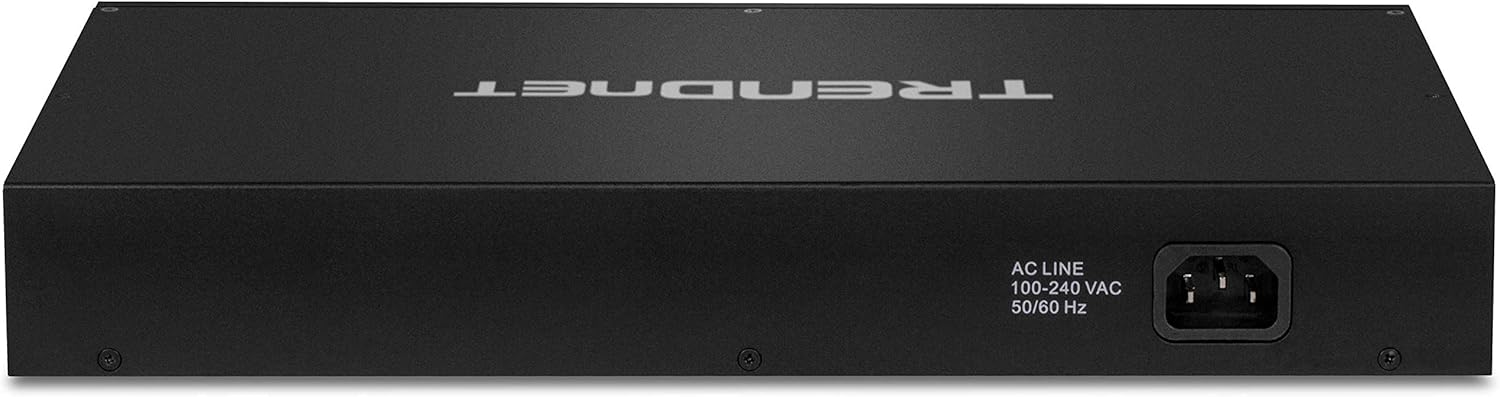
Figure 3: The TPE-3012LS switch integrated into a network rack setup.
Ngoperasikeun
Konfigurasi Awal
The TPE-3012LS is a managed switch. For initial setup and advanced configuration, access the web-based management interface (GUI). Refer to the Quick Installation Guide for the default IP address and login credentials.
Web-Smart Interface
The graphical dashboard interface provides detailed information about the switch and each connected PoE device. Key features include:
- Surveillance Mode: Optimized for the surveillance industry, allowing management of ONVIF compliant IP cameras and NVRs. This includes changing device IP settings and viewing individual IP camera video directly within the switch GUI.
- PoE Port Controls: Enable/disable PoE, perform PD alive checks, and schedule power.
- Layar LED 4-Digit: The front panel features a 4-digit LED display showing total PoE power budget, available power, and power consumption per port.
Fitur canggih
The switch supports various advanced managed features for flexible network integration and traffic management:
- VLAN: Segment and isolate virtual LAN groups (802.1Q VLAN, Voice VLAN, Surveillance VLAN).
- QoS (Kualitas Palayanan): Prioritize traffic, including VoIP traffic, to ensure optimal performance.
- LACP (Link Aggregation Control Protocol): Group ports together to increase bandwidth between switches.
- SNMP Monitoring: Ngawaskeun status sareng kinerja jaringan.
- Port Bandwidth Controls: Manage bandwidth allocation per port.
- IP Routing: Supports IP static routing.
- Inspeksi ARP Dinamis: Enhances network security.
- Daptar Kontrol Aksés (ACL): Define network access policies.
- RMON and Syslog: For comprehensive network monitoring and logging.
Long Range PoE+
The TPE-3012LS supports long distance PoE+ networking, extending the PoE+ signal up to 656 ft. (200m) away at speeds up to 10mbps, reducing the need for additional power outlets and infrastructure costs.
Pangropéa
Pembaruan firmware
Regularly check the TRENDnet support website for the latest firmware updates to ensure optimal performance and access to new features. Follow the instructions provided with the firmware download for the update process.
PoE Device Auto-Recovery (PD Alive Check)
This feature automatically attempts to recover unresponsive PoE devices connected to the switch. If a PoE device (e.g., a PoE camera) becomes unresponsive to network pings, the switch will automatically reboot the corresponding PoE port in an attempt to restore the device's functionality. This minimizes downtime and manual intervention.
Pamérésan masalah
Masalah umum
- Henteu aya kakuatan: Ensure the power cord is securely connected to both the switch and a working power outlet. Check the power LED indicator on the front panel.
- Henteu aya tautan / kagiatan: Verify that Ethernet cables are properly connected to both the switch port and the connected device. Check the Link/ACT LEDs for activity. Ensure the connected device is powered on and functioning correctly.
- PoE Device Not Responding: If a PoE device is unresponsive, check the PoE LED for the corresponding port. The PD Alive Check feature should attempt to recover the device. If not, manually power cycle the port via the GUI or physically disconnect/reconnect the device.
- Teu Bisa Aksés Web GUI: Ensure your computer's IP address is in the same subnet as the switch's default IP address. Verify physical connection. Try resetting the switch to factory defaults (refer to the Quick Installation Guide for the reset procedure).
For more detailed troubleshooting steps and advanced diagnostics, please refer to the complete user manual available on the TRENDnet support websitus.
spésifikasi
| Fitur | Rincian |
|---|---|
| Antarbeungeut Alat | 8 x Gigabit PoE+ Ports, 2 x Gigabit Ports, 2 x 100/1000Mbps SFP Slots |
| Anggaran Poe | 110W (dugi ka 30W per port) |
| Standar PoE | IEEE 802.3af / di |
| Long Range PoE+ | Up to 656 ft. (200m) at 10mbps |
| Tipe Manajemén | Web Smart (Managed) |
| Ukuran (L x W x H) | 12.9 x 9.1 x 1.75 inci |
| Item Beurat | 4.4 pon (2 Kilogram) |
| Bahan Kasus | logam |
| Suhu Operasi | 32°F nepi ka 104°F (0°C nepi ka 40°C) |
| Laju Mindahkeun Data | 24 Gigabit per detik |
| Komponén Kaasup | TPE-3012LS, Quick Installation Guide, Power cord, Rackmount kit |
Garansi sareng Rojongan
TRENDnet products are backed by a manufacturer's warranty. For specific warranty details, technical support, and additional resources, please visit the official TRENDnet support websitus.


