1. Bubuka
This manual provides essential information for the setup, operation, and maintenance of your Acer Predator XB273K Gpbmiipprzx 27-inch Ultra HD (3840 x 2160) IPS NVIDIA G-SYNC Compatible Monitor. This display is designed to deliver high-performance visuals with a 4K resolution, 144Hz refresh rate, and VESA Certified DisplayHDR 400 technology.
2. Fitur konci
- 27-inch UHD 4K (3840 x 2160) Widescreen IPS Display
- NVIDIA G-SYNC Compatible for smooth, tear-free gaming
- Refresh Rate: 120Hz (OverClocking to 144Hz) using 2 Display Ports
- VESA Certified DisplayHDR 400 for enhanced brightness and contrast
- DCI-P3 90% Wide Color Gamut with Quantum Dot technology for accurate colors
- Delta E<1 for precise color accuracy
- Connectivity: 2 x Display Port v1.4, 2 x HDMI v2.0, and 4 x USB 3.0 Ports

Image: NVIDIA G-SYNC technology ensures a smooth gaming experience by synchronizing the monitor's refresh rate with the GPU's output, eliminating screen tearing and minimizing stutter.

Image: A visual comparison demonstrating the clarity of 144Hz refresh rate versus lower refresh rates, highlighting reduced motion blur.

Image: A visual representation of VESA Certified DisplayHDR 400, illustrating improved contrast and vibrant colors compared to standard displays.
Video: video ieu nyadiakeun leuwihview of the Acer Predator XB273K monitor's key features, including G-SYNC compatibility, 4K resolution, high refresh rates, and DisplayHDR 400 technology.
3. Eusi Paket
Pastikeun yén sadaya item aya dina bungkusan:
- Acer Predator XB273K Monitor
- Stand Monitor (Dasar sareng Beuheung)
- Kabel listrik
- Kabel DisplayPort
- USB 3.0 kabel
- Dokuméntasi (Panduan Mimitian Gancang, Kartu Garansi)
4. Parentah Setup
4.1 Ngabongkar Bungkusan Monitor
- Cabut monitor sareng sadaya komponén tina bungkusan sacara saksama.
- Teundeun monitor nyanghareupan handap dina permukaan lemes, beresih pikeun nyegah goresan.
4.2 Ngarakit Stand
- Pasang beuheung nangtung ka panel monitor. Pastikeun éta ngaklik aman kana tempatna.
- Gantelkeun dasar nangtung kana beuheung nangtung. Tighten screw di handapeun dasarna pikeun ngamankeun eta.

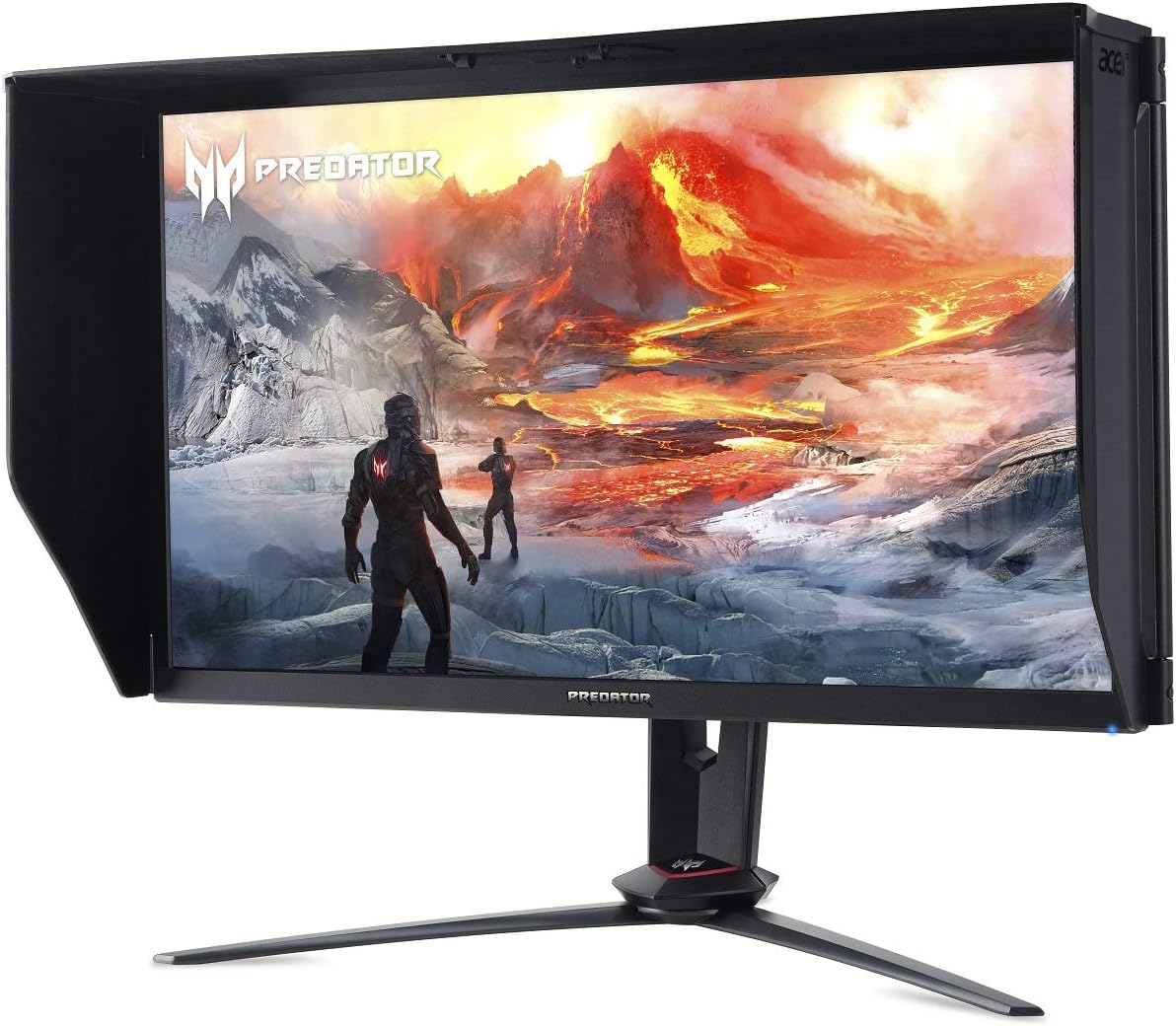
Gambar: Hareupeun view of the Acer Predator XB273K monitor fully assembled with its stand.
4.3 Nyambungkeun Kabel
Sambungkeun kabel nu diperlukeun ka monitor jeung komputer Anjeun.
- Sambungan Daya: Sambungkeun kabel listrik ka input daya monitor teras ka stopkontak.
- Sambungan Video: For optimal performance (144Hz refresh rate), connect two DisplayPort cables from your computer's graphics card to the monitor's DisplayPort inputs. Alternatively, connect one DisplayPort or HDMI cable for standard use.
- Sambungan USB: Connect the USB 3.0 upstream cable from your computer to the monitor's USB upstream port to enable the monitor's USB 3.0 ports.
Gambar: Tukangeun view of the Acer Predator XB273K monitor, highlighting the various input and output ports for connectivity.
4.4 Mimiti Power-On
- Pencét tombol daya dina monitor.
- Hurungkeun komputer anjeun. Monitor kedahna sacara otomatis ngadeteksi sinyal input.
- Upami teu aya gambar anu nembongan, pastikeun sadaya kabel disambungkeun kalayan pageuh sareng sumber input anu leres dipilih ngalangkungan menu Tampilan Dina Layar (OSD).

Image: The Acer Predator XB273K monitor with its physical dimensions labeled, useful for desk space planning.
5. Ngoperasikeun Monitor
5.1 Menu dina layar (OSD).
The OSD menu allows you to adjust various monitor settings. Access it using the control buttons located on the back or side of the monitor.

Gambar: Sisi view of the Acer Predator XB273K monitor, indicating the location of the OSD control buttons.
5.2 Nyaluyukeun Setélan
- Caang/Kontras: Atur setélan ieu supados cocog sareng anjeun viewlingkunganana.
- Setélan warna: Setel suhu warna, gamma, sareng jenuh.
- Laju Refresh: Ensure your operating system and graphics card settings are configured to utilize the monitor's maximum refresh rate (120Hz or 144Hz with dual DisplayPort).
- G-SYNC: Enable NVIDIA G-SYNC in your NVIDIA Control Panel for adaptive synchronization.
- HDR: Activate VESA Certified DisplayHDR 400 through the OSD menu and your operating system's display settings.

Gambar: Sisi view of the Acer Predator XB273K monitor, showing the conveniently located USB 3.0 ports for peripheral connections.
6. Pangropéa
6.1 Ngabersihan Monitor
- Salawasna pareumkeun monitor sareng cabut kabel listrik sateuacan beberesih.
- Anggo kaén anu lemes sareng teu aya serat anu hampang dampDieusian ku cai atanapi pembersih layar anu hampang sareng henteu abrasive.
- Ulah menyemprot cleaner langsung kana layar.
- Ulah nganggo bénzéna, pangencer, pembersih anu dumasar kana amonia, atanapi bahan abrasif.
7. Cara ngungkulan
| Masalah | Mungkin Cukang lantaranana / Solusi |
|---|---|
| Henteu aya gambar dina layar | Ensure power cord is connected. Verify video cables are securely connected to both monitor and computer. Select correct input source via OSD. |
| Gambar buram atanapi menyimpang | Check display resolution settings on your computer. Ensure it matches the monitor's native resolution (3840x2160). Adjust refresh rate. |
| Monitor teu hudang tina sare | This can sometimes occur with specific driver or system configurations. Try updating graphics drivers. Disconnect and reconnect video cables. Adjust power management settings in your OS. |
| 144Hz refresh rate not available | Ensure two DisplayPort v1.4 cables are connected from your graphics card to the monitor. Verify your graphics card supports 4K at 144Hz. Check display settings in your OS and graphics card control panel. |
| Colors appear washed out (especially after waking from sleep) | This can be a Windows HDR issue. Try toggling HDR off and on again in Windows display settings. Ensure HDR is enabled in the monitor's OSD. |
| Backlight bleed visible | Some IPS panels may exhibit minor backlight bleed, particularly in dark environments. This can sometimes diminish with regular use over a few weeks. If severe, contact support. |
8. Spésifikasi
| Fitur | Rincian |
|---|---|
| Ukuran layar | 27 inci |
| Resolusi layar | 3840 x 2160 (4K UHD) |
| Tipe Panel | IPS |
| Refresh Laju | 120Hz (OverClocking to 144Hz with 2 Display Ports) |
| Sertifikasi HDR | VESA Certified DisplayHDR 400 |
| Warna Gamut | 3% DCI-P90 |
| Akurasi Warna | Delta E<1 |
| Kompatibilitas G-SYNC | NVIDIA G-SYNC Cocog |
| Konektipitas | 2 x Display Port v1.4, 2 x HDMI v2.0, 4 x USB 3.0 Ports |
| Item Beurat | 24 pon |
| Ukuran produk (L x W x H) | 24.76 x 12.09 x 21.3 inci |
9. Garansi jeung Rojongan
For warranty information, please refer to the warranty card included in your product package or visit the official Acer support website. If you encounter any issues not covered in this manual, please contact Acer customer support for assistance.
Rojongan Acer Websitus: https://www.acer.com/support


