Bubuka
The MoKo Smart Switch is a versatile WiFi-enabled light switch designed to transform your traditional lighting system into an intelligent one. It features a built-in RGB dimmer night light, offering 1200 custom color settings and 8 scene modes. This smart switch supports remote control via a mobile application, voice control through popular smart home assistants like Amazon Alexa, Google Home, and SmartThings, and offers flexible scheduling options. It is designed for convenience, safety, and enhanced home automation.

Gambar: Hareupeun view of two MoKo Smart Switches, highlighting their sleek design and integrated RGB light panels.
Émbaran Kasalametan
Mangga baca sadaya pitunjuk kaamanan kalayan saksama sateuacan dipasang sareng dianggo. Upami henteu nuturkeun pitunjuk ieu tiasa nyababkeun sengatan listrik, kahuruan, atanapi bahaya sanésna.
- Pamasangan profésional disarankeun: Upami anjeun teu wawuh kana kabel listrik, konsultasi ka tukang listrik anu mumpuni.
- Pareuman sateuacan dipasang: Pareuman heula daya dina pemutus sirkuit sateuacan masang atanapi ngalayanan saklar.
- Kawat Netral Diperlukeun: This smart switch requires a neutral wire for proper operation. Ensure your electrical box has a neutral wire.
- 2.4GHz Network Only: The switch only supports 2.4GHz Wi-Fi networks. It is not compatible with 5GHz networks.
- Pamakéan jero rohangan wungkul: alat ieu dimaksudkeun pikeun pamakéan indoor di lokasi garing.
- Perlindungan Overload: Ulah ngaleuwihan wat maksimumtage tina 800 watt.
- FCC CE RoHS Certified: The product is certified for safety and reliability.
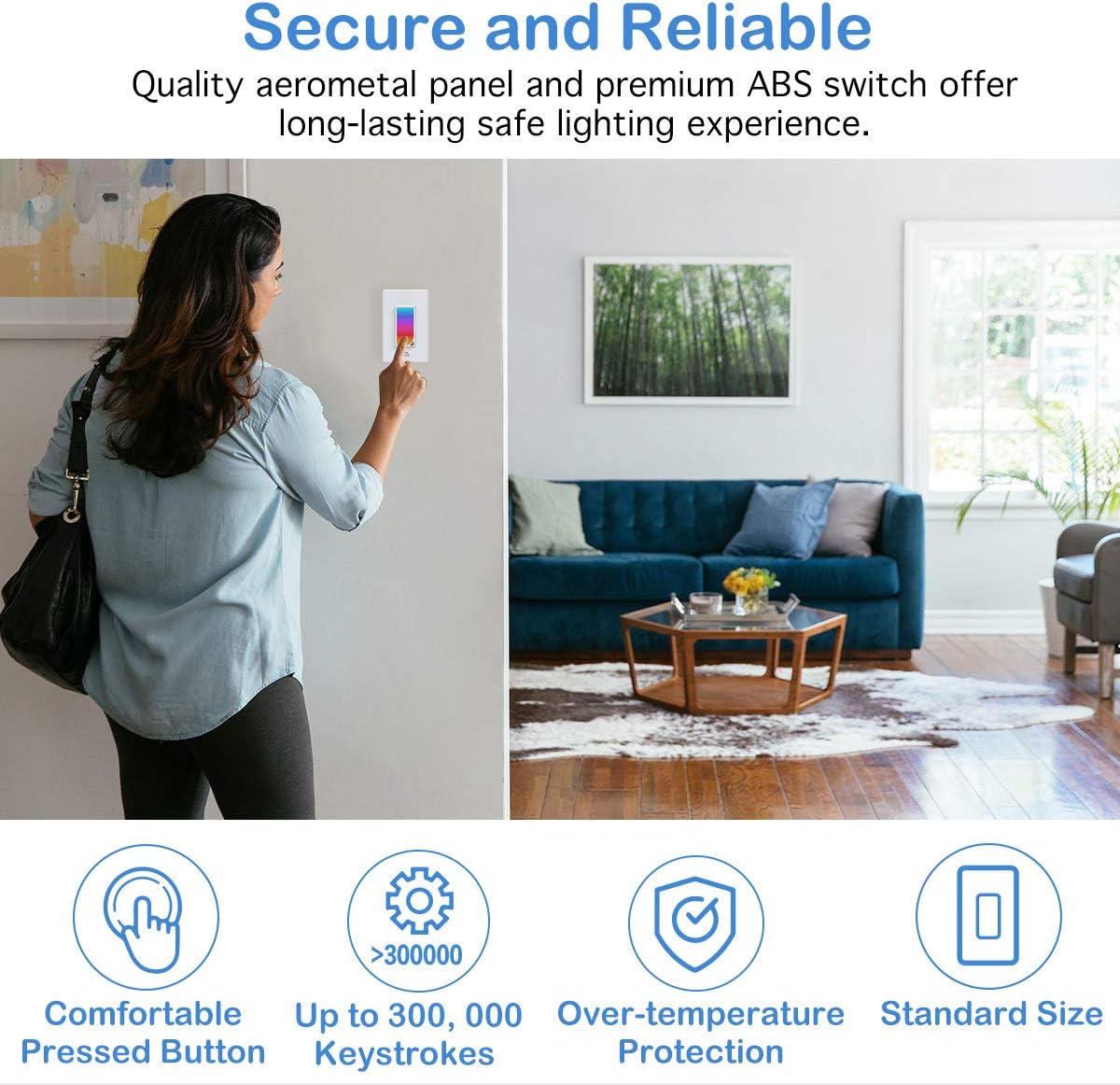
Image: A user interacting with the MoKo Smart Switch, emphasizing its secure and reliable design with features like comfortable button, high keystroke durability, and over-temperature protection.
Eusi pakét
- MoKo Smart Switch (1 unit)
- Manual pangguna (dokumén ieu)
- Wire Nuts (for installation)
- Pamasangan screws
Produk Leuwihview
The MoKo Smart Switch integrates a traditional light switch with smart home capabilities, including an RGB night light. Its intuitive design allows for both manual and smart control.
- Panel Toél: The main surface for manual on/off control and RGB light interaction.
- RGB Dimmer Night Light: Integrated LED panel offering 1200 custom colors and various scene modes.
- Modul Wi-Fi: Enables connectivity to your home network for remote and voice control.

Gambar: Hiji sudut view of the MoKo Smart Switch, illustrating its key features such as custom colors, scene modes, app control, Wi-Fi connectivity, voice control, scheduling, group control, and family sharing.
Setup sareng Instalasi
1. Pamasangan Wiring
- Pareuman Daya: Panggihan pemutus sirkuit anjeun teras pareuman daya kana saklar lampu anu anjeun badé gentos. Pariksa yén daya pareum nganggo voltase.tage panguji.
- Hapus Switch Old: Carefully remove the existing wall plate and unscrew the old switch from the wall box. Disconnect the wires.
- Identipikasi Kawat: Identify the Live (Hot), Load, Neutral, and Ground wires in your wall box.
- Langsung (Wajib): Typically black, carries power from the breaker.
- Load (Required): Biasana hideung, ngalirkeun daya ka lampu.
- Nétral (Diperlukeun): Biasana bodas, nyadiakeun jalur balik pikeun arus.
- Tanah (Opsional, Disarankeun): Typically green or bare copper, for safety.
- Connect MoKo Smart Switch: Connect the wires from your wall box to the corresponding terminals on the MoKo Smart Switch using the provided wire nuts. Ensure all connections are secure and tight.
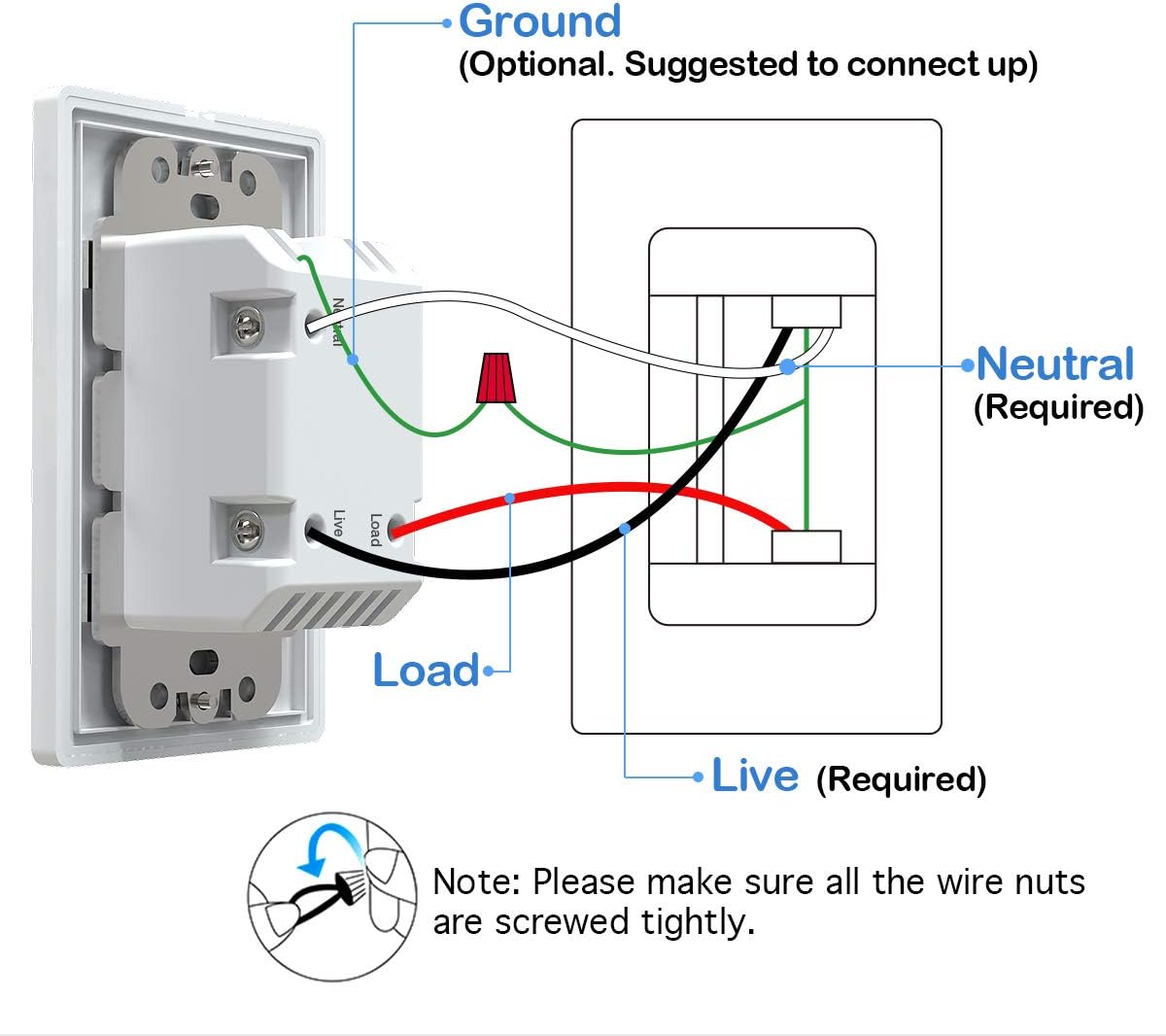
Image: Detailed wiring diagram for the MoKo Smart Switch, indicating connections for Live, Load, Neutral, and Ground wires. Note: Ensure all wire nuts are screwed tightly.
- Saklar Gunung: Gently push the wired switch into the wall box and secure it with screws. Attach the new wall plate.
- Mulangkeun Daya: Turn the power back on at the circuit breaker. The smart switch's indicator light should begin to flash, indicating it's ready for pairing.
2. App Ngundeur tur Sambungan
- Unduh App: Download the free "Smart Life" app from the Apple App Store (for iOS 8.0 and above) or Google Play Store (for Android 4.4 and above).
- Ngadaptar/Log: Buka aplikasi sareng ngadaptarkeun akun énggal atanapi lebet upami anjeun parantos gaduh.
- Tambahkeun Alat: Tap the "+" icon in the top right corner of the app to add a new device. Select "Electrical" then "Switch (Wi-Fi)".
- Indikator Konfirmasi: Confirm that the indicator light on the smart switch is rapidly flashing. If not, press and hold the switch button for 5-10 seconds until it flashes rapidly.
- Nyambung ka Wi-Fi: Lebetkeun nami jaringan Wi-Fi 2.4GHz sareng kecap akses anjeun. Note: The switch does not support 5GHz networks.
- papasangan: The app will begin connecting to the device. Once successfully added, you can rename the switch and assign it to a room.
Parentah Operasi
1. Kontrol Manual
Press the physical button on the smart switch to manually turn the connected light fixture on or off.
2. App Control (Smart Life App)
- Jauh On/Pareum: Open the Smart Life app and tap on the switch icon to turn the light on or off from anywhere with an internet connection.
- RGB Night Light Control:
The smart switch features an integrated RGB night light. You can customize its color and brightness:

Image: The Smart Life app displaying the RGB color selection wheel and preset scene options for the night light, demonstrating its versatility in different home areas.
- Access the RGB settings within the switch's control interface in the app.
- Choose from 1200 custom colors using the color wheel.
- Select from 8 preset scene modes (e.g., Night, Reading, Party, Leisure, Soft, Rainbow, Shine, Gorgeous) for different ambiances.
- The RGB light can be controlled independently or in conjunction with the main load light.
- Timing Management & Scheduling:
Set schedules and timers for your lights to automate your home.

Image: Illustration of the timing management feature, demonstrating how to schedule lights to turn on/off and set countdown timers for the RGB night light.
- Create custom schedules for the main light and the RGB night light to turn on/off at specific times.
- Set countdown timers for temporary light control.
- Utilize random circulating scheduling for security when away from home.
- Rupa-rupa Modeu Pencahayaan:
The switch allows for flexible control over the main light and the RGB night light.

Image: Visual representation of the three distinct lighting modes: RGB light only, main load light only, and both RGB and main load light operating simultaneously.
- Modeu 1: Turn on the RGB light ONLY.
- Modeu 2: Turn on the load light ONLY.
- Modeu 3: Turn on the RGB and load light simultaneously.
- Family Device Sharing: Share control of the smart switch with family members through the Smart Life app.
3. Kontrol sora
The MoKo Smart Switch is compatible with Amazon Alexa, Google Assistant, and SmartThings for convenient hands-free voice control.
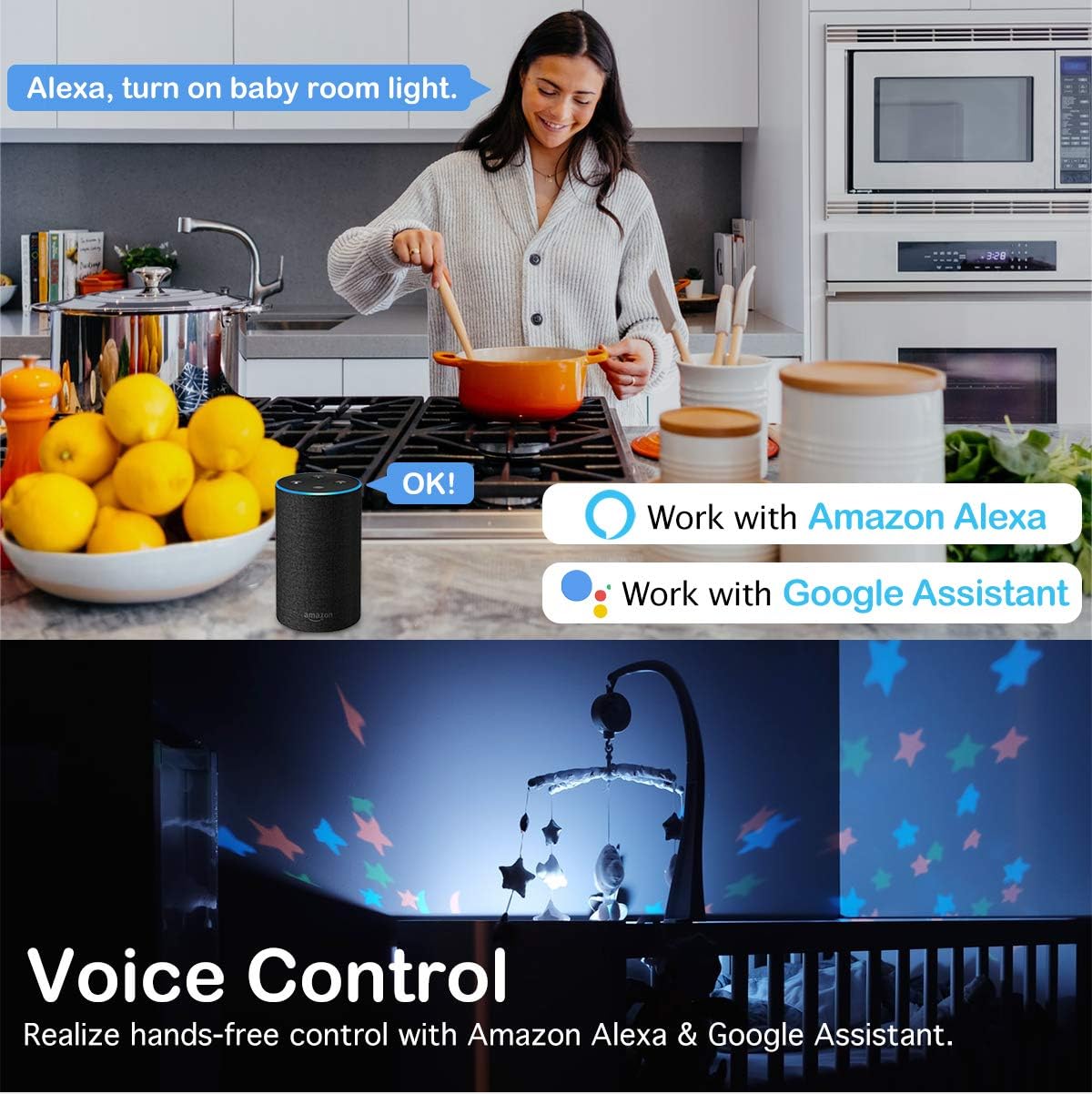
Image: A demonstration of voice control, showing a user commanding Alexa to control lights, highlighting compatibility with Amazon Alexa and Google Assistant.
- Link Akun: In your Amazon Alexa, Google Home, or SmartThings app, enable the "Smart Life" skill/service and link your Smart Life account.
- Panggihan Alat: Saatos disambungkeun, tanyakeun ka asisten sora anjeun pikeun mendakan alat énggal.
- Paréntah sora: Anggo paréntah saderhana sapertos:
- "Alexa, hurungkeun [Ngaran Ganti]"
- "Hei Google, pareuman [Ngaran Ganti]"
- "Alexa, set [Switch Name] to blue" (for RGB light)
- "Hey Google, dim [Switch Name] to 50%" (if dimmer functionality is enabled)
Pangropéa
The MoKo Smart Switch requires minimal maintenance. To ensure optimal performance and longevity:
- beberesih: Wipe the surface with a soft, dry cloth. Do not use abrasive cleaners or solvents.
- Pembaruan firmware: Periodically check the Smart Life app for available firmware updates to ensure your switch has the latest features and security enhancements.
- Kaayaan Lingkungan: Avoid exposing the switch to excessive moisture, extreme temperatures, or direct sunlight.
Pamérésan masalah
| Masalah | Mungkin Cukang lantaranana | Solusi |
|---|---|---|
| Switch not responding/No power. | No power at the switch; incorrect wiring; loose connection. | Check circuit breaker. Verify wiring according to the diagram, ensuring neutral wire is connected. Tighten all wire nuts. |
| Teu bisa nyambung ka Wi-Fi. | Incorrect Wi-Fi password; 5GHz network selected; switch too far from router; Wi-Fi signal interference. | Ensure correct 2.4GHz Wi-Fi password. Confirm your router is broadcasting a 2.4GHz network. Move switch closer to router or use a Wi-Fi extender. Reduce interference from other devices. |
| Kontrol sora teu jalan. | Smart Life account not linked; device not discovered; incorrect voice command. | Ensure Smart Life skill/service is enabled and linked in your voice assistant app. Ask the voice assistant to "discover devices." Use the correct device name and commands. |
| RGB light not changing colors. | App glitch; specific mode selected. | Restart the Smart Life app. Ensure you are in the correct RGB control interface within the app. Check if a fixed scene mode is active. |
spésifikasi
| Fitur | Rincian |
|---|---|
| merek | MoKo |
| Modél | B07VYY9LFK |
| Modeu Operasi | Pindah pinter |
| Operasi Voltage | 240 volt |
| Tipe Kontak | Biasana Buka |
| Tipe Panyambung | Terminal screw |
| Terminal | sekrup |
| Ukuran barang (L x W x H) | 5.51 x 3.39 x 2.68 inci |
| Jinis Sirkuit | 2-jalan |
| Tipe Aktuator | No Physical Actuator |
| Bahan Kontak | logam |
| Jumlah Jabatan | 2 |
| Tipe Controller | Google Assistant, SmartThings, Amazon Alexa, iOS, Android |
| Métode kontrol | Jauh |
| Protokol konektipitas | Wi-Fi (2.4GHz wungkul) |
| Warna | Bodas |
| Wattage | 800 Watt |
| Jumlah Unit | 1.0 Ngitung |
| Item Beurat | 7.8 ons |
| Sertifikasi | FCC CE RoHS Certified, cULus certified |
Garansi sareng Rojongan
MoKo products are designed for durability and reliability. For specific warranty details, please refer to the product packaging or contact MoKo customer support.
If you encounter any issues or have questions regarding your MoKo Smart Switch, please visit the official MoKo websitus atanapi ngahubungan layanan palanggan maranéhna pikeun pitulung.
Sumberdaya Online: MoKo Amazon Store


