1. Émbaran Kasalametan penting
Mangga baca sadaya pitunjuk kaamanan sareng operasi kalayan saksama sateuacan nganggo televisi ieu. Simpen pitunjuk ieu kanggo rujukan ka hareup.
- Sumber Daya: Connect the TV only to the specified power supply. Ensure the voltage cocog jeung labél rating dina TV.
- Ventilasi: Ulah meungpeuk bukaan ventilasi. Ngidinan spasi nyukupan sabudeureun TV pikeun aliran hawa ditangtoskeun pikeun nyegah overheating.
- Cai sareng Uap: Ulah ngalaan TV ka hujan atawa beueus. Ulah nempatkeun barang-barang anu dieusi cairan, sapertos vas, dina TV.
- beberesih: Cabut TV tina stop kontak témbok sateuacan beberesih. Paké lawon lemes, garing. Ulah make cleaners cair atawa cleaners aerosol.
- panempatan: Teundeun TV dina permukaan datar anu stabil. Hindarkeun nempatkeunna dina sinar panonpoé langsung atanapi caket sumber panas.
- kilat: Pikeun panyalindungan tambahan dina mangsa badai kilat atawa lamun ditinggalkeun unattended pikeun période lila, cabut TV tina stop kontak témbok jeung pegatkeun sambungan anteneu atawa sistem kabel.
2. Eusi Paket
Pastikeun yén sadaya item anu didaptarkeun di handap kalebet kana pakét anjeun. Lamun aya item nu leungit atawa ruksak, mangga ngahubungan pangecér Anjeun.
- KMC 32-inch LED Standard TV
- Kadali jauh
- Batré (pikeun Jauh Jauh)
- Stand TV (Dasar sareng Sekrup)
- Manual pangguna (dokumén ieu)
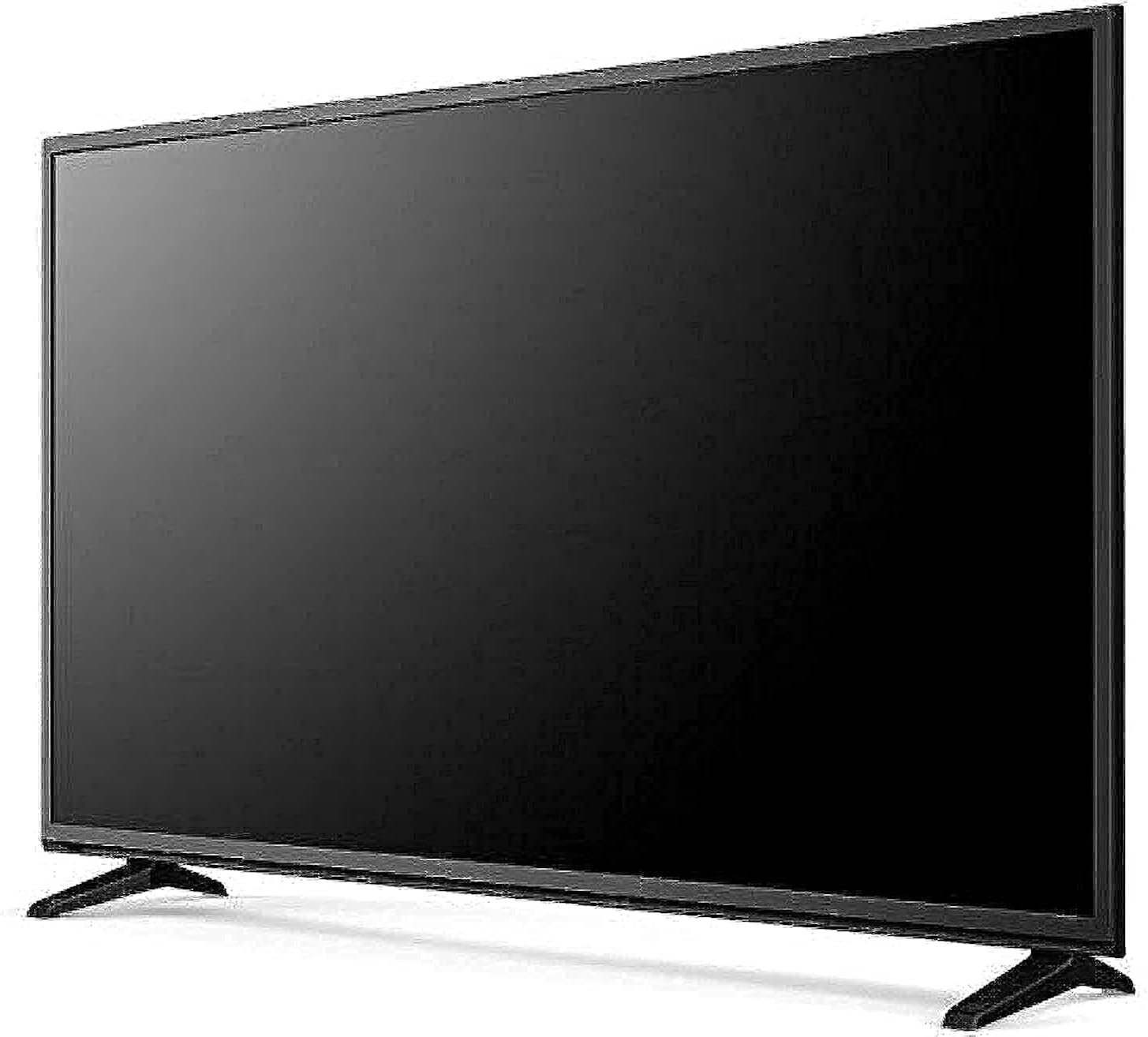
Image: The KMC 32-inch LED Standard TV, shown from an angle with its stand attached and a black screen. This image illustrates the overall design and appearance of the television unit.
3. Setélan
3.1 Ngabongkar bungkusan
- Cabut TV sacara saksama tina bungkusanna.
- Teundeun TV nyanghareup ka handap dina tempat nu lemes, datar (contona, simbut atawa busa) pikeun nyegah karuksakan layar.
3.2 Pamasangan nangtung
Pikeun ngagantelkeun stand TV:
- Sejajarkeun dasar nangtung sareng slot anu aya di handapeun TV.
- Ngamankeun dasar nangtung ngagunakeun screws disadiakeun. Pastikeun aranjeunna tightened pageuh.
- Carefully lift the TV to an upright position and place it on a stable surface.
3.3 Nyambungkeun périferal
The KMC 32-inch LED TV offers various connectivity options:
- Port HDMI: Sambungkeun alat-alat definisi luhur sapertos pamuter Blu-ray, konsol kaulinan, atanapi set-top box.
- Port USB: Sambungkeun alat panyimpenan USB pikeun muterkeun media files (poto, musik, pidéo).
- Konektipitas PC: Use the VGA port (if available) or an HDMI port to connect a computer.
- Audio Video (AV) Cable Port: Sambungkeun alat anu langkung lami nganggo kabel video komposit sareng audio stereo.
Pastikeun sadaya sambungan aman samemeh diaktipkeun dina TV.
4. Ngoperasikeun TV
4.1 Mimiti-Time Setup
- Colokkeun kabel listrik kana stop kontak témbok.
- Pencét tombol Daya dina kadali jauh atanapi dina TV.
- Follow the on-screen prompts to select your preferred language, country, and perform an automatic channel scan.
4.2 Fungsi Remote Control
Insert the provided batteries into the remote control. Familiarize yourself with the basic functions:
- kakuatan: Ngahurungkeun atawa mareuman TV.
- Volume (+/-): Nyaluyukeun tingkat sora.
- Saluran (CH +/-): Robah saluran TV.
- Input/Sumber: Milih sumber input (HDMI, USB, AV, TV).
- Menu: Accesses the on-screen menu for settings adjustments.
- Navigation Buttons (Arrows/OK): Dipaké pikeun nganapigasi ngaliwatan ménu jeung mastikeun selections.
4.3 Fungsi TV Dasar
- Ngarobih Saluran: Use the CH +/- buttons or enter the channel number directly.
- Nyaluyukeun Volume: Paké tombol VOL +/-.
- Milih Sumber Input: Press the 'Input' or 'Source' button on the remote and select the desired input (e.g., HDMI 1, USB, AV).

Image: The KMC 32-inch LED Standard TV displaying a colorful landscape scene with a blue sky and green field. This image demonstrates the TV's display capabilities when in operation.
5. Pangropéa
5.1 Ngabersihan TV
- layar: Lembut usap layar nganggo lawon anu lemes sareng teu aya serat. Pikeun tanda nekad, rada dampen lawon kalawan cai atawa cleaner layar husus (ulah menyemprot langsung dina layar).
- Kabinet: Anggo kaén anu lembut sareng garing pikeun ngusap kabinet TV. Ulah make cleaners abrasive atawa pangleyur.
- Sok cabut TV samemeh beberesih.
5.2 Panyimpenan
If you need to store the TV for an extended period:
- Unplug the power cord and disconnect all cables.
- Cabut batré tina kadali jauh.
- Pack the TV in its original packaging or a suitable protective box.
- Nyimpen dina tiis, tempat garing jauh ti sinar panonpoé langsung jeung suhu ekstrim.
6. Cara ngungkulan
Tingali kana bagian ieu kanggo solusi pikeun masalah umum anu anjeun tiasa patepang.
| Masalah | Mungkin Cukang lantaranana | Solusi |
|---|---|---|
| Taya kakuatan | ari kakuatan teu disambungkeun; Stopkontak teu jalan | Pastikeun kabel listrik dipasang pageuh; uji stop kontak nganggo alat anu sanés |
| Henteu aya gambar, tapi aya sora | Incorrect input source selected; Loose cable connection | Press 'Input/Source' button to select correct input; Check all cable connections |
| Henteu aya sora, tapi aya gambar | Volume muted or too low; Audio cable loose | Unmute or increase volume; Check audio cable connections |
| Kadali jauh teu jalan | Batré béak atanapi dipasang kalayan teu leres; Halangan antara remot sareng TV | Replace batteries; Ensure correct polarity; Remove obstructions; Point remote directly at TV sensor |
| Gambarna menyimpang atanapi teu jelas | Weak signal; Incorrect resolution setting | Check antenna/cable connection; Adjust picture settings in the menu |
Lamun masalah persists sanggeus nyobian solusi ieu, mangga ngahubungan rojongan customer.
7. Spésifikasi
Detailed technical specifications for the KMC 32-inch LED Standard TV, model k16m32260.
| Fitur | Spésifikasi |
|---|---|
| merek | KMC |
| Nomer modél | k16m32260 |
| Ukuran layar | 32 inci |
| Téknologi tampilan | LED |
| Resolusi | 1280x720 (720p) |
| Rasio Aspék | 16:9 |
| Warna | Hideung |
| Téhnologi konektipitas | USB, HDMI, AV, PC |
| Fitur husus | Desain layar datar |
| Komponén Kaasup | TV, Remote Control, Batteries, Stand |
| Ukuran Paket | 27.99 x 18.37 x 4.57 cm |
| Beurat pakét | 4 kg |
8. Garansi jeung Rojongan
This KMC TV comes with a standard manufacturer's warranty. Please refer to the warranty card included in your package for specific terms and conditions, including the warranty period and coverage details.
For technical support, service inquiries, or to report any issues not covered in the troubleshooting section, please contact KMC customer service through the contact information provided on your warranty card or the official KMC websitus.


