Bubuka
Thank you for choosing the Edifier TWS1 True Wireless Stereo Earbuds. This manual provides essential information for the proper use and maintenance of your device. The TWS1 earbuds offer a wire-free audio experience with dynamic stereo sound. They feature an impressive 32-hour total playtime with the charging case and are designed with an IPX5 rating for splash and sweat resistance, making them suitable for various activities.
Please read this manual thoroughly before operating the earbuds to ensure optimal performance and longevity.
Eusi pakét
Pastikeun yén sadaya item anu didaptarkeun di handap kalebet kana pakét anjeun:
- Edifier TWS1 True Wireless Stereo Earbuds (Left and Right)
- Ngecas Case
- Kabel Ngecas USB
- Sababaraha Ukuran Ujung Ceuli (Leutik, Sedeng, Ageung)
- Manual pamaké
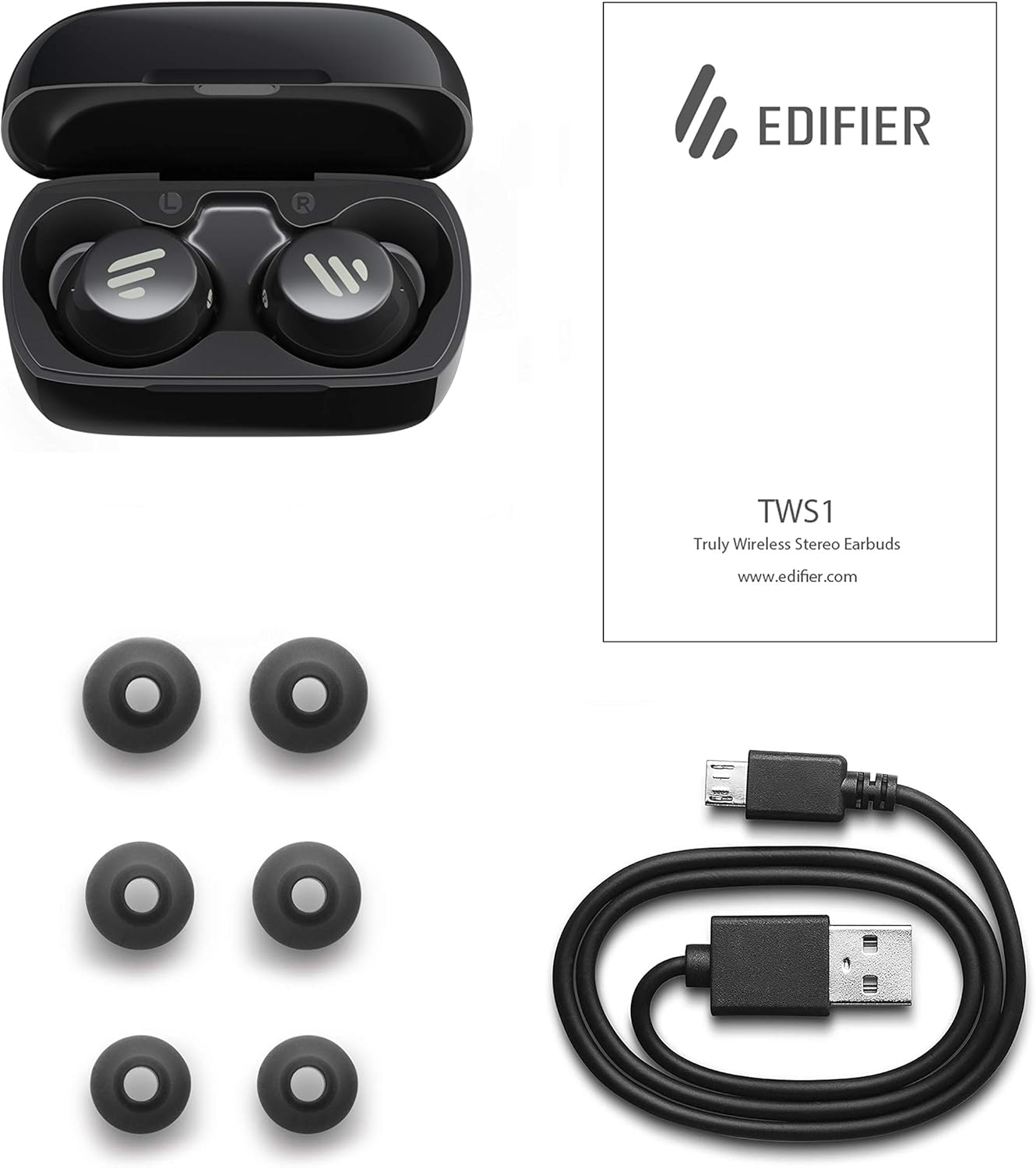
Image: The Edifier TWS1 earbuds, charging case, USB charging cable, and various sizes of ear tips are displayed alongside the user manual, illustrating the complete package contents.
Disetél
1. Ngecas Earbuds jeung Case
Before first use, fully charge the earbuds and the charging case. Place the earbuds into the charging case. Connect the USB charging cable to the charging port on the case and a power source. The indicator light on the case will show charging status. Once fully charged, the indicator will change or turn off.
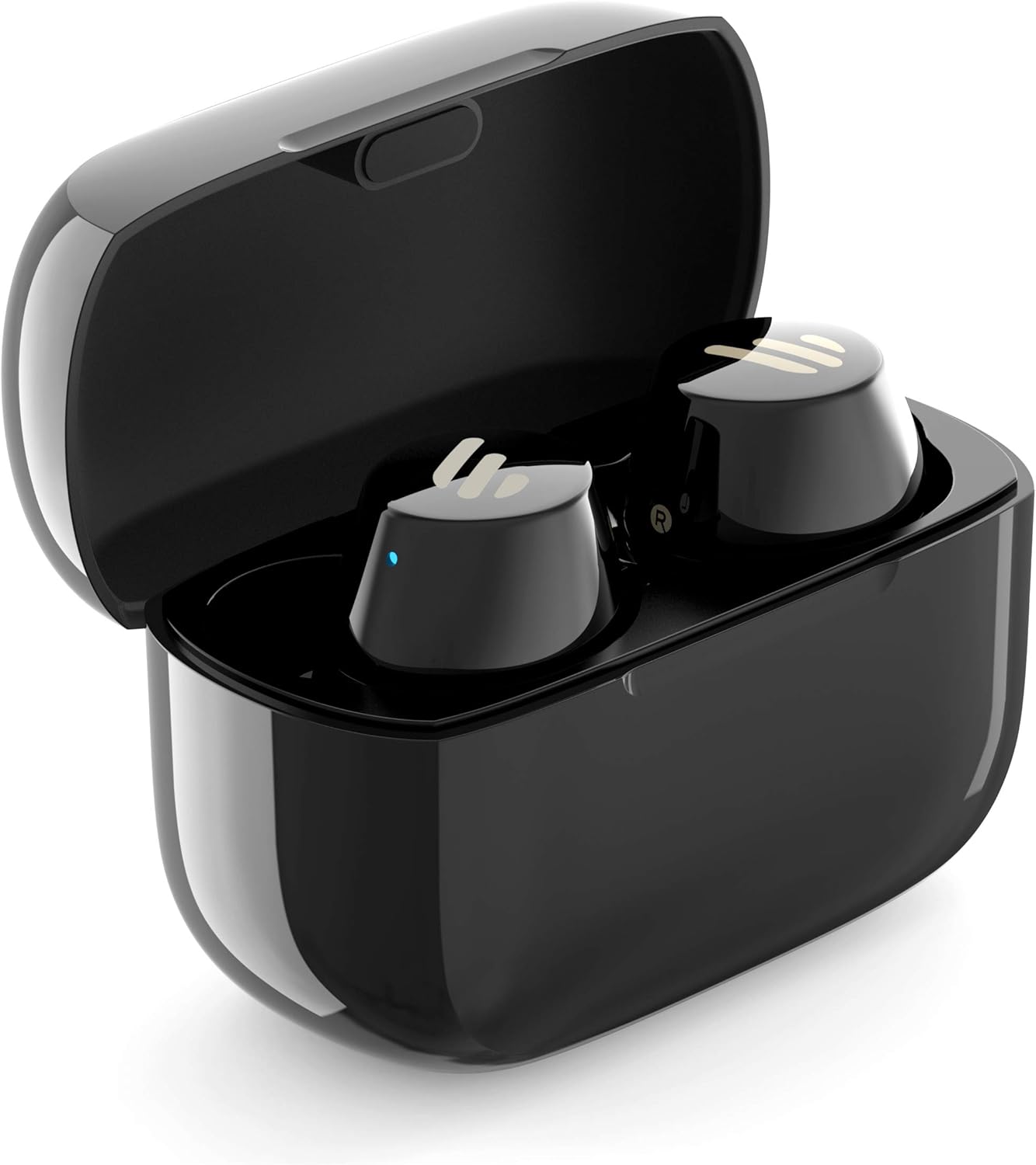
Image: The Edifier TWS1 earbuds are shown nestled within their open charging case, with a blue indicator light visible, signifying charging or power status.
2. Nyapasangkeun sareng Alat
- Pastikeun yén earbuds dieusi.
- Open the charging case. The earbuds will automatically enter pairing mode, and the indicator light on one earbud will flash rapidly.
- Dina alat anjeun (smartphone, tablet, laptop), aktipkeun Bluetooth sareng milarian alat anyar.
- Pilih "EDIFIER TWS1" tina daptar alat anu sayogi.
- Sakali disambungkeun, lampu indikator dina earbud bakal eureun kedip-kedip.
3. Nyocogkeun Earbuds
Choose the ear tips that provide the most comfortable and secure fit for your ears. Insert the earbuds into your ear canals and gently twist them until they feel snug and stable. A proper fit is crucial for optimal sound quality and noise isolation.
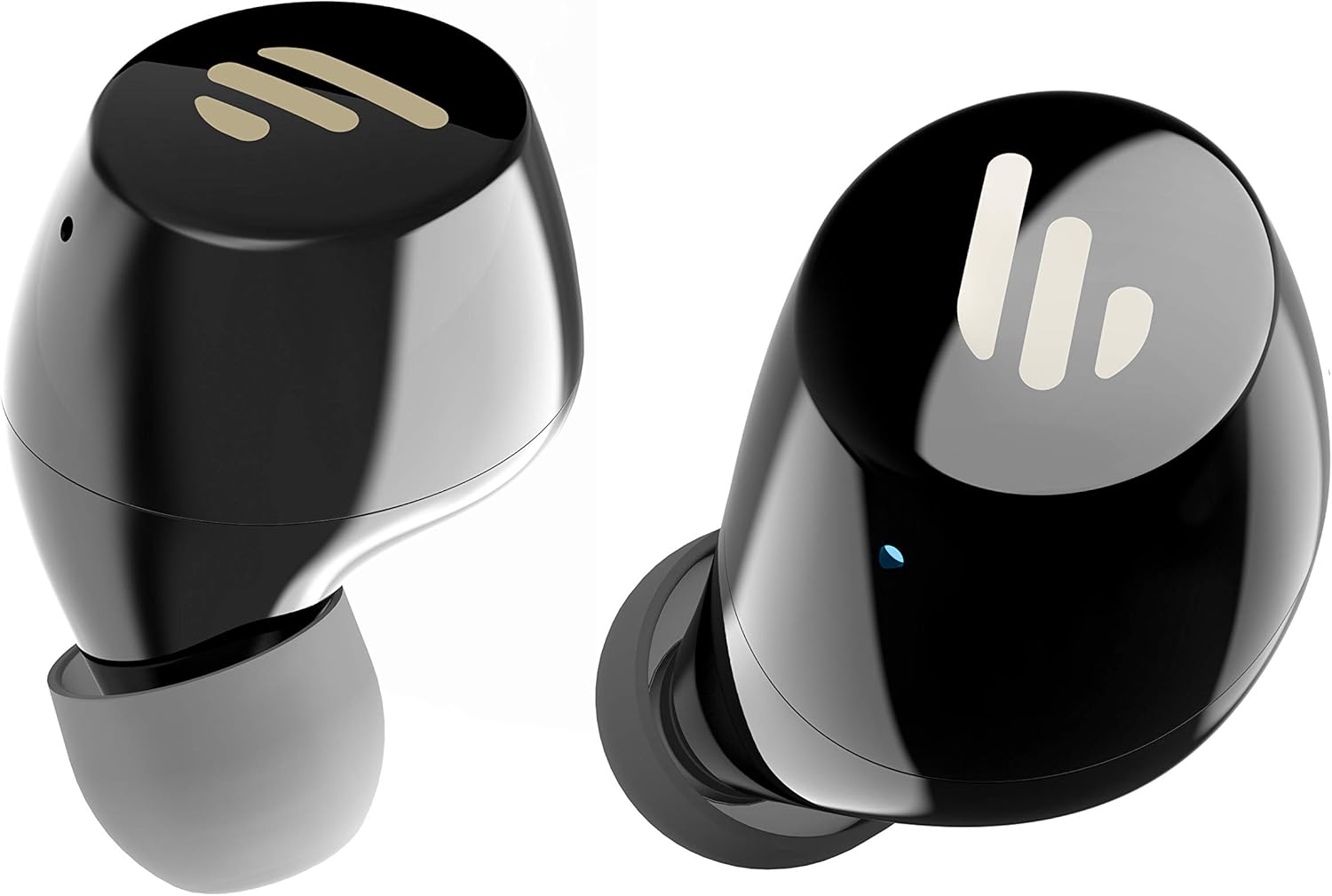
Gambar: A lengkep view of the Edifier TWS1 earbuds, highlighting their ergonomic shape and the silicone ear tips designed for a comfortable and secure in-ear fit.
Parentah Operasi
The Edifier TWS1 earbuds feature touch controls for easy operation.
- Daya Hurung: Earbuds power on automatically when removed from the charging case.
- Pareum listrik: Place earbuds back into the charging case to power off automatically.
- Puter / Reureuh: Double-tap the touch panel on either earbud.
- Lagu salajengna: Triple-tap the touch panel on the right earbud.
- Lagu Sateuacanna: Triple-tap the touch panel on the left earbud.
- Ngajawab / mungkas Telepon: Double-tap the touch panel on either earbud.
- Nolak Telepon: Press and hold the touch panel on either earbud for 2 seconds.
- Aktipkeun Asisten Sora: Press and hold the touch panel on the left earbud for 2 seconds.
Pangropéa
- beberesih: Regularly clean the earbuds and charging case with a soft, dry cloth. Do not use abrasive cleaners or solvents.
- Tahan cai: The earbuds are IPX5 rated, meaning they are resistant to splashes and sweat. Do not submerge them in water or expose them to heavy rain. Ensure the charging port is dry before charging.
- Panyimpenan: Nalika henteu dianggo, simpen earbuds dina wadah ngecasna pikeun ngajagi sareng tetep dicas. Nyimpen dina tiis, tempat garing jauh ti suhu ekstrim.
- Perawatan batré: Pikeun ngahémat umur batré, ulah sering-sering ngecas earbud sareng wadah ngecas. Cas sacara rutin, sanaos henteu dianggo terus-terusan.
Pamérésan masalah
If you encounter issues with your Edifier TWS1 earbuds, please refer to the following common solutions:
| Masalah | Solusi |
|---|---|
| Earbuds teu hurung. | Ensure the earbuds and charging case are fully charged. Place earbuds in the case and close it, then open to power on. |
| Teu tiasa dipasangkeun sareng alat. | Make sure Bluetooth is enabled on your device. Ensure earbuds are in pairing mode (flashing indicator). Try forgetting the device in your Bluetooth settings and re-pairing. |
| Ngan hiji earbud jalan. | Place both earbuds back into the charging case, close the lid, and then open it again. This should re-sync them. If the issue persists, try resetting the earbuds. |
| Taya sora atawa volume low. | Check the volume level on both your device and the earbuds. Ensure earbuds are properly seated in your ears. Try cleaning the ear tips and speaker mesh. |
| Masalah ngecas. | Ensure the charging cable is securely connected. Try a different USB port or power adapter. Clean the charging contacts on the earbuds and inside the case. |
Reset pabrik
If problems persist, a factory reset may resolve them:
- Tempatkeun duanana earbuds kana kotak ngeusian.
- Press and hold the touch panel on both earbuds simultaneously for approximately 8 seconds until the indicator lights flash rapidly, then release.
- Remove the earbuds from the case and attempt to re-pair them with your device.
spésifikasi
| Fitur | Rincian |
|---|---|
| Ngaran Brand | Edifier |
| Ngaran modél | TWS1 BK |
| Nomer Modél Item | TWS1_BK |
| Warna | Hideung |
| Bahan | palastik |
| Téhnologi konektipitas | Nirkabel |
| Téknologi Komunikasi Nirkabel | Bluetooth |
| Headphone Bentuk Faktor | Dina Ceuli |
| Panempatan Ceuli | Dina Ceuli |
| Jack headphone | Taya Jack |
| Métode kontrol | Toél |
| Tingkat Résistansi Cai | Tahan cai (IPX5) |
| Alat nu cocog | Smartphone, Tablet, Laptop, Desktop |
| Mangpaat husus Pikeun Produk | Komunikasi |
| Dimensi produk | 2.32 x 1.72 x 2.04 cm; 130 gram |
| Komponén Kaasup | TWS1 Earbuds |
| Age Range Pedaran | Dewasa |
Garansi sareng Rojongan
Produk Edifier dirancang sareng diproduksi dumasar kana standar kualitas anu pangluhurna. Kanggo inpormasi ngeunaan jangkauan garansi, mangga tingali kartu garansi anu kalebet dina produk anjeun atanapi kunjungi Edifier resmi. website. For technical support or further assistance, please contact Edifier customer service through their official channels.