Bubuka
The Norwii N27 Wireless Presentation Clicker is a versatile tool designed to enhance your presentations. It offers a range of features including a laser pointer, slide navigation, hyperlink control, and volume adjustment, all within a compact and ergonomic design. This manual provides detailed instructions for setting up and operating your N27 presenter.

Image: The Norwii N27 Wireless Presentation Clicker, showcasing its sleek design and integrated laser pointer.
Disetél
The Norwii N27 is designed for plug-and-play functionality, requiring no software installation for basic operation. It is compatible with Windows, macOS, Android, and Linux operating systems, and works with leading presentation software such as PowerPoint, Prezi, Keynote, and Google Slides.
Setup Awal
- Selapkeun Batré: The N27 requires one AAA battery (not included). Open the battery compartment and insert the battery, ensuring correct polarity.
- Meunangkeun panarima USB: The USB receiver is conveniently stored within the presenter. Gently pull it out from the end of the device.
- Nyambung ka Komputer: Plug the USB receiver into an available USB-A port on your computer. Your computer should automatically recognize the device.
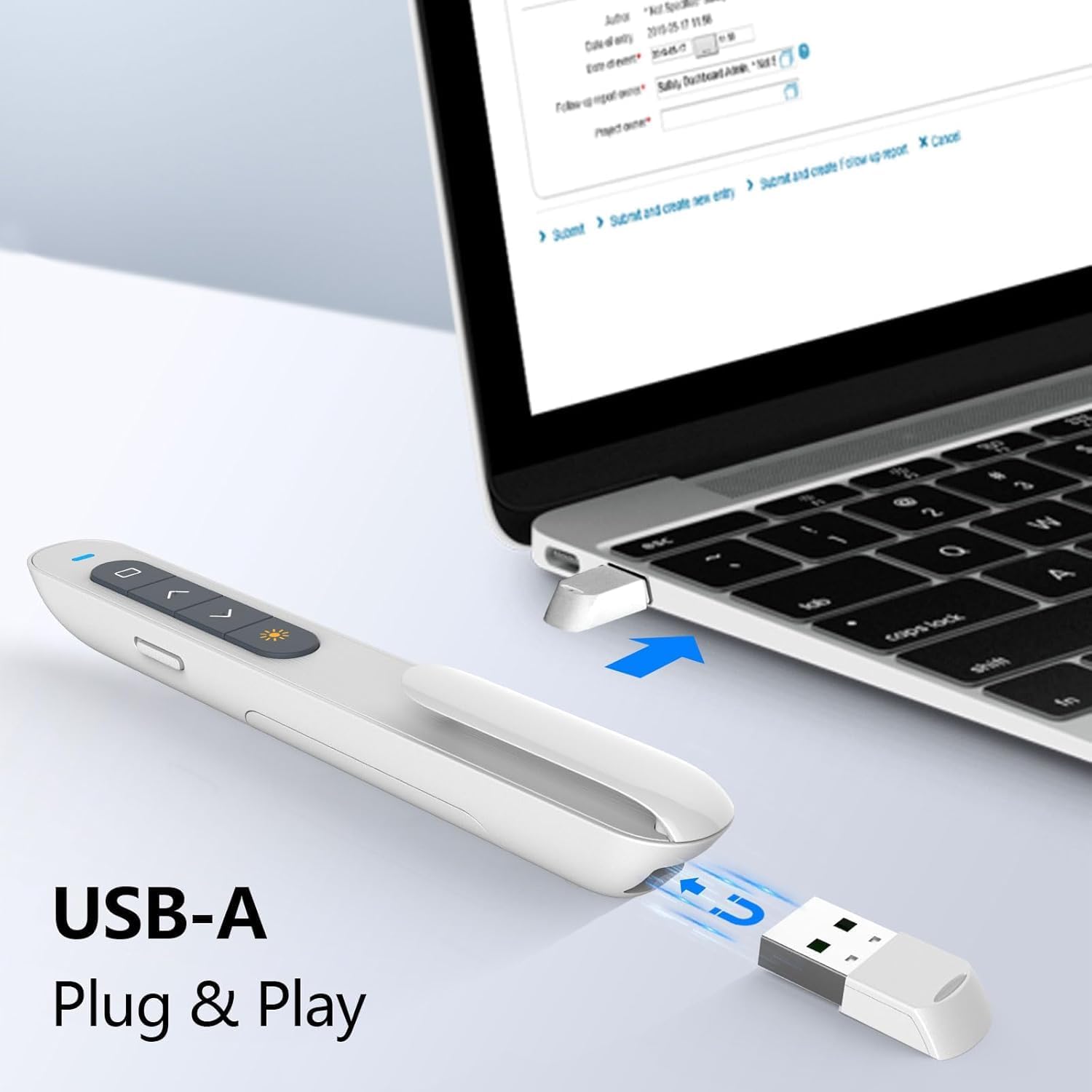
Image: The USB-A receiver being inserted into a laptop, demonstrating the plug-and-play setup.
Video: How to Use the Norwii N27
Video: Official Norwii N27 Wireless Presenter instructional video demonstrating setup, basic functions like laser pointing and slide navigation, and advanced features such as hyperlink control, volume adjustment, and key customization.
Parentah Operasi
Familiarize yourself with the buttons and their functions for effective presentation control.
Fungsi Dasar
- Hurungkeun/Pareuman: Use the side switch to turn the presenter on or off.
- Pointer laser: Press the dedicated laser key (sun icon) to activate the red laser pointer. The laser has a range of up to 656 feet.
- Slide Navigation (Up/Down Arrows):
- Halaman luhur/handap: The two arrow keys control page up and page down in most presentation software like PowerPoint and Keynote.
- Ngalihkeun Mode: Long press both arrow keys for 1-3 seconds to switch between three modes: Up/Down keys (default for PowerPoint/Keynote), Left/Right keys (for Prezi), and PgUp/PgDn keys (for browsers/photo viewers).
- Full Screen/Black Screen:
- Layar pinuh: Long press the 'Page Up' key (top arrow) to enter full screen mode.
- Layar Hideung: When in full screen, long press the 'Page Down' key (bottom arrow) to black out the screen. Press any page turning key to exit black screen.

Image: The Norwii N27 demonstrating its wireless operation range of 328 feet and laser range of 656 feet.

Gambar: Detil view of the N27's arrow keys and their corresponding functions across different presentation modes.
Fungsi canggih
- Hyperlink Control: The top key (square icon) is used to control hyperlinks. Click it to select a hyperlink (indicated by a dashed box), then double-click to open it. Long press the top key to switch between active windows.
- Kontrol volume: Long press the right-side keys (plus/minus icons) to adjust the system volume.
- Kustomisasi Konci: You can reconfigure the functions of various keys using the Norwii Presenter software. All functions displayed in blue within the software can be customized.
- Kontrol Multi-Alat: The N27 supports advanced control options, allowing one presenter to control multiple devices (1 to N) or multiple presenters to control a single device (6 to 1).

Image: A diagram illustrating the customizable key functions of the Norwii N27 presenter.

Image: Screenshot of the Norwii Presenter software, showing options for customizing button actions.

Image: Visual representation of the N27's advanced multi-device control capabilities.
Pangropéa
To ensure the longevity and optimal performance of your Norwii N27 Wireless Presentation Clicker, follow these simple maintenance guidelines:
- beberesih: Ngusap alat ku kaén anu lemes sareng garing. Hindarkeun ngagunakeun bahan kimia anu kasar atanapi pembersih abrasive.
- Panyimpenan: When not in use, store the presenter in a cool, dry place. Ensure the USB receiver is securely stored within the presenter to prevent loss.
- Ngagantian batré: Replace the AAA battery when the low power alert indicator (blue LED) begins to flash.
Pamérésan masalah
If you encounter issues with your Norwii N27 presenter, refer to the following common problems and solutions:
- Weak Laser:
- Pastikeun batréna gaduh kakuatan anu cukup.
- Note that the laser may appear weak on TV screens due to prohibitive regulations. For TV screens, consider Norwii N95s Pro or N97s models.
- Jarak Kontrol Pendek:
- Pastikeun batréna gaduh kakuatan anu cukup.
- An obstruction between the wireless presenter and the USB receiver may shorten the control distance. Ensure a clear line of sight.
- Laser Works, But Page Turn Does Not Respond:
- Ensure that the presentation window is the currently active window by clicking it.
- Long press the 'Up' and 'Down' arrow keys for 3 seconds to switch among the 3 or 4 working modes: Up & Down, Left & Right, Scroll, PgUp & PgDn.
- For the first time on macOS, set the keyboard type to ANSI after plugging the USB receiver into your computer.
For further technical support, please contact Norwii customer service.

Image: A visual troubleshooting guide for common issues with the Norwii N27 presenter.
spésifikasi
| Fitur | Rincian |
|---|---|
| Dimensi produk | 5.43 x 0.71 x 0.59 inci |
| Item Beurat | 0.77 ons |
| Nomer Modél Item | N27 |
| Batré | 1 batré AAA diperlukeun |
| merek | Norwii |
| Fitur husus | Érgonomis |
| Warna | Bodas |
| Jumlah Max Alat Dirojong | 6 |
| Alat nu cocog | Laptop, Computer, Projector, Smart Board with Windows, macOS, Android, Linux and ChromeOS |
| Produsén | Shanghai Norwii Téhnologi Co., Ltd. |
Garansi sareng Rojongan
For information regarding product warranty, please refer to the documentation included with your purchase or visit the official Norwii website. For any technical assistance, product inquiries, or support, please contact Norwii customer service directly.
Norwii Customer Service: Please refer to the contact information provided on the product packaging or the official Norwii websitus pikeun saluran rojongan paling up-to-date.


