Bubuka
Thank you for choosing the PowerLocus PLX2 True Wireless Earbuds. These earbuds are designed to provide a high-fidelity audio experience with ultimate freedom of movement. Featuring Bluetooth 5.0, IPX5 splash resistance, and a long-lasting battery, they are perfect for daily use, sports, and travel.
This manual will guide you through the setup, operation, maintenance, and troubleshooting of your new earbuds to ensure you get the best possible experience.
Eusi pakét
Mangga cék kotak pikeun item di handap ieu:
- 1x Pair of PowerLocus PLX2 True Wireless Earbuds
- 1x Kasus Ngecas Portabel
- 1x Kabel Ngecas USB Mikro
- 3x Pairs of Eartips (Small, Medium, Large)
- 1x Manual Pamaké (dokumén ieu)
- 1 x Kartu Garansi

Image: Contents of the PowerLocus PLX2 package, showing the earbuds, charging case, USB cable, and different sized eartips.
Guide Setup
1. Ngecas Earbuds jeung Case
Before first use, fully charge the earbuds and the charging case. Place the earbuds into the charging case. Connect the Micro USB cable to the charging port on the case and the other end to a USB power source (e.g., computer, wall adapter).
- Lampu indikator dina wadah ngecas bakal nunjukkeun status ngecas.
- Ngeusi batre pinuh pikeun kasus butuh sakitar 1.5 jam.
- Headphone bakal ngecas sacara otomatis nalika disimpen dina wadahna.

Image: PowerLocus PLX2 earbuds inside their charging case, illustrating the charging process with illuminated indicators.
2. Nyapasangkeun sareng Alat Anjeun
The PowerLocus PLX2 earbuds feature automatic pairing for convenience.
- Ensure Bluetooth is enabled on your device (smartphone, tablet, PC, etc.).
- Buka wadah pangisi daya teras cabut dua earbud. Éta bakal otomatis hurung teras lebet kana modeu pairing.
- Dina alat Anjeun, buka setelan Bluetooth tur teang alat nu sadia.
- Select "PowerLocus PLX2" from the list to connect. You will hear a confirmation tone from the earbuds once connected.
Catetan: Once paired, the earbuds will automatically connect to the last paired device when removed from the case.

Image: Demonstrating the auto-pairing feature, showing the earbuds in their case and a smartphone displaying a successful Bluetooth connection.
For connecting to a TV or Nintendo Switch, an additional Bluetooth transmitter may be required.
Parentah Operasi
Ngagem Earbuds
Pilih eartip anu pas pisan sareng aman pikeun kualitas sora sareng isolasi bising anu optimal. Lebetkeun earbud kana ceuli anjeun sacara lalaunan teras puterkeun sakedik pikeun mastikeun pas.

Image: A man wearing a PowerLocus PLX2 earbud, highlighting the ergonomic design and secure fit for daily use.

Image: A woman wearing a PowerLocus PLX2 earbud, illustrating the comfortable and discreet fit for everyday activities.

Image: A woman engaged in weightlifting, wearing PowerLocus PLX2 earbuds, showcasing their stable fit during physical activity.
Toél Kontrol
The PowerLocus PLX2 earbuds feature intuitive touch controls on both the right and left earbud. The functions are as follows:
| Aksi | Earbud Katuhu | Earbud kénca |
|---|---|---|
| Puter/Reureuh Musik | Pencét 1x | Pencét 1x |
| Lagu salajengna | Pencét 2x | - |
| Lagu saméméhna | - | Pencét 2x |
| Volume Up | Pencét 3x | - |
| Volume Turun | - | Pencét 3x |
| Ngajawab / mungkas Telepon | Pencét 1x | Pencét 1x |
| Nolak Telepon | Tahan 2s | Tahan 2s |
| Aktipkeun Asisten Sora (Siri/Asisten Google) | Tahan 3s | Tahan 3s |

Image: Detailed diagram illustrating the various touch control functions for both the right and left PowerLocus PLX2 earbuds.
Mono jeung Stereo Mode
The PLX2 earbuds support both mono and stereo modes. You can use both earbuds together for a stereo experience or use a single earbud (either left or right) independently for mono audio. Simply remove the desired earbud from the case, and it will connect to your device.
Pangropéa sareng Perawatan
- beberesih: Rutin ngabersihkeun earbuds sareng wadah ngecas ku lawon anu lemes, garing, teu aya lint. Ulah make bahan kimia kasar atawa bahan abrasive.
- Tahan cai: The earbuds are IPX5 splashproof, meaning they can withstand light splashes of water and sweat. Do not submerge them in water or expose them to heavy rain.
- Panyimpenan: Nalika henteu dianggo, simpen earbuds dina wadah ngecasna pikeun ngajagi sareng tetep dicas. Nyimpen dina tiis, tempat garing jauh ti suhu ekstrim.
- Perawatan batré: Pikeun manjangkeun umur batré, ulah sering ngosongkeun batré earbud sareng wadahna. Cas sacara rutin, sanaos henteu dianggo terus-terusan.

Image: PowerLocus PLX2 earbuds on a wet surface, illustrating their IPX5 splashproof capability.
Pamérésan masalah
| Masalah | Solusi anu mungkin |
|---|---|
| Earbuds teu dipasangkeun / nyambungkeun. |
|
| Ngan hiji earbud jalan. |
|
| Volume lemah atawa kualitas sora goréng. |
|
| Earbuds teu ngecas. |
|
spésifikasi
| Fitur | Rincian |
|---|---|
| Modél | PLX2 |
| Vérsi Bluetooth | V5.0 |
| Supir Audio | 6 mm |
| Playtime per Earbud | Nepi ka 4 jam |
| Total Waktu Maén (kalayan wadah ngecas) | Nepi ka 20 jam |
| Waktu Ngecas (kasus) | Kira-kira. 1.5 jam |
| Peunteun Résistansi Cai | IPX5 (Tahan cipratan) |
| Beurat Earbud | 5g (unggal) |
| Kasus Beurat | 37g |
| Bahan | palastik |
| Impedansi | 32 ohm |
| Fitur husus | Wireless, Hi-Fi Stereo, Microphone, Noise Reduction |
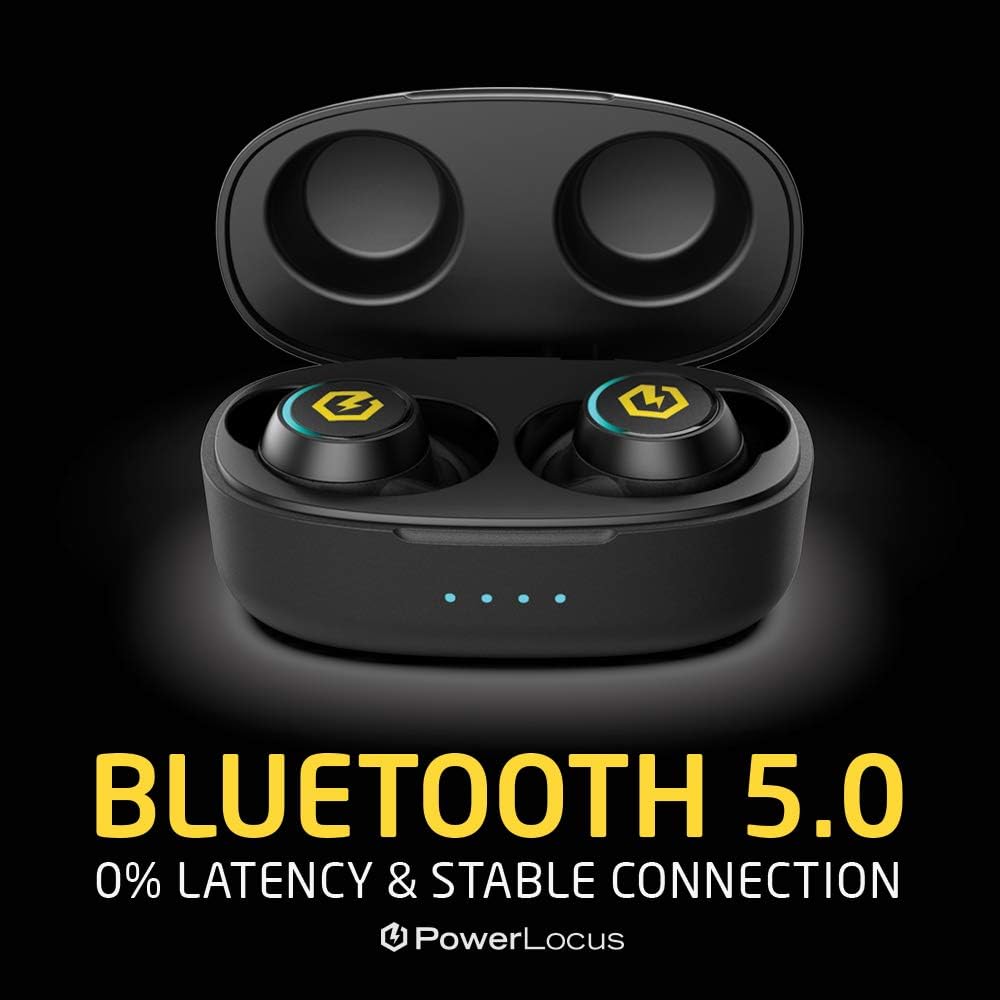
Image: Visual representation of Bluetooth 5.0 technology, emphasizing stable and low-latency connection.
Garansi sareng Rojongan
PowerLocus nyayogikeun 24-garansi sasih for the PLX2 True Wireless Earbuds. This warranty covers manufacturing defects and ensures your peace of mind with your purchase.
For warranty claims, technical support, or any questions regarding your product, please refer to the contact information provided on your warranty card or visit the official PowerLocus websitus.
We are committed to providing the best possible customer service and support for our products.


