Buku Panduan Pangguna Headphone ANC Nirkabel Premium DALI IO-6
Modél: IO-6
Bubuka
Welcome to the user manual for your DALI IO-6 Premium Wireless Over-The-Ear ANC Headphones. These headphones are designed to deliver exceptional audio quality with the convenience of wireless connectivity and advanced Active Noise Cancellation (ANC) technology. This manual provides essential information on setup, operation, maintenance, and troubleshooting to ensure you get the most out of your DALI IO-6 headphones.
Eusi pakét
Sateuacan anjeun ngawitan, pastikeun sadaya item aya dina bungkusan:
- DALI IO-6 headphone
- Kabel Ngecas USB
- Kabel Audio 3.5mm
- Travel Case (if included)
- Gancang Mimitian Guide
- Bantal Ceuli
Note: The specific contents may vary slightly based on regional packaging.
Disetél
1. Ngecas Headphone
Before first use, fully charge your DALI IO-6 headphones. A full charge provides approximately 30 hours of battery life with ANC enabled.
- Connect the supplied USB charging cable to the USB-C port on the headphones.
- Connect the other end of the cable to a USB power adapter (not supplied) or a powered USB port on a computer.
- The LED indicator on the headphones will show charging status. It typically takes about 2 hours for a full charge.

Figure 1: DALI IO-6 headphones, Army Green color, showing the overall design. The USB-C port is located on one of the earcups.
2. Papasangan Bluetooth
Pair your DALI IO-6 headphones with your Bluetooth-enabled device (smartphone, tablet, laptop, etc.).
- Pastikeun headphone dipareuman.
- Press and hold the Power/Bluetooth button on the headphones for approximately 5 seconds until the LED indicator flashes blue and red, indicating pairing mode.
- Dina alat Anjeun, buka setelan Bluetooth tur aktipkeun Bluetooth.
- Select "DALI IO-6" from the list of available devices.
- Once paired, the LED indicator on the headphones will turn solid blue.

Gambar 2: Hareupeun view of the DALI IO-6 headphones, showcasing the earcups and headband. The control buttons are located on the right earcup.
3. Sambungan kabel
For a wired connection, use the supplied 3.5mm audio cable.
- Sambungkeun hiji tungtung kabel audio 3.5mm kana jack input audio dina headphone.
- Connect the other end to the 3.5mm audio output jack on your device.
- Headphone bakal otomatis pindah ka mode kabel.
Parentah Operasi
Daya Hurung/Pareuman
- Pikeun ngahurungkeun: Pencét jeung tahan tombol Daya salila 2 detik.
- Pikeun mareuman: Pencét jeung tahan tombol Daya salila 3 detik.
Music Playback and Call Control
| Fungsi | Aksi |
|---|---|
| Play / Reureuh | Pencét tombol Multi-fungsi sakali. |
| Lagu salajengna | Pencét tombol Multi-fungsi dua kali. |
| Lagu saméméhna | Pencét tombol Multi-fungsi tilu kali. |
| Volume Up | Pencét tombol Volume +. |
| Volume Turun | Pencét polumeu - tombol. |
| Ngajawab / mungkas Telepon | Pencét tombol Multi-fungsi sakali. |
| Nolak Telepon | Pencét jeung tahan tombol Multi-fungsi salila 2 detik. |
| Aktipkeun Asisten Sora | Press and hold the Multi-function button for 2 seconds (when not on a call). |
Aktif Noise Cancellation (ANC) jeung Transparansi Mode
The DALI IO-6 features Active Noise Cancellation to reduce ambient noise and a Transparency Mode to allow external sounds to pass through.
- To cycle through ANC modes (ANC On, Transparency Mode, ANC Off): Press the ANC button located on the earcup.
- The LED indicator will change color to indicate the current ANC mode.
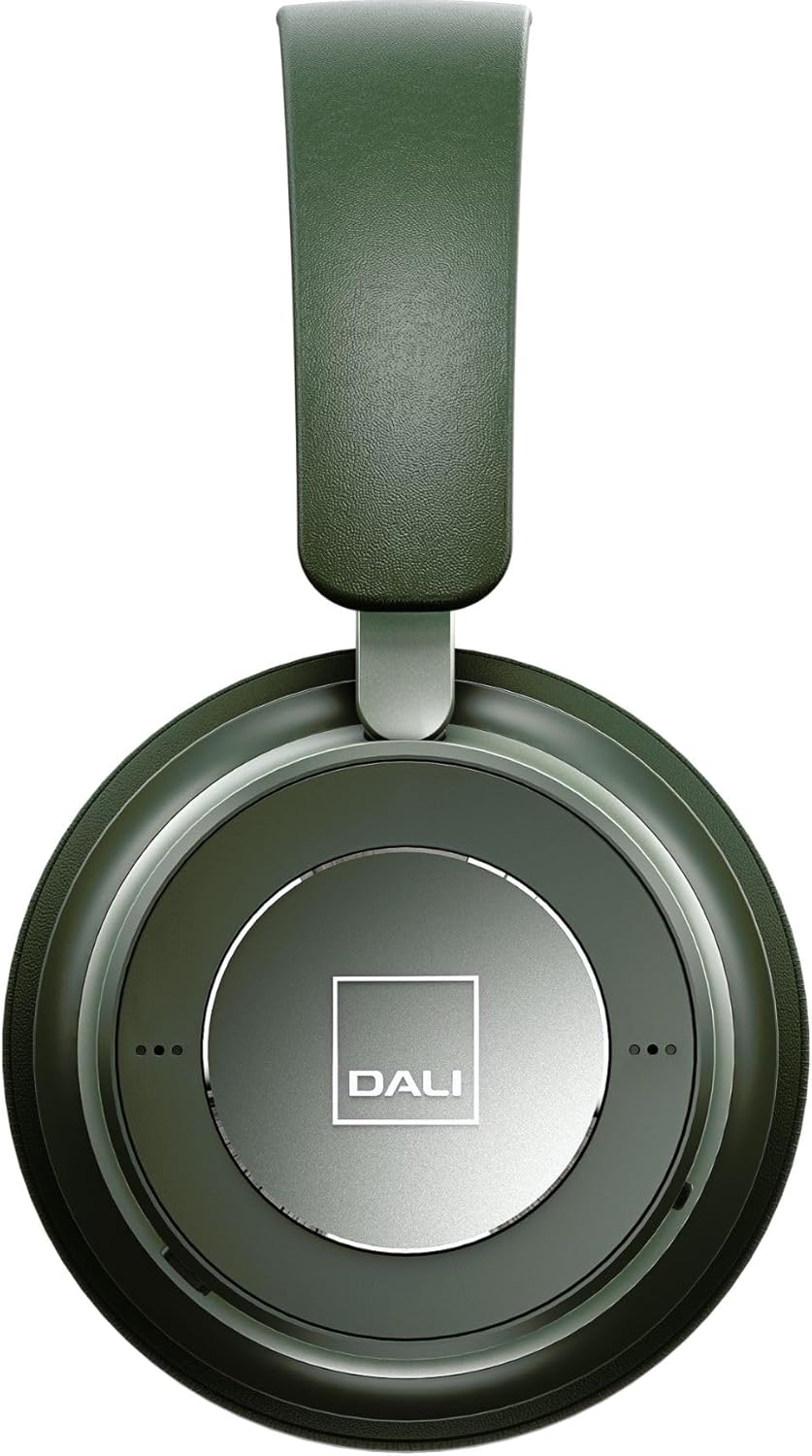
angka 3: Tutup-up view of the DALI IO-6 earcup, highlighting the DALI logo and the subtle design details. The control buttons are integrated into the earcup design.
Pangropéa sareng Perawatan
Proper care will extend the life and performance of your DALI IO-6 headphones.
- beberesih: Use a soft, dry cloth to clean the headphones. Do not use abrasive cleaners, solvents, or strong chemicals.
- Panyimpenan: When not in use, store the headphones in their protective travel case to prevent damage.
- Suhu: Ulah nepi ka headphone kakeunaan suhu anu ekstrim (panas atanapi tiis) atanapi kalembaban anu luhur.
- Paparan Cairan: Keep the headphones away from water and other liquids. They are not waterproof.
- bantal ceuli: The ear cushions are designed for comfort and can be replaced if worn. Refer to DALI's official websitus pikeun suku cadang.

Figure 4: DALI IO-6 headphones resting on a concrete surface, demonstrating their robust build and design. This image highlights the durable materials used.
Pamérésan masalah
If you encounter issues with your DALI IO-6 headphones, try the following solutions:
| Masalah | Solusi anu mungkin |
|---|---|
| Taya Daya | Pastikeun headphone dicas pinuh. Sambungkeun ka sumber listrik sareng pariksa indikator ngecas. |
| Teu Bisa Masangkeun via Bluetooth |
|
| Taya Sora |
|
| ANC Teu Jalan Sacara Efektif |
|
spésifikasi
| Fitur | Rincian |
|---|---|
| Ngaran modél | IO-6 |
| Téhnologi konektipitas | Nirkabel (Bluetooth 5.0) |
| Kontrol bising | Aktif Noise pembatalan (ANC) |
| Headphone Jack | 3.5 mm Jack |
| Kahirupan batré | Nepi ka 30 jam (kalayan ANC) |
| Waktu Ngecas | Kira-kira. 2 jam |
| Rentang Frékuénsi | 10 - 20000 Hz |
| Impedansi | 25 ohm |
| Ukuran Supir Audio | 50 mm |
| Bahan | Plastik, Busa Mémori |
| Dimensi produk | 3.11 x 8.86 x 9.65 inci |
| Item Beurat | 2.4 pon |
Garansi sareng Rojongan
DALI products are built to high standards and come with a limited warranty. For specific warranty terms and conditions, please refer to the warranty card included with your product or visit the official DALI websitus.
For technical support, service, or replacement parts, please contact DALI customer support through their official website or authorized service centers. You can find more information and contact details at: www.dali-speakers.com


