1. Bubuka
The PRUNUS J-160 Retro Transistor Radio is a versatile and portable audio device designed to bring you a blend of classic aesthetics and modern functionality. This manual provides detailed instructions to help you set up, operate, and maintain your radio for optimal performance and enjoyment.

Image: The PRUNUS J-160 Retro Transistor Radio in its classic gold finish.
2. Naon dina Box
Upon opening your PRUNUS J-160 package, please ensure all the following items are included:
- PRUNUS J-160 Retro Transistor Radio
- Retractable Antenna (pre-attached)
- 1800mAh Li-ion Battery (built-in, non-removable)
- Kabel USB (pikeun ngecas)
- Aux Kabel
- Manual pangguna (dokumén ieu)
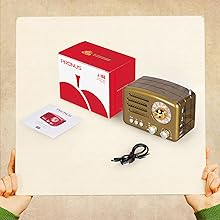
Image: Contents of the PRUNUS J-160 package, including the radio, charging cable, AUX cable, and user manual.
3. Produk Langkungview & Fitur
The J-160 radio combines a classic aesthetic with modern audio capabilities. Key features include:
- Resepsi anu saé: Equipped with a powerful DSP chip and a 270° tuning space, ensuring sensitive and accurate reception across AM/FM/SW bands. The copper retractable antenna further enhances signal stability.
- Retro and Classical Design: Compact and portable (5.1 x 2.7 x 3.5 inches, 13.5 oz) with a vintage appearance that complements any setting.
- Versatile Music Experience: Fungsina salaku amplified speaker with reliable bass and smooth treble. Supports music playback via Bluetooth, TF card (up to 32GB), USB disk, and AUX input.
- Batré anu tiasa dicas deui: Features a built-in 1800mAh non-removable rechargeable battery for long-lasting enjoyment (8-10 hours).
- Antarmuka anu ramah-pamaké: Simple controls with an old-fashioned tuning dial and warm light for easy operation, even at night.

Image: Exceptional reception with retractable antenna and DSP chip.

Image: Relax with 3 different bands: FM, AM, and SW.
4. Setélan
Getting started with your PRUNUS J-160 radio is simple:
- Daya Hurung: Turn the ON/OFF/Volume knob clockwise to power on the radio. The tuning window will illuminate with a warm light.
- Pilih Mode: Use the SW/AM/FM/MUSIC switch to select your desired mode (Shortwave, AM, FM, or Music for external playback).
- Tune to Stations (Radio Mode): If in SW, AM, or FM mode, rotate the tuning knob to find your desired station. Extend the retractable antenna for better reception.
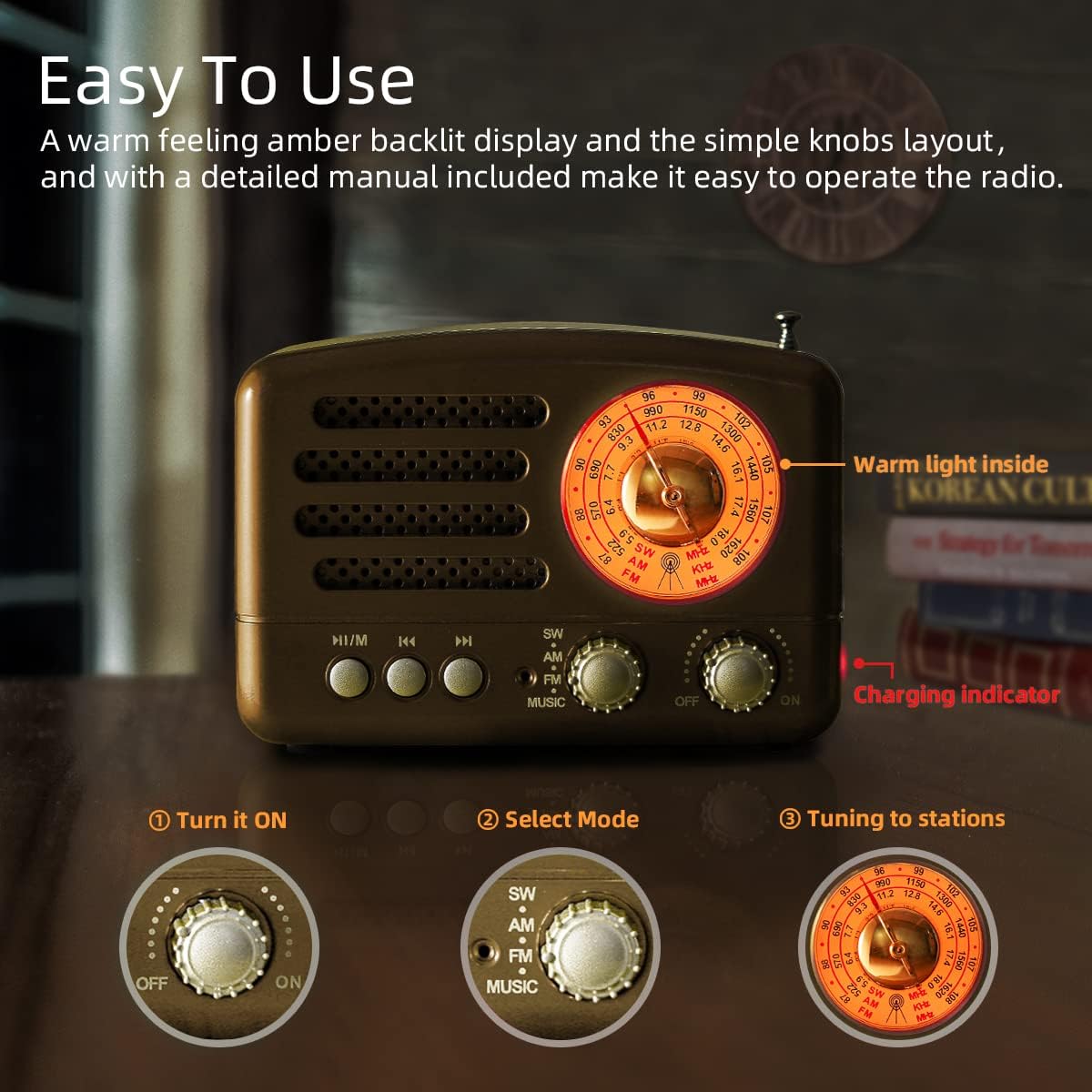
Image: Easy to use interface with warm light and charging indicator.
5. Parentah Operasi
5.1 Radio Reception (AM/FM/SW)
To listen to radio broadcasts:
- Switch to AM, FM, or SW band using the selector knob.
- Extend the telescopic antenna for optimal signal strength, especially for FM and SW.
- Rotate the tuning knob slowly to scan for available stations. The illuminated tuning window helps with precision.
5.2 Music Playback (Bluetooth, TF Card, USB, AUX)
Switch the mode selector to 'MUSIC' to access external audio sources.
- Mode Bluetooth: The radio will announce 'Bluetooth Mode'. Enable Bluetooth on your device (e.g., smartphone, tablet) and search for 'J-160'. Pair with the radio to stream audio wirelessly.
- Playback Kartu TF: Insert a TF (Micro SD) card (up to 32GB) with MP3 files into the 'TF' slot on the side. The radio will automatically detect and play the music.
- USB Disk Playback: Selapkeun USB flash drive jeung MP3 files into the 'USB' slot on the side. The radio will automatically detect and play the music.
- Input AUX: Connect an external audio device (e.g., computer, MP3 player) to the 'AUX' port using the provided AUX cable. The radio will play audio from the connected device.
Use the playback control buttons (Play/Pause, Previous Track, Next Track) located on the front panel for media control.
Video: Demonstrates the PRUNUS J-160's Bluetooth, AUX, TF Card, and USB playback capabilities.
Video: Shows the upgraded PRUNUS M-160BT (similar to J-160) in action, highlighting its features.
6. Ngecas Batré
The PRUNUS J-160 comes with a built-in 1800mAh rechargeable Li-ion battery. To charge the radio:
- Connect the provided USB cable to the 'DC 5V' charging port on the side of the radio.
- Plug the other end of the USB cable into a DC5V/500mA-2A USB adapter, computer USB port, car charger, or power bank.
- The 'CHARGE' indicator light (red LED) next to the charging port will illuminate while charging.
- Lampu indikator bakal pareum pas batréna tos pinuh.
A full charge typically provides 8-10 hours of playback time.
7. Pangropéa
To ensure the longevity and optimal performance of your PRUNUS J-160 radio, follow these maintenance guidelines:
- beberesih: Use a soft, dry cloth to clean the exterior of the radio. Avoid using abrasive cleaners, solvents, or strong chemicals, as they may damage the finish.
- Panyimpenan: Upami henteu dianggo salami lami, simpen radio di tempat anu tiis, garing, sareng jauh tina sinar panonpoé langsung sareng suhu anu ekstrim.
- Perawatan batré: To prolong battery life, avoid completely discharging the battery frequently. Charge the radio regularly, even if not in constant use. Do not attempt to replace the non-removable battery yourself.
- Perawatan Antenna: Handle the retractable antenna gently to prevent bending or breaking. Retract it when not in use or when transporting the radio.
- Paparan cai: This radio is not waterproof. Keep it away from water, moisture, and high humidity to prevent internal damage.
8. Cara ngungkulan
If you encounter any issues with your PRUNUS J-160 radio, please refer to the following common problems and solutions:
| Masalah | Mungkin Cukang lantaranana | Solusi |
|---|---|---|
| Teu aya listrik/Radio teu bisa dihurungkeun | Batré béak. | Charge the radio using the provided USB cable. Ensure the charging indicator lights up. |
| panarimaan radio goréng | sinyal lemah; anteneu teu diperpanjang. | Fully extend the telescopic antenna. Try repositioning the radio to find a stronger signal. |
| Bluetooth teu nyambung | Radio not in Bluetooth mode; device not discoverable. | Ensure the radio is switched to 'MUSIC' mode and announces 'Bluetooth Mode'. Check your device's Bluetooth settings and ensure 'J-160' is discoverable. |
| No sound from TF card/USB | Lepat file format; kartu/drive teu dipasang kalawan bener. | Pastikeun audio files are in MP3 format. Reinsert the TF card or USB drive firmly. |
| Volume control issues (e.g., low range) | Analog volume knob sensitivity. | Adjust the volume knob carefully. For precise low volume, consider controlling volume from the connected device in Bluetooth/AUX mode. |
9. Spésifikasi
| Fitur | Rincian |
|---|---|
| Dimensi produk | 5.1 x 2.7 x 3.5 inci (2.8" L x 5.1" W x 3.5 "H) |
| Item Beurat | 13.5 ons |
| Nomer Modél Item | J-160 |
| Batré | 1 Lithium Ion batteries required (included, non-removable 1800mAh) |
| Téhnologi Tuner | AM/FM/SW (3-Band) |
| Téhnologi konektipitas | Bluetooth, TF Card, USB, AUX |
| Sumber Daya | DC 5V (via USB cable) |
| Produsén | PRUNUS |
| Negara asal | Cina |
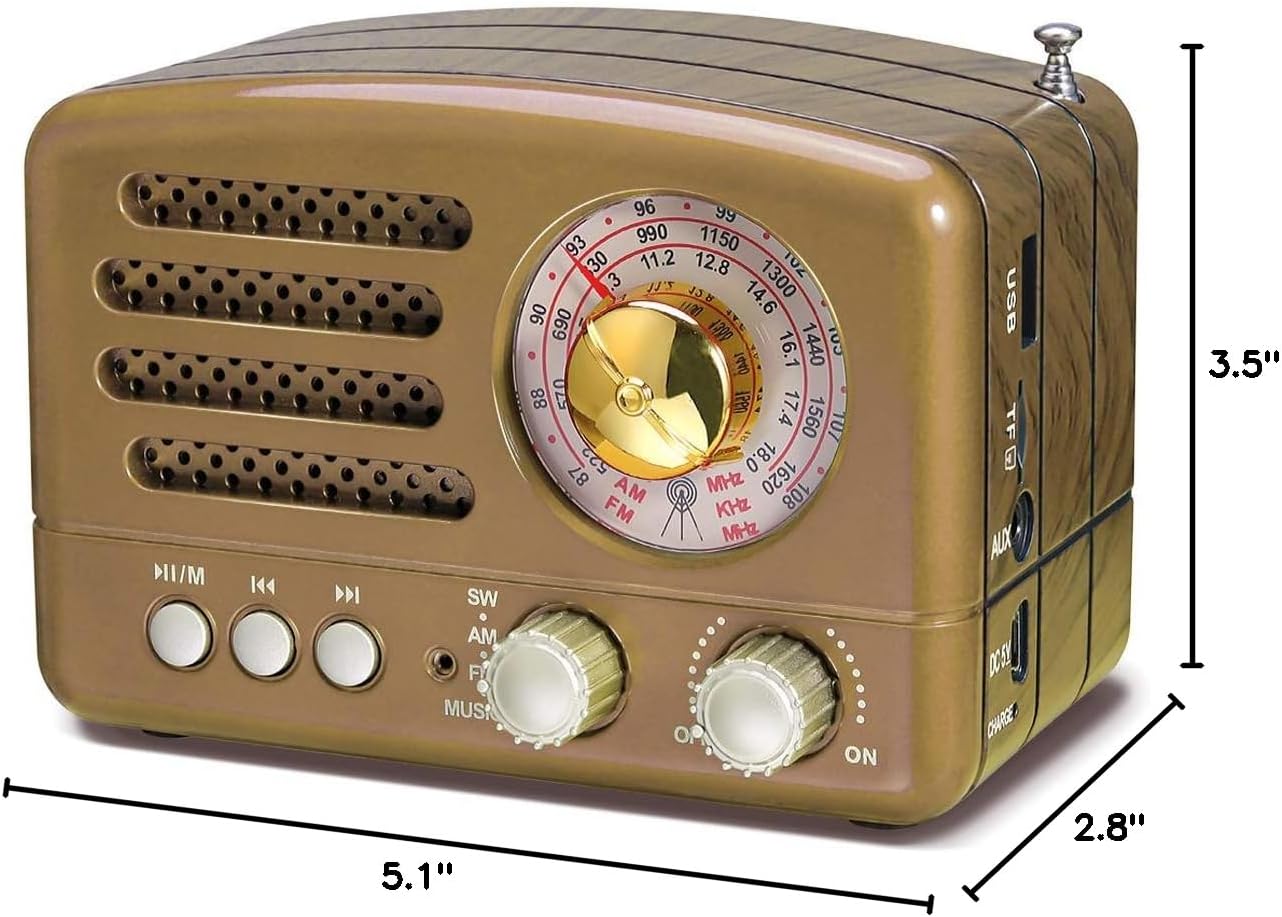
Image: Dimensions of the PRUNUS J-160 radio.
10. Jaminan & Dukungan
For detailed warranty information and customer support, please refer to the official PRUNUS website or contact their customer service directly. You can also find a downloadable PDF version of the user manual for this product at the following link:
Unduh Buku Panduan Pamaké (PDF)
Video: Témbongkeunasing the PRUNUS 160 Retro Radio in both Red and Gold colors.


