Bubuka
Thank you for choosing the Joyroom JR-T05 Wireless Earbuds. This manual provides essential information for the safe and efficient use of your device. Please read it thoroughly before use and retain it for future reference.
Produk Leuwihview
The Joyroom JR-T05 consists of two wireless earbuds and a portable charging case. Familiarize yourself with the components:
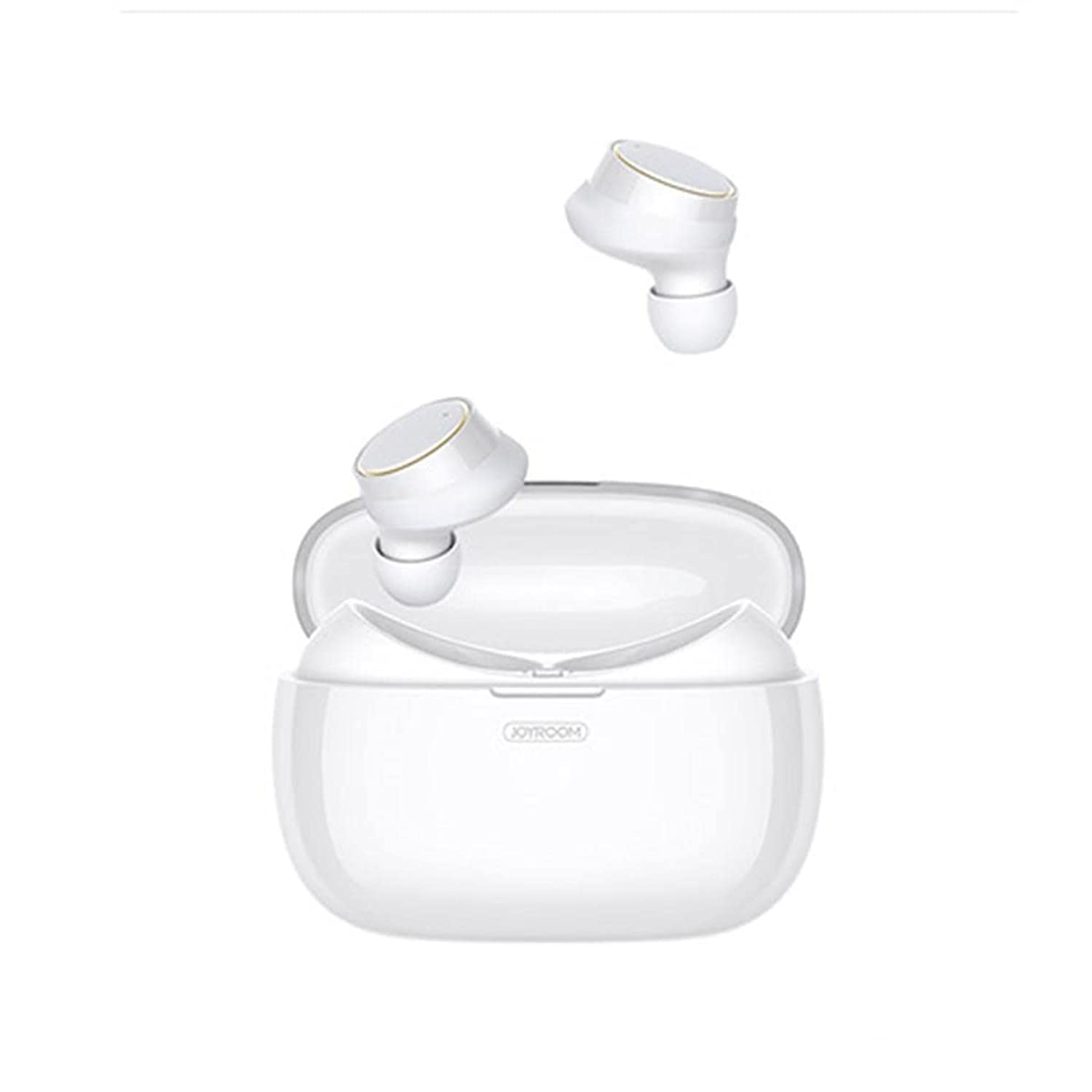
Image: Joyroom JR-T05 Wireless Earbuds and Charging Case. This image displays the white Joyroom JR-T05 wireless earbuds, with one earbud positioned partially within its charging case and the other earbud shown separately above. The charging case is also white and features the 'JOYROOM' brand logo.
- Earbuds: Left and Right wireless earbuds with in-ear design.
- Kasus ngecas: Kasus portabel pikeun ngecas sareng nyimpen earbuds.
- Kabel ngecas: (Not explicitly mentioned but implied for charging case)
Disetél
1. Ngecas Awal
- Tempatkeun duanana earbuds kana kotak ngeusian.
- Sambungkeun wadah ngecas ka sumber daya nganggo kabel USB anu cocog.
- Allow the case and earbuds to fully charge before first use. Charging indicators will show the status.
2. Papasangan Bluetooth
- Pastikeun yén earbuds dieusi.
- Open the charging case. The earbuds will automatically enter pairing mode (indicated by flashing lights, refer to product for specific light patterns).
- On your mobile phone or Bluetooth-enabled device, go to Bluetooth settings.
- Milarian pikeun "JR-T05" or a similar device name in the list of available devices.
- Select "JR-T05" to connect. Once connected, the earbuds will indicate successful pairing (e.g., a voice prompt or steady light).
- Pikeun kagunaan anu salajengna, earbuds bakal otomatis nyambung ka alat anu dipasangkeun terakhir nalika dikaluarkeun tina wadahna.
Parentah Operasi
The JR-T05 earbuds feature touch controls for various functions:
- Daya Hurung: Cabut earbuds tina wadah ngecas. Aranjeunna bakal hurung otomatis.
- Pareum listrik: Place earbuds back into the charging case. They will power off automatically. Alternatively, disconnect Bluetooth from your device.
- Puter / Reureuh: Ketok boh earbud sakali.
- Lagu salajengna: Ketok dua kali earbud katuhu.
- Lagu Sateuacanna: Ketok dua kali earbud kénca.
- Ngajawab / mungkas Telepon: Ketok boh earbud sakali dina sauran asup atanapi salami sauran aktip.
- Nolak Telepon: Pencét terus tahan salah sahiji earbud salila kira-kira 2 detik nalika aya telepon asup.
- Aktipkeun Asisten Sora: Triple-tap either earbud (functionality may vary by device).
- Kontrol volume: Volume is typically controlled via your connected mobile device.
- Single/Dual Earbud Mode: The earbuds support independent use. You can use either the left or right earbud alone, or both together for stereo sound.
Pangropéa
- beberesih: Anggo lawon anu lemes, garing, henteu lint pikeun ngabersihan earbuds sareng wadah ngecas. Ulah make bahan kimia kasar atawa bahan abrasive.
- Panyimpenan: Nalika henteu dianggo, simpen earbuds dina wadah ngecasna pikeun ngajagi sareng tetep dicas. Nyimpen dina tiis, tempat garing jauh ti suhu ekstrim.
- Perawatan batré: To prolong battery life, avoid fully discharging the earbuds and charging case frequently. Charge regularly, even if not used for extended periods.
- Tahan cai: The earbuds feature an IPX5 water-resistant design, protecting them from sweat and light splashes. They are not designed for submersion in water or use during swimming. Ensure earbuds are dry before placing them in the charging case to prevent damage.
Pamérésan masalah
| Masalah | Solusi |
|---|---|
| Earbuds henteu dipasangkeun sareng alat. |
|
| Ngan hiji earbud jalan. |
|
| Earbuds teu ngecas. |
|
| Kualitas sora goréng atanapi disconnections. |
|
spésifikasi
| Fitur | Rincian |
|---|---|
| merek | Joyroom |
| Nomer modél | JR-T05 |
| Konektipitas | Nirkabel (Bluetooth 4.2) |
| Warna | Bodas |
| Panempatan Ceuli | Dina-Ceuli |
| Mikropon | Yes, with Noise Cancellation |
| Tahan cai | IPX5 (Resistant to sweat and light splashes) |
| Ngecas Kapasitas Batré Case | 1500 mAh (can charge earbuds approximately 10 times) |
| Dimensi produk | 3.9 × 2 × 2 inches (approximate) |
| Beurat produk | 63.5 grams (earbuds and case combined) |
| Tipe Kontrol | Toél Control |
| Alat nu cocog | Handphone |
| Dianjurkeun Paké | Nelepon |
Émbaran Kasalametan
- Perlindungan dédéngéan: Hindarkeun dengekeun dina tingkat polumeu luhur pikeun période anu panjang pikeun nyegah karusakan dédéngéan.
- Kasalametan nyetir: Do not use earbuds while driving or cycling in situations where it may distract you or pose a hazard.
- Ngecas: Use only approved chargers and cables. Do not attempt to charge the device if it is wet.
- pembuangan: Buang produk sareng batréna sacara tanggung jawab nurutkeun peraturan lokal. Ulah miceun ku runtah rumah tangga.
- Bagian leutik: This product contains small parts that may be a choking hazard. Keep out of reach of children.
Garansi sareng Rojongan
For warranty information and customer support, please refer to the documentation provided with your purchase or contact the retailer where you purchased the Joyroom JR-T05 Wireless Earbuds. Keep your proof of purchase for warranty claims.