Bubuka
The PELONIS 3-speed oscillating Tower fan with timer and remote provides maximum comfort in a minimum space. With a tall, narrow profile, this fan is ideal for smaller rooms or areas with limited floor space. It features three speeds, multiple modes, and a timer for automatic shutoff. A convenient remote control allows for easy operation from a distance.
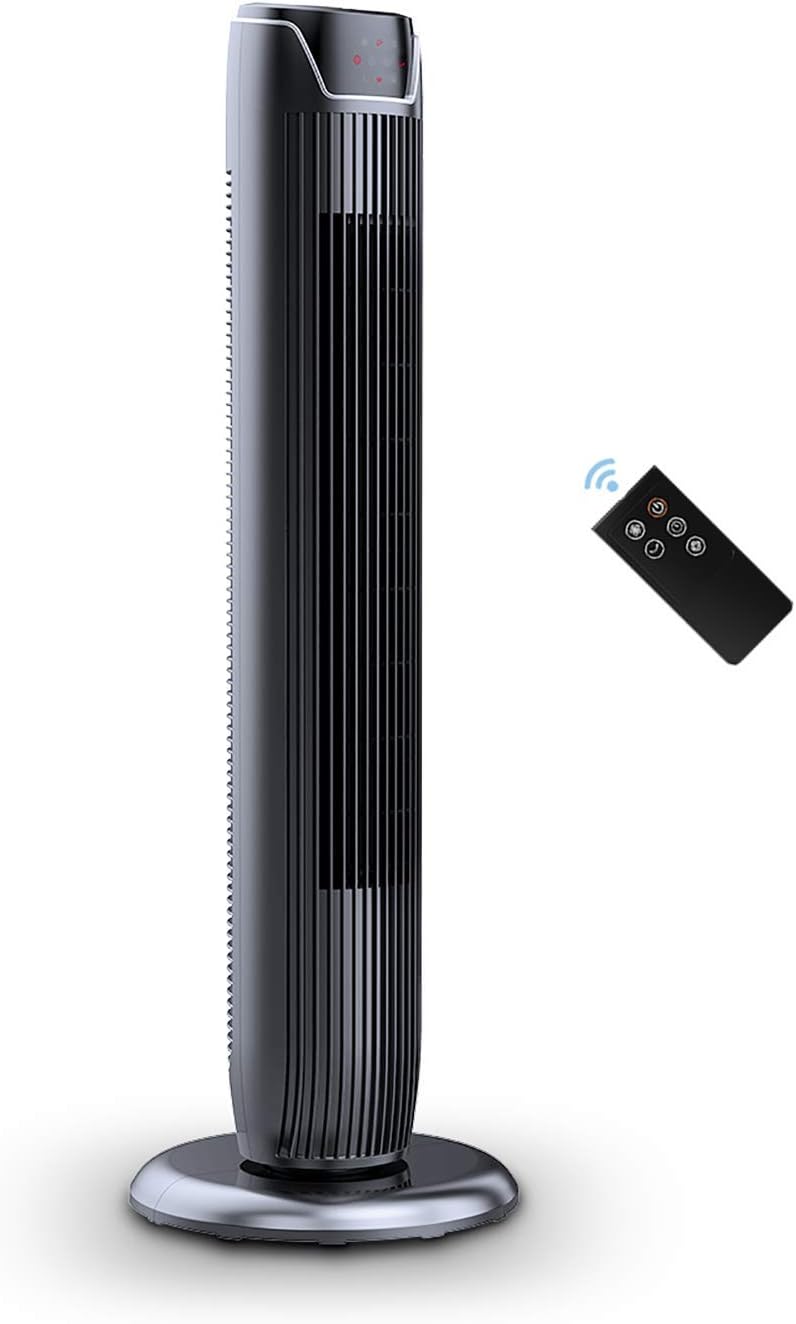
Figure 1: PELONIS FZ10-19JR Quiet Oscillating Tower Fan and Remote Control.
Émbaran Kasalametan
Always read and follow all safety instructions before using this appliance to prevent injury or damage. Keep this manual for future reference.
- Perlindungan overheat: The motor has built-in overheat protection for peace of mind, automatically shutting off the fan if it overheats.
- Kasalametan Anak: The compact design on the fan grid ensures the safety of children by preventing finger penetration.
- Proposisi 65 Peringatan: Produk ieu tiasa ngandung bahan kimia anu dipikanyaho di Propinsi California anu nyababkeun kanker sareng cacat lahir atanapi cilaka réproduktif sanés.
- Pastikeun kipas disimpen dina permukaan datar anu stabil pikeun nyegah tipping.
- Ulah ngasupkeun ramo atawa objék asing kana grille kipas.
- Cabut kipas tina stop kontak sateuacan beberesih atanapi ngalakukeun pangropéa naon waé.
Eusi pakét
Pastikeun yén sadaya komponén aya nalika muka bungkusan:
- PELONIS FZ10-19JR Tower Fan Unit
- Kadali jauh
- Base Parts (multiple pieces for assembly)
- Manual Pamaké (PDF sadia online)
Disetél
The PELONIS FZ10-19JR Tower Fan requires minimal assembly. Follow these steps to set up your fan:
- Kumpulkeun Base: The base comes in multiple pieces. Snap the base pieces together securely.
- Attach Fan Unit to Base: Carefully align the fan unit with the assembled base. Ensure the power cord is routed through the designated opening in the base.
- Ngamankeun Base: Locate the screw underneath the base and tighten it to firmly attach the fan unit to the base.
- panempatan: Place the assembled fan on a stable, flat surface.
- Sambungan Daya: Plug the fan into a standard 120V/60HZ power outlet.
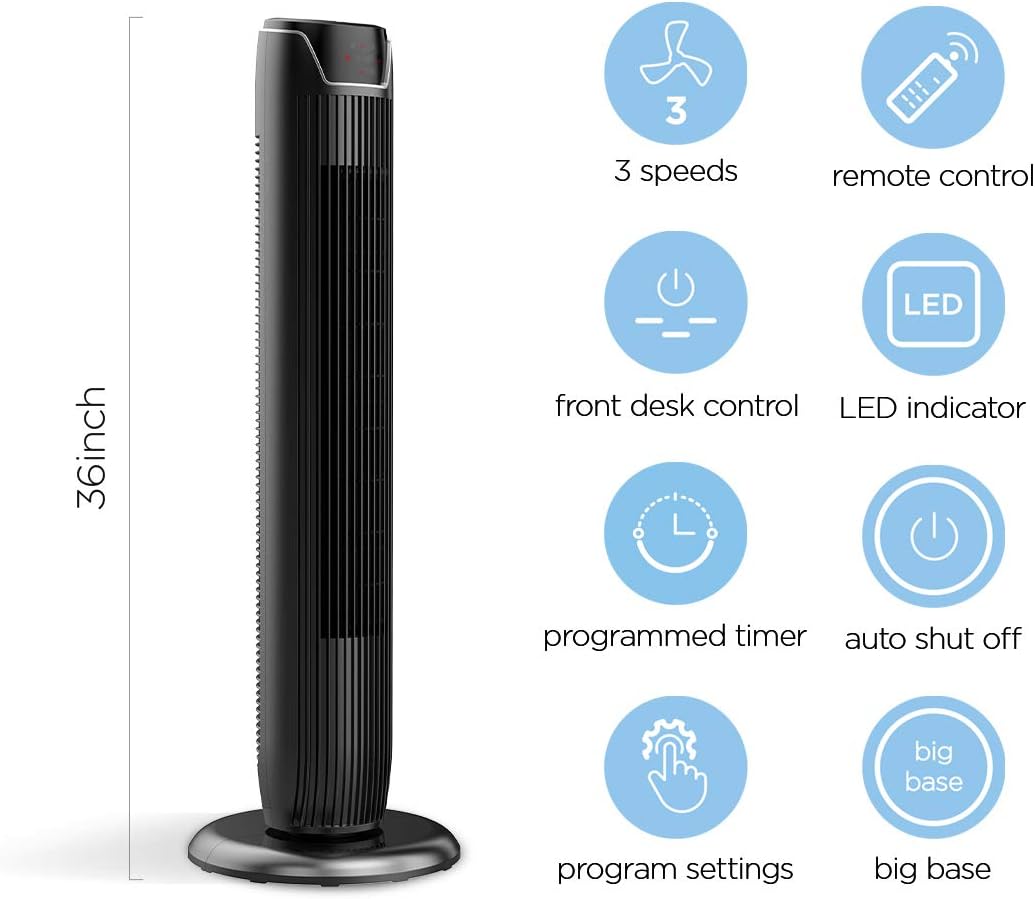
Figure 2: The 36-inch height of the tower fan, highlighting its compact design and various features.

Figure 3: Key features of the PELONIS tower fan, including silent operation, wide-angle airflow, timer, and auto shut-off.
Video 1: Hiji leuwihview of the 36-inch PELONIS FZ10-19JR Oscillating Tower Fan, demonstrating its compact size and features.
Parentah Operasi
Your PELONIS tower fan can be operated using the multi-functional control panel on top of the unit or the included remote control.
Control Panel jeung Jauh
Both the control panel and the remote offer identical functions for convenience. The control panel is located on the top of the fan for easy access without bending.

Figure 4: Close-up of the overhead control panel, highlighting the tight fence design for safety and the internal gale wheel for air volume.
- Tombol Daya (ON/OFF): Ngahurungkeun atanapi mareuman kipas.
- Tombol Mode: Ngaliwatan sababaraha modeu angin (Normal, Alami, Sare).
- Tombol Speed: Saluyukeun laju kipas (Rendah, Sedeng, Luhur).
- Oscillation Button (Osc): Activates or deactivates the 60° wide-angle oscillation function.
- Tombol Timer: Sets the automatic shutoff timer (up to 7 hours).
Modeu Kipas
- Angin normal: Provides a constant airflow.
- Angin Alami: Simulates natural breezes with alternating strong and weak airflows.
- Modeu Bobo: Operates at a low noise level (as low as 48 dB) for undisturbed sleep. The LED display auto-off after 30 seconds to minimize light disturbance.
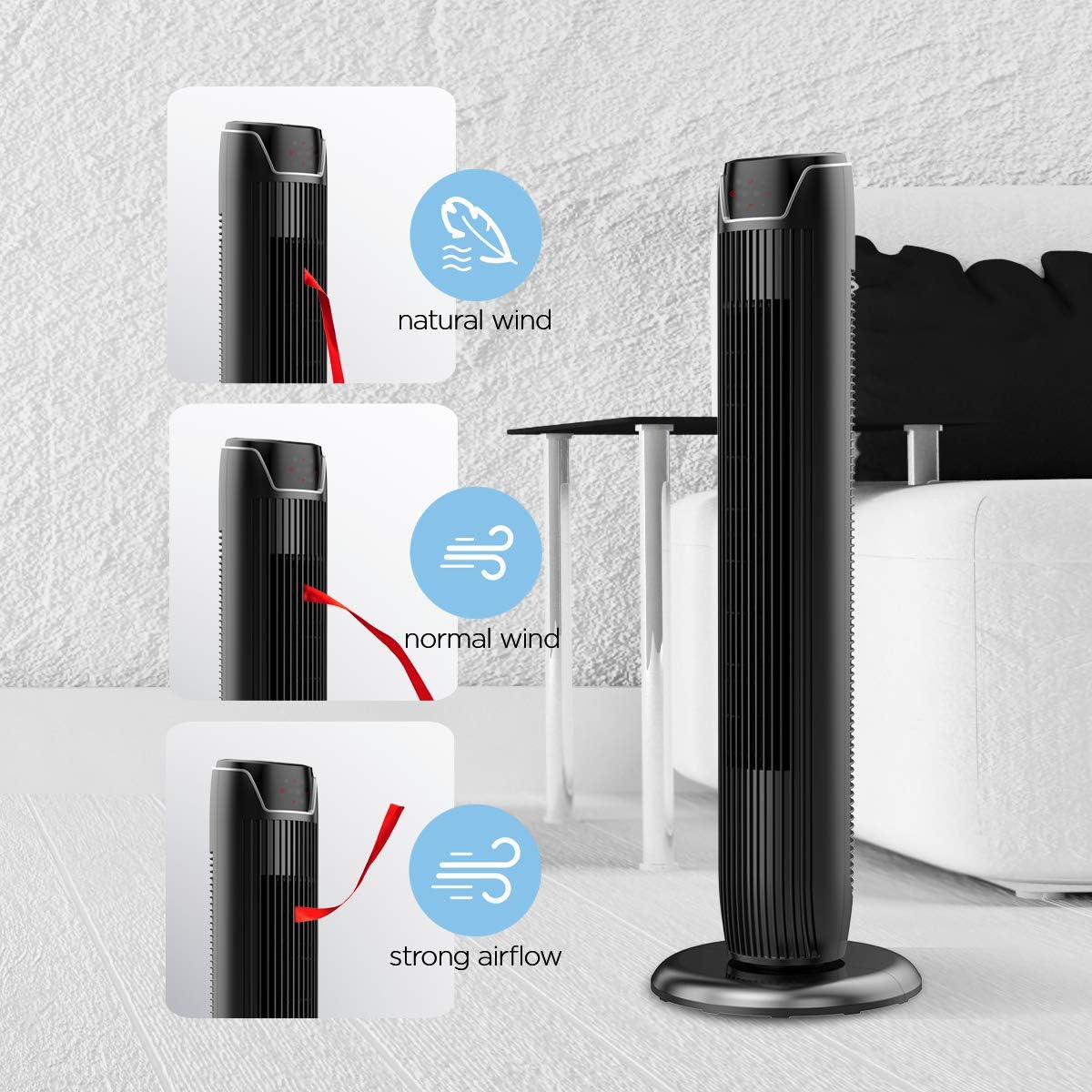
Figure 5: Visual representation of the fan's different wind modes: Natural Wind, Normal Wind, and Strong Airflow.

Figure 6: The fan's quiet operation in sleep mode, ideal for bedrooms and nurseries.

Figure 7: Illustration of the fan's ultra-silence feature (below 48dB on low speed), perfect for quiet environments.
Panyimpenan Jauh Jauh
The fan features a built-in cubby at the back for convenient storage of the remote control, ensuring it is always within reach and not easily misplaced.
Video 2: Demonstration of the remote control storage slot on the back of the Pelonis Tower Fan.
Pangropéa
Pembersihan rutin ngabantosan ngajaga kinerja kipas sareng manjangkeun umurna.
- Bersihan Luar: Ngagunakeun lemes, damp lawon pikeun ngusap handap surfaces exterior kipas. Ulah make cleaners abrasive atawa pangleyur.
- Ngabersihan grille: Use a vacuum cleaner with a brush attachment to remove dust from the fan grilles. For deeper cleaning, a compressed air can may be used to dislodge dust from hard-to-reach areas.
- beberesih internal: The fan is not designed for easy disassembly for internal cleaning. Regular external cleaning and compressed air use are recommended to minimize dust accumulation inside.
- Pastikeun kipas angin tos garing sateuacan dicolokkeun deui.
Pamérésan masalah
If you encounter issues with your PELONIS tower fan, try the following troubleshooting steps:
- Kipas teu hurung:
- Pastikeun yén kabel listrik dicolokkeun sacara aman kana stop kontak listrik.
- Pariksa naha stop kontak listrik berpungsi ku cara nyolokkeun alat sejen.
- Verify the fan's power button is pressed.
- Fan Not Oscillating:
- Pencét tombol osilasi dina panel kontrol atanapi remot.
- Ensure there are no obstructions preventing the fan from rotating.
- Aliran hawa lemah:
- Ningkatkeun setelan laju kipas.
- Clean the fan grilles to remove any dust or debris that may be obstructing airflow.
- Noise anu teu biasa:
- Pastikeun kipas disimpen dina permukaan anu stabil sareng rata.
- Check for any loose parts or foreign objects within the fan grilles.
- If the noise is a creaking sound during oscillation, ensure the base is not overtightened. Loosen it slightly if necessary.
- Remote Control Teu Gawé:
- Ensure the remote control's batteries are correctly installed and not depleted.
- Point the remote directly at the fan's control panel.
- Pastikeun teu aya halangan antara remote sareng kipas.
spésifikasi
| Fitur | Rincian |
|---|---|
| merek | PELONIS |
| Ngaran modél | FZ10-19JR |
| Warna | Herang Hideung |
| Desain kipas listrik | Kipas Lantai |
| Sumber Daya | Kabel Listrik |
| Gaya | Modern |
| Dimensi produk | 11.8 "D x 11.8" W x 36.14" H |
| Tipe Kamar | Pangkeng |
| Fitur husus | Ngayun |
| Dianjurkeun Mangpaat | Office, Air Circulation, Bedroom, Living Room, Home |
| Tingkat Noise | 48 dB |
| Tipe rengse | Herang |
| Voltage | 120 volt |
| Komponén Kaasup | Jauh |
| Pamakéan jero rohangan / outdoor | jero rohangan |
| Spesifikasi Met | ETL |
| Métode kontrol | Jauh |
| Bahan Sabeulah | palastik |
| Jumlah Tingkat Daya | 3 |
| Produsén | Pelonis |
| UPC | 750545105431 |
| Item Beurat | 9.13 pon |
Garansi sareng Rojongan
PELONIS offers a 1-taun jaminan produsén with the purchase of this product, demonstrating confidence in its quality.
For detailed information, refer to the official User Manual (PDF) available online:
Unduh Buku Panduan Pamaké (PDF)
For further assistance or inquiries, please visit the official PELONIS Store on Amazon: PELONIS Store


