
Superior Electronics SUPTRB019
Superior Electronics Ready5 Smart Universal Remote Control
Model: SUPTRB019
Bubuka
This manual provides detailed instructions for the Superior Electronics Ready5 Smart Universal Remote Control, Model SUPTRB019. This remote is designed for immediate use with a wide range of LG, Samsung, Sony, Philips, and Panasonic televisions, eliminating the need for complex programming.
fitur konci ngawengku:
- Universal compatibility with major TV brands (LG, Samsung, Sony, Philips, Panasonic).
- Ready-to-use functionality; no programming required.
- Full Smart TV compatibility for enhanced control.
- Dedicated quick access buttons for popular streaming services like Netflix and Prime Video.
- Ergonomic design with intuitive button layout for comfortable and immediate operation.
- Diwangun tina bahan awét pikeun pagelaran anu awét.

Image: The Superior Electronics Ready5 Smart Universal Remote Control shown in its retail packaging, highlighting its "Ready to Use" feature and compatibility with various TV brands.
Disetél
1. Nyelapkeun Batré
The remote control requires two (2) AAA batteries (not included). Follow these steps to insert them correctly:
- Teangan tempat panutup kompartemen batré dina tonggong kadali jauh.
- Geser panutup ka handap atawa pencét kancing (upami aya) pikeun muka kompartemen.
- Insert two AAA batteries, ensuring that the positive (+) and negative (-) terminals align with the indicators inside the compartment. Incorrect polarity can prevent the remote from functioning.
- Geser panutup kompartemen batré deui kana tempatna nepi ka klik aman.

Gambar: Tukangeun view of the remote control, illustrating the location of the battery compartment for easy access and battery insertion.
2. Pamakéan awal
The Superior Electronics Ready5 Smart remote control is designed for immediate use with compatible LG, Samsung, Sony, Philips, and Panasonic TVs. Once the batteries are correctly inserted, the remote is ready to operate your television without any additional programming or setup. Simply point the remote at your TV and begin using its functions.
Parentah Operasi
This section details the primary functions of the buttons on your Ready5 Smart remote control.

Gambar: Hareupeun view of the Superior Electronics Ready5 Smart remote control, displaying all buttons and their layout for easy identification.
Tombol Fungsi Leuwihview
| Tombol | Fungsi |
|---|---|
| kakuatan (●) | Ngahurungkeun atawa mareuman TV. |
| Input | Milih sumber input (HDMI, AV, jsb.). |
| Smart Video / NET.TV | Direct access to Smart TV features or specific streaming apps. |
| 3D | Activates or deactivates 3D mode (if supported by TV). |
| Pituduh | Mintonkeun pituduh program éléktronik. |
| ménu | Muka ménu utama TV. |
| Subt. | Ngahurungkeun atanapi mareuman subjudul. |
| Fav | Ngaksés daptar saluran karesep. |
| Inpo | Nampilkeun inpormasi ngeunaan program atanapi input ayeuna. |
| Navigasi (Luhur, Handap, Kénca, Katuhu, OK) | Navigates ngaliwatan ménu jeung confirms selections. |
| Balik deui | Mulih ka layar atawa ménu saméméhna. |
| Kaluar | Kaluar tina menu atawa aplikasi ayeuna. |
| Vol +/- | Saluyukeun polumeu kaluhur atanapi kahandap. |
| Ngajempékeun | Ngajempékeun atanapi nganonaktipkeun sora TV. |
| Ch +/- | Ngarobah saluran kaluhur atanapi kahandap. |
| Nomer Pad (0-9) | Directly enters channel numbers or numerical inputs. |
| Daptar | Displays a list of channels or media. |
| Netflix | Directly launches the Netflix application. |
| Perdana Video | Directly launches the Amazon Prime Video application. |
| Tombol Warna (Beureum, Héjo, Konéng, Biru) | Functions vary depending on the TV model and current menu/application. |
| Media Control (Play, Pause, Stop, Rewind, Fast Forward, Record) | Controls media playback (e.g., USB, streaming apps). |
Smart TV and Streaming Access
The Ready5 Smart remote is designed to seamlessly integrate with your Smart TV's functionalities. Use the navigation buttons to browse Smart TV menus and applications. The dedicated Netflix and Prime Video buttons provide instant access to these popular streaming platforms, allowing you to start watching your favorite content with a single press.
Pangropéa
Ngabersihan Remote Control
Pikeun mastikeun kinerja optimal sareng umur panjang kadali jauh anjeun, turutan tungtunan beberesih ieu:
- Salawasna cabut batréna sateuacan dibersihkeun.
- Anggo kaén anu lemes sareng garing pikeun ngusap permukaan rémot.
- Keur kokotor bandel, rada dampen lawon ku cai atawa hampang, cleaner non-abrasive. Hindarkeun Uap kaleuleuwihan.
- Ulah make bahan kimia kasar, cleaners abrasive, atawa pangleyur, sabab ieu bisa ngaruksak finish remote atawa komponén internal.
- Ensure the remote is completely dry before reinserting batteries.
Perawatan sareng Panggantian Batré
Replace batteries when the remote's response becomes sluggish or it stops functioning. Always replace both batteries at the same time with new AAA batteries. Do not mix old and new batteries, or different types of batteries. Dispose of used batteries responsibly according to local regulations.
Pamérésan masalah
If you encounter issues with your Ready5 Smart remote control, refer to the following common problems and solutions:
Jauh Teu Ngabales
- Pariksa batré: Pastikeun batréna dipasang kalayan leres sareng polaritas anu leres (+/-) sareng henteu béak. Ganti ku batré AAA anu énggal upami diperyogikeun.
- Garis Panempoan: Make sure there are no obstructions between the remote control and the TV's infrared receiver. Point the remote directly at the TV.
- Jarak: Ensure you are within the effective operating range (up to 10 meters).
- Daya TV: Confirm that your TV is powered on and not in standby mode.
Tombol Khusus Henteu Jalan
- Fungsi umum: If most buttons work but a few do not, it might indicate a specific TV model's lack of support for that particular function via universal remote, or a dirty contact under the button.
- Smart TV/Streaming Buttons: Ensure your TV is a Smart TV and has the respective applications (Netflix, Prime Video) installed and updated.
Masalah kasaluyuan
The Ready5 Smart remote is pre-programmed for LG, Samsung, Sony, Philips, and Panasonic TVs manufactured from 2000 onwards. If your TV is from a different brand or an older model, full functionality may not be guaranteed. No programming is required for the listed compatible brands.
spésifikasi
| Fitur | Rincian |
|---|---|
| Ngaran modél | Ready5 Smart |
| Nomer modél | SUPTRB019 |
| merek | Éléktronik Unggul |
| Alat nu cocog | LG, Samsung, Sony, Philips, Panasonic Televisions (models from 2000 onwards) |
| Téhnologi konektipitas | Infrabeureum (IR) |
| Sumber Daya | 2 x Batré AAA (teu kalebet) |
| Rentang maksimum | 10 méter (kira-kira 33 suku) |
| Dimensi produk | 5 x 1.5 x 19 cm (kira-kira 1.97 x 0.59 x 7.48 inci) |
| Beurat | 100 gram (kira-kira 3.53 ons) |
| Warna | Hideung |
| Fitur husus | Universal, immediately ready for use (no programming) |
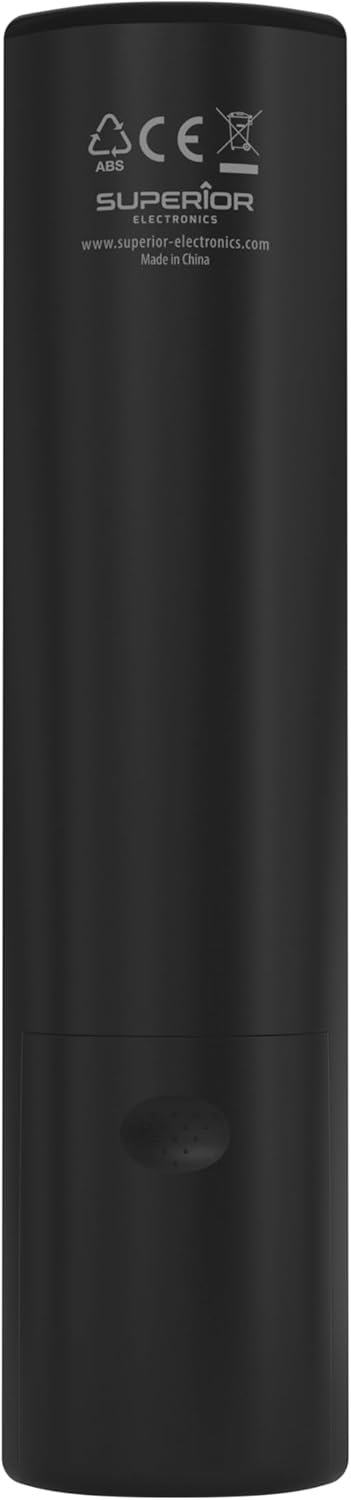
Image: The remote control with its approximate dimensions (4.8 cm width, 19.5 cm length) highlighted for reference.
Émbaran jaminan
Specific warranty details for the Superior Electronics Ready5 Smart Universal Remote Control are typically provided with your purchase documentation or can be found on the official Superior Electronics website. Please refer to these resources for comprehensive information regarding warranty coverage, terms, and conditions.
Ngarojong
For further assistance, technical support, or additional product information, please visit the official Superior Electronics website or contact their customer service department. Contact details are usually available on the product packaging or the manufacturer's websitus.
Manufacturer: Superior Electronics
Kanggo inpo nu leuwih lengkep, anjeun tiasa nganjang ka Superior Electronics Store on Amazon.
Ask a question about this manual
Ask about setup, troubleshooting, compatibility, parts, safety, or missing instructions. Manuals+ will review the question and use this page’s manual context to help answer it.