1. Bubuka
This manual provides detailed instructions for the installation, setup, and operation of your LoraTap WiFi Smart Relay Switch (Model RR400W). Please read this manual thoroughly before use to ensure proper functionality and safety.
Eusi pakét:
- LoraTap WiFi Smart Relay Switch (RR400W)
- Manual pamaké
- Mounting accessories (screws, anchors, mini screwdriver, electrical wires)

Image 1.1: LoraTap WiFi Smart Relay Switch (Model RR400W) and its mobile application interface.
2. Émbaran Kasalametan
- PERHATOSAN: Electrical installation should only be performed by a qualified electrician or in accordance with local electrical codes.
- Salawasna pegatkeun sambungan listrik di circuit breaker saméméh masang atawa ngalayanan alat.
- Alat ieu dirarancang pikeun pamakéan jero rohangan wungkul.
- Ulah ngaleuwihan rating beban maksimum 10A / 2500W.
- Ensure the device is installed in a location with a neutral wire for correct electrical supply.
- Jauhkeun tina jangkauan barudak.
3. Spésifikasi produk
| Fitur | Spésifikasi |
|---|---|
| Nomer modél | RR400W |
| Masukan Voltage | 100-250V AC, 50/60Hz |
| Beban Max | 10A / 2500W |
| Protéksi Tanpa kabel | Wi-Fi 2.4GHz (IEEE 802.11 b/g/n) |
| Ukuran (L x W x H) | 4.8 x 4.2 x 2.3 cm (1.89 x 1.65 x 0.91 inci) |
| Métode kontrol | Remote (App), Voice |
| Kasaluyuan | Amazon Alexa, Google Assistant, Smart Life App, Tuya App |
| Sertifikasi | CE, RoHS, FCC |
4. Pitunjuk Instalasi
The LoraTap WiFi Smart Relay Switch is designed for easy integration into existing electrical systems. It requires a neutral wire for operation.
Diagram Wiring:
- Pegatkeun Daya: Before starting, turn off the power at the main circuit breaker to avoid electrical shock.
- Identipikasi Kawat: Locate the Live (L) and Neutral (N) input wires from your power source, and the Live (L) and Neutral (N) load wires going to your appliance (e.g., lamp).
- Input Sambungkeun: Connect the Live input wire to the 'L in' terminal and the Neutral input wire to the 'N in' terminal on the LoraTap switch.
- Kaluaran Sambungkeun: Connect the Live load wire to the 'L out' terminal and the Neutral load wire to the 'N out' terminal on the LoraTap switch.
- Sambungan Aman: Ensure all wire connections are secure. The device supports 26-16AWG wires.
- Alat Gunung: The compact size allows installation in narrow spaces, such as behind a socket or in a ceiling rose. Use the provided mounting accessories if needed.
- Mulangkeun Daya: Once all connections are secure and the device is properly mounted, restore power at the circuit breaker.

Image 4.1: Simplified wiring diagram for the LoraTap Smart Relay Switch. Ensure a neutral wire is present for installation.
5. App Setup jeung papasangan
To control your LoraTap Smart Relay Switch, you need to download the Smart Life or Tuya app and pair the device.
Syarat:
- A smartphone (Android or iOS).
- A 2.4GHz Wi-Fi network. 5GHz networks are not supported.
- The Smart Life or Tuya app installed on your smartphone.
Léngkah pasangan:
- Unduh App: Milarian pikeun "Smart Life" or "Tuya Smart" in your smartphone's app store (App Store for iOS, Google Play for Android) and install it.
- Ngadaptar/Log: Buka aplikasi teras daptarkeun akun énggal atanapi lebet nganggo akun anu tos aya.
- Tambahkeun Alat: Tap the "+" icon in the top right corner of the app to add a new device. Select "Electrical Switch" or "Switch (Wi-Fi)".
- Lebetkeun Mode Papasangan: Power on the LoraTap switch. If the indicator light is not blinking rapidly, press and hold the button on the switch for approximately 5 seconds until it blinks rapidly. This indicates pairing mode.
- Nyambung ka Wi-Fi: In the app, confirm the indicator is blinking rapidly. Enter your 2.4GHz Wi-Fi network name and password.
- Papasangan lengkep: The app will search for and connect to the device. Once connected, you can rename the device for easier control.

Image 5.1: Easy pairing process with the Smart Life/Tuya app. Ensure your Wi-Fi network is 2.4GHz.
6. Operasi
The LoraTap Smart Relay Switch offers multiple control options for convenience.
6.1. App Control
Once paired, you can control your device from anywhere using the Smart Life or Tuya app on your smartphone.
- Kontrol Hurung/Pareuman: Tap the switch icon in the app to turn your connected appliance on or off.
- Status waktos nyata: The app displays the current status of your appliance, allowing you to verify if it's on or off remotely.
- Kontrol Grup: You can group multiple LoraTap switches together in the app to control them simultaneously.
- Bagikeun alat: Bagikeun kadali alat sareng anggota kulawarga ngalangkungan aplikasi.

Image 6.1: Remote control via the Smart Life app.
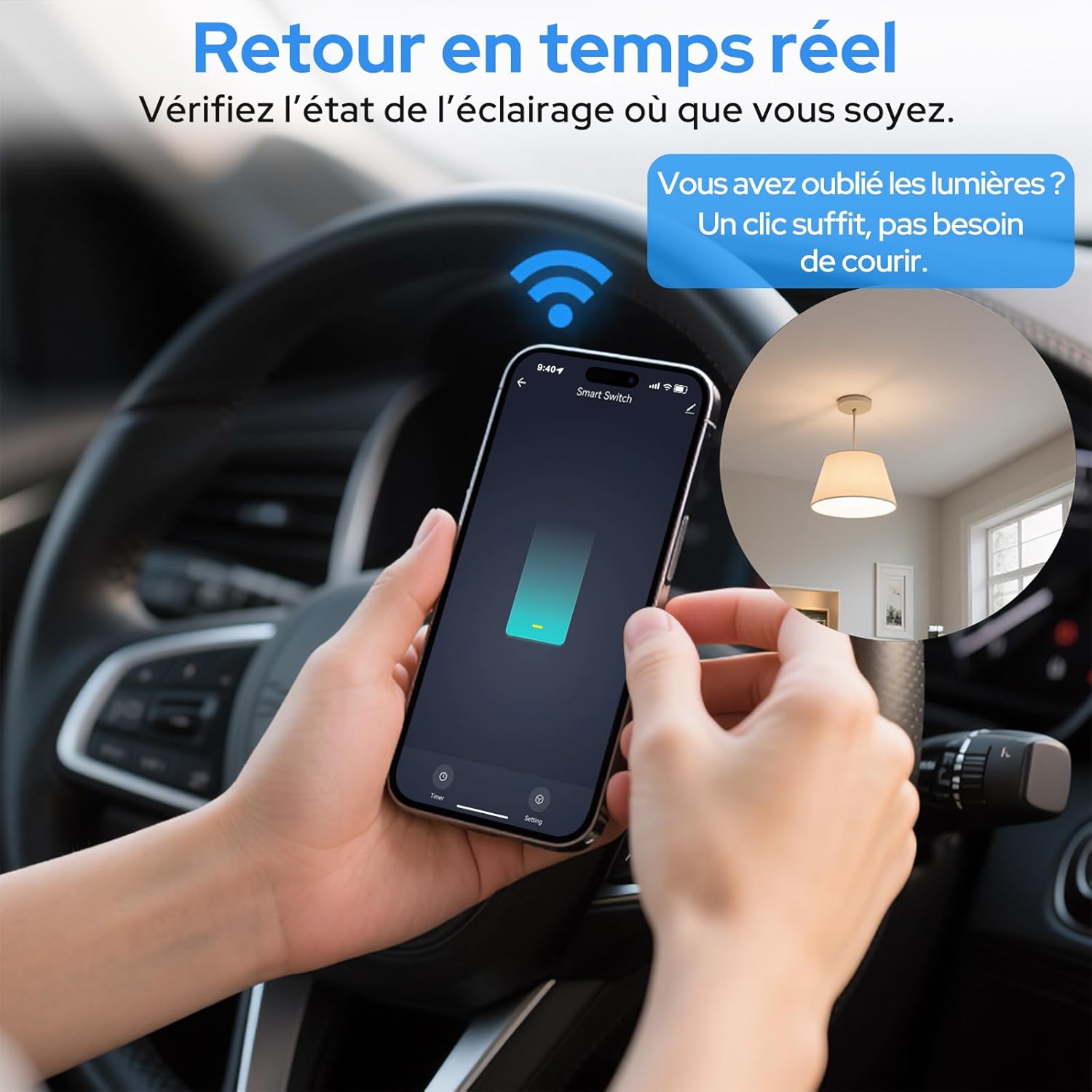
Image 6.2: Real-time status monitoring from anywhere.

Image 6.3: Device sharing feature for family members.
6.2. Kontrol sora
The LoraTap Smart Relay Switch is compatible with Amazon Alexa and Google Assistant for convenient voice control.
- Tautan Akun: In the Alexa or Google Home app, link your Smart Life/Tuya account.
- Panggihan Alat: Ask Alexa or Google Assistant to discover new devices.
- Paréntah sora: Use commands like "Alexa, turn on [device name]" or "Hey Google, turn off [device name]".

Image 6.4: Voice control integration with Amazon Alexa and Google Assistant.

Image 6.5: Family using voice commands for smart home control.
6.3. Penjadwalan sareng Timer
Automate your appliances by setting schedules and timers within the Smart Life/Tuya app.
- Fungsi Timer: Set a countdown timer for the switch to turn on or off automatically after a specified duration.
- Jadwal: Create daily or weekly schedules for your appliance to turn on or off at specific times (e.g., turn on lights at sunset, turn off at bedtime).
- Fungsi Ulang: Configure schedules to repeat on selected days of the week.
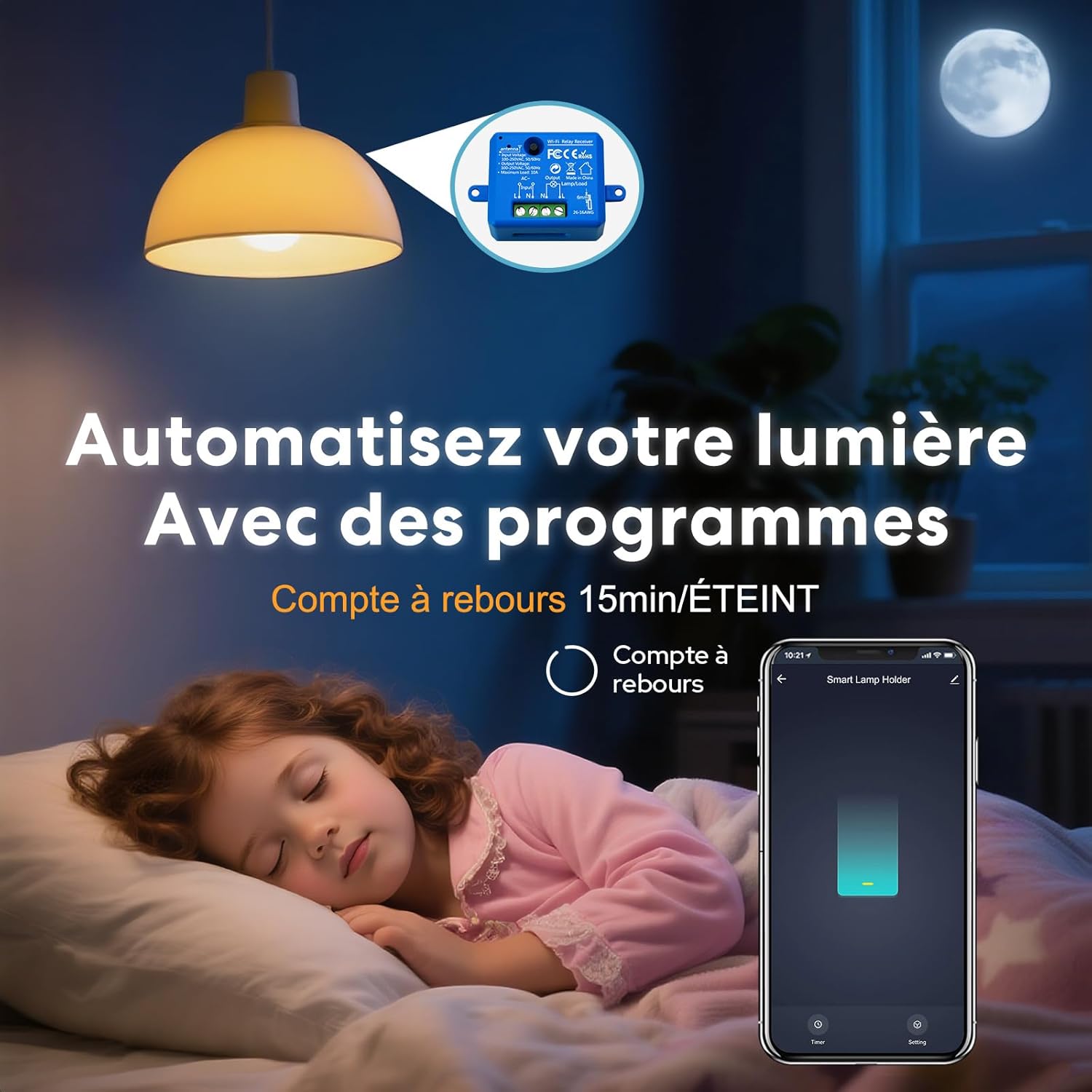
Image 6.6: Automate lighting with countdown timers.

Image 6.7: Program your lights with custom schedules.
6.4. Restart Status Settings
Configure the power-on state of your smart switch after a power outage.
- Pareuman: The device will remain off after power is restored.
- ON: The device will turn on automatically after power is restored.
- Remember Last Status: The device will return to its last known state (on or off) before the power outage.

Image 6.8: Configure the device's restart status after a power interruption.
7. Pangropéa
- Bersihkeun alat ku kaen anu lemes sareng garing. Ulah make bahan kimia kasar atawa cleaners abrasive.
- Ensure the device is kept in a dry environment and away from direct sunlight or extreme temperatures.
- Pariksa sacara rutin apdet firmware dina aplikasi Smart Life/Tuya pikeun mastikeun kinerja sareng kaamanan anu optimal.
8. Cara ngungkulan
| Masalah | Mungkin Cukang lantaranana / Solusi |
|---|---|
| Device not pairing / Indicator not blinking rapidly. |
|
| Alat offline dina aplikasi. |
|
| Kontrol sora teu jalan. |
|
| Device not responding to manual switch. |
|
9. Garansi jeung Rojongan
LoraTap offers a 3-year warranty for this product. For technical support or warranty claims, please contact LoraTap customer service through their official websitus atanapi pangecér dimana anjeun mésér produk.
Inpormasi kontak: Please refer to the packaging or LoraTap's official websitus kanggo kéngingkeun detil kontak dukungan anu pangénggalna.


