1. Produk Langkungview
The Firecore FT1500D is a versatile and lightweight aluminum alloy tripod designed for use with laser levels, cross-line lasers, rotary lasers, point lasers, optical levels, and other compatible devices. It features adjustable height, a built-in bubble level for precision, and includes adapters for broad compatibility.
Fitur konci:
- Pamasangan serbaguna: Equipped with a 1/4-inch to 20 mounting thread on its flat head and an extra 5/8-inch to 11 thread screw adapter for wide compatibility.
- Extendable Height: Three-section legs and an extended center column allow height adjustment from 20 inches to 60 inches.
- Tingkat Gelembung Terpadu: A built-in bubble level assists in precise angle and accuracy adjustments.
- Kompak sareng Ringan: Constructed from high-quality aluminum alloy, weighing only 2.5 lbs, making it portable and easy to transport.
- Stabilitas ditingkatkeun: Features tripod feet with buckle locks and non-slip mats, along with a rotation-fixed center column for stability in various environments.
Eusi pakét:
- Firecore FT1500D Tripod
- 5/8-inch to 11 Thread Screw Adapter
- Kantong Bag
2. Émbaran Kasalametan
Please read and understand all safety instructions before using the Firecore FT1500D tripod. Failure to follow these instructions may result in property damage or injury.
- Ensure all leg locks and the center column lock are securely fastened before mounting any device.
- Do not overload the tripod beyond its intended capacity.
- Always place the tripod on a stable, level surface. If an uneven surface is unavoidable, adjust the legs to ensure maximum stability.
- Keep hands and fingers clear of moving parts, especially when extending or collapsing the legs and center column.
- Do not use the tripod in strong winds or unstable conditions that could cause it to tip over.
- Store the tripod in its carry bag when not in use to protect it from damage.
3. Setup jeung Majelis
3.1 Unfolding Tripod
- Place the tripod on a flat surface.
- Lalaunan sebarkeun tilu suku ka luar dugi ka manjang sapinuhna sareng stabil.
- Unlock the leg section buckles on each leg.

Figure 1: The Firecore FT1500D tripod in its fully extended position, showcasing its three-leg design and central column.
3.2 Nyaluyukeun Jangkungna Tripod
- Ekstensi Suku: Open the quick-release leg locks on each leg section. Extend the legs to the desired height. Close the quick-release locks firmly to secure the legs.
- Éksténsi Kolom Tengah: Rotate the center column locking knob counter-clockwise to loosen it. Use the crank handle to raise or lower the center column to the desired height. Rotate the locking knob clockwise to secure the center column.

Figure 2: The tripod with its center column fully extended, demonstrating maximum height capability.

Gambar 3: A lengkep view of the tripod head, showing the crank handle used for precise center column height adjustments.
3.3 Attaching Devices
- The tripod head features a standard 1/4-inch to 20 mounting screw.
- For devices requiring a 5/8-inch to 11 thread, screw the provided adapter onto the 1/4-inch screw on the tripod head.
- Carefully align your laser level or other device with the mounting screw (or adapter) and rotate it clockwise until securely fastened. Do not overtighten.

Figure 4: Close-up of the tripod head, illustrating the 1/4-inch mounting screw and the included 5/8-inch adapter for broader device compatibility.
4. Parentah Operasi
4.1 Leveling Tripod
The built-in bubble level on the tripod head helps ensure your device is perfectly level for accurate measurements.
- After setting up the tripod and adjusting its height, observe the bubble level.
- Make fine adjustments to the length of individual tripod legs until the bubble is centered within the level's circle.
- Once level, ensure all leg locks are securely tightened.
4.2 Using with a Laser Level
The FT1500D tripod provides a stable platform for various laser levels.
- Mount your laser level onto the tripod head using the appropriate thread (1/4-inch or 5/8-inch adapter).
- Level the tripod using the built-in bubble level.
- Activate your laser level according to its own operating instructions.
- For precise height adjustments, use the center column crank handle.
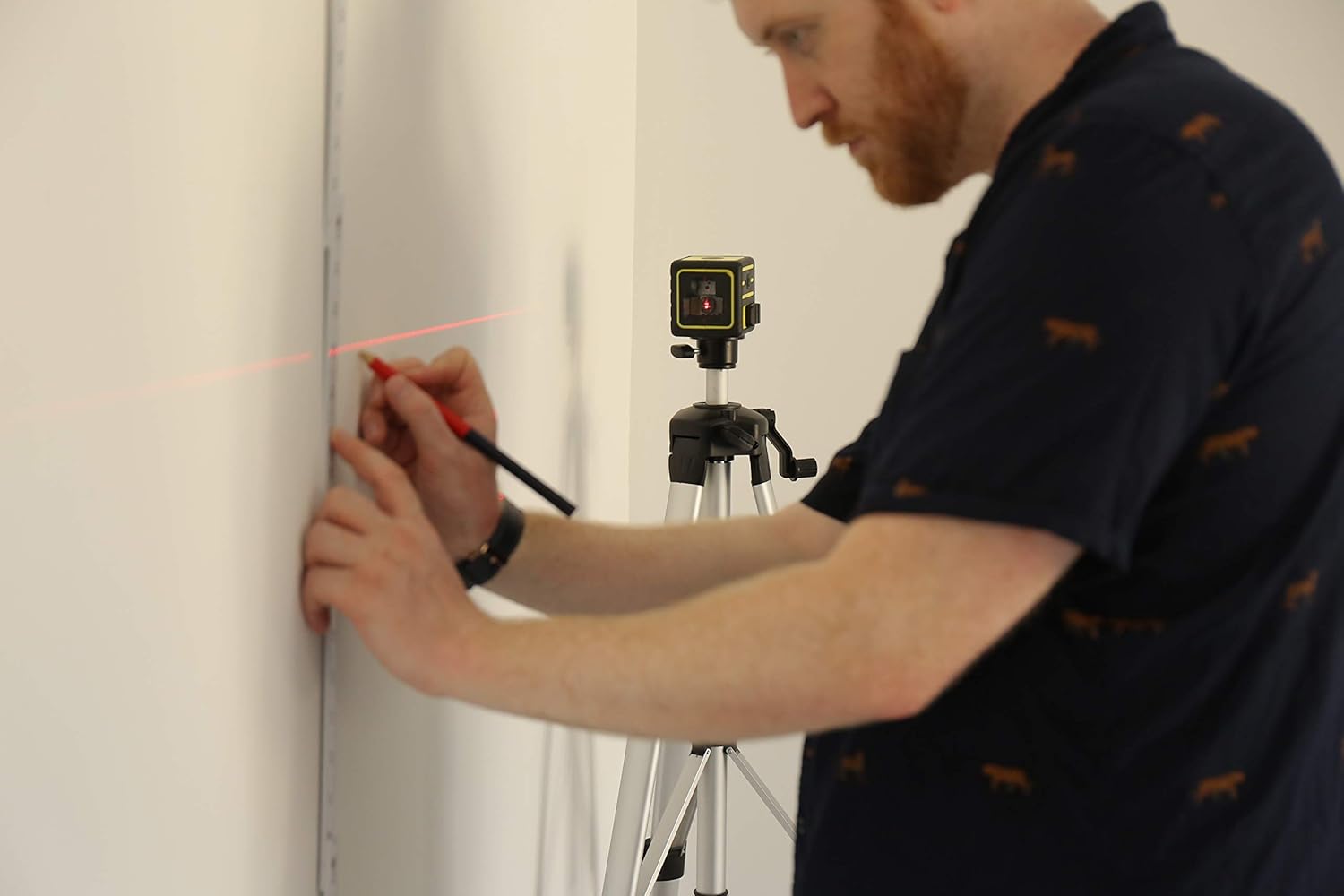
Figure 5: An individual utilizing a laser level, securely mounted on the Firecore FT1500D tripod, to project a level line onto a wall for marking.
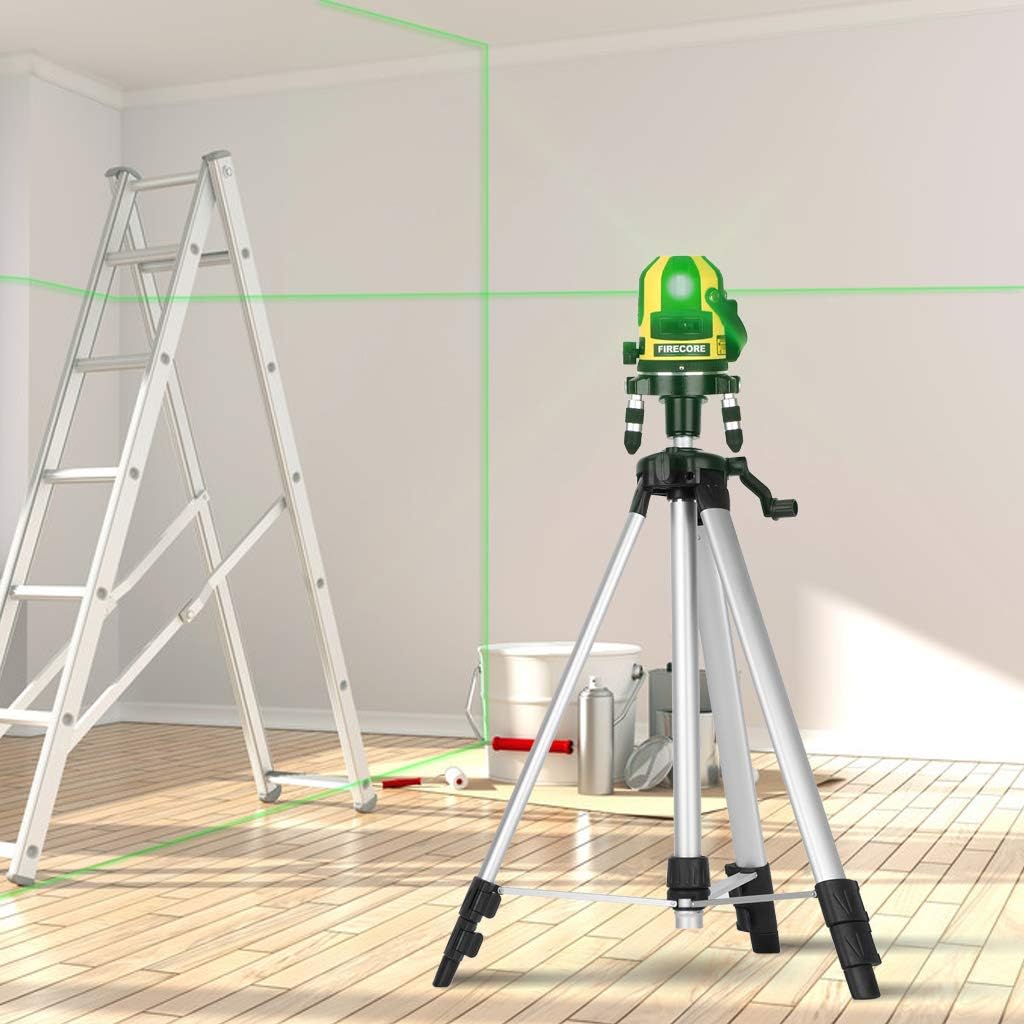
Figure 6: A Firecore laser level positioned on the FT1500D tripod, projecting visible green laser lines across a room, illustrating its application in construction or renovation tasks.
5. Pangropéa
Proper maintenance ensures the longevity and reliable performance of your Firecore FT1500D tripod.
- beberesih: Lap tripod ku kaén nu lemes,amp cloth after each use to remove dust, dirt, or moisture. Avoid abrasive cleaners or solvents.
- Lubrication: Periodically check the leg locks and center column mechanism. If movement becomes stiff, apply a small amount of silicone-based lubricant to the moving parts. Avoid oil-based lubricants which can attract dirt.
- Panyimpenan: Collapse the tripod fully and store it in the provided carry bag when not in use. Store in a dry, cool place away from direct sunlight and extreme temperatures.
- Pamariksaan: Regularly inspect the tripod for any signs of wear, damage, or loose components. Tighten any loose screws or fasteners. If significant damage is found, discontinue use and contact customer support.

Figure 7: The Firecore FT1500D tripod in its collapsed state, positioned alongside its black carry bag, illustrating its portability and ease of storage.
6. Cara ngungkulan
| Masalah | Mungkin Cukang lantaranana | Solusi |
|---|---|---|
| Tripod teu stabil. | Kunci suku teu sapinuhna nyambung; permukaanana henteu rata; kaleuwihan beurat. | Ensure all leg locks are securely fastened. Adjust leg lengths to compensate for uneven ground. Do not exceed the recommended weight capacity of the tripod. |
| Center column difficult to adjust. | Locking knob too tight; dirt/debris in mechanism; lack of lubrication. | Loosen the locking knob sufficiently. Clean the mechanism. Apply a small amount of silicone lubricant if necessary. |
| Device does not fit mounting screw. | Incorrect thread size. | Ensure you are using the correct adapter (1/4-inch or 5/8-inch) for your device. |
7. Spésifikasi
| Fitur | Rincian |
|---|---|
| merek | Firecore |
| Nomer modél | FT1500D |
| Bahan | Aluminium Alloy |
| Warna | Seureuh |
| Rentang Jangkungna adjustable | 20 inci nepi ka 60 inci (kira-kira 50.8 cm nepi ka 152.4 cm) |
| Pamasangan Thread | 1/4-inch to 20 (with included 5/8-inch to 11 adapter) |
| Item Beurat | 2.5 Pon (kira-kira 1.13 kg) |
| Diménsi Produk (Diciutkeun) | 24.02"P x 4.25"L (kira-kira 61 cm P x 10.8 cm L) |
| Fitur husus | Built-in Bubble Level, Extendable Center Column, Quick-Release Leg Locks |
8. Garansi jeung Rojongan
For warranty information or technical support regarding your Firecore FT1500D tripod, please refer to the official Firecore website or contact their customer service department directly. Contact details are typically found on the product packaging or the manufacturer's official websitus.
You can visit the Firecore store for more information: Firecore Official Store


