
1. Bubuka
The BFT MIME PAD is a 4-channel wireless wall remote control designed for operating gate systems. It utilizes 433 MHz rolling code technology for secure and reliable communication. This transmitter offers flexible installation options, allowing it to be fixed to a wall or used as a portable unit by removing its mounting frame.
2. Produk Langkungview
The MIME PAD features four distinct buttons, each corresponding to a channel, enabling control of up to four different gate or access systems. Its design allows for both fixed installation and portable use.

Gambar 2.1: Hareupeun view of the BFT MIME PAD remote control. This image displays the white square remote with a central circular panel containing four grey circular buttons and a red BFT logo at the bottom. An LED indicator is visible at the top.
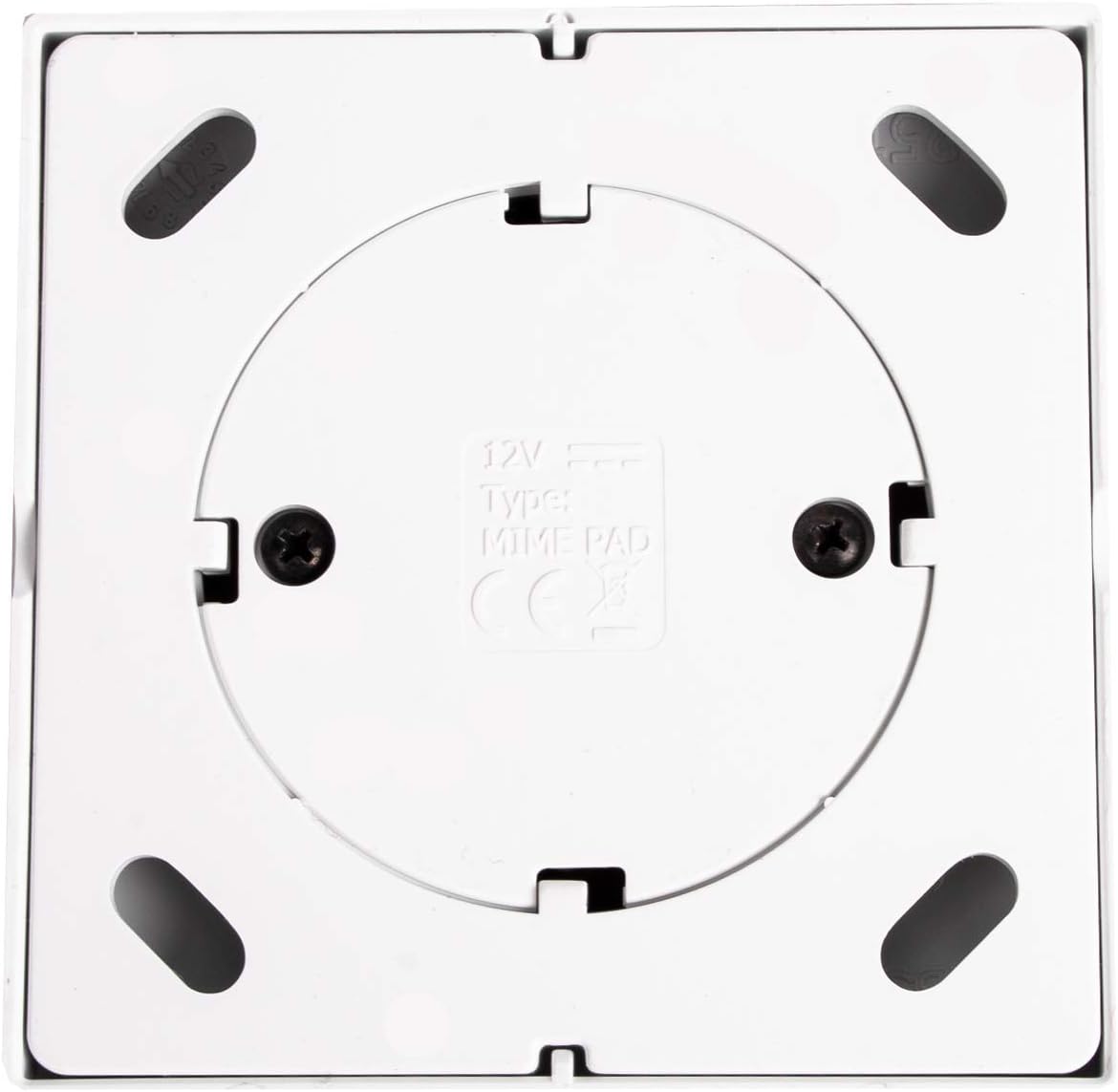
Gambar 2.2: Balik view of the BFT MIME PAD remote control. This image shows the rear of the square remote, featuring a circular indentation with "12V" and "Type: MIME PAD" printed, along with two screw holes for wall mounting.
3. Setup jeung Instalasi
3.1. Milih Lokasi Pemasangan
Select a convenient location for your remote control, such as near your gate or entrance. Ensure the location is within range of your gate receiver and protected from direct weather exposure if possible.
3.2. Pamasangan Tembok
- Separate the remote control from its wall mounting frame. This usually involves gently prying the remote from the frame.
- Position the mounting frame on the desired wall location.
- Mark the positions for the two screw holes using a pencil.
- Drill pilot holes if necessary, suitable for the screws provided (or appropriate screws for your wall type).
- Secure the mounting frame to the wall using screws.
- Snap the remote control back into the secured mounting frame.
3.3. Pairing with Your Gate Receiver
The BFT MIME PAD uses rolling code technology and must be paired with your BFT gate receiver. The exact pairing procedure varies depending on your specific gate opener model. Refer to the instruction manual of your BFT gate opener system for detailed programming steps. Generally, the process involves:
- Accessing the programming mode on your gate receiver.
- Pressing a button on the MIME PAD remote control to transmit the code.
- Confirming the pairing on the receiver.
Note: If you encounter difficulties, consult the specific manual for your BFT gate system or contact a qualified technician.
4. Parentah Operasi
Once paired, the BFT MIME PAD is ready for use. Each of the four buttons corresponds to a programmed channel.
- To operate a gate or device: Press and hold the corresponding button on the remote control for approximately 1-2 seconds.
- The LED indicator on the remote will illuminate during transmission.
- Release the button once the gate or device begins to respond.
Ensure you have a clear line of sight to the gate or device, and that no obstacles are present before activation.
5. Pangropéa
5.1. Ngagantian batré
The MIME PAD is powered by a 12V battery. When the transmission range decreases significantly or the LED indicator fails to light up, it's time to replace the battery.
- Carefully remove the remote control from its wall mounting frame, if installed.
- Locate the battery compartment on the back of the unit. This may require unscrewing a small cover.
- Cabut batré 12V anu lami.
- Selapkeun batré 12V anyar, mastikeun polaritasna bener (+/-).
- Replace the battery compartment cover and re-attach the remote to its frame.
Buang batré heubeul nurutkeun peraturan lokal.
5.2. beberesih
Clean the remote control with a soft, dry cloth. Do not use abrasive cleaners or solvents, as these can damage the casing atawa komponén internal.
6. Cara ngungkulan
- Jauh teu jalan:
- Check the battery. Replace if necessary (refer to Section 5.1).
- Ensure the remote is properly paired with the gate receiver (refer to Section 3.3).
- Verify that the gate receiver has power and is functioning correctly.
- rentang ngurangan:
- Ganti batréna.
- Check for obstructions between the remote and the receiver (e.g., metal structures, thick walls).
- Ensure the gate receiver's antenna is unobstructed and correctly positioned.
- LED teu hurung:
- The battery may be depleted. Replace it.
- If the battery is new and correctly installed, there might be an internal fault.
If problems persist after following these steps, contact BFT customer support or a qualified technician.
7. Spésifikasi
| Fitur | Spésifikasi |
|---|---|
| Modél | MIME PAD |
| Produsén | BFT |
| Frékuénsi | 433 MHz |
| Saluran | 4 |
| Coding | Kodeu Rolling |
| Sasayogian tanaga | Batré 12V |
| Pamasangan | Wall-mountable or portable |
8. Garansi jeung Rojongan
For warranty information, please refer to the documentation provided with your purchase or contact your retailer. For technical support, please visit the official BFT website or contact their customer service department. Ensure you have your product model (MIME PAD) and any relevant purchase details available when seeking support.