1. Bubuka
Thank you for choosing the HAVIT MS1005 Optical Gaming Mouse. This manual provides detailed instructions for setting up, operating, and maintaining your new gaming mouse to ensure optimal performance and an enhanced gaming experience. Please read this manual thoroughly before use.
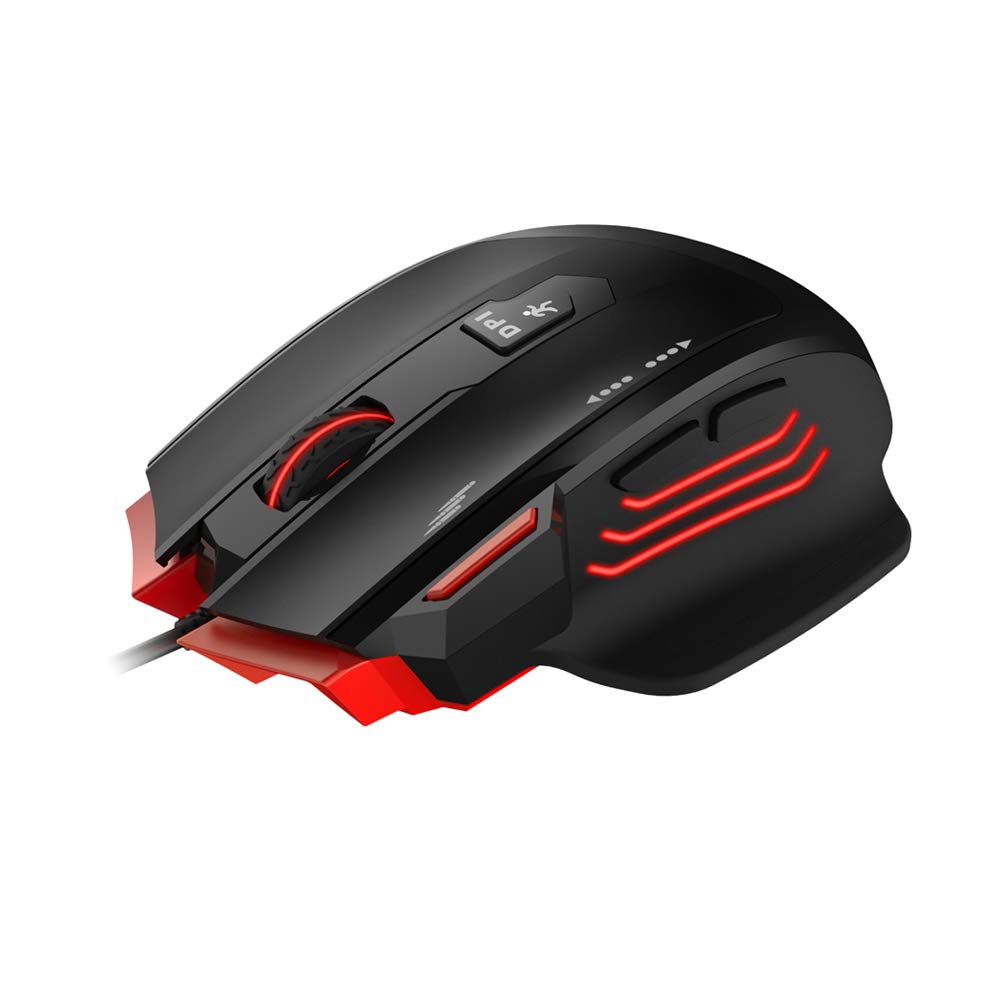
2. Eusi Paket
Pastikeun sadaya item aya dina bungkusan:
- HAVIT MS1005 Optical Gaming Mouse
- Manual pangguna (dokumén ieu)
3. Fitur Produk
3.1 Pangaruh cahaya RGB
The MS1005 features customizable RGB backlighting with 16.8 million colors. The taillight design with black metal mesh in the mouse front allows for various lighting modes including full lighting, breathing, and floating mode, configurable via the dedicated driver software.
3.2 Ergonomic Gaming Design
Designed for gaming, the mouse features an ergonomic streamline structure and non-slip rubber sides. Its contour is shaped to fit comfortably in your palm, providing a secure grip during extended use. It includes a 10 million lifespan OMRON switch and an additional fire button.

3.3 All Keys Programmable
All buttons on the mouse can be programmed using the dedicated driver software. This includes customizing button functions, sensitivity (DPI), lighting effects, and creating macros. You can even set buttons to open specific files or configure scroll wheel actions.
3.4 Kompatibilitas Lega
The HAVIT MS1005 is compatible with Windows XP, Vista, 7, 8, and 10 operating systems, as well as Linux.
4. Parentah Setup
- Sambungkeun Mouse: Plug the USB connector of the HAVIT MS1005 mouse into an available USB port on your computer.
- Pamasangan supir otomatis: Your operating system will automatically detect and install the necessary basic drivers. The mouse will be ready for basic use immediately.
- Install Driver Software (Optional for Advanced Features): For advanced customization, including RGB lighting, button programming, and macro settings, download and install the official HAVIT MS1005 driver software from the HAVIT websitus. Note: Driver software is required for full customization features.
5. Parentah Operasi
5.1 Fungsi Tombol
The MS1005 mouse features 7 programmable buttons:
- Klik Kénca: Fungsi klik primér standar.
- Klik katuhu: Fungsi klik sekundér standar.
- Gulung kabayang: Scrolls content up or down. Can also be clicked for a middle-click function.
- Tombol Maju: Navigates ka hareup web browser atawa file penjelajah.
- Tombol Mundur: Navigates ka tukang web browser atawa file penjelajah.
- Tombol Daur DPI: Ngaliwatan tingkat sensitivitas DPI anu tos disetel.
- Tombol seuneu: Provides rapid-fire functionality in games, configurable via software.
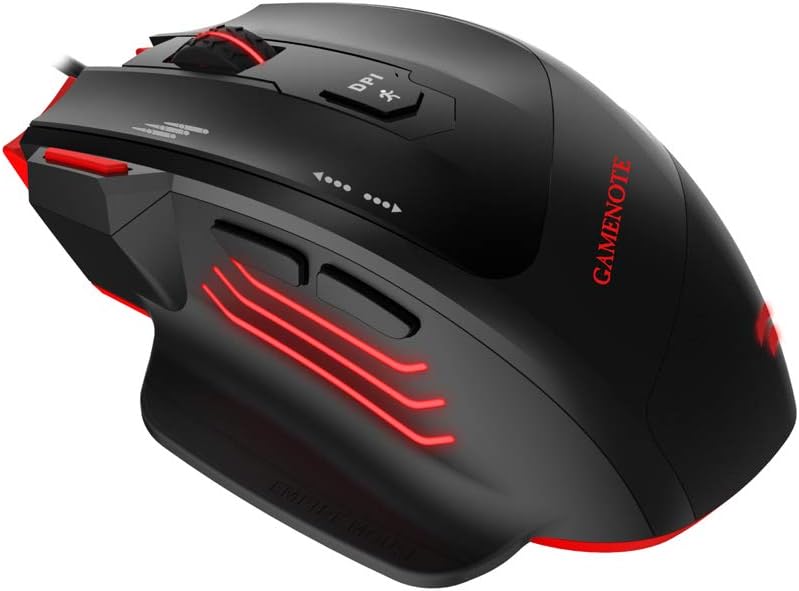

5.2 DPI adjustment
Pencét éta Tombol Daur DPI located on the top of the mouse to switch between the preset DPI levels: 1000/2000/4000/8000/12000. The maximum DPI can be extended to 24000 via the driver software.
5.3 Kustomisasi Parangkat Lunak
After installing the driver software, open the application to access advanced settings. Here you can:
- Program each of the 7 buttons to perform various functions, including keyboard shortcuts, multimedia controls, or launching applications.
- Adjust DPI settings and create custom profiles.
- Customize RGB lighting effects, colors, and modes.
- Create and assign macros for complex command sequences.
6. Pangropéa
To ensure the longevity and optimal performance of your HAVIT MS1005 mouse, follow these maintenance guidelines:
- beberesih: Anggo kaén anu lembut sareng garing pikeun ngusap permukaan beurit. Keur kokotor bandel, rada dampen lawon jeung cai. Ulah make bahan kimia kasar atawa bahan abrasive.
- Sensor beberesih: Periodically clean the optical sensor on the underside of the mouse with a cotton swab to prevent tracking issues.
- Perawatan kabel: Hindarkeun tikungan seukeut atawa tarik kaleuleuwihan dina kabel USB pikeun nyegah karuksakan.
- Panyimpenan: Simpen beurit dina lingkungan anu bersih sareng garing nalika henteu dianggo.
7. Cara ngungkulan
7.1 Beurit Teu Ngabales
- Ensure the USB cable is securely connected to your computer's USB port. Try a different USB port.
- Balikan deui komputer anjeun.
- Check if the mouse is recognized in your computer's Device Manager (Windows) or System Information (Linux).
7.2 DPI Teu Robah
- Ensure the driver software is installed and running correctly if you are using custom DPI settings.
- Press the DPI Cycle button firmly.
7.3 RGB Lighting Not Working/Customizing
- Verify that the driver software is installed and updated to the latest version.
- Check lighting settings within the driver software.
- Ensure no other software is conflicting with the mouse's lighting controls.
7.4 Buttons Not Responding/Programming
- Ensure the driver software is installed and the buttons are correctly assigned in the software.
- Reset button assignments to default in the software and re-program.
8. Spésifikasi
| merek | cilaka |
| Modél | MS1005 |
| Ukuran (LWH) | 130.6 x 68.9 x 42.5 mm |
| Kancing | 7 (Fire Button, Left Click, Right Click, Scroll Wheel, Forward, Backward, DPI Cycle) |
| Setélan DPI | 1000/2000/4000/8000/12000 (MAX 24000 by software) |
| Laju Polling | 125/250/500/1000 Hz |
| Akselerasi | 50G ACC |
| FPS | 12000 |
| Ganti Umur Umur | OMRON with 10 million times lifespan |
| Panganteur | USB (1.8m Braided cable with golden connector) |
| Kasaluyuan | Linux, Windows XP/7/8/10 |
| Detéksi Gerakan | Optik |
| Fitur husus | Desain ergonomis |
9. Garansi jeung Rojongan
For detailed warranty information, technical support, and customer service, please refer to the official HAVIT website. Keep your purchase receipt or proof of purchase for any warranty claims. You can typically find support contact information on the 'Support' or 'Contact Us' section of the HAVIT websitus.


