Xtrfy H2 Professional Gaming Headset User Manual
Model: H2 | Brand: Xtrfy
1. Produk Langkungview
The Xtrfy H2 is a professional gaming headset engineered for esports, combining durable construction with optimized audio performance. It features extra-large ear cushions with memory foam for comfort during extended use and a detachable microphone for clear communication.
fitur konci ngawengku:
- Competitive gaming headset: 53 mm drivers emphasize crucial in-game sounds.
- Comfort for intensive and long gaming sessions: Lightweight aluminum frame, extra-large memory foam ear cushions with breathable mesh fabric.
- Minimal sound leakage and maximum sound: PU leather inside ear pads minimizes noise leakage and maximizes audio quality.
- Convenient: Detachable microphone, braided cable, and easily accessible audio controls.
- Multi-platform compatible: PC, Mac (external sound card required), PS4, PS4 Pro, Xbox One & Xbox One S (adapter may be required), mobile devices, and VR systems with CTIA standard connection.

Figure 1: Xtrfy H2 Professional Gaming Headset with detachable microphone.
2. Eusi Paket
Your Xtrfy H2 headset package should contain the following items:
- Xtrfy H2 kaulinan Headsét
- Mikropon anu tiasa dicabut
- Braided Audio Cable (attached)
3. Émbaran Kasalametan
Please read and follow these safety guidelines to ensure proper use and prevent damage to the headset or injury to yourself:
- Hindarkeun dengekeun berkepanjangan dina tingkat polumeu luhur pikeun nyegah karuksakan dédéngéan.
- Ulah ngantepkeun headset ka suhu, kalembaban, atanapi cairan anu ekstrim.
- Keep the headset away from strong magnetic fields.
- Ulah nyobian ngabongkar atanapi ngarobih headset. Ieu bakal ngabatalkeun garansi.
- Clean the headset with a soft, dry cloth only.
4. Setélan
The Xtrfy H2 headset is designed for easy plug-and-play functionality across multiple platforms.
4.1 Nyambungkeun Headsét
- Pasang Mikropon: Locate the microphone input port on the left earcup. Align the microphone connector with the port and firmly push it in until it clicks into place.
- Nyambung ka Alat: Plug the 3.5mm audio jack of the braided cable into the corresponding audio port on your PC, gaming console controller (PS4, PS4 Pro, Xbox One, Xbox One S - adapter may be required), mobile device, or VR system.
- Kasaluyuan Mac: For Mac systems, an external sound card may be required for full functionality.
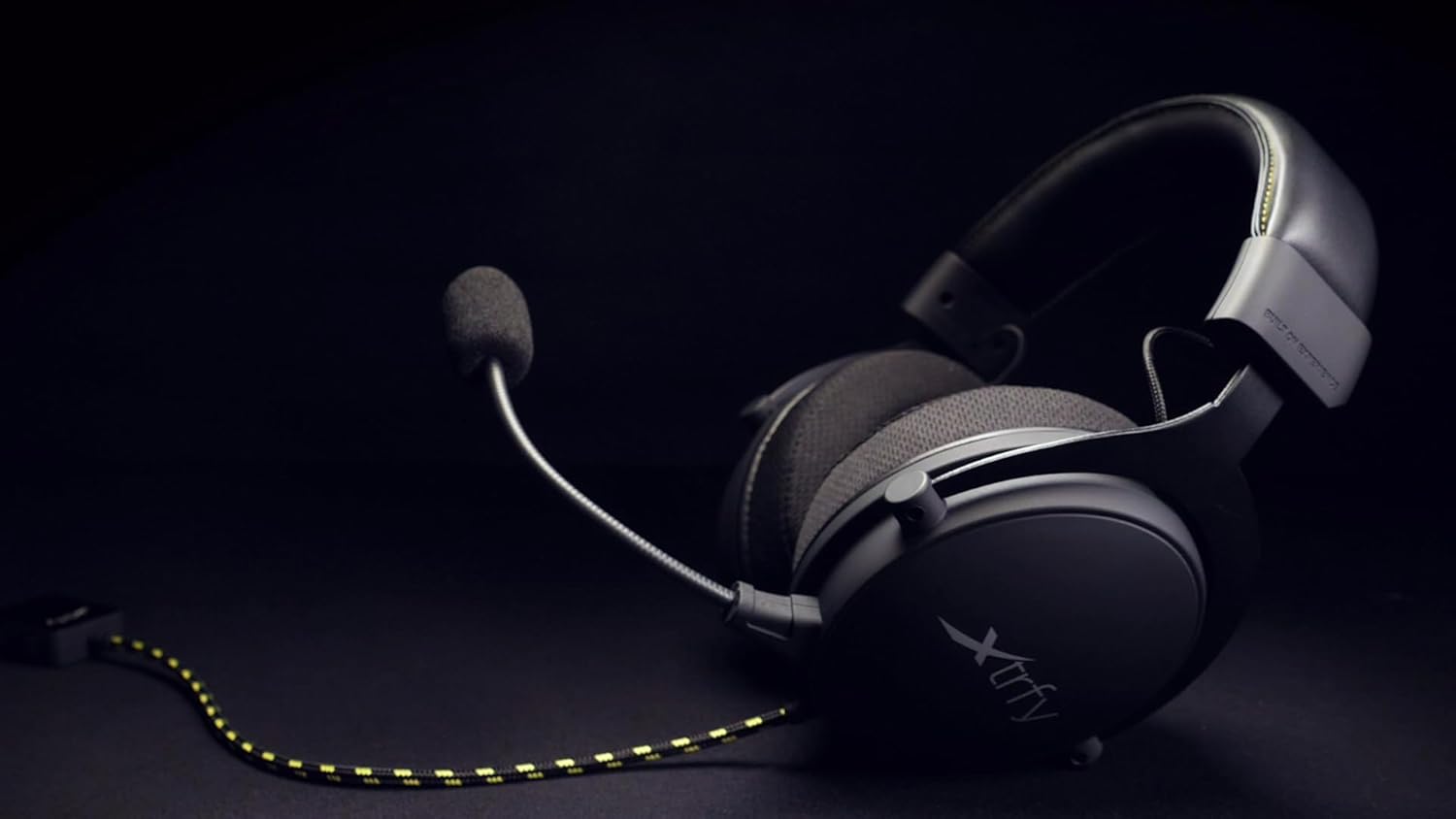
Figure 2: The Xtrfy H2 headset showing the braided cable and detachable microphone.
5. Ngoperasikeun Headsét
Once connected, the Xtrfy H2 headset is ready for use. Adjust settings as needed on your connected device.
5.1 Kadali Audio
- Kontrol volume: Use the inline volume control located on the braided cable to adjust the audio output level.
- Mikropon bisu: The inline control also features a switch to mute or unmute the microphone.

Figure 3: A user wearing the Xtrfy H2 headset while engaged in gaming, demonstrating typical usage.
Video 1: Official Xtrfy H2 Pro gaming headset overview, nuduhkeuncasing features and design.
6. Pangropéa
Proper maintenance will extend the lifespan of your Xtrfy H2 headset.
- beberesih: Use a soft, dry, lint-free cloth to wipe down the earcups and headband. For the mesh fabric, a slightly damp cloth can be used, but ensure it is not saturated. Avoid harsh chemicals or abrasive materials.
- Panyimpenan: Store the headset in a cool, dry place when not in use. Avoid tangling the cable.
- bantal ceuli: The extra-large memory foam ear cushions are designed for durability. If replacement is needed, contact Xtrfy support for genuine parts.

angka 4: Tutup-up view of the Xtrfy H2 headset's earcups, highlighting the breathable mesh fabric and design.

Gambar 5: Detil view of the Xtrfy H2 headset's headband, showing the stitching and material.
7. Cara ngungkulan
If you encounter issues with your Xtrfy H2 headset, refer to the following common problems and solutions:
| Masalah | Mungkin Cukang lantaranana | Solusi |
|---|---|---|
| Henteu aya audio tina headset | Incorrect connection, low volume, muted. | Ensure 3.5mm jack is fully inserted. Check inline volume control and device volume settings. Verify microphone mute switch is off. |
| Mikropon teu jalan | Microphone not attached correctly, muted, or incorrect input settings. | Ensure microphone is firmly attached. Check inline mute switch. Verify microphone input settings on your device. |
| Kualitas sora goréng | Loose connection, audio source issue, or incorrect device settings. | Check all connections. Test with a different audio source. Adjust audio settings on your device. |
If the issue persists after trying these solutions, please contact Xtrfy customer support.
8. Spésifikasi
| Fitur | Rincian |
|---|---|
| Ngaran modél | H2 |
| Téhnologi konektipitas | Kabel (Jack 3.5 mm) |
| Ukuran Supir Audio | 53 milimeter |
| Rentang Frékuénsi | 20 Hz - 25000 Hz |
| Wangun Earpiece | Leuwih-Ceuli |
| Bahan | Aluminium (rangka) |
| Bahan Bantalan Ceuli | Memory Foam with breathable mesh fabric and PU leather interior |
| Mikropon | Bisa dicabut |
| Fitur kabel | Dijalin |
| Tipe Kontrol | Volume Control, Microphone Mute (inline) |
| Alat nu cocog | Laptops, Desktops, Gaming Consoles (PS4, PS4 Pro, Xbox One, Xbox One S), Tablets, Cellphones, VR systems (with CTIA standard connection) |
| Item Beurat | 0.38 Kilogram (13.4 ons) |
| Dimensi produk | 4.33 x 8.07 x 9.45 inci |
| Produsén | Xtrfy |
| Warna | Black/Steel |
9. Garansi jeung Rojongan
Xtrfy products are built to last. For information regarding warranty coverage, technical support, or replacement parts, please visit the official Xtrfy websitus atanapi ngahubungan layanan palanggan maranéhanana langsung.
Anjeun oge bisa nganjang ka Xtrfy Store on Amazon pikeun émbaran leuwih produk jeung sumber.