
Bubuka
This manual provides detailed instructions for the setup, operation, maintenance, and troubleshooting of your TOZO T12 Wireless Earbuds. Please read this guide thoroughly to ensure optimal performance and longevity of your device.
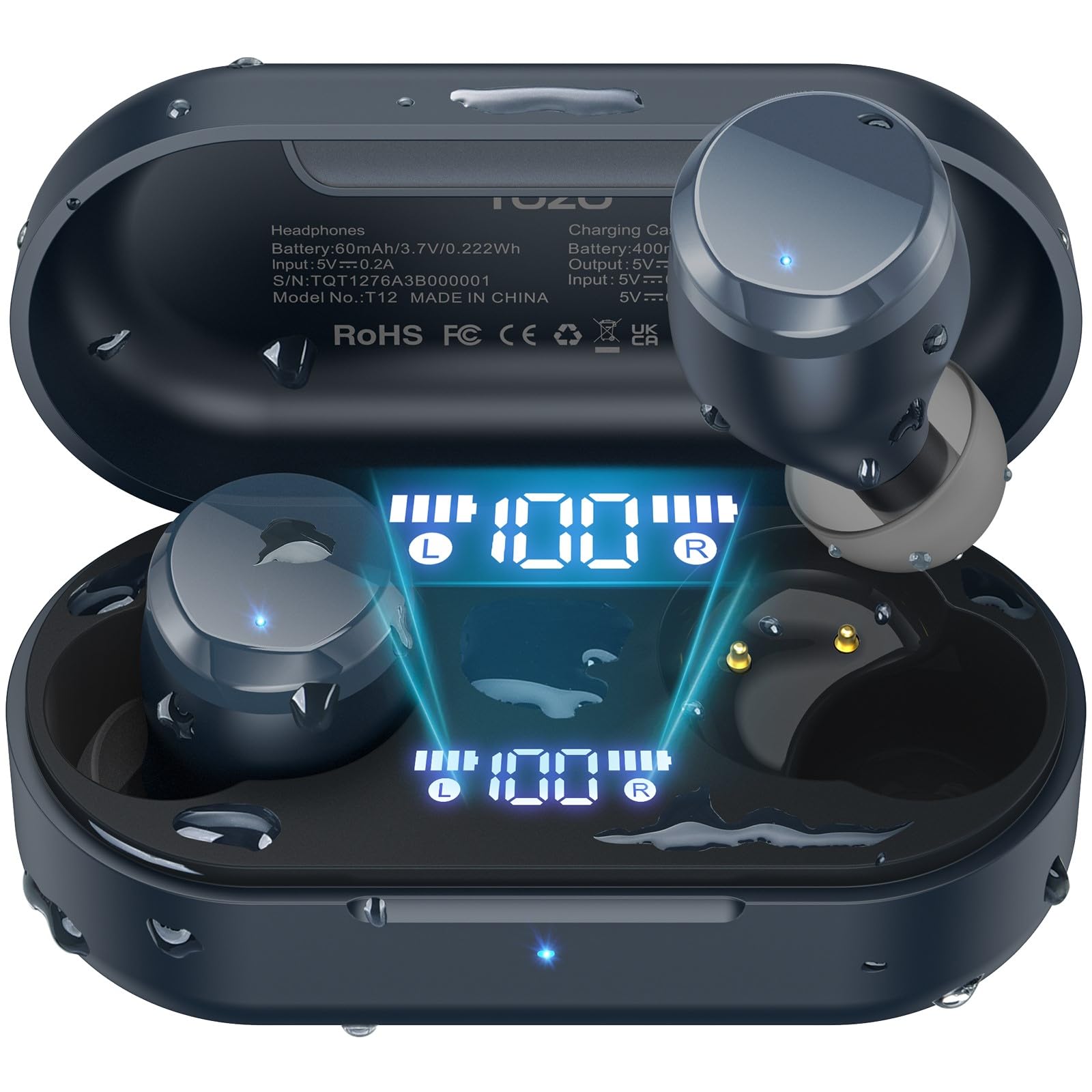
Image: TOZO T12 Wireless Earbuds and their charging case, showcasing the matte blue finish.
Eusi pakét
Pastikeun yén sadaya item aya dina bungkusan:
- TOZO T12 Wireless Earbuds (Left and Right)
- Ngecas Case
- Kabel Ngecas USB-C
- 5 Pairs of Ear Caps (various sizes)
- Manual pamaké
Disetél
1. Ngecas Earbuds jeung Case
Before first use, fully charge the earbuds and charging case. The case features an LED digital display to show battery levels.
- Sambungkeun kabel USB-C anu disayogikeun kana port ngecas dina casing sareng kana sumber daya.
- Alternatively, place the charging case on a compatible wireless charging pad.
- The LED display will indicate charging status and battery percentage.

Image: The TOZO T12 charging case connected via USB-C cable and also shown on a wireless charging pad, illustrating both charging methods.

Image: The TOZO T12 earbuds and charging case, highlighting the 55-hour total battery life and 15-hour single charge playtime.
2. Pilihan sareng Pasna Ujung Ceuli
Choosing the correct ear tip size is crucial for sound quality and comfort. Experiment with the 5 provided pairs to find the best fit for your ear canal.
- Gently insert the earbud into your ear.
- Puterkeun saeutik pikeun mastikeun segel anu aman sareng nyaman.
- Segel anu saé ningkatkeun réspon bass sareng isolasi noise.
3. Papasangan Bluetooth
The TOZO T12 earbuds utilize Bluetooth 5.3 for a stable connection.
- Cabut dua earbud tina wadah ngecas. Duanana bakal otomatis asup kana modeu pairing.
- Dina alat Anjeun (smartphone, tablet, jsb), aktipkeun Bluetooth.
- Milarian pikeun "TOZO T12" in the list of available devices and select it to connect.
- Once paired, the earbuds will automatically connect to your device when removed from the case.

Image: A visual representation of the Bluetooth 5.3 chip, indicating advanced wireless connectivity.
Parentah Operasi
1. Daya Hurung / Pareum
- Daya Hurung: Cabut earbuds tina wadah ngecas. Aranjeunna bakal hurung otomatis.
- Pareum listrik: Lebetkeun deui earbud kana wadah ngecas. Éta bakal pareum sacara otomatis sareng mimiti ngecas.
2. Toél Kontrol
The TOZO T12 earbuds feature touch-sensitive controls. Specific functions may vary slightly based on your device and app settings.
- Puter / Reureuh: Ketok tunggal dina boh earbud.
- Lagu salajengna: Ketok dua kali dina earbud katuhu.
- Lagu Sateuacanna: Ketok dua kali dina earbud kénca.
- Volume Up: Ketok tilu kali dina earbud katuhu.
- Volume Turun: Ketok tilu kali dina earbud kénca.
- Ngajawab / mungkas Telepon: Ketok tunggal dina boh earbud.
- Nolak Telepon: Pencét jeung tahan boh earbud salila 2 detik.
- Aktipkeun Asisten Sora: Pencét jeung tahan boh earbud salila 3 detik.
3. Manajemén nelepon
The earbuds are equipped with Call ENC Noise Cancelling Microphones for clear communication.
- Pikeun ngajawab telepon asup, ketok tunggal boh earbud.
- Pikeun mungkas telepon aktif, ketok sakali salah sahiji earbud.
- Pikeun nampik telepon asup, pencét jeung tahan boh earbud salila 2 detik.

Image: A woman wearing TOZO T12 earbuds, illustrating their use for clear phone calls and crystal sound quality.
4. TOZO App Integration
Enhance your audio experience by downloading the official TOZO App. The app allows for personalized settings and EQ customization.
- Download the "TOZO App" from your device's app store.
- Connect your TOZO T12 earbuds to the app.
- Explore 32 preset EQ modes or customize your own.
- Aksés fitur sareng setelan tambahan.

Image: Screenshots of the TOZO App interface, demonstrating the 32 preset EQ modes and other customization options.
Pangropéa
1. beberesih
- Rutin ngabersihkeun earbuds sareng wadah ngecas ku lawon anu lemes, garing, teu aya lint.
- Cabut tip ceuli sareng bersihkeun ku sabun sareng cai anu hampang, teras garing sateuacana dipasang deui.
- Hindarkeun ngagunakeun bahan abrasive atanapi bahan kimia anu kasar.
2. Tahan cai (IPX8)
The TOZO T12 earbuds are IPX8 waterproof, offering protection against water immersion. This makes them suitable for workouts and use in wet conditions.
- Ensure earbuds are dry before placing them back into the charging case to prevent damage to the charging contacts.
- Kasus ngecas henteu tahan cai.

Image: TOZO T12 earbuds partially submerged in water, illustrating their IPX8 waterproof capability.
3. Panyimpenan
Simpen earbuds dina wadah ngecas nalika henteu dianggo pikeun ngajagi sareng tetep dicas.
Pamérésan masalah
| Masalah | Solusi |
|---|---|
| Earbuds teu dipasangkeun |
|
| Teu aya sora ti hiji earbud |
|
| Kasus ngecas teu ngecas |
|
| Kualitas sora goréng |
|
spésifikasi
| Fitur | Rincian |
|---|---|
| merek | TOZO |
| Nomer modél | T12 |
| Vérsi Bluetooth | 5.3 |
| Panempatan Ceuli | Dina Ceuli |
| Kontrol bising | Call ENC Noise Cancelling Mic |
| Total Playtime (kalawan kasus) | Nepi ka 55 Jam |
| Waktu Maén Ngecas Tunggal | Nepi ka 15 Jam |
| Peunteun waterproof | IPX8 |
| Tipe Supir Audio | 10mm Supir Dinamis |
| Rentang Frékuénsi | 14Hz - 20kHz |
| Métode kontrol | Aplikasi, Kontrol Média |
Garansi sareng Rojongan
TOZO provides a warranty for this product. For detailed warranty information and customer support, please visit the official TOZO websitus atanapi ngahubungan layanan palanggan maranéhna.
Pabrikan: TOZO
Katerangan jaminan: TOZO
Video Produk Resmi
TOZO T12 Ergonomic Edition (APP2024) Overview
Pidéo: Pajabat parantos réngséview of the TOZO T12 Ergonomic Edition earbuds, highlighting features and design. This video is provided by the seller, Worgo.
TOZO T12 (Compact Ergonomic Edition) Features
Video: A detailed look at the features of the TOZO T12 Compact Ergonomic Edition wireless earbuds. This video is provided by the seller, Worgo.