Bubuka
This manual provides essential information for the safe and efficient use of your ASUS ZenBook UX333FA-DH51 laptop. Please read this guide thoroughly before operating your device to ensure proper setup, operation, and maintenance.

Image: The ASUS ZenBook UX333FA-DH51 laptop in its royal blue finish, showcasing its sleek, closed design.
Naon dina Box
Verify that all items are present in your product packaging. If any item is missing or damaged, contact your retailer or ASUS support.
- ASUS ZenBook UX333FA-DH51 Notebook
- Adaptor kakuatan
- Kabel listrik
- Dokuméntasi (Panduan Mimitian Gancang, Kartu Garansi)
Disetél
1. Nyambungkeun Adaptor Daya
Before first use, or if the battery is low, connect the power adapter to the laptop and a power outlet.
- Plug the AC adapter into the power connector on the side of your ZenBook.
- Plug the power cord into the AC adapter.
- Colokkeun tungtung kabel listrik anu sanés ka stopkontak témbok.

Gambar: Sisi view of the laptop, highlighting the various ports including the power input, USB ports, and HDMI.
2. Mimiti Power On jeung Windows Setup
Once connected to power, open the laptop lid and press the power button. Follow the on-screen instructions to complete the Windows 10 setup process. This includes selecting your region, language, accepting terms, and setting up user accounts.
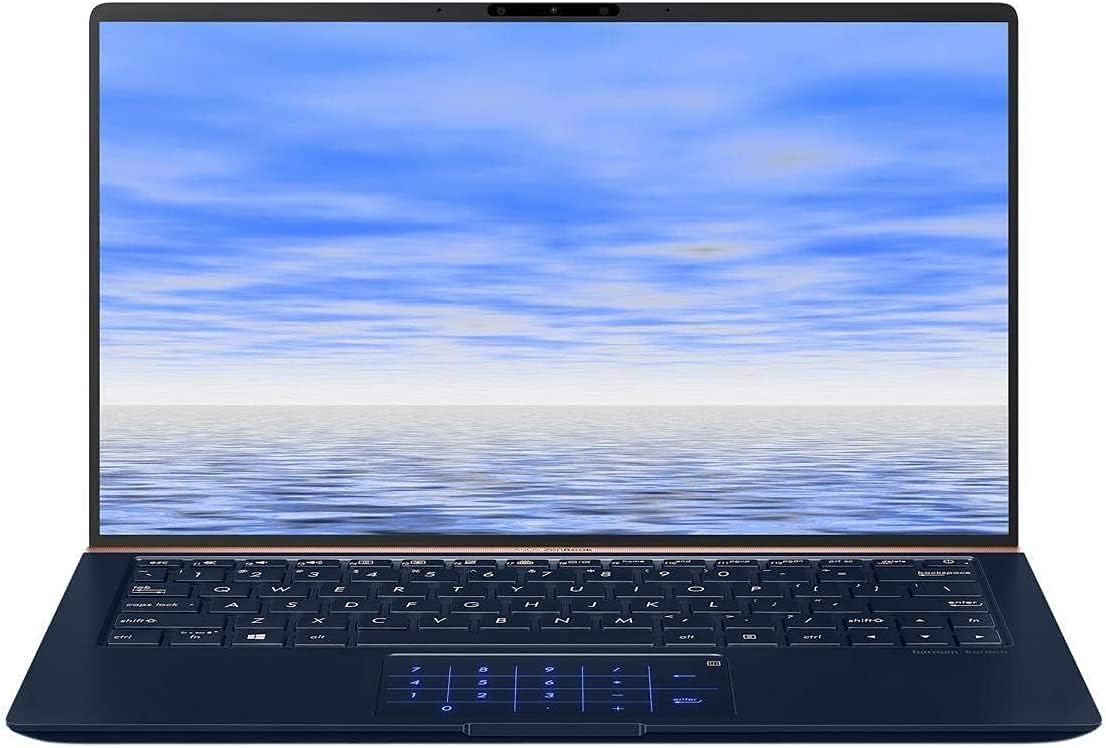
Image: The ASUS ZenBook UX333FA-DH51 with its display open, ready for initial setup or use.
Ngaoperasikeun Laptop
Kibor sareng Touchpad
Your ZenBook features a full-sized keyboard and a precision touchpad. The unique ErgoLift hinge automatically tilts the keyboard for a more comfortable typing experience when the lid is opened.

Gambar: A close-up view of the laptop's keyboard and the innovative NumberPad integrated into the touchpad.
- Tombol Fungsi: Ngagunakeun éta Fn key in combination with the F1-F12 keys for quick access to system functions like volume control, brightness adjustment, and Wi-Fi toggle.
- NumberPad: The touchpad can transform into an LED-illuminated numeric keypad for data entry. Refer to the on-screen instructions or the ASUS utility for activation and usage.
Fitur tampilan
The ZenBook UX333FA-DH51 features a 13.3-inch Full HD (1920x1080) NanoEdge display with ultra-slim bezels, providing an immersive visual experience.

Image: The laptop open, emphasizing the expansive, near-borderless NanoEdge display.
Manajemén kakuatan
Manage your laptop's power settings through Windows 10 to optimize battery life or performance.
- Modeu Bobo: Tutupkeun tutupna atanapi pencét tombol daya sakeudeung pikeun asup ka modeu sare.
- Pareuman: Pindah ka Start > Power > Shut down to completely turn off the laptop.
- Uihan deui: Pindah ka Start > Power > Restart pikeun ngabalikan sistem.
Pangropéa
Ngabersihan Laptop Anjeun
- Make lawon anu lemes, teu aya serat dampened with water or a specialized screen cleaner for the display.
- Pikeun keyboard sareng sasis, paké kaén anu lemes sareng garing. Hindarkeun bahan kimia anu kasar atanapi bahan abrasive.
- Pastikeun laptop dipareuman sareng dicabut colokan sateuacan beberesih.
Perawatan batré
- Hindarkeun sering-sering ngeusi batre.
- Simpen laptop di tempat anu tiis sareng garing upami henteu dianggo kanggo waktos anu lami.
- Kalibrasi batréna sacara périodik ku cara ngosongkeun batréna sapinuhna sareng ngecas deui.
Software Apdet
Regularly update your Windows operating system and ASUS drivers to ensure optimal performance and security.
- Pembaruan Windows: Pindah ka Setélan> Update & Kaamanan> Windows Update.
- ASUS Driver Updates: Kunjungi dukungan resmi ASUS websitus kanggo modél anjeun pikeun ngaunduh driver sareng utilitas pangénggalna.
Pamérésan masalah
Bagian ieu ngabahas masalah umum anu anjeun tiasa mendakan. Pikeun masalah anu langkung rumit, tingali dukungan ASUS websitus atanapi ngahubungan layanan palanggan.
| Masalah | Solusi anu mungkin |
|---|---|
| Laptop teu hurung. |
|
| Layarna kosong atawa hideung. |
|
| Touchpad henteu ngaréspon atanapi erratic. |
|
| Batré gancang boros. |
|
spésifikasi
Key technical specifications for the ASUS ZenBook UX333FA-DH51.
| Fitur | Rincian |
|---|---|
| Ngaran modél | ZenBook UX333FA-DH51 |
| tampilan | 13.3-inch Full HD (1920x1080) |
| Prosesor | Intel Core i5-8265U (1.6GHz, Turbo up to 3.9GHz) |
| Ram | 8GB LPDDR3 (On Board) |
| Panyimpenan | 256GB PCIe G3x2 SSD + TPM |
| Grafika | Grafik Intel HD (Terpadu) |
| Sistem operasi | Windows 10 (64 bit) |
| Konéktipitas Wireless | 802.11g |
| palabuhan USB | 1x USB 2.0, 1x USB 3.0 (Note: Specific port types may vary, refer to physical device) |
| Item Beurat | 2.6 pon |
| Ukuran (L x W x H) | 15 x 1 x 10 inci |
| Warna | Royal Blue |
Émbaran jaminan
Your ASUS ZenBook UX333FA-DH51 comes with a limited manufacturer's warranty. The specific terms and duration of the warranty may vary by region and retailer. Please refer to the warranty card included in your product packaging or visit the official ASUS websitus pikeun inpo jaminan lengkep. Simpen bukti pameseran anjeun pikeun klaim garansi.
Ngarojong
For technical assistance, driver downloads, or further information regarding your ASUS ZenBook UX333FA-DH51, please visit the official ASUS support websitus:
You may also find helpful resources and contact information for customer service on the websitus.


