1. Bubuka
This manual provides essential information for the safe and effective operation, setup, and maintenance of your Sharp UA-HD50E-L Air Purifier with Humidification Function. Please read it thoroughly before using the appliance and keep it for future reference.
The Sharp UA-HD50E-L is designed to improve indoor air quality by combining a patented Plasmacluster ion generator with a 3-stage filtration system. It effectively removes airborne particles, allergens, viruses, pollen, dust mites, and odors. Additionally, it features an automatic humidification function to maintain a comfortable and healthy indoor climate. This unit is suitable for rooms up to 38 m² for air purification and 27 m² when using the humidification function.
2. Émbaran Kasalametan
Pikeun mastikeun operasi anu aman, salawasna turutan pancegahan dasar ieu:
- Ulah ngajalankeun unit ku kabel kakuatan ruksak atawa colokan.
- Ulah meungpeuk inlets hawa atawa outlet.
- Keep the unit away from water and moisture. Do not immerse in water.
- Ulah selapkeun objék kana sagala bukaan.
- Cabut colokan unit sateuacan ngabersihkeun atanapi ngalakukeun perawatan naon waé.
- Alat ieu henteu dimaksudkeun pikeun dianggo ku jalma (kalebet murangkalih) anu ngirangan kamampuan fisik, indrawi atanapi mental, atanapi kirang pangalaman sareng pangaweruh, kecuali aranjeunna dipasihan pangawasan atanapi petunjuk ngeunaan panggunaan alat ku jalma anu tanggung jawab kana kasalametanana.
- Use only genuine Sharp replacement filters.
3. Produk Langkungview
Familiarize yourself with the main components of your Sharp UA-HD50E-L air purifier.
3.1 Hareup View

Figure 3.1: The front of the Sharp UA-HD50E-L air purifier, showcasing its sleek, light grey design and the Sharp logo.
3.2 Tukangeun View and Air Intake

Figure 3.2: The rear of the air purifier, showing the large air intake grille and the power cord connection point. This is where air is drawn into the unit for filtration.
3.3 Aksés Tangki Cai
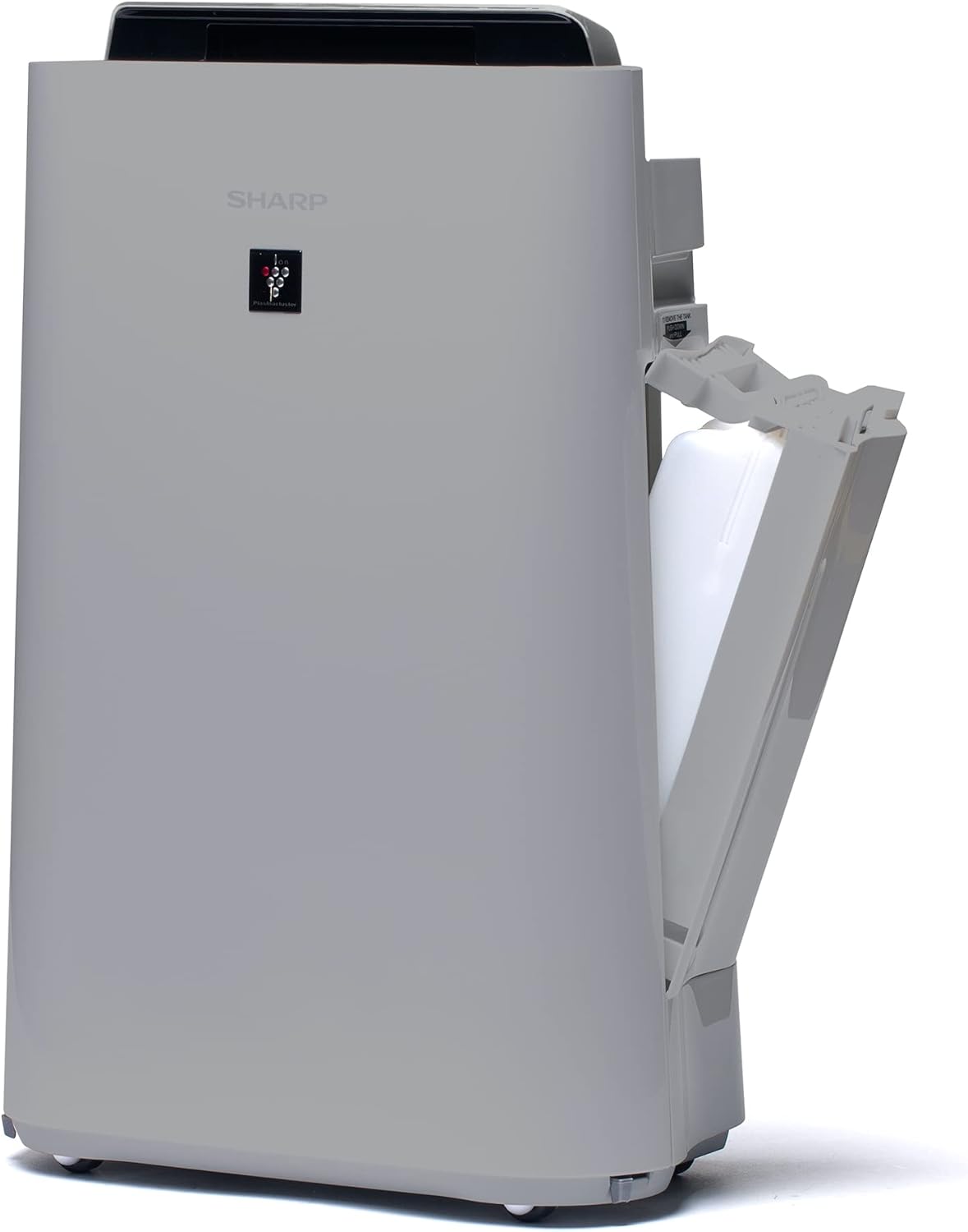
Gambar 3.3: Hiji sisi view of the unit with the water tank compartment door open, revealing the removable water tank for humidification.
3.4 Control Panel and Air Outlet

Gambar 3.4: A luhur-handap view highlighting the intuitive control panel with various function buttons and the primary air outlet where purified and humidified air is released.
3.5 Sistim nyaring
The Sharp UA-HD50E-L utilizes a multi-stage filtration system for comprehensive air purification:
- Pra-filter: Nangkep partikel ageung sapertos lebu sareng bulu piaraan.
- Deodorization Filter (UZ-HD4DF): Absorbs various odors, including cigarette smoke and household smells.
- HEPA Filter (UZ-HD4HF): Traps microscopic particles such as pollen, mold spores, and fine dust.
- Humidification Filter (UZ-HD6MF): Dianggo pikeun fungsi humidifikasi.

Gambar 3.5: Hiji exploded view illustrating the sequence of the pre-filter, deodorization filter, and HEPA filter within the unit's rear compartment.
4. Setélan
Turutan léngkah-léngkah ieu pikeun nyetél panyaring hawa anjeun pertama kalina.
- Ngabongkar Unit: Carefully remove the air purifier and all its components from the packaging. Retain packaging for future transport or storage.
- Leupaskeun saringan bungkusan: Open the rear panel of the unit. Remove all plastic packaging from the HEPA filter, deodorization filter, and humidification filter.
- Pasang saringan: Insert the filters back into the unit in the correct order: deodorization filter, then HEPA filter, followed by the pre-filter. Ensure they are securely seated. Close the rear panel.

Figure 4.1: Illustration of a filter being inserted into the side compartment of the air purifier.
- Fill Water Tank (for Humidification): Open the water tank compartment on the side of the unit. Remove the water tank, fill it with clean tap water, and securely close the cap. Reinsert the water tank into the unit.
Figure 4.2: The water tank being removed from its compartment for refilling.
- panempatan: Place the air purifier on a flat, stable surface, ensuring adequate clearance (at least 20 cm) from walls and furniture for optimal air circulation.
- Sambungkeun Kakuatan: Colokkeun kabel listrik kana stop kontak listrik anu cocog (220V).
5. Parentah Operasi
The control panel on the top of the unit allows you to manage all functions.

Figure 5.1: Close-up of the control panel with various buttons and indicators, including sensors for dust, odor, temperature, humidity, light, movement, and PM2.5.
5.1 Daya ON / OFF
- Pencét éta POWER tombol pikeun ngahurungkeun unit ON atawa OFF.
5.2 Modeu operasi
- Modeu Otomatis: The unit automatically adjusts fan speed and humidification based on sensor readings (dust, odor, temperature, humidity, light, movement, PM2.5). This mode ensures optimal air quality and comfort.
- Kecepatan Kipas Manual: Pilih kecepatan kipas anu dipikahoyong (Leutik, Sedeng, Luhur) kanggo operasi anu kontinyu.
- Humidification Mode: Activates the humidification function. The unit will maintain a comfortable humidity level. Ensure the water tank is filled.
- Air Purification Only: Disables the humidification function, focusing solely on air purification.
5.3 Plasmacluster Ion Function
- Pencét éta PLASMACLUSTER button to activate or deactivate the Plasmacluster ion generator.
- Ion Spot Mode: This mode provides a 10-fold more intensive airflow of Plasmacluster ions to target specific areas or strong odors. Activate it by pressing the dedicated button on the control panel.
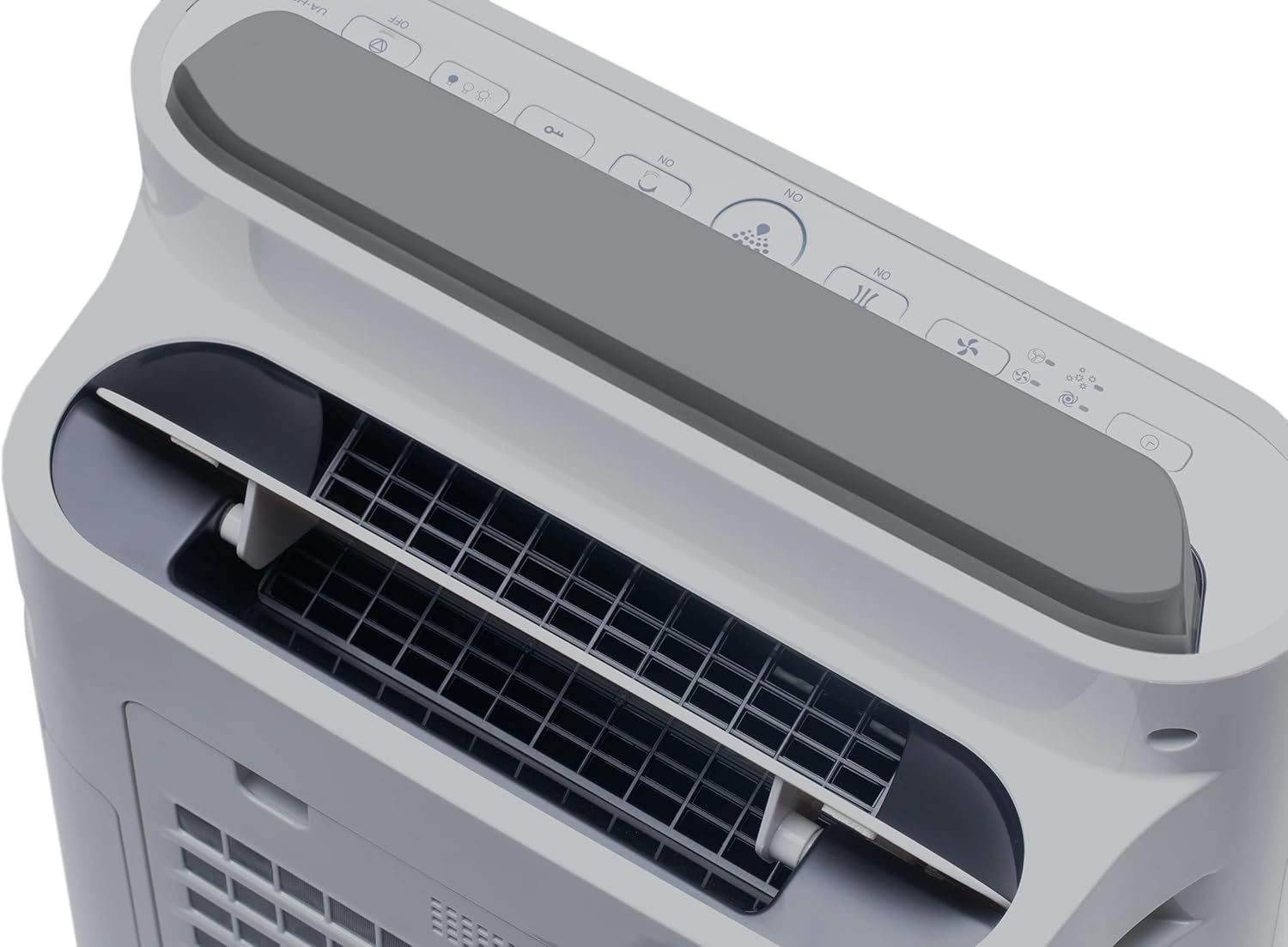
Figure 5.2: Visual representation of Plasmacluster ions being dispersed into the room, indicating the Ion Spot Mode's enhanced air circulation.
5.4 Sirkulasi hawa
The unit features 20° back air outlets to ensure perfect air circulation throughout the room, effectively distributing purified and humidified air.
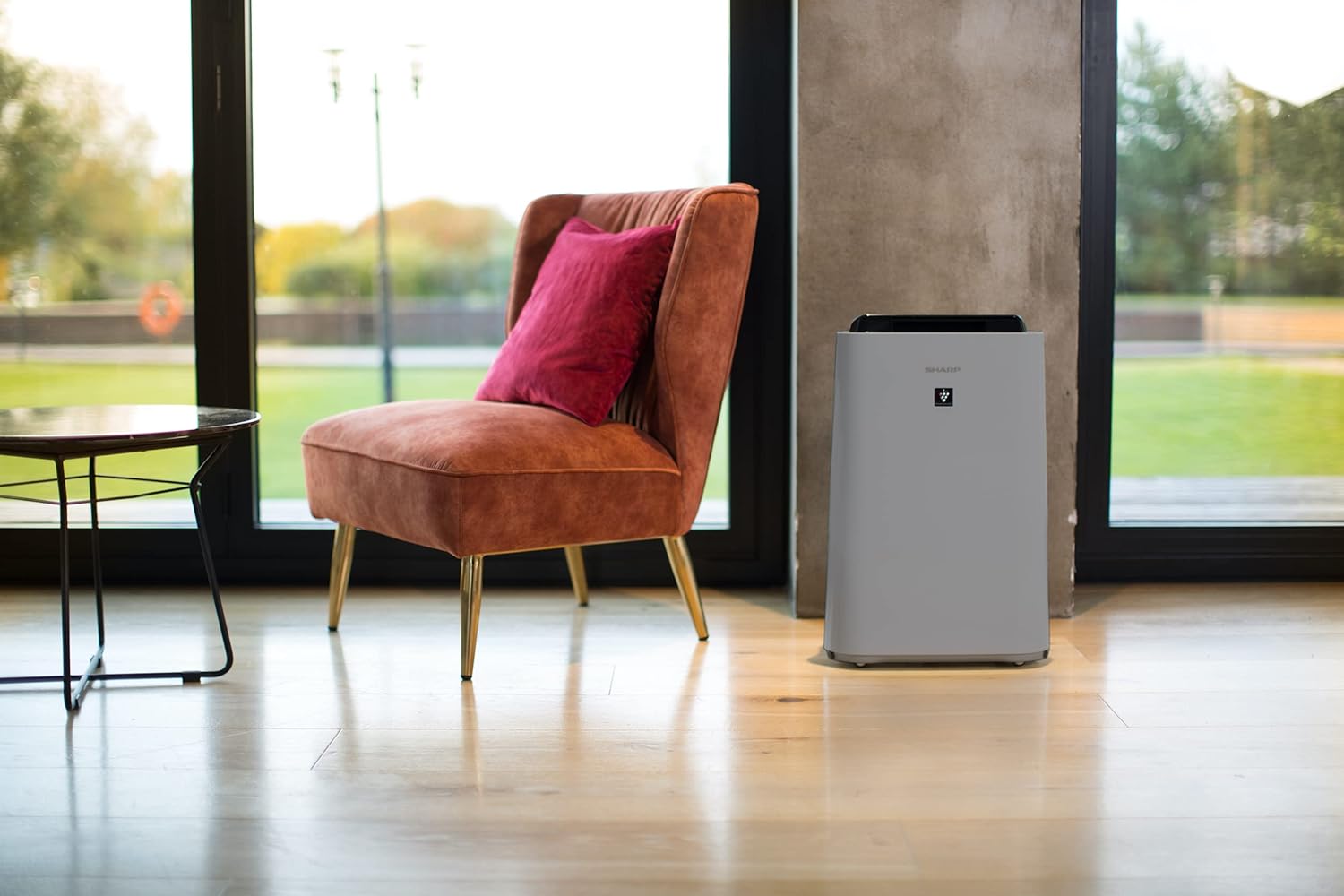
Figure 5.3: A diagram showing the optimal air circulation pattern created by the unit's design, ensuring even distribution of clean air.
6. Pangropéa
Pangropéa rutin ngajamin kinerja optimal sareng manjangkeun umur panyaring hawa anjeun.
6.1 Ngabersihkeun Saringan Awal
- The pre-filter should be cleaned approximately once a month, or more frequently if used in dusty environments.
- Remove the rear panel and carefully detach the pre-filter.
- Use a vacuum cleaner to remove dust and debris. For stubborn dirt, wash with mild soap and water, then air dry completely before reinstallation.

Figure 6.1: The pre-filter being removed from the unit, with icons indicating its function against dust and pet hair.
6.2 Deodorization and HEPA Filters (UZ-HD4DF, UZ-HD4HF)
- These filters are not washable and should not be cleaned with water.
- Periodically check for excessive dust accumulation. A vacuum cleaner can be used gently on the surface of the HEPA filter to remove loose dust.
- Replace these filters approximately every 2-5 years, depending on usage and air quality. Refer to the indicator light on the control panel for replacement reminders.

Figure 6.2: The deodorization filter, designed to combat odors such as cigarette smoke and general household smells.
6.3 Humidification Filter (UZ-HD6MF) and Water Tank
- Clean the water tank daily or every few days to prevent mold and bacterial growth. Wash with mild detergent and rinse thoroughly.
- The humidification filter should be cleaned regularly (e.g., weekly) by rinsing under running water. If mineral deposits accumulate, soak the filter in a descaling solution (e.g., citric acid solution) as per product instructions.
- Replace the humidification filter approximately once a year, or when it becomes stiff or discolored.
6.4 beberesih exterior
- Ngusap bagian luar unit kalayan lemes, damp lawon. Ulah make cleaners abrasive atawa pangleyur.
7. Cara ngungkulan
Upami anjeun ngalaman masalah naon waé, tingali masalah sareng solusi umum di handap ieu.
| Masalah | Mungkin Cukang lantaranana | Solusi |
|---|---|---|
| Unit teu hurung. | Power cord not properly connected; Power outage. | Pastikeun kabel listrik dipasang pageuh; Pariksa pemutus sirkuit rumah tangga. |
| Aliran hawa lemah. | Clogged pre-filter; Blocked air inlets/outlets. | Clean the pre-filter; Ensure nothing is obstructing air passages. |
| Taya humidification. | Water tank empty; Humidification filter clogged or improperly installed. | Refill water tank; Clean or correctly install humidification filter. |
| Unusual odor from unit. | Dirty filters; Stagcai nant dina tank. | Clean/replace filters; Clean water tank and humidification filter. |
| Noise nyaring salila operasi. | Foreign object in fan; Unit not on a stable surface. | Turn off and unplug, check for obstructions; Place on a flat, stable surface. |
Lamun masalah persists sanggeus nyobian solusi ieu, mangga ngahubungan rojongan customer.
8. Spésifikasi
| merek | Seukeut |
| Nomer modél | UA-HD50E-L |
| Warna | Gray Gray |
| Ukuran (L x W x H) | 39.9 x 23 x 61.5 cm |
| Beurat | 7.9 kg |
| Kapasitas Tangki Cai | 1 Liter |
| Kakuatan | 3600 (Please refer to product label for actual wattage) |
| Voltage | 220 volt |
| Bahan | palastik |
| Fungsi Pareum Otomatis | Sumuhun |
| Tingkat Noise | 23 desibel |
| Jenis Filter | HEPA |
| Métode kontrol | Toél, Kontrol Tombol |
| Room Coverage (Purification) | Nepi ka 38 m² |
| Room Coverage (with Humidification) | Nepi ka 27 m² |
9. Garansi jeung Rojongan
Sharp provides a warranty for this product in accordance with local regulations. Please retain your proof of purchase for warranty claims.
- Kasadiaan suku cadang: Suku cadang pikeun modél ieu sayogi salami 2 taun ti tanggal pameseran.
- For technical support, service, or to purchase replacement filters, please contact your local Sharp authorized dealer or visit the official Sharp websitus.


