1. Bubuka
Thank you for choosing PowerLocus Bluetooth Over-Ear Headphones. This manual provides detailed instructions for setting up, operating, maintaining, and troubleshooting your new headphones. Please read this manual carefully before use to ensure optimal performance and longevity of your device.

Image: PowerLocus P2 Bluetooth Over-Ear Headphones in black and yellow, shown with their protective carrying case.
2. Eusi Paket
Pastikeun sadaya item aya dina pakét anjeun:
- 1x Headphone Nirkabel PowerLocus P2
- 1x 3.5mm Kabel Audio
- 1x Kabel Ngecas USB-C
- 1x Case Pelindung

Image: A visual representation of the PowerLocus P2 package contents, including the headphones, audio cable, charging cable, and hard shell carry case.
3. Setup Guide
3.1 Ngecas Headphone
Sateuacan dianggo anu munggaran, cas heula headphone PowerLocus P2 anjeun sapinuhna. Ngecas sapinuhna peryogi waktos sakitar 15 jam.
- Sambungkeun tungtung leutik kabel ngecas USB-C kana port ngecas dina headphone.
- Connect the large end of the USB-C charging cable to a USB power source (e.g., computer USB port, wall adapter).
- The LED indicator will show charging status (refer to LED indicator section for details). Once fully charged, the indicator will change or turn off.
3.2 Nyapasangkeun Bluetooth
The PowerLocus P2 headphones are designed for quick and easy Bluetooth connection.
- Pastikeun headphone dipareuman.
- Slide the On/Off button to the 'On' position. The headphones will enter pairing mode, indicated by a flashing LED light (e.g., blue/red alternating).
- Dina alat anjeun (smartphone, tablet, PC), aktipkeun Bluetooth sareng milarian alat anu sayogi.
- Pilih "PowerLocus P2" tina daptar alat anu kapendak.
- Sakali nyambung, indikator LED biasana bakal némbongkeun lampu biru padet atawa kedip-kedip lalaunan.
Video: A short demonstration on how to connect the PowerLocus P2 headphones via Bluetooth to a device.
3.3 Sambungan kabel
For non-Bluetooth devices or when the battery is depleted, you can use the included 3.5mm audio cable.
- Sambungkeun hiji tungtung kabel audio 3.5mm kana jack input audio dina headphone.
- Sambungkeun tungtung kabel audio 3.5mm anu hiji deui kana colokan kaluaran audio alat anjeun.
- Headphone bakal otomatis pindah ka mode kabel.
4. Parentah Operasi
4.1 Kontrol Leuwihview
Headphone ieu ngagaduhan kontrol intuitif anu aya dina earcup.
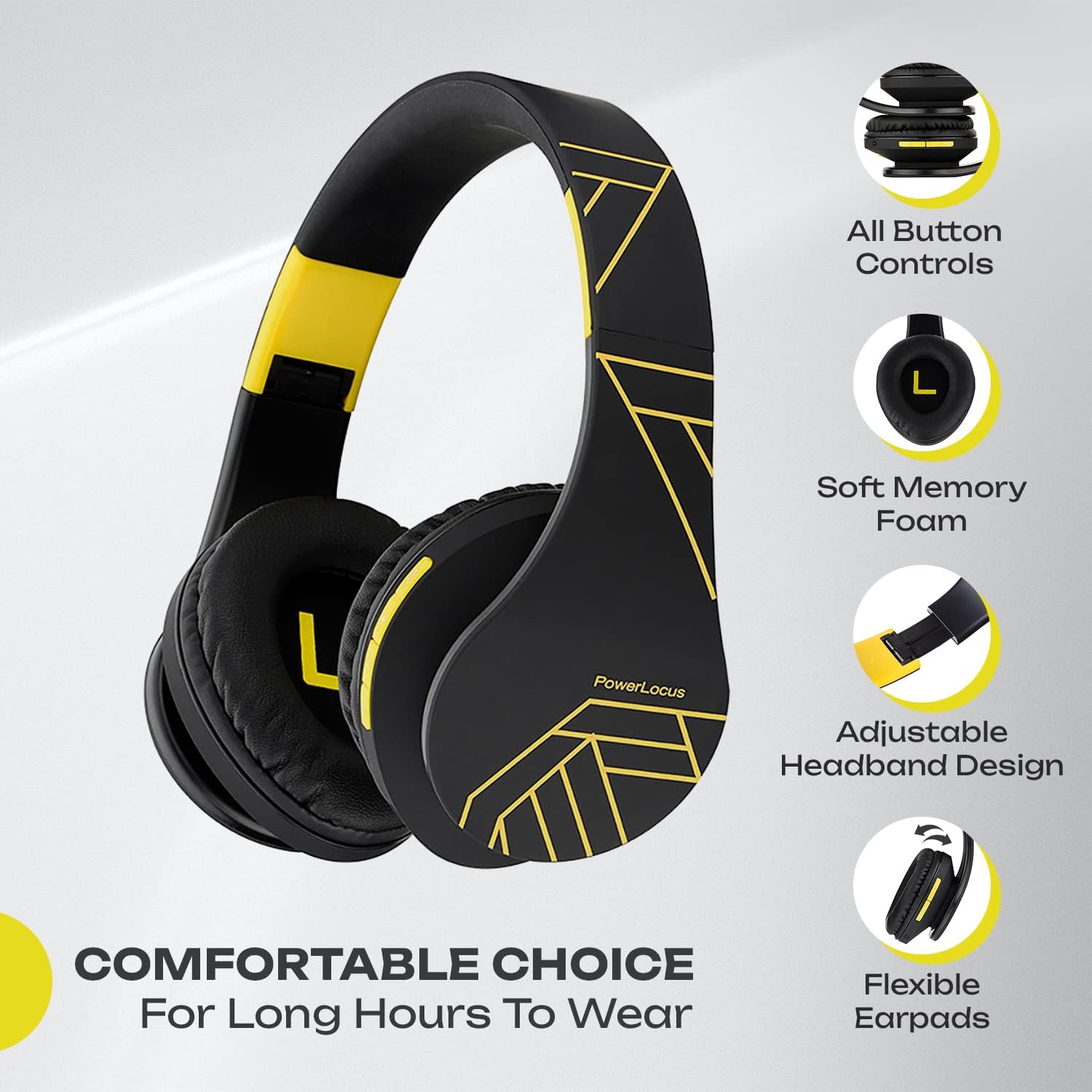
Image: An illustration highlighting the various button controls on the PowerLocus P2 headphones, including power, volume, and multi-function buttons.
- Hurungkeun/Pareuman: Slide switch.
- Volume Jilid / Lagu Salajengna: Pencét pondok pikeun polumeu ka luhur, pencét panjang kanggo lagu salajengna.
- Volume Turun / Lagu Saméméhna: Pencét pondok pikeun volume handap, pencét lila pikeun lagu saméméhna.
- Tombol Multi-fungsi (MFB): Play/Pause, Answer/End Call, Reject Call, Redial.
4.2 Bluetooth Mode Operation
- Maén Musik: Use the MFB to play or pause audio. Use volume buttons for track navigation and volume adjustment.
- Nelepon/Narima Telepon: The built-in microphone allows for hands-free communication. Press MFB to answer/end calls, long press to reject.
4.3 Modeu Kartu Micro SD/TF
Insert a Micro SD/TF card (up to 32GB) into the designated slot to play music directly from the card.

Image: This visual emphasizes the headphones' universal compatibility with devices like laptops, phones, and tablets, and highlights the Micro SD card mode for direct music playback.
4.4 Modeu Radio FM
The headphones support FM radio functionality.
- Switch to FM mode (refer to specific button function if available, usually a mode button or long press of MFB).
- Press the MFB to auto-scan and save available FM stations.
- Use the volume buttons to navigate between saved stations.
Video: A brief video showcasing the PowerLocus P2 headphones in active use, highlighting their design and portability.
5. Pangropéa sarta perawatan
5.1 beberesih
Regular cleaning helps maintain the headphones' appearance and hygiene.
- Anggo lawon anu lemes sareng garing pikeun ngusap bagian luar headphone.
- Pikeun earcup, usap lalaunan ku saeutik deterjenamp lawon sarta ngidinan ka hawa garing sagemblengna saméméh dipaké.
- Entong nganggo bahan kimia kasar atanapi beberesih kasar.
5.2 Panyimpenan
Proper storage extends the life of your headphones.
- Fold the headphones to their compact size.
- Always store them in the provided protective case when not in use or when traveling.
- Nyimpen dina tiis, tempat garing jauh ti sinar panonpoé langsung jeung suhu ekstrim.
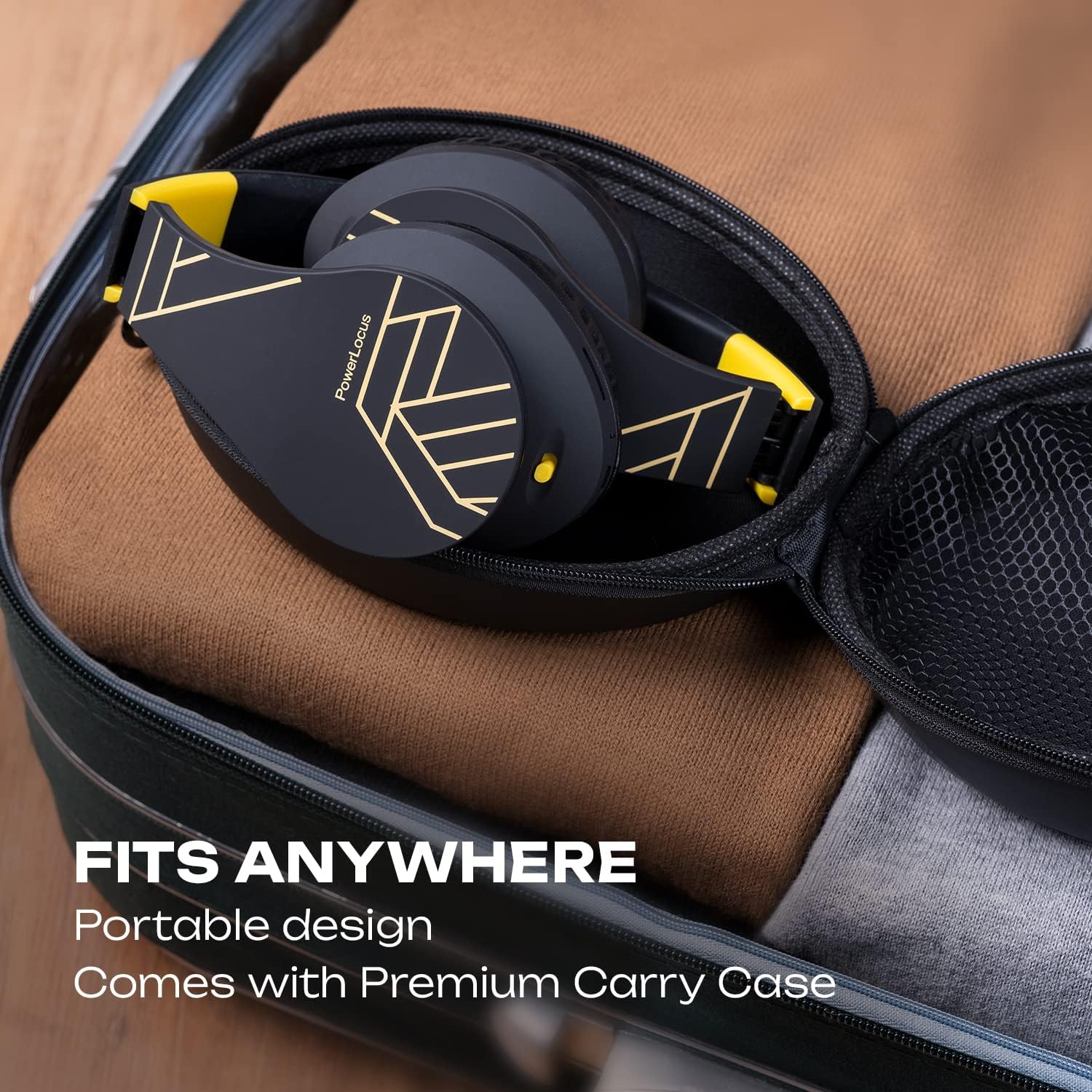
Image: The PowerLocus P2 headphones are shown folded and neatly placed inside their premium carry case, demonstrating their portable design and ease of storage.
5.3 Perawatan Batré
- Hindarkeun sering-sering ngeusi batre.
- Cas headphone sacara rutin, sanajan teu dianggo lila, pikeun ngajaga kaséhatan batréna.
6. Cara ngungkulan
If you encounter issues with your PowerLocus P2 headphones, refer to the following common solutions:
| Masalah | Mungkin Cukang lantaranana | Solusi |
|---|---|---|
| Headphone teu hurung. | batré lemah. | Ngecas headphone pinuh. |
| Teu bisa masangkeun via Bluetooth. | Headphone teu dina modeu pairing; alat Bluetooth pareum; gangguan. | Ensure headphones are in pairing mode (flashing LED). Turn off and on device's Bluetooth. Move closer to device. |
| Taya sora dina modeu Bluetooth. | Volume too low; not connected; incorrect audio output. | Naékkeun volume headphone sareng alat. Pasangkeun deui headphone. Pariksa setélan kaluaran audio alat. |
| Distorsi sora. | Jauh teuing tina alat; gangguan. | Move closer to the connected device. Avoid obstacles between headphones and device. |
| Mikropon teu jalan. | Incorrect input device selected on computer/phone. | Check audio input settings on your device and select PowerLocus P2. |
7. Spésifikasi
Key technical specifications for the PowerLocus P2 Headphones:
- Ngaran modél: P2
- Téknologi konektipitas: Nirkabel (Bluetooth 5.3), Kabel (Jack 3.5mm)
- Kisaran Bluetooth: Nepi ka 36 Feet
- Ukuran Supir Audio: 40 milimeter
- Tanggapan Frékuénsi: 20Hz - 20,000Hz
- Impedansi: 32 ohm
- Kahirupan batré: Nepi ka 15 Jam (Waktu Play)
- Waktu Ngecas: Kurang leuwih 15 Jam
- beurat: 150 Gram (5.3 ons)
- ukuran: 4.1 x 5.9 x 7.9 inci
- Fitur husus: Foldable, Built-in Microphone, Micro SD/TF Card Support, FM Radio, Sound Isolation
- Alat anu cocog: Cellphones, Televisions, Tablets, Gaming Consoles, Laptops

Image: An infographic detailing the PowerLocus P2's core features, including Bluetooth 5.0, 15 hours of battery life, Micro SD card support, FM radio, 40mm drivers, HD microphone, and extra bass capabilities.
8. Garansi jeung Rojongan
PowerLocus nyayogikeun 24-garansi sasih for your headphones, ensuring peace of mind regarding product quality and performance. We are committed to 100% customer satisfaction.
For any questions, technical support, or warranty claims, please contact our 24/7 Rojongan Palanggan through the official PowerLocus website or your point of purchase. Please have your model number (P2) and purchase details ready when contacting support.
Kanggo inpo nu leuwih lengkep, mangga buka www.powerlocus.com


