1. Bubuka
This manual provides essential information for the safe and efficient use of your MEDION E3221 Convertible Laptop. Please read this manual thoroughly before operating the device and retain it for future reference. The MEDION E3221 is a versatile 13.3-inch Full HD touch-enabled laptop designed for various modes of use, including laptop, tablet, stand, and tent modes.
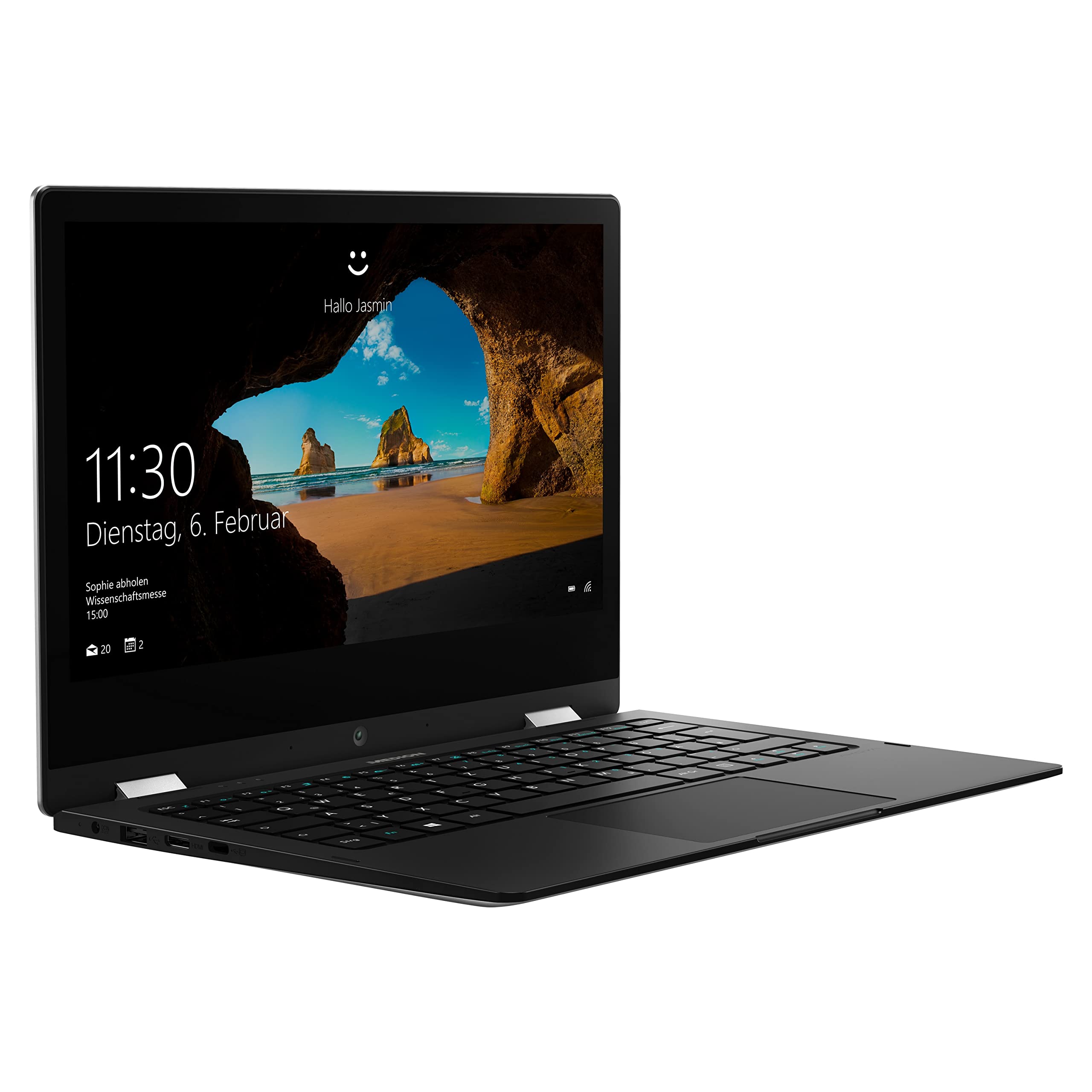
Image: The MEDION E3221 laptop demonstrating its 360-degree hinge and multiple usage modes.
2. Émbaran Kasalametan
- Always use the original power adapter provided with your device.
- Hindarkeun laptop ka suhu anu ekstrim, sinar panonpoé langsung, atanapi kalembaban anu luhur.
- Ulah nyobian ngabongkar atawa ngalereskeun alat sorangan. Rujuk ka tanaga jasa anu mumpuni.
- Keep the laptop away from liquids and sources of strong magnetic fields.
- Pastikeun ventilasi ditangtoskeun pikeun nyegah overheating. Ulah meungpeuk bukaan ventilasi.
3. Eusi Paket
Pastikeun yén sadaya item aya dina bungkusan:
- MEDION AKOYA E3221 Convertible Laptop
- Integrated 2-cell Li-polymer Battery (pre-installed)
- Unit catu daya éksternal
- Kartu Garansi
- Manual pangguna (dokumén ieu)
4. Setélan
4.1 Ngecas Awal sareng Hurungkeun
- Connect the external power supply unit to the laptop's power input port and then to a wall outlet.
- Keun laptop ngecas sahenteuna 30 menit sateuacan dianggo mimiti, atanapi dugi ka indikator batréna nunjukkeun muatan anu cekap.
- Press the power button (located on the right side of the device) to turn on the laptop.

Image: Left side of the MEDION E3221 laptop, showing the power input port, USB port, HDMI port, and USB-C port.

Image: Right side of the MEDION E3221 laptop, showing the power button, audio jack, microSD card slot, and another USB port.
4.2 Setup Windows Awal
Follow the on-screen instructions to complete the Windows 10 Home S Mode setup. This typically involves selecting your region, language, connecting to a Wi-Fi network, and creating a user account. Your laptop includes a 1-year subscription to Office 365 Personal, which can be activated during or after the initial setup.
4.3 Nyambungkeun périferal
- Alat USB: Connect USB devices (e.g., mouse, keyboard, external storage) to the available USB 2.0 ports or the USB Type-C port.
- Alat Bluetooth: To pair Bluetooth devices, navigate to Windows Settings > Devices > Bluetooth & other devices, and follow the pairing instructions for your specific device.
- Tampilan éksternal: Use the HDMI port or a suitable USB-C adapter to connect an external monitor or projector.
5. Ngoperasikeun Laptop
5.1 Modeu Convertible
The MEDION E3221 features a 360-degree hinge, allowing it to be used in four primary modes:
- Modeu Laptop: Konfigurasi laptop standar pikeun ngetik sareng produktivitas.
- Modeu tablet: Fold the screen back completely to use as a tablet with touch input.
- Mode nangtung: Position the keyboard face down to use the screen for viewmédia.
- Mode tenda: Stand the laptop in an inverted 'V' shape, ideal for presentations or watching videos in confined spaces.
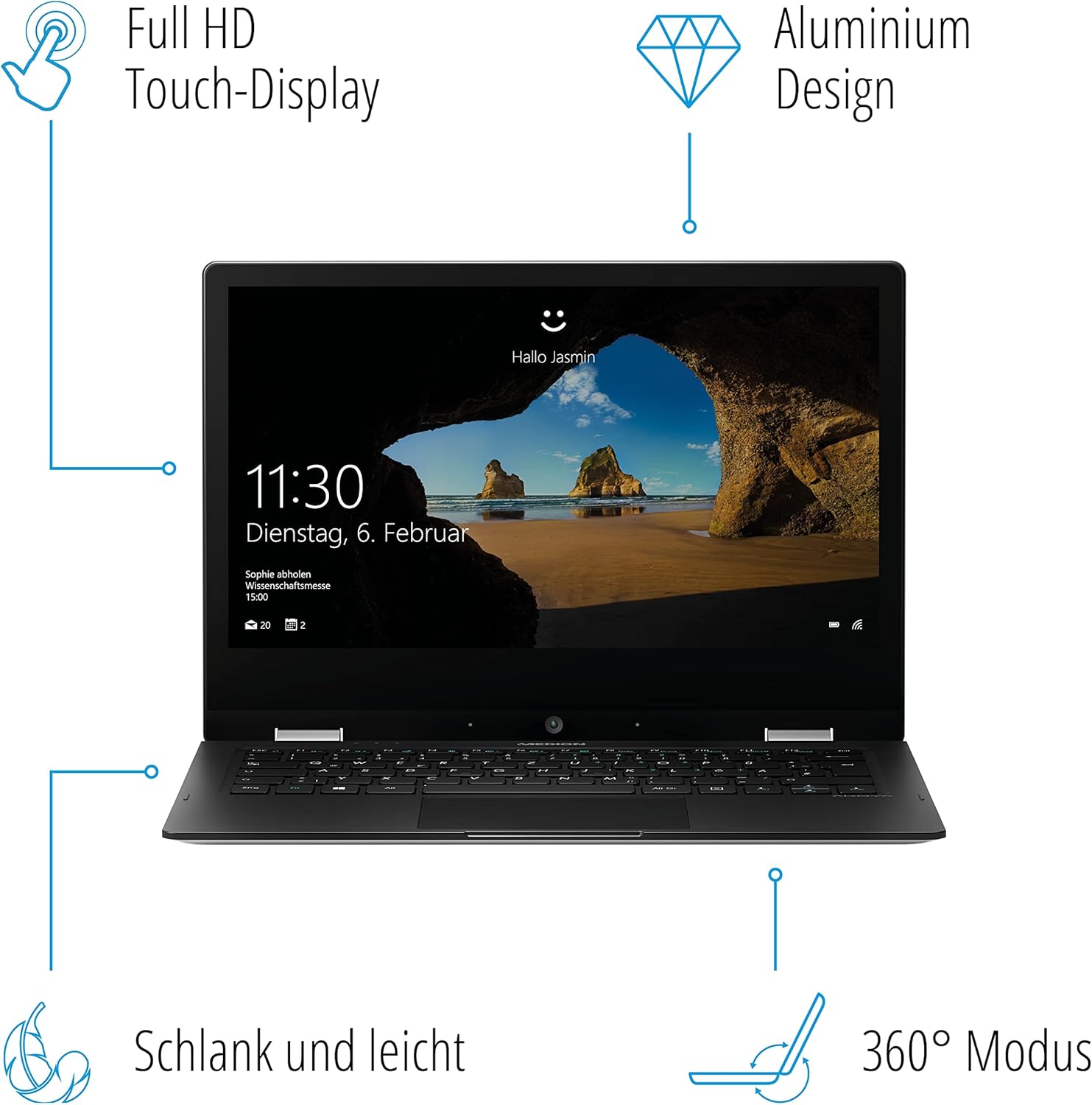
Image: A diagram illustrating the key features of the MEDION E3221, including its Full HD Touch-Display, Aluminum Design, slim profile, and 360° convertible mode.
5.2 Touchscreen Usage
The 13.3-inch Full HD IPS LCD touchscreen supports multi-touch gestures. Use your fingers to navigate, tap, swipe, and pinch-to-zoom, similar to a smartphone or tablet.

Gambar: A close-up view of the MEDION E3221 laptop screen displaying the Windows login interface.
5.3 Windows 10 Home S Mode
Your laptop operates on Windows 10 Home in S Mode, which is designed for security and performance. In S Mode, you can only install apps from the Microsoft Store and must use Microsoft Edge for safe browsing. If you need to install apps from outside the Microsoft Store, you can switch out of S Mode permanently via Windows Settings.
6. Pangropéa
- beberesih: Make kaen nu lemes, teu aya lint rada dampened with water or a screen cleaner to clean the display. For the chassis, use a dry, soft cloth. Avoid harsh chemicals.
- Apdet parangkat lunak: Rutin pariksa sareng pasang apdet Windows pikeun mastikeun kinerja sareng kaamanan anu optimal.
- Perawatan batré: Pikeun manjangkeun umur batré, ulah sering-sering ngosongkeun batréna. Simpen laptop di tempat anu tiis sareng garing upami henteu dianggo kanggo waktos anu lami.
7. Cara ngungkulan
- Laptop teu hurung: Pastikeun adaptor kakuatan disambungkeun aman tur batréna boga muatan cukup. Coba colokan listrik anu béda.
- Layar kosong: Check if the laptop is powered on. If connected to an external display, ensure the correct display output is selected (often via function keys).
- Wi-Fi or Bluetooth issues: Verify that Wi-Fi and Bluetooth are enabled in Windows settings. Restart the laptop and your router if necessary.
- kinerja slow: Close unnecessary applications. Check for available Windows updates. Ensure sufficient free storage space.
8. Spésifikasi
| Fitur | Rincian |
|---|---|
| merek | Mediasi |
| Nomer modél | E3221 |
| Warna | pérak |
| Sistem operasi | Modeu S Windows 10 Imah |
| Prosesor | Intel Pentium Silver N5000 (up to 2.7 GHz, 4 Cores) |
| Ram | 4 GB |
| Panyimpenan | 64 GB Flash Mémori |
| Ukuran tampilan | 13.3 inci |
| Resolusi tampilan | 1920 x 1080 pixels (Full HD IPS LCD) |
| Grafika | Grafik Intel UHD (Memori Babagi) |
| Konéktipitas Wireless | Bluetooth, WiFi |
| Palabuhan | 1x USB Type-C, 1x USB 2.0, HDMI, Audio Jack, MicroSD Card Slot, Power Input |
| Kahirupan batré | Nepi ka 8.5 jam |
| Ukuran (L x W x H) | 31.5 x 21.5 x 1.57 cm |
| Beurat | 1.47 kg |
| Fitur husus | 360° Mode, Integrated Webcam, Touchscreen |
9. Émbaran jaminan
Your MEDION E3221 Convertible Laptop comes with a manufacturer's warranty. Please refer to the included warranty card in your package for detailed terms, conditions, and registration information. Keep your proof of purchase for warranty claims.
10. Rojongan
For technical assistance, troubleshooting beyond this manual, or service inquiries, please contact MEDION customer support. Refer to the warranty card or the official MEDION websitus pikeun wincik kontak husus pikeun wewengkon Anjeun.


