
1. Bubuka
This manual provides comprehensive instructions for the Foscam FI9902P Outdoor Security Camera. It covers product features, installation procedures, operational guidelines, maintenance tips, and troubleshooting steps to ensure optimal performance and security for your property.
The Foscam FI9902P camera provides 1080P Full HD video resolution at 25 frames per second, ensuring clear and detailed surveillance. It supports remote viewing and playback via the Foscam App or a web browser. The camera features a 105° wide viewing angle and a night vision range of up to 20 meters (66 feet) using 30 IR-LEDs. Motion and sound detection trigger real-time push alerts to your smartphone, tablet, or email. Storage options include an external SD card slot (up to 128GB), Network Video Recorder (NVR) compatibility, and optional Foscam Cloud service.
2. Produk Langkungview
2.1 Eusi pakét
Pastikeun yén sadaya item aya dina bungkusan:
- Foscam FI9902P Camera
- Adaptor kakuatan
- Kabel Ethernet
- Pemasangan Screws sareng Jangkar
- Konci Hex
- Pituduh Pamasangan Gancang (teu kalebet dina manual digital ieu)

Image: Contents of the Foscam FI9902P camera package, showing the camera, power adapter, Ethernet cable, and mounting accessories.
2.2 Fitur kaméra
The Foscam FI9902P is designed for outdoor surveillance with robust features:
- Resolusi Full HD 1080P: Nyadiakeun foo video jelas tur lengkeptage.
- Wide Dynamic Range (WDR): Enhances image quality in varying light conditions.
- Visi wengi anu kuat: Equipped with 30 IR-LEDs for up to 20 meters (66 feet) of visibility in low light.
- Deteksi Gerakan sareng Sora: Triggers alerts and recordings upon detecting activity.
- Real-time Push Alerts: Sends notifications to your smartphone, tablet, or email.
- Sababaraha Pilihan Panyimpenan: Supports external SD card (up to 128GB), NVR, and Foscam Cloud service.
- Desain tahan cuaca: Built to withstand outdoor elements (thermostable, weatherproof, snow resistant).
- lebar Viewdina Angle: 105-gelar médan diagonal tina view.

Gambar: Leuwihview of key features including 1080P resolution, cloud service, motion detection, wide angle, night vision, external SD card slot, and weatherproof design.

Image: The Foscam FI9902P camera demonstrating its weatherproof, snow-resistant, and thermostable capabilities.
3. Setup jeung Instalasi
3.1 Instalasi fisik
The Foscam FI9902P is designed for wall mounting. Choose a location that provides the desired viewing angle and is within range of your Wi-Fi network or an Ethernet connection.
- Pilih Lokasi: Identify a suitable outdoor wall location, ensuring a clear line of sight and access to a power outlet.
- Citakan dipasang: Use the provided mounting template (if applicable) to mark drill holes on the wall.
- liang bor: Bor liang pilot teras pasang jangkar témbok.
- Kaméra Aman: Attach the camera's mounting bracket to the wall using the provided screws.
- Saluyukeun Sudut: Loosen the adjustment screws on the bracket to position the camera for optimal coverage, then tighten to secure.

Image: The Foscam FI9902P camera securely mounted on an exterior wall.
3.2 Daya sareng Sambungan Jaringan
- Sambungan Daya: Sambungkeun adaptor kakuatan ka kaméra jeung nyolok kana stop kontak kakuatan.
- Sambungan jaringan:
- Wifi: For wireless connection, ensure the camera is within range of your Wi-Fi router. Configuration will be done via the Foscam App.
- Ethernet: For a wired connection, connect one end of the Ethernet cable to the camera and the other end to your router or network switch.
3.3 Initial Setup with Foscam App
Download the Foscam App from your device's app store (iOS or Android). Follow the in-app instructions to add your camera, which typically involves scanning a QR code on the camera or manually entering its ID.
4. Ngoperasikeun kaméra
4.1 Hirup Viewing jeung Playback
Aksés aliran video hirup jeung dirékam footage through the Foscam App or a web browser. The app provides a timeline feature for easy navigation of past recordings.
4.2 Ngarekam jeung Panyimpenan
The FI9902P offers flexible storage solutions:
- Kartu SD Mikro: Insert a Micro SD card (up to 128GB) into the external slot for local storage. The slot is located under a protective cover on the camera body.
- Perekam Video Jaringan (NVR): Connect the camera to a compatible NVR for continuous recording and larger storage capacity.
- Foscam Cloud: Subscribe to Foscam Cloud service for secure, remote storage of your video footage.
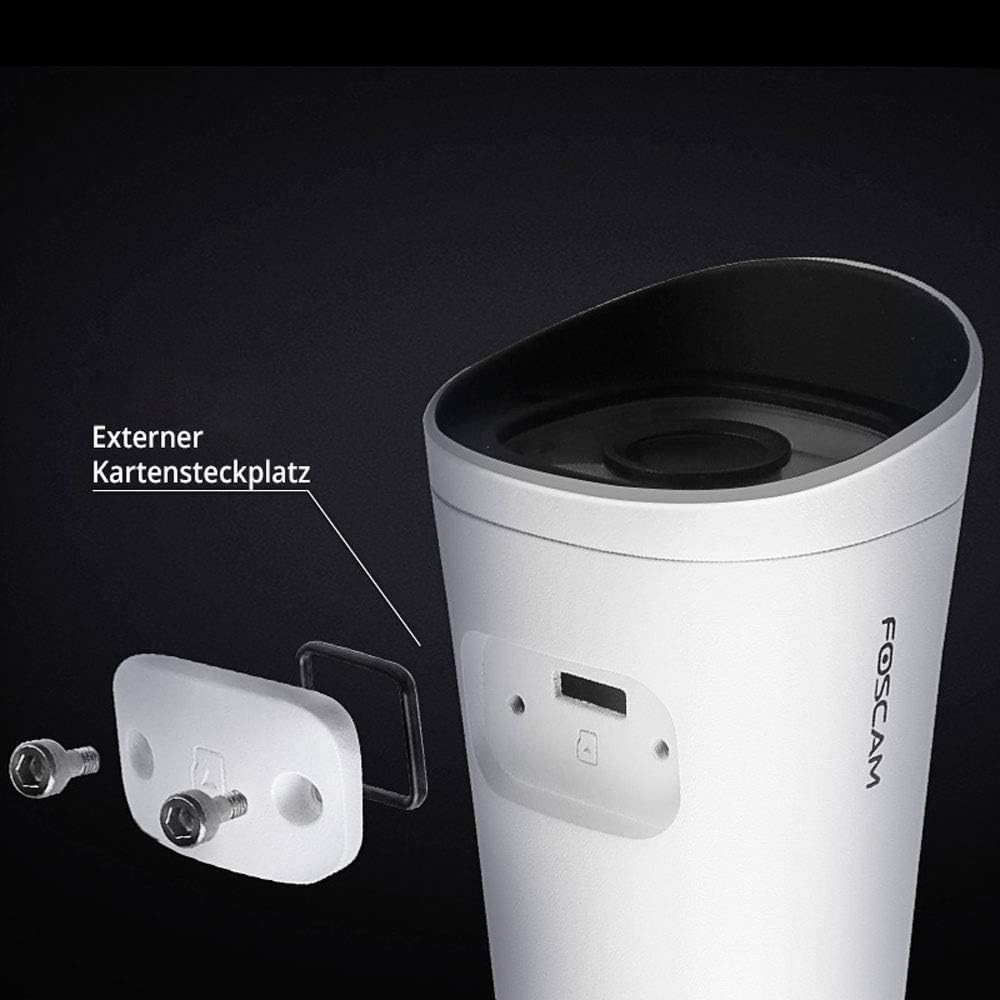
Image: The external Micro SD card slot on the Foscam FI9902P camera, accessible for local storage.
4.3 Deteksi Gerakan sareng Sora
Configure motion and sound detection settings within the Foscam App. You can define detection zones, sensitivity levels, and schedule times for alerts.
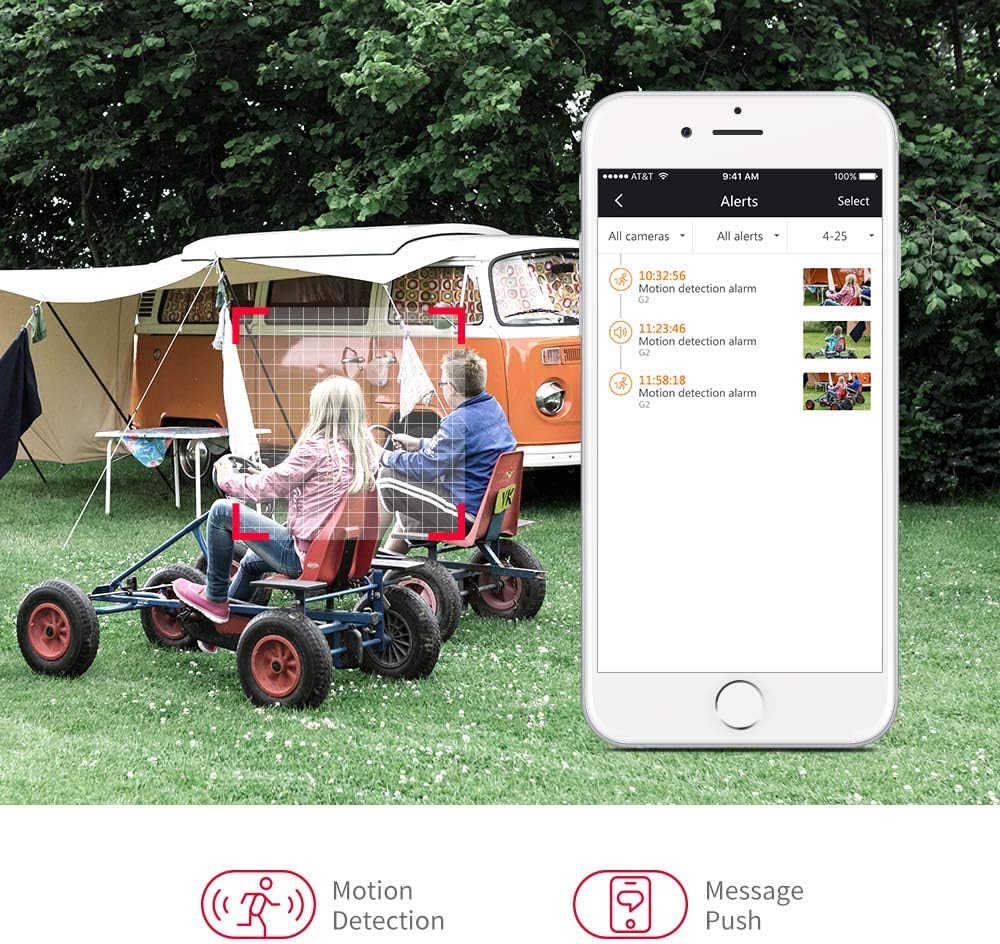
Image: A smartphone displaying motion detection alerts received from the Foscam camera.
4.4 Visi Peuting
The camera automatically switches to night vision mode in low-light conditions, providing clear black-and-white video up to 20 meters (66 feet).

Image: Illustration of the camera's 110-degree viewing angle and 20-meter night vision capability.
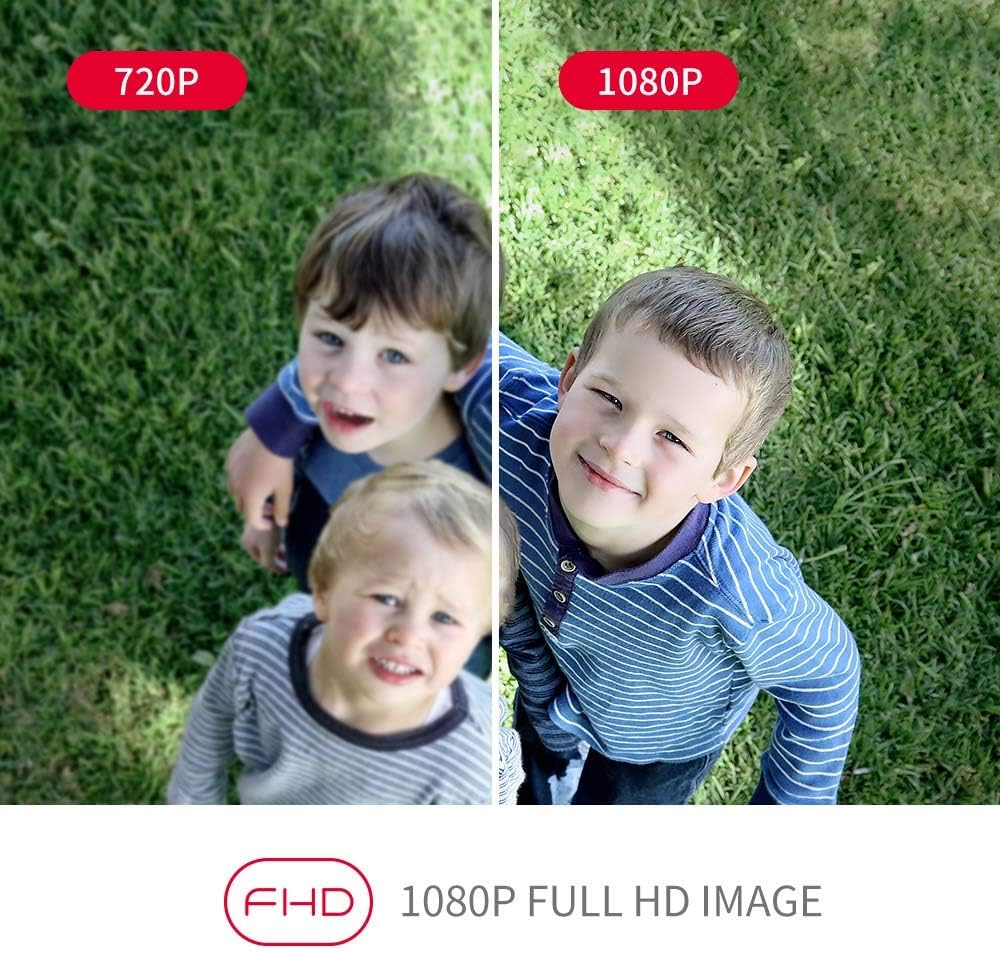
Image: A visual comparison demonstrating the enhanced clarity of 1080P Full HD video compared to 720P.
5. Pangropéa
Regular maintenance ensures the longevity and optimal performance of your Foscam FI9902P camera.
- beberesih: Périodik ngabersihan lénsa kaméra jeung perumahan ku lemes, damp lawon. Ngahindarkeun cleaners abrasive.
- Pembaruan firmware: Check the Foscam App or official websitus pikeun apdet firmware sadia pikeun mastikeun kaméra anjeun boga fitur panganyarna na ningkat kaamanan.
- Manajemén Kartu SD: If using an SD card, regularly back up important footage and format the card periodically to maintain performance.
- Pamariksaan kabel: Inspect power and Ethernet cables for any signs of wear or damage, especially in outdoor environments.
6. Cara ngungkulan
If you encounter issues with your Foscam FI9902P camera, refer to the following common troubleshooting steps:
- Henteu aya kakuatan: Pastikeun adaptor kakuatan disambungkeun sacara aman ka kaméra sareng stop kontak listrik anu tiasa dianggo.
- Henteu aya sambungan jaringan:
- Wifi: Verify the camera is within Wi-Fi range and the network password is correct. Restart your router.
- Ethernet: Check the Ethernet cable connection to both the camera and the router. Try a different cable.
- Kualitas pidéo goréng: Ensure the lens is clean. Check your internet connection speed. For 1080P streaming, a stable and sufficient bandwidth is required.
- Deteksi gerak teu jalan: Verify that motion detection is enabled in the app and the detection zone is correctly configured. Adjust sensitivity settings.
- Cannot Access Camera Remotely: Ensure your home network has internet access. Check firewall settings on your router.
- Kaméra offline: Try restarting the camera by unplugging and replugging the power. If the issue persists, reset the camera to factory defaults (refer to the Foscam website for specific reset instructions for your model) and reconfigure.
For further assistance, visit the official Foscam support websitus atanapi ngahubungan layanan palanggan maranéhna.
7. Spésifikasi
Detailed technical specifications for the Foscam FI9902P camera:
| Fitur | Spésifikasi |
|---|---|
| Modél | FI9902P |
| Warna | Hideung, Bodas |
| Faktor Bentuk | Pelor |
| Resolusi Video Éféktif | 1080P HD lengkep |
| Résolusi sénsor optik | 2 megapiksel |
| Laju pigura | 25 pigura per detik |
| Viewdina Angle | 105 darajat |
| Wengi Sawangan Sawangan | 20 Méter (66 suku) |
| Téhnologi konektipitas | Fast Ethernet + WiFi, Wireless |
| Protokol konektipitas | ONVIF |
| Tipe Pamasangan | Tembok Gunung |
| Panyimpenan | External Micro SD Card (up to 128GB), NVR, Cloud |
| Fitur husus | Visi Peuting, Deteksi Gerakan |
| Bahan | logam |
| Voltage | 12 volt |
| Konsumsi Daya | 5 Watt |
| Ukuran (L x W x H) | 9.7 x 6.6 x 6.4 cm |
| Item Beurat | 290 gram |
| Tipe Zum | Zoom optik |
| Tipe Fokus | Motion Detection Trigger (Feature) |
| Dianjurkeun Mangpaat | Panjagaan |
8. Garansi jeung Rojongan
8.1 Émbaran jaminan
For detailed warranty information regarding your Foscam FI9902P camera, please refer to the official Foscam websitus atanapi kartu garansi anu kalebet sareng produk anjeun. Sarat jeung kaayaan jaminan bisa rupa-rupa dumasar wewengkon.
8.2 Rojongan Palanggan
If you require technical assistance or have questions about your Foscam FI9902P, please utilize the following resources:
- Foscam Resmi Websitus: Nganjang www.foscam.com pikeun FAQ, artikel dukungan, sareng inpormasi kontak.
- Aplikasi Foscam: The app often includes a support section with troubleshooting guides and direct contact options.