Bubuka
The Jaycar Laser Tag Battle Gun 2pk brings the excitement of video games into a real-world, active experience. This set includes two laser tag guns designed for interactive play, featuring built-in infrared receivers for accurate hit tracking and multiple gun modes for varied combat scenarios. Recommended for ages 8 and above, these guns encourage physical activity and strategic thinking.
Key features include full-color lighting, immersive sound effects, and vibrations to enhance the battle experience. Players can select from up to four team colors, and an interactive voice coach provides guidance during gameplay. The guns offer various firing effects, including Single Shot, Laser, Machine Gun, and Plasma Gun, with an effective infrared range of up to 60 meters.
Émbaran Kasalametan
- Saran umur: Produk ieu disarankeun pikeun pangguna anu umurna 8 taun ka luhur.
- Kasalametan batré: Use only the specified battery type and ensure correct polarity. Do not mix old and new batteries, or different types of batteries. Remove batteries if the product is not used for an extended period.
- Kasalametan panon: laser nu tag guns use infrared light, which is generally safe. However, avoid pointing the infrared emitter directly into eyes at close range.
- Bahaya Tercekik: Jauhkeun bagian-bagian leutik tina jangkauan barudak leutik.
- Pamakéan outdoor: While designed for active play, avoid using the guns in extreme weather conditions or near water.
- pangawasan: Adult supervision is recommended during play, especially for younger users.
Eusi pakét
Your Jaycar Laser Tag Battle Gun 2pk package should contain the following items:
- 2 x Laser Tag Battle Guns (random mixture of 4 colors)
- Manual pangguna (dokumén ieu)
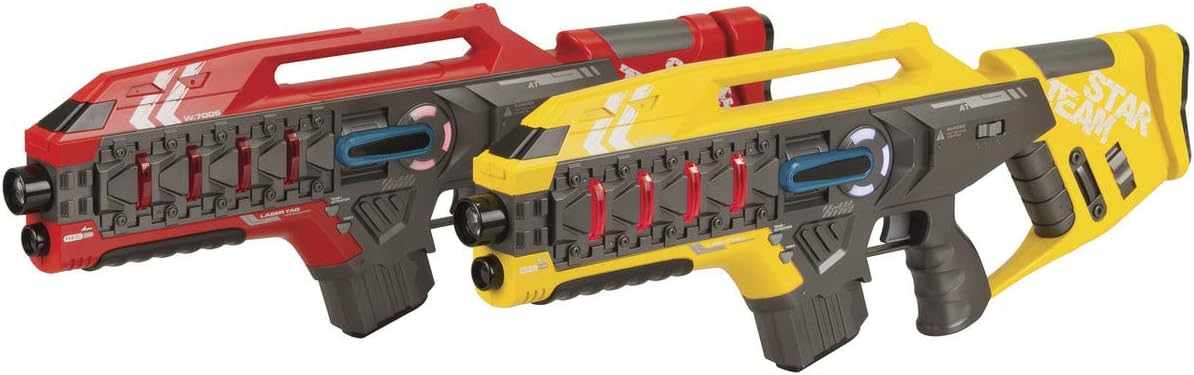
Image: Two Laser Tag Battle Guns (Red and Yellow).
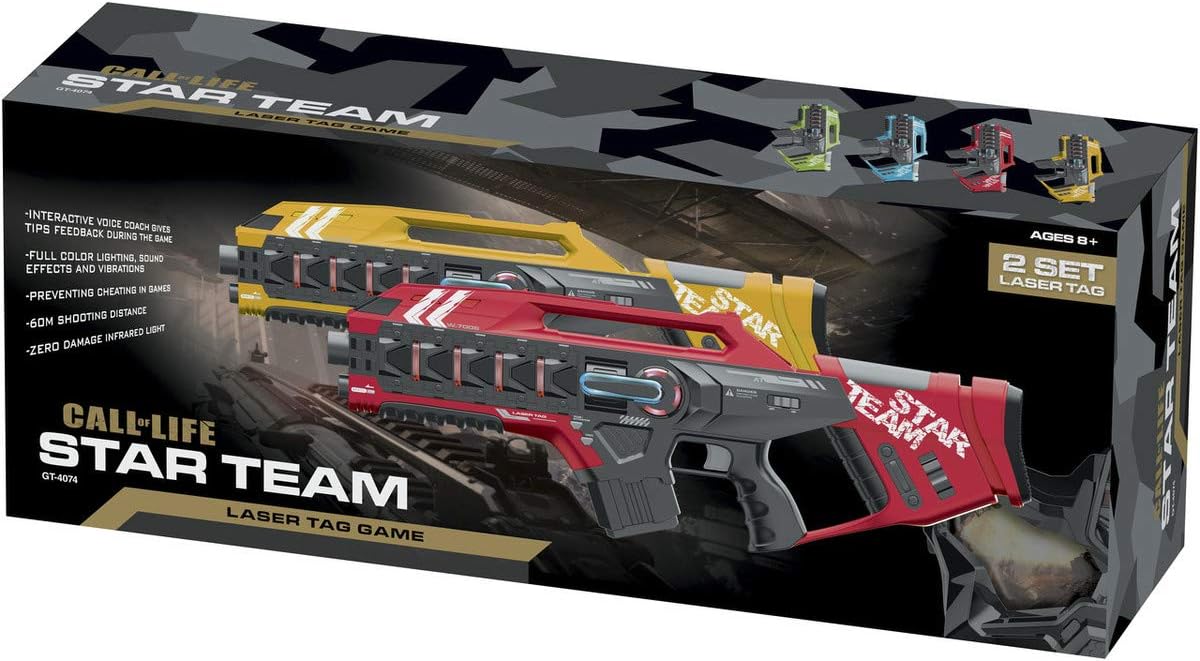
Image: Jaycar Laser Tag Battle Gun 2pk Retail Box.
Disetél
1. Pamasangan batré
- Locate the battery compartment on the underside of the laser tag bedil.
- Ngagunakeun obeng leutik (teu kaasup), buka panutup kompartemen batré.
- Lebetkeun jumlah batré AA anu diperyogikeun (henteu kalebet), pastikeun polaritasna leres (+/-) sapertos anu dituduhkeun di jero kompartemen.
- Ganti panutup kompartemen batré jeung amankeun ku screw nu.
2. Ngahurungkeun
Once batteries are installed, locate the power switch, usually on the side or bottom of the gun. Slide the switch to the "ON" position. The gun will emit a startup sound and light up, indicating it is ready for play.
Parentah Operasi
1. Team Selection
Upon powering on, the gun will prompt you to select a team. Press the "Team Select" button (refer to gun diagram for exact location) to cycle through the available team colors (e.g., Red, Blue, Green, Yellow). Confirm your selection by pressing the "Confirm" or "Fire" button, or wait for the voice prompt to confirm automatically.
2. Gun Modes
laser nu tag gun features multiple firing modes. Use the "Mode Select" button to switch between them:
- Tembakan Tunggal: Standard firing mode, one shot per trigger pull.
- Laser: A continuous beam or rapid-fire laser effect.
- Senapan Mesin: Rapid-fire mode with continuous shooting while the trigger is held.
- Plasma Gun: A powerful, slower-firing shot with significant impact.
Each mode may have different damage values or reload times, adding strategic depth to gameplay.
3. Firing and Receiving Hits
- To Fire: Aim at an opponent's gun (which acts as the receiver) and pull the trigger. The gun will emit an infrared signal, sound effects, and vibrations.
- Receiving Hits: When your gun is hit by an opponent's infrared signal, it will vibrate, make a sound, and your "health" indicator (if present) may decrease. The interactive voice coach will provide feedback on hits received.
- Ngamuat deui: Some gun modes may require reloading. Listen for voice prompts or visual cues to know when to reload. A dedicated reload button may be present.

Image: Single Laser Tag Battle Gun (Red).
Pangropéa
- beberesih: Wipe the guns with a soft, dry cloth. Do not use abrasive cleaners or immerse the product in water.
- Panyimpenan: Store the guns in a cool, dry place away from direct sunlight when not in use.
- Lengser batré: Upami disimpen kanggo waktos anu lami, cabut batréna pikeun nyegah bocor sareng karusakan.
Pamérésan masalah
| Masalah | Mungkin Cukang lantaranana | Solusi |
|---|---|---|
| Gun does not power on. | Batré pareum atawa salah dipasang. | Pariksa polaritasna batré. Ganti ku batré seger. |
| Gun not registering hits. | Obstruction between guns; out of range; infrared emitter/receiver blocked. | Ensure clear line of sight. Move closer to opponent (within 60m). Check for debris on sensors. |
| Sound/lights not working correctly. | Batré lemah; gangguan internal. | Ganti batré. Lamun masalah persists, kontak rojongan customer. |
spésifikasi
- Jumlah modél: GT4074
- merek: Jaycar
- Umur Disarankeun: 8+ taun
- Range Infrabeureum: Nepi ka 60 méter (kira-kira 197 suku)
- Fitur: Full Colour Lighting, Sound Effects & Vibrations, Up to 4 Team Colour Selection, Interactive Voice Coach, Single Shot, Laser, Machine Gun & Plasma Gun Effects.
- Diménsi Produk (kira-kira): Panjangna 525mm, Lebar 33mm, Jangkungna 180mm
- Packaged Weight (approx.): 1.39 kg
Garansi sareng Rojongan
For warranty information or technical support, please refer to the purchase documentation or contact Jaycar customer service directly. Keep your proof of purchase for any warranty claims.
Jaycar Customer Service: Please visit the official Jaycar website or contact their support line for assistance.


