
ANLEON S3
ANLEON S3 Personal Wireless In-Ear Monitor System
Model: S3 - User Manual
Bubuka
The ANLEON S3 Personal Wireless In-Ear Monitor System is designed to provide musicians and performers with clear, reliable, and high-fidelity audio monitoring on stage. This system allows for precise control over your personal mix, ensuring you hear exactly what you need to, without the clutter of stage monitors. The S3 system is ideal for drummers, keyboardists, guitar players, vocalists, bass players, and any musician requiring freedom of movement while maintaining excellent audio feedback.
Parentah Kasalametan penting
- Sumber Daya: Use only the specified power adapter (9V/300mA) provided with the unit. Ensure the voltage cocog sareng daérah anjeun.
- Cai sareng Uap: Do not expose this equipment to rain or moisture. Do not use near water or in excessively humid environments.
- Ventilasi: Ensure proper ventilation for the transmitter unit. Do not block any ventilation openings.
- Panas: Jauhkeun unit tina sumber panas sapertos radiator, register panas, kompor, atanapi aparat sanésna (kalebet ampLiifiers) anu ngahasilkeun panas.
- beberesih: Clean only with a dry cloth. Avoid using liquid cleaners or aerosols.
- Palayanan: Entong nyobian ngalayanan produk ieu nyalira. Rujuk sadayana jasa ka tanaga jasa anu mumpuni. Diperlukeun ngalayanan nalika aparatur ruksak ku cara naon waé, sapertos kabel catu daya atanapi colokan rusak, cairan tumpah atanapi barang murag kana aparatur, aparatur parantos kakeunaan hujan atanapi lembab, henteu beroperasi sacara normal, atanapi parantos turun.
- Earphone Use: Prolonged listening at high volume levels can cause permanent hearing damage. Always set the volume to a comfortable level before placing earphones in your ears.
Naon Kaasup
Your ANLEON S3 Personal Wireless In-Ear Monitor System package should contain the following items:
- 1 x S3 Stereo Body-Pack Receiver (518-554Mhz)
- 1 x S3 Stereo Transmitter (518-554Mhz)
- 1 x Earphone
- 1 x Manual Pamaké
- 1 x 9V/300mA Power Adaptor (110V-240V)
Produk Leuwihview
S3 Stereo Transmitter

Hareupeun view of the ANLEON S3 Stereo Transmitter, showing the display and control buttons.
The S3 Stereo Transmitter is the central unit of your in-ear monitor system. It features a clear display showing channel and frequency information, along with buttons for navigation and settings adjustment. The front panel includes a headphone output for direct monitoring of input signals.

Tukangeun view of the ANLEON S3 Stereo Transmitter, highlighting the XLR/1/4" combo inputs and audio loop outputs.
The rear panel of the transmitter is equipped with two XLR/1/4" combo input connectors (L and R) for connecting line-level audio sources from a mixing console. It also features audio loop outputs (L and R) for passing the signal to additional IEM systems or recording devices without signal degradation. The power input and antenna connection are also located here.
S3 Stereo Body-Pack Receiver

The ANLEON S3 Body-Pack Receiver connected to earphones, showing its compact design and display.
The S3 body-pack receiver is a compact, portable unit that receives the audio signal from the transmitter. It features a display for channel and battery status, volume controls, and a 3.5mm headphone jack for connecting your in-ear monitors. The receiver is powered by batteries and includes a belt clip for easy attachment.

Samping view of the ANLEON S3 Body-Pack Receiver, showing the antenna and battery compartment access.
Ieu view illustrates the side profile of the receiver, including the removable antenna and the access point for battery replacement. The robust design ensures durability during live performances.Earphones
The included earphones are designed for in-ear monitoring, providing isolation from ambient stage noise and delivering clear audio directly to the performer's ears. They connect to the 3.5mm jack on the body-pack receiver.
Pitunjuk Panataan Awal
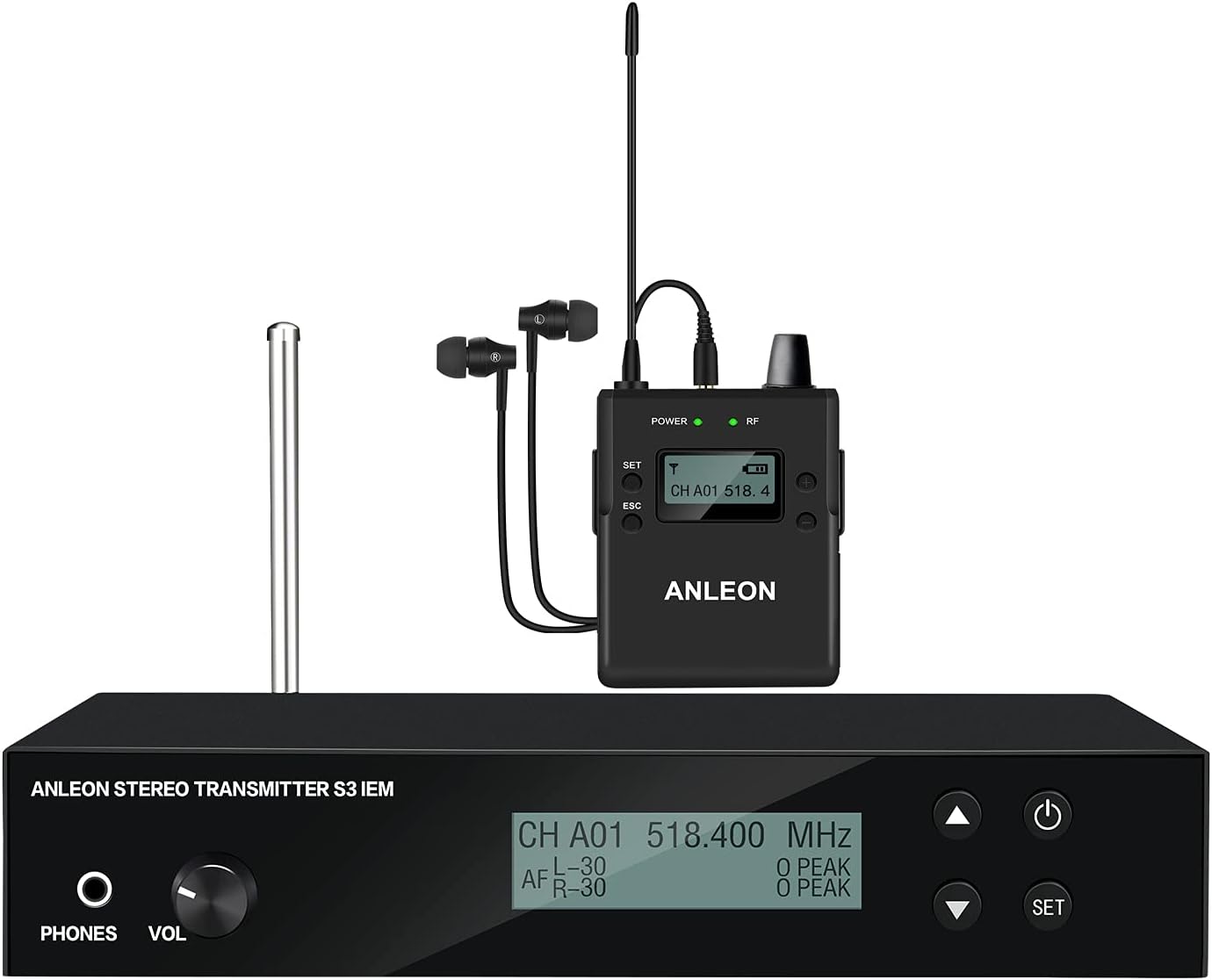
A complete ANLEON S3 system setup, showing the transmitter connected to a mixing console and the receiver with earphones.
1. Nyambungkeun pamancar
- Connect the provided power adapter to the 9V DC input on the rear of the S3 Stereo Transmitter and plug it into a power outlet.
- Connect your audio source (e.g., mixing console's auxiliary send, instrument output) to the XLR/1/4" combo input connectors (L and R) on the rear of the transmitter. For mono signals, connect to the L input and set the transmitter/receiver to mono operation.
- Attach the antenna to the antenna connector on the rear of the transmitter.
2. Powering On and Frequency Selection
- Pamancar: Press the power button on the transmitter. The display will illuminate.
- Use the 'SET' button and arrow keys on the transmitter to select your desired operating frequency within the 518.000 to 554.000 MHz band. Ensure the selected frequency is clear of interference in your environment.
- panarima: Insert batteries into the S3 body-pack receiver. Press the power button.
- Use the controls on the receiver to match its frequency to that of the transmitter. The 'RF' indicator on both units should light up, indicating a successful connection.
3. Personal Mix Control
The S3 system features Personal Mix Control, allowing you to adjust the volume and mix of two independent signals directly from the body-pack receiver. This is particularly useful when receiving a stereo mix or two separate mono feeds from the mixing console.
4. Mono/Stereo Operation
The system supports both mono and stereo operation. For improved signal-to-noise performance when only a single audio signal is required, connect your mono source to the transmitter's left XLR-3F socket and set both the transmitter and receiver to mono mode. For stereo operation, connect both L and R inputs and ensure both units are set to stereo mode.
Operasi
Nyaluyukeun Volume
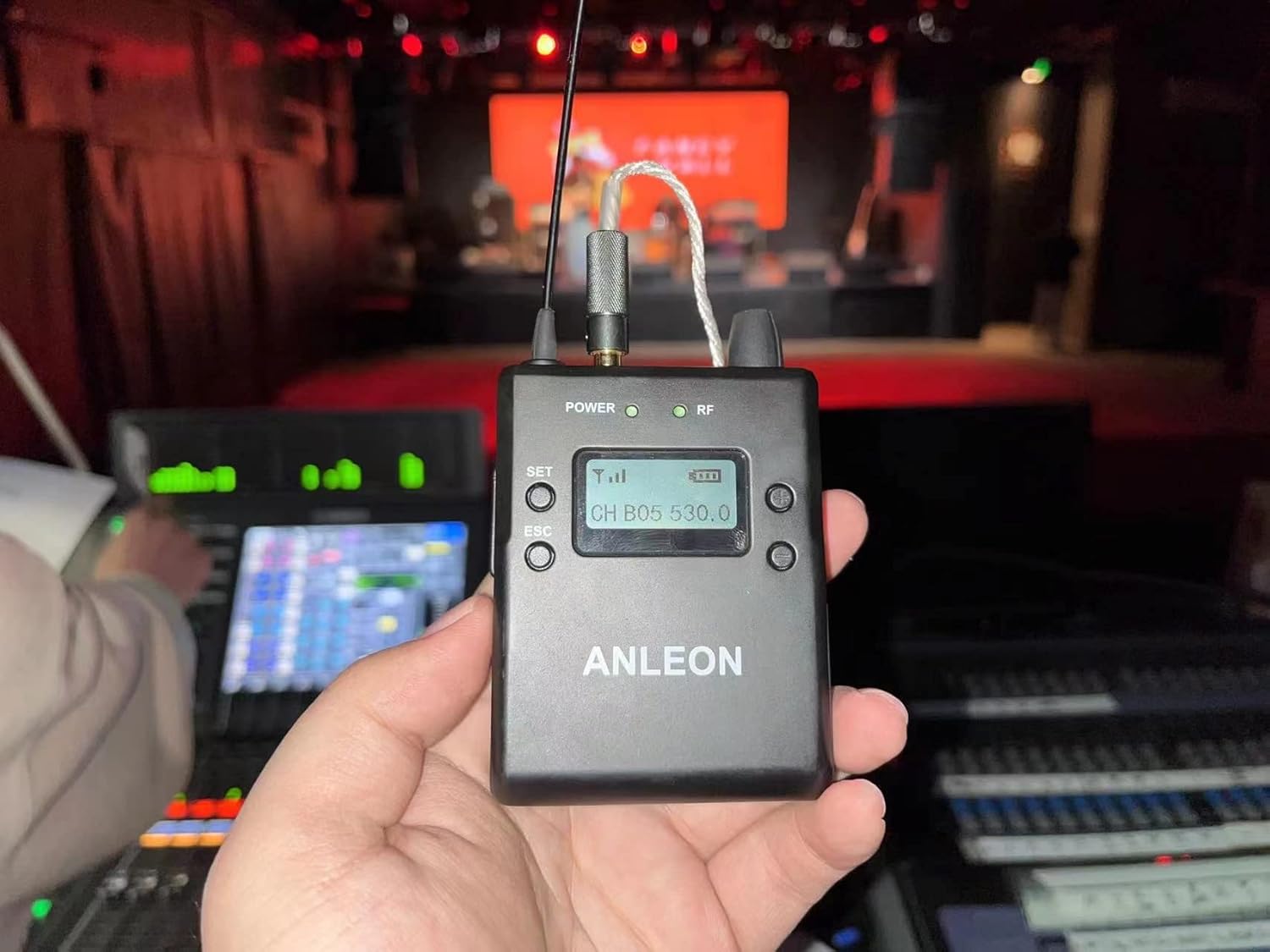
A hand holding the ANLEON S3 Body-Pack Receiver, demonstrating its portability and ease of access to controls during use.
Once the receiver is powered on and linked to the transmitter, connect your earphones. Use the volume control on the body-pack receiver to adjust your personal listening level. Start with a low volume and gradually increase it to a comfortable level to prevent hearing damage.
Monitoring Input Signals
The S3 Transmitter includes a headphone output, allowing you to monitor the audio signals being sent to the system directly. This is useful for sound engineers or performers who need to verify the input signal before it is transmitted wirelessly.
Using Multiple Systems
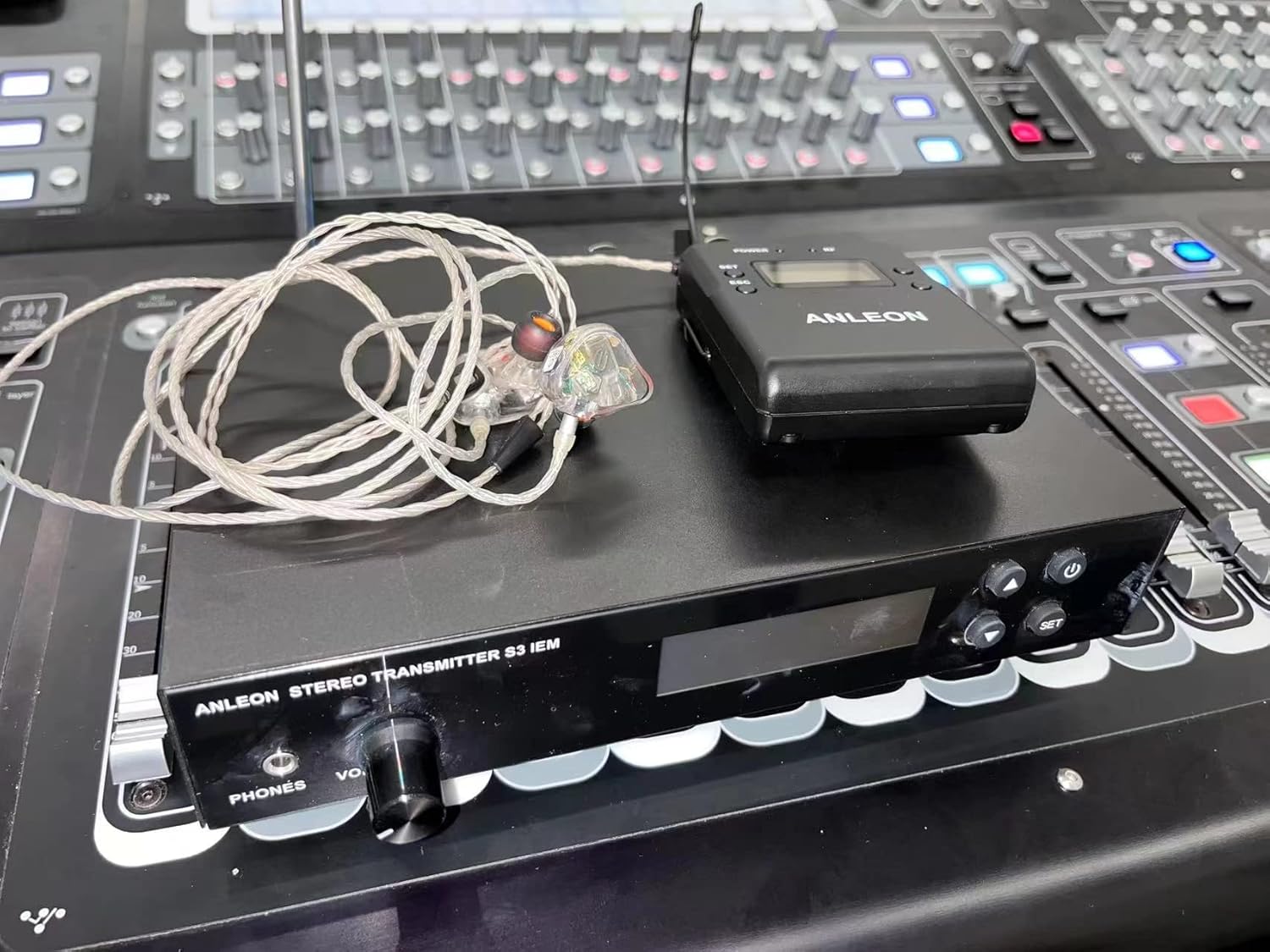
The ANLEON S3 system set up on a mixing console, illustrating its integration into a professional audio environment.
Up to 8 complete S3 systems can be used simultaneously within the same frequency band. Any number of S3 stereo receivers can operate on the same frequency with a single S3 stereo transmitter, making it flexible for bands or ensembles where multiple members need to hear the same mix.
Perawatan sareng Pangropéa
- beberesih: Ngusap unit ku kaén anu lembut sareng garing. Ulah make cleaners abrasive atawa pangleyur.
- Panyimpenan: Nalika henteu dianggo, simpen sistem dina tempat anu tiis, garing, jauh tina sinar panonpoé langsung sareng suhu anu ekstrim.
- Ngagantian batré: Replace batteries in the body-pack receiver when the low battery indicator appears on the display to ensure uninterrupted performance. Always use fresh, high-quality batteries.
- Perawatan Antenna: Handle antennas carefully. Avoid bending or forcing them, as this can affect signal integrity.
Ngarengsekeun Masalah Umum
- Audio signal has a high level of background noise or static:
- Ensure the receiver's "High Boost" setting is OFF. High Boost, when ON, can amplify background noise.
- When connecting to a mixer, carefully adjust the signal level sent to the S3 transmitter. If the input signal is too low, it can result in a signal with high background noise. Ensure the input level is strong but not clipping.
- If two-signal transmission is not required, use Mono Mode for improved signal-to-noise performance. Connect any unit that only delivers a mono signal to the transmitter's left XLR-3F socket and set the transmitter/receiver to mono operation.
- No sound from receiver:
- Check if both transmitter and receiver are powered on and have fresh batteries (receiver).
- Verify that the transmitter and receiver are tuned to the same frequency.
- Ensure the audio source is properly connected to the transmitter and is sending a signal.
- Check earphone connection to the receiver and earphone functionality.
- Intermittent signal or dropouts:
- Pastikeun anteneu pemancar sareng panarima dipanjangkeun sapinuhna sareng teu kahalangan.
- Kurangi jarak antara pemancar sareng panarima.
- Check for strong RF interference from other wireless devices in the area. Try changing the operating frequency.
Spésifikasi teknis
| Fitur | Spésifikasi |
|---|---|
| Ngaran modél | S3 |
| Operating Frequencies Band | 518.000 nepi ka 554.000 MHz |
| Modeu modulasi | Stereo FM |
| simpangan maksimum | ± 40 kHz |
| Réspon Frékuénsi | 60 Hz nepi ka 13 kHz (+/- 3 dB) |
| Rentang dinamis | 90 dB (typical), A-weighted |
| Total distorsi harmonik | <1% at (1 kHz, ±20 kHz Deviation) |
| Téhnologi konektipitas | Nirkabel (RF) |
| Kahirupan Batré (Receiver) | 8 Jam |
| Impedance (Earphones) | 32 ohm |
| Item Beurat | 4.29 pon (total pakét) |
| Ukuran Paket | 14.53 x 10.94 x 3.66 inci |
Garansi sarta Rojongan Palanggan
ANLEON products are manufactured to high-quality standards. For information regarding warranty coverage, technical support, or service inquiries, please refer to the contact information provided with your product packaging or visit the official ANLEON websitus. Punten tahan bukti pameseran anjeun pikeun klaim garansi.
Ask a question about this manual
Ask about setup, troubleshooting, compatibility, parts, safety, or missing instructions. Manuals+ will review the question and use this page’s manual context to help answer it.