1. Bubuka
The Socket Mobile SocketScan S840 is a compact, high-performance 2D/1D barcode scanner designed for seamless integration with mobile devices. Utilizing Bluetooth wireless technology, it offers efficient and reliable barcode scanning for various applications, including retail, inventory management, and field services. Its small form factor allows for comfortable one-handed operation when attached to a smartphone.

Figure 1: The Socket Mobile SocketScan S840 device.
Fitur konci:
- 2D/1D Barcode Scanning: Reads a wide range of barcodes from labels and digital screens.
- Téknologi Nirkabel Bluetooth: Easy pairing with smartphones, tablets, and computers.
- Kompak sareng Ringan: Designed for portability and one-handed use.
- Kasaluyuan ios: Certified for use with Apple iOS devices.
2. Ngamimitian jeung Setup
2.1 Eusi pakét
Verify that your package contains the SocketScan S840 scanner and any included accessories, such as a charging cable.
2.2 Ngecas Scanner
Before initial use, fully charge the S840 scanner. Connect the charging cable to the scanner and a power source. The charging indicator light will provide status updates.
2.3 Nyapasangkeun Bluetooth
- Ensure the S840 scanner is powered on.
- On your host device (smartphone, tablet, or computer), enable Bluetooth.
- Milarian pikeun available Bluetooth devices. The S840 will appear as 'Socket S840' followed by its serial number.
- Select the S840 from the list to initiate pairing. Follow any on-screen prompts to complete the connection.
- Once paired, the scanner's status indicator will confirm a successful connection.
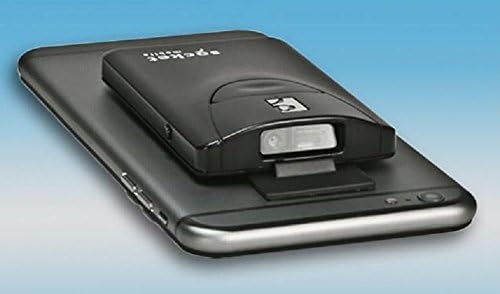
Figure 2: The S840 scanner attached to a mobile device for integrated use.
3. Ngoperasikeun Scanner
3.1 Nyeken barkod
Pikeun nyeken barkod:
- Point the scanner's window at the barcode you wish to read.
- Press and hold the scan button. A red aiming beam will appear.
- Puseur balok tujuan dina barkod.
- Once the barcode is successfully read, the scanner will emit an audible beep and/or vibrate, and the data will be transmitted to your connected device.

Figure 3: Scanning a barcode on a product package using the S840.
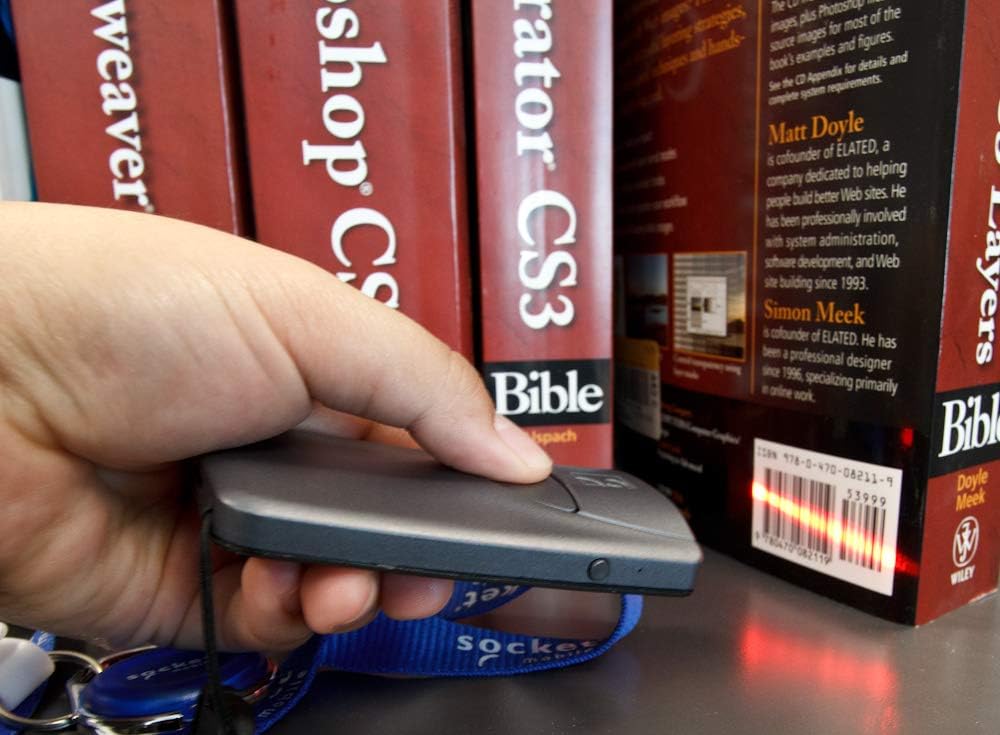
Figure 4: The S840 scanner reading a barcode from a book.
3.2 Operasi Hiji Leungeun
The S840 is designed to attach to mobile devices, facilitating comfortable one-handed scanning. This design enhances efficiency in environments where quick and continuous scanning is required.
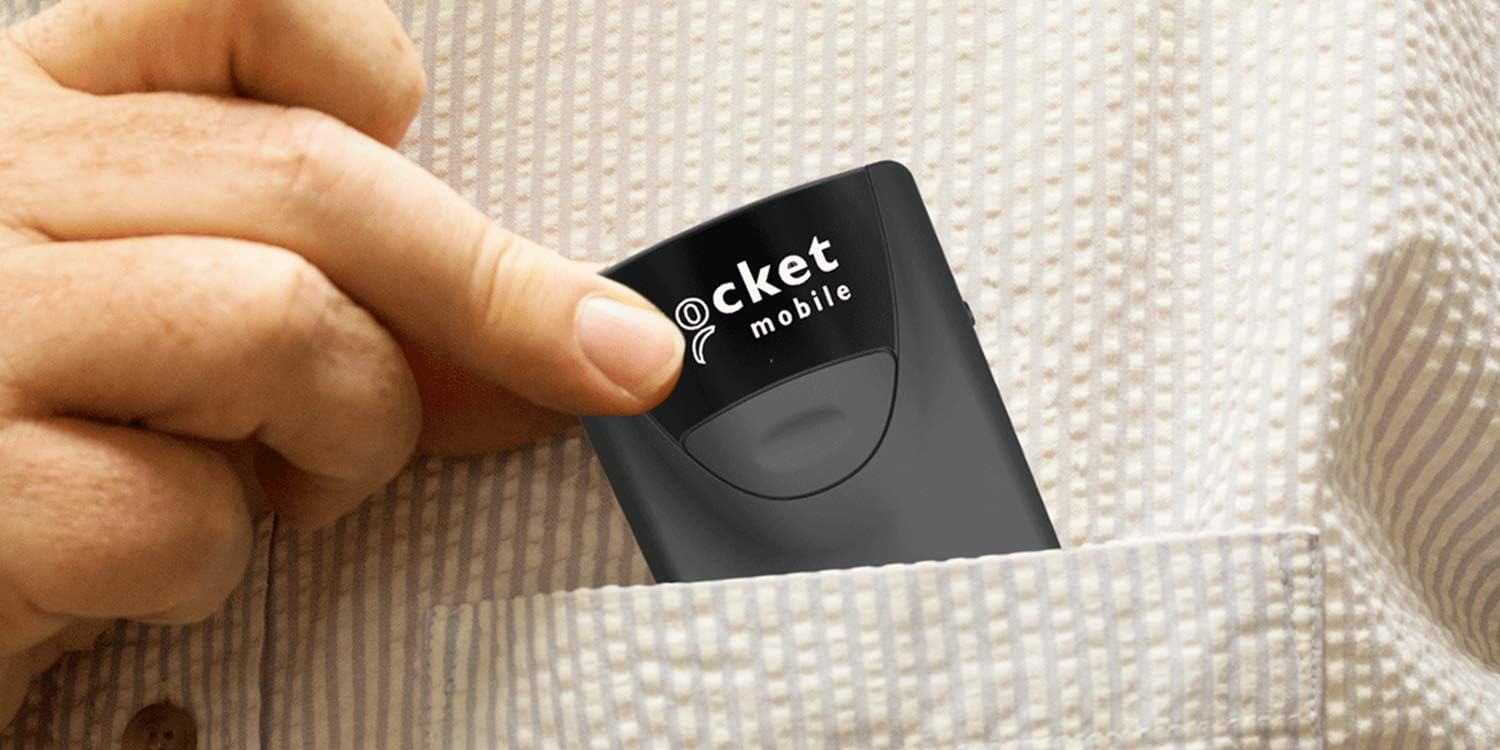
Figure 5: The S840's compact size allows it to fit easily into a pocket.
4. Pangropéa
4.1 Ngabersihan Alat
To maintain optimal performance, keep the scanner's window clean. Use a soft, lint-free cloth lightly dampdibilas ku cai atanapi larutan pembersih anu hampang. Hindarkeun bahan anu kasar atanapi bahan kimia anu keras.
4.2 Perawatan Batré
The S840 uses a Lithium Polymer battery. To prolong battery life:
- Hindarkeun suhu anu ekstrim.
- Cas alat sacara rutin, tapi ulah ngantepkeun alat éta dina kaayaan kosong salami waktos anu lami.
- Use only the manufacturer-recommended charging accessories.
5. Cara ngungkulan
5.1 Scanner Not Connecting
- Ensure the scanner is powered on and charged.
- Verify Bluetooth is enabled on your host device.
- Pariksa naha pamindai parantos dipasangkeun sareng alat anu sanés. Pegatkeun sambungan upami diperyogikeun.
- Try unpairing and re-pairing the scanner with your host device.
5.2 Scanner Not Reading Barcodes
- Pastikeun barkod beresih, henteu ruksak, sareng katingali jelas.
- Check that the aiming beam is centered over the entire barcode.
- Saluyukeun jarak antara scanner jeung barkod.
- Verify the scanner's window is clean and free of obstructions.
5.3 Alat Teu Ngabales
If the scanner becomes unresponsive, perform a soft reset by turning it off and then on again. If the issue persists, consult the manufacturer's support resources.
6. Spésifikasi
| Fitur | Rincian |
|---|---|
| Nomer modél | S840 |
| Dimensi produk | 0.83 x 0.2 x 1.34 inci |
| Item Beurat | 1.76 ons |
| Batré | 1 batré Litium Polimér (kaasup) |
| Téhnologi konektipitas | Bluetooth, Nirkabel |
| Alat nu cocog | Android, Apple iOS, and Microsoft Windows devices |
| Produsén | Socket Mobile, Inc |
7. Garansi jeung Rojongan
For detailed warranty information and technical support, please visit the official Socket Mobile websitus atanapi ngahubungan layanan palanggan maranéhna. Simpen resi pameseran anjeun pikeun klaim jaminan.


