Bubuka
This manual provides essential instructions for setting up, operating, maintaining, and troubleshooting your Huawei Watch GT Fashion smartwatch. Please read this manual thoroughly to ensure proper use and to maximize the device's features.

Image: Huawei Watch GT Fashion Smartwatch with a brown leather strap, displaying a digital watch face with time and step count.
Disetél
1. Ngecas Awal
Before first use, fully charge your Huawei Watch GT Fashion. Connect the charging cradle to a power adapter and place the watch onto the cradle, ensuring the charging contacts align. The watch will display a charging indicator.
2. Masangkeun jeung smartphone Anjeun
- Download the Huawei Health App ti toko aplikasi smartphone anjeun (Google Play Store pikeun Android, Apple App Store pikeun ios).
- Pastikeun Bluetooth smartphone anjeun diaktipkeun.
- Open the Huawei Health App, navigate to Devices, and select "Add device". Choose your Huawei Watch GT Fashion from the list.
- Follow the on-screen prompts on both your watch and smartphone to complete the pairing process. Confirm the pairing code if prompted.
System Requirements: Android 4.4 or later; iOS 9.0 or later.
3. Apdet parangkat lunak
After pairing, the Huawei Health App may prompt you to update the watch's software. It is recommended to perform these updates to ensure optimal performance and access to the latest features. Ensure your watch is sufficiently charged before starting an update.
Parentah Operasi
Napigasi Dasar
- Layar cabak: Gesek ka luhur, ka handap, ka kenca, atawa ka katuhu pikeun napigasi ngaliwatan ménu jeung bewara. Ketok pikeun milih item.
- Tombol luhur: Pencét pikeun ngaksés daptar aplikasi atanapi uih deui ka layar utama.
- Tombol handap: Customizable for quick access to a specific function, such as workout modes.

Image: The Huawei Watch GT Fashion highlighting its 1.39" AMOLED touchscreen and ultra-slim 10.6 mm profile.
Pangimeutan Kaséhatan
- Heart Rate Monitoring (TruSeen 3.0): The watch continuously monitors your heart rate using innovative sensors, providing real-time data. Access heart rate graphs via the Huawei Health App.
- Sleep Tracking (TruSleep 2.0): In collaboration with Harvard Medical School CDB Center, the watch identifies common sleep issues and offers over 200 suggestions to improve sleep quality.
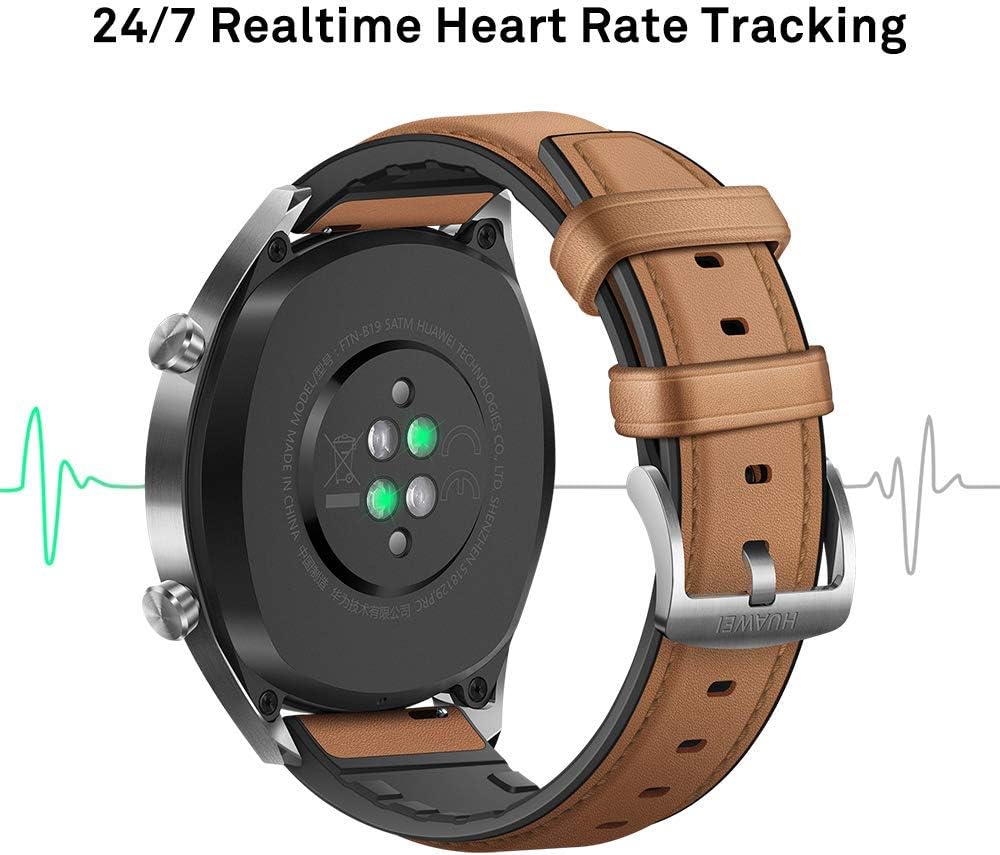
Gambar: Tukangeun view of the Huawei Watch GT Fashion, illustrating the optical heart rate sensors for 24/7 real-time tracking.
Nyukcruk Kagiatan jeung GPS
- Modeu Multi-Olahraga: The watch supports various indoor and outdoor sports modes, including running, cycling, swimming, and more. Select your activity from the watch's menu to start tracking.
- Posisi GPS: Equipped with 3 global satellite positioning systems (GPS, GLONASS, GALILEO), the watch offers fast and precise positioning for outdoor activities.
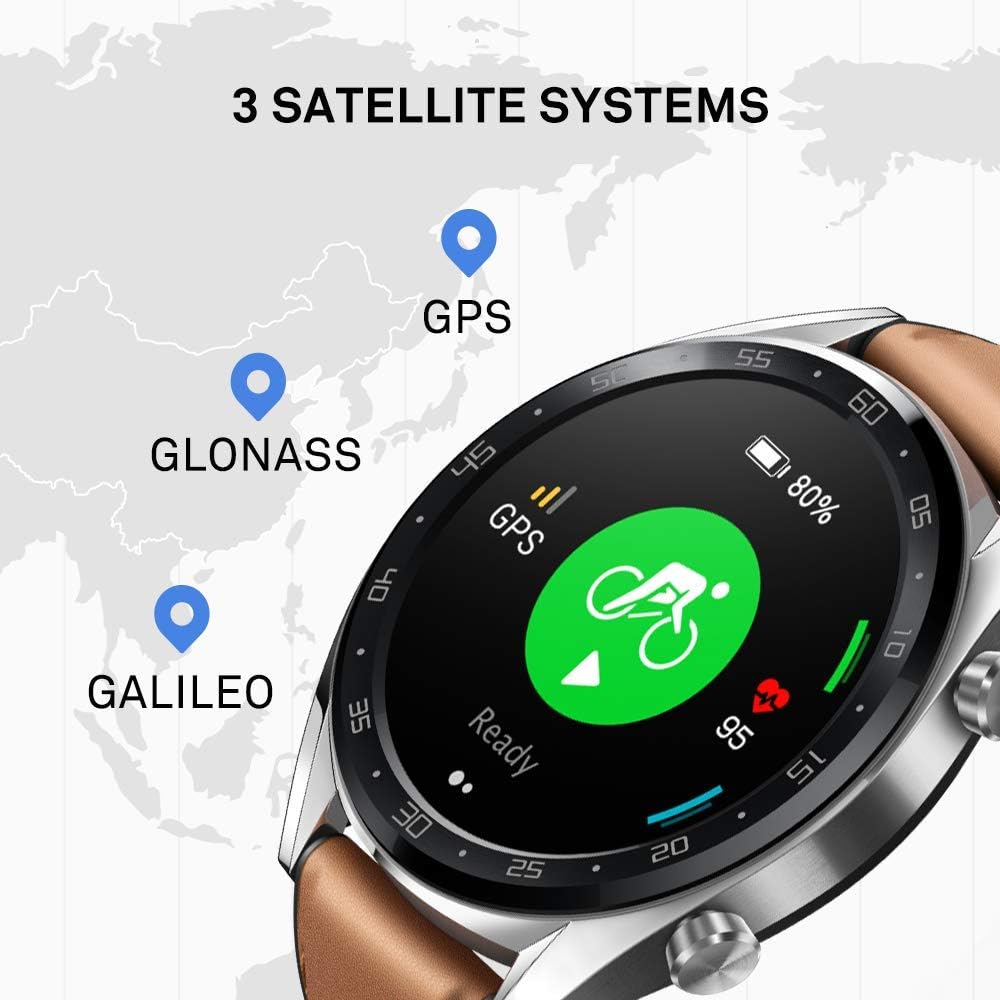
Image: The Huawei Watch GT Fashion screen showing icons for GPS, GLONASS, and GALILEO satellite systems, indicating global positioning capabilities.
Notifications and Other Features
- Bewara pinter: Nampi bewara telepon, pesen, sareng aplikasi langsung dina pigeulang anjeun nalika disambungkeun kana smartphone anjeun.
- Tahan cai: The watch is water-resistant up to 50 meters, suitable for swimming and shallow water activities. Avoid hot water or steam.
- Kahirupan batré: The watch offers up to two weeks of battery life under typical usage conditions (heart rate monitor on, 90 mins exercise/week). Battery life varies with usage.

Image: An infographic detailing battery life scenarios for the Huawei Watch GT Fashion: 2 weeks with heart rate and exercise, 30 days with notifications only, and 22 hours with all activity modes and GPS on.
Pangropéa
Ngabersihan Arloji Anjeun
- Regularly clean the watch casing and strap with a soft, damp lawon.
- Ensure the charging contacts on the back of the watch are clean and dry to prevent charging issues.
- Ulah nganggo bahan kimia anu kasar atanapi bahan anu kasar, sabab ieu tiasa ngaruksak lapisan jam tangan.
Ngaganti Tali
The Huawei Watch GT Fashion uses standard 22mm interchangeable straps. To replace the strap, locate the quick-release pins on the underside of the strap and slide them to detach. Attach a new strap by reversing the process.
Perawatan batré
- Charge the watch using only the provided charging cradle and a compatible power adapter.
- Avoid exposing the watch to extreme temperatures, which can affect battery life and performance.
- If storing the watch for an extended period, charge it to approximately 50% to preserve battery health.
Pamérésan masalah
Watch Not Turning On or Charging
- Ensure the charging contacts on both the watch and cradle are clean and free of debris.
- Pariksa kabel ngecas sareng adaptor daya parantos fungsina kalayan leres.
- Coba sumber kakuatan béda.
Masalah papasangan
- Pastikeun Bluetooth dina telepon pinter anjeun diaktipkeun sareng jam tangan aya dina jangkauan.
- Balikan deui smartphone sareng jam tangan anjeun.
- Unpair the watch from your smartphone's Bluetooth settings and attempt to pair again through the Huawei Health App.
- Ensure the Huawei Health App is updated to the latest version.
Inaccurate Heart Rate or GPS Data
- For heart rate, ensure the watch is worn snugly on your wrist, not too tight or too loose.
- Pikeun GPS, pastikeun anjeun aya di daérah luar ruangan anu kabuka kalayan cahaya anu jelas view ti langit.
- Sync your watch with the Huawei Health App regularly to ensure updated satellite data.
Lalajo Reset
If issues persist, you may need to reset your watch to factory settings. This will erase all data on the watch. Navigate to Setélan > Sistem > Reset on your watch. Confirm the action when prompted.
spésifikasi
| Ngaran modél | Watch GT Fashion |
| Nomer modél | 55023253 |
| tampilan | Layar AMOLED 1.39 inci, résolusi 454 x 454 |
| Diménsi | 1.06 x 4.65 x 4.65 cm (0.42 x 1.83 x 1.83 inci) |
| Beurat | 46 g (tanpa tali) |
| Kahirupan batré | Nepi ka 13 poé (pamakéan has) |
| Sénsor | Accelerometer, Gyroscope, Magnetometer, Optical Heart Rate, Ambient Light, Barometer |
| Konektipitas | Bluetooth BT4.2, BLE, GPS (GPS, GLONASS, GALILEO) |
| Tahan cai | 5 ATM (50 méter) |
| Sarat Sistim | Android 4.4 atanapi anu langkung énggal; iOS 9.0 atanapi anu langkung énggal |
Émbaran jaminan
Your Huawei Watch GT Fashion is covered by a limited warranty. For detailed warranty terms and conditions, please refer to the warranty card included with your product or visit the official Huawei websitus pikeun wewengkon Anjeun. Simpen bukti pameseran anjeun pikeun klaim garansi.
Ngarojong
Pikeun bantuan salajengna, rojongan teknis, atawa pikeun view frequently asked questions, please visit the official Huawei support websitus:
consumer.huawei.com/en/support/
You can also contact Huawei customer service through the contact information provided on their support page.


