Bubuka
This instruction manual provides essential information for the proper installation, operation, maintenance, and troubleshooting of your Bissell 203-2448 13-inch brushroll. This brushroll is a replacement part designed to restore optimal cleaning performance to compatible Bissell vacuum cleaners. Please read this manual thoroughly before attempting any installation or maintenance.
Parentah instalasi
Before beginning installation, ensure your vacuum cleaner is unplugged from the electrical outlet to prevent accidental startup and potential injury.
Model anu cocog:
- BeresihView Helix Vacuums: 95P1, 82H1, 82H1H, 82H1M, 82H1R, 82H1T
- BeresihView Bagless Vacuums: 3590, 3591, 8975, 8975R, 8990, 8990R, 8990W
- BeresihView II Bagless Vacuums: 3574, 3574-1
- PowerForce Bagless Vacuums: 6582, 6579, 65793, 65823, 6582R, 6584, 47M6H, 47M6Y, 65792, 6579R, 6583, 65831, 65832, 65833, 65834, 6583F, 6583G, 6583R, 6583W, 6583X, 65841, 65842, 6584R
- Rewind PowerHelix Vacuums: 84G9 V
Lengkah-demi-Lengkah Instalasi:
- Cabut colokan vakum: Cabut sambungan panyedot debu tina sumber listrik.
- Position the Vacuum: Lay the vacuum cleaner on its front or side to access the brushroll area.
- Remove the Base Plate: Locate and remove the screws securing the bottom plate or brushroll cover. Carefully detach the cover.
- Leupaskeun Brushroll Old: Gently lift out the old brushroll. Note the orientation of the belt and how it connects to the brushroll and motor shaft.
- Pariksa Sabuk: While the brushroll is removed, inspect the vacuum belt for any signs of wear, stretching, or damage. Replace if necessary.
- Pasang Brushroll Anyar: Place the new Bissell 203-2448 brushroll into its housing. Ensure the belt is correctly looped around the brushroll and the motor shaft. The brushroll should spin freely when rotated by hand.
- Reattach the Base Plate: Align the bottom plate or brushroll cover and secure it with the screws removed earlier. Ensure all screws are tightened properly.
- Uji vakum: Plug in the vacuum cleaner and turn it on briefly to ensure the brushroll spins correctly and without obstruction.
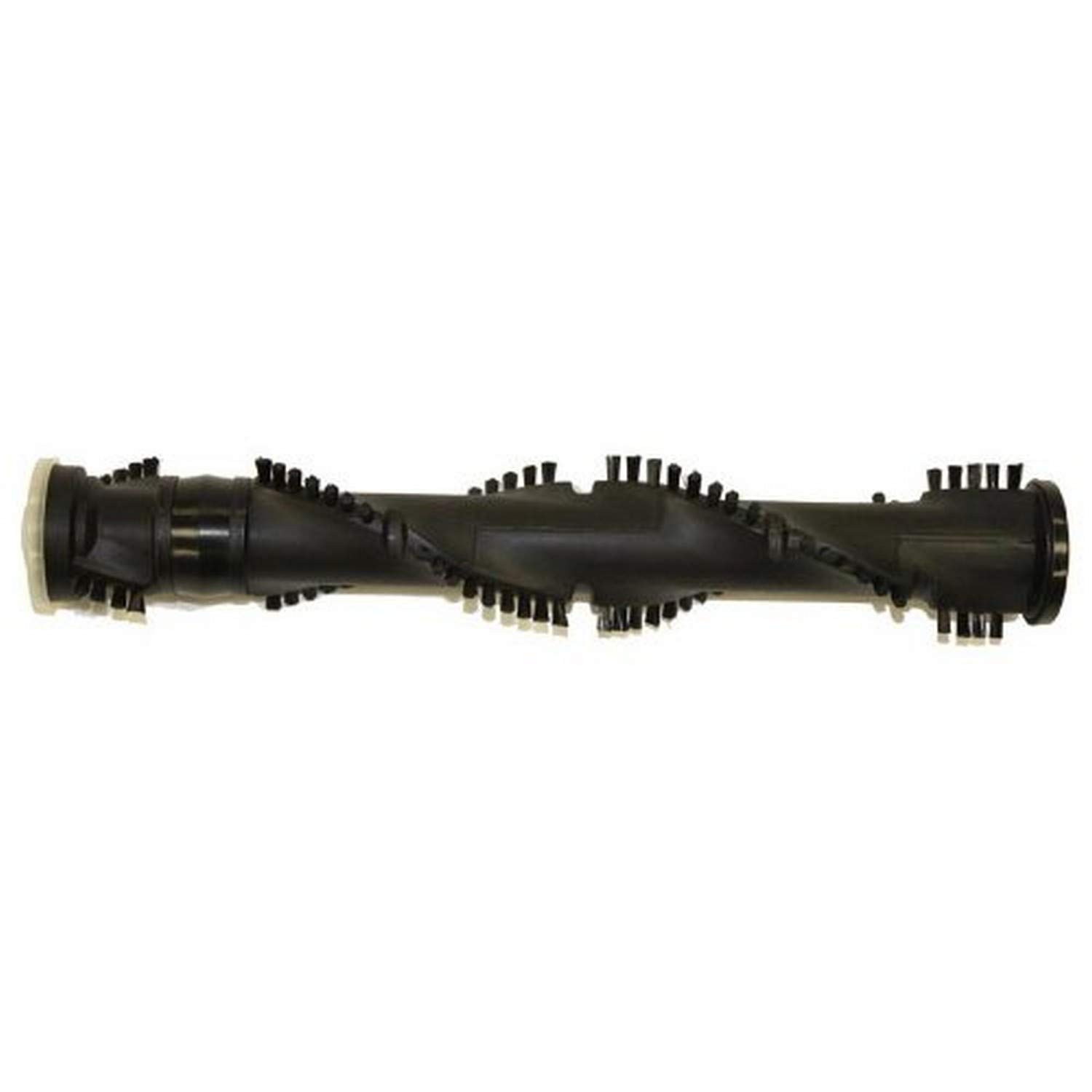
Image: The Bissell 203-2448 13-inch brushroll. This component is designed for easy replacement in compatible vacuum models to maintain cleaning efficiency.
Operating with the New Brushroll
Once the new brushroll is installed, your vacuum cleaner should operate with restored efficiency. Ensure the vacuum's height adjustment is set appropriately for your flooring type (e.g., higher for thick carpets, lower for bare floors) to allow the brushroll to agitate and clean effectively without excessive strain.
If you notice any unusual noises or a lack of brushroll rotation, immediately turn off and unplug the vacuum and refer to the troubleshooting section.
Pangropéa
Regular maintenance of your brushroll ensures consistent cleaning performance and extends the life of your vacuum cleaner.
- Inspeksi rutin: Periodically inspect the brushroll for tangled hair, threads, or other debris.
- Ngabersihan Brushroll:
- Cabut colokan beberesih.
- Carefully cut away any tangled hair or fibers from the bristles using scissors. Be cautious not to cut the bristles themselves or the belt.
- Remove any accumulated debris from the ends of the brushroll and its housing.
- Pariksa maké: Over time, the bristles on the brushroll may wear down. If the bristles appear significantly worn or flattened, it may be time for another replacement to maintain optimal cleaning.
Pamérésan masalah
If you encounter issues after installing the new brushroll, refer to the following common problems and solutions:
- Problem: Brushroll is not spinning.
- Solusi:
- Pastikeun vakum geus unplugged.
- Check for obstructions: Remove any hair, debris, or objects tangled in the brushroll or its ends.
- Check the belt: Verify that the vacuum belt is properly seated around both the brushroll and the motor shaft. If the belt is broken, stretched, or loose, it needs to be replaced.
- Ensure the brushroll is correctly installed and seated in its housing.
- Problem: Reduced cleaning performance.
- Solusi:
- Inspect the brushroll for excessive wear on the bristles. Worn bristles will not agitate carpet effectively.
- Clean the brushroll as described in the Maintenance section.
- Ensure the vacuum's height adjustment is appropriate for the surface being cleaned.
- Problem: Unusual noises (e.g., grinding, squealing).
- Solusi:
- Unplug the vacuum immediately.
- Check the brushroll for any foreign objects lodged within the bristles or the brushroll housing.
- Inspect the brushroll's end caps and bearings for damage or excessive wear.
- Verify the belt is not rubbing against any part of the housing.
spésifikasi
| merek | Bissell |
| Ngaran modél | 203-2448 |
| Komponén Kaasup | Brushroll (1 count) |
| Warna | Hideung |
| Dimensi produk | 13 x 2.5 x 2.5 inci (Panjang x Rubak x Jangkungna) |
| Item Beurat | 1.72 pon (0.78 Kilogram) |
| Surface Rekomendasi | Karpét |
| Produsén | Bissell Homecare International |
Garansi sareng Rojongan
For information regarding the warranty of your Bissell 203-2448 brushroll or for further technical assistance, please contact Bissell Customer Support directly. You can typically find contact information on the official Bissell website or within the original vacuum cleaner's user manual.
Bissell Resmi Websitus: www.bissell.com