1. Bubuka
The MOXA CN2650-16-2AC is a high-performance 16-port asynchronous terminal server designed for industrial applications. It provides reliable serial-to-Ethernet connectivity, allowing serial devices to be accessed over a standard Ethernet network. This device features dual 10/100 Mbps Ethernet ports, RS-232 RJ-45 serial ports, and robust 15KV ESD protection, ensuring stable operation in demanding environments. It supports dual 100V-240V AC power inputs for redundancy.
This manual provides detailed instructions for the installation, configuration, operation, and maintenance of your CN2650-16-2AC terminal server.
2. Fitur konci
- 16 RS-232/422/485 serial ports for versatile device connectivity.
- Dual 10/100 Mbps Ethernet ports for network redundancy or load balancing.
- Supports data rates up to 230.4 Kbps.
- RJ-45 connectors for RS-232 serial communication.
- Integrated 15KV ESD protection for enhanced reliability.
- Dual 100V-240V AC power inputs for power redundancy.
- Designed for industrial environments.
3. Eusi Paket
Please verify that your package contains the following items. If any item is missing or damaged, please contact your sales representative for assistance.
- MOXA CN2650-16-2AC Terminal Server
- Kabel Daya
- Pakakas Rak (upami aya)
- Guide Instalasi Gancang
- Documentation CD/DVD (or link to online resources)
4. Émbaran Kasalametan
Perhatikeun pancegahan kaamanan di handap ieu nalika instalasi sareng operasi:
- Pastikeun catu daya voltage matches the device's requirements (100V-240V AC).
- Do not operate the device in environments exceeding its specified temperature and humidity ranges.
- Hindarkeun nempatkeun alat caket sumber panas atanapi dina sinar panonpoé langsung.
- Ensure proper grounding to prevent electrical hazards and ESD damage.
- Ngan tanaga anu mumpuni kedah ngalaksanakeun pamasangan sareng perawatan.
5. Setup jeung Instalasi
5.1 Instalasi fisik
The CN2650-16-2AC is designed for rack mounting. Use the provided rackmount kit to secure the device in a standard 19-inch equipment rack. Ensure adequate ventilation around the unit.
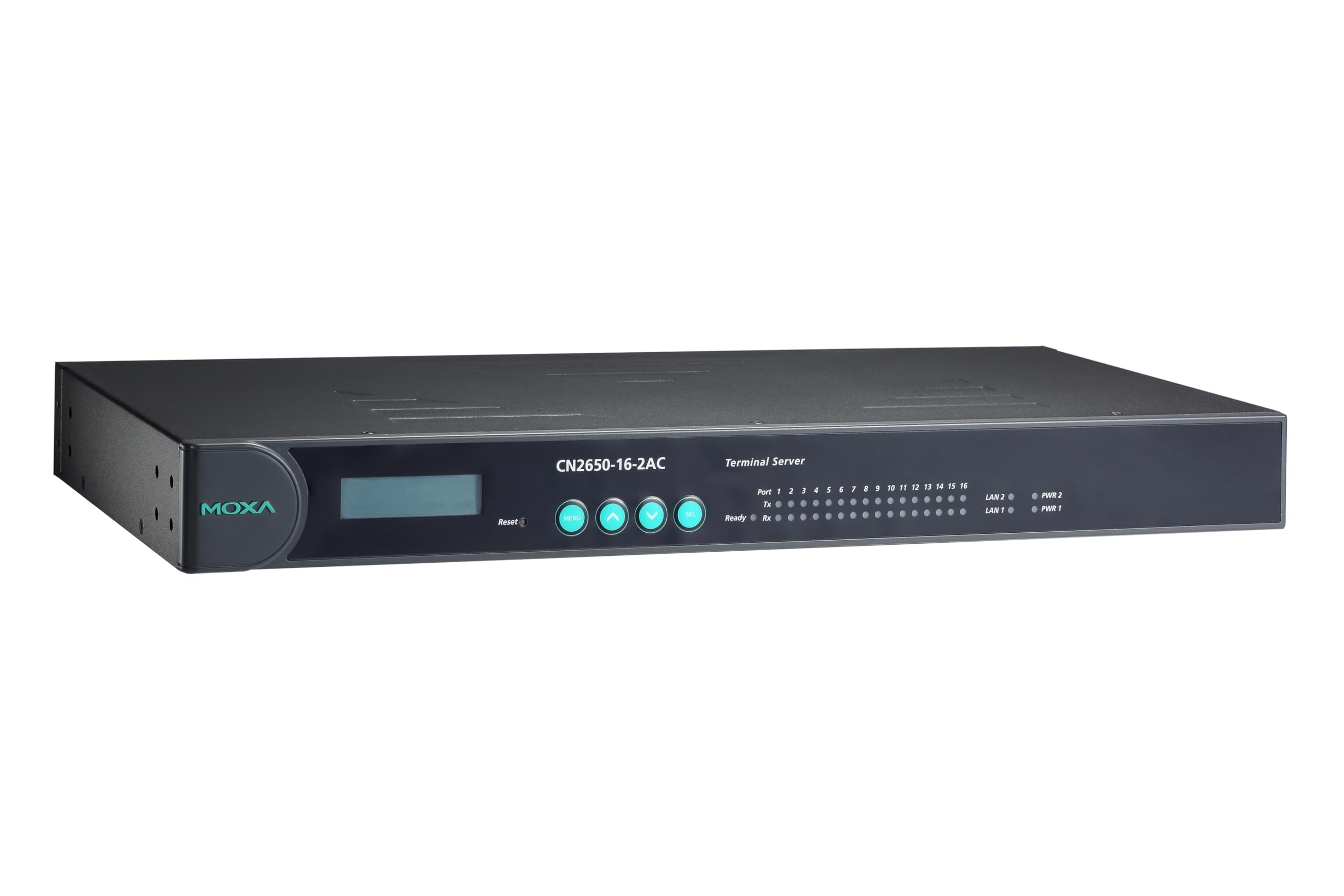
Gambar 1: Hareupeun view of the MOXA CN2650-16-2AC Terminal Server. The image shows the black rectangular unit with a display on the left, four indicator lights, and 16 serial port indicators on the right.
5.2 Sambungan Daya
Connect the provided power cords to the dual AC power inputs on the rear panel of the CN2650-16-2AC. Plug the other end of the power cords into grounded 100V-240V AC power outlets. The device supports redundant power inputs for increased reliability.
5.3 Sambungan Jaringan
Connect one or both of the 10/100 Mbps Ethernet ports on the rear panel to your network switch or router using standard Ethernet cables. The device will automatically detect the network speed and duplex mode.
5.4 Serial Device Connection
Connect your serial devices (e.g., PLCs, sensors, meters) to the 16 RS-232 RJ-45 serial ports on the front panel. Ensure that the correct cabling (straight-through or null modem, depending on your device) is used for each connection. Refer to the device's pinout documentation for specific wiring details.
6. Parentah Operasi
6.1 Konfigurasi Awal
The CN2650-16-2AC can be configured via a web-based interface or a dedicated utility. For initial setup, it is recommended to connect a PC to the same local network segment as the terminal server.
- Discover the Device: Use the MOXA NPort Administrator utility (available on the MOXA website) to discover the terminal server on your network and identify its default IP address.
- Aksés Web Konsol: Buka a web browser and enter the device's IP address. Log in using the default username and password (refer to the Quick Installation Guide or MOXA documentation for defaults).
- Konpigurasikeun Setélan Jaringan: Change the IP address, subnet mask, and gateway to match your network requirements.
- Configure Serial Port Settings: For each serial port, configure parameters such as baud rate, data bits, parity, stop bits, and flow control to match your connected serial devices.
- Larapkeun Setélan: Save and apply the configuration changes. The device may restart.
6.2 Indikator LED
The front panel features several LED indicators to provide status information:
- LED PWR: Indicates power status. (Green: Power On)
- SYS LED: Indicates system status. (Green: Normal operation; Blinking: Booting/Error)
- LAN LEDs (per port): Indicate Ethernet link/activity. (Green: Link; Blinking: Activity)
- Serial Port LEDs (per port): Indicate serial data transmission/reception. (Blinking: Data activity)
7. Pangropéa
7.1 beberesih
To maintain optimal performance, periodically clean the exterior of the device with a soft, dry cloth. Do not use liquid or aerosol cleaners. Ensure the device is powered off before cleaning.
7.2 Apdet firmware
MOXA periodically releases firmware updates to improve performance, add features, or address security vulnerabilities. It is recommended to check the official MOXA website for the latest firmware versions. Follow the instructions provided with the firmware update package carefully to avoid damaging the device.
8. Cara ngungkulan
| Masalah | Mungkin Cukang lantaranana | Solusi |
|---|---|---|
| Alat teu hurung. | No power supply; faulty power cord. | Check power cord connections; verify power outlet functionality; try a different power cord. |
| Teu bisa ngakses web konsol. | Alamat IP salah; masalah konektipitas jaringan; aksés blocking firewall. | Verify device IP address; check network cable and switch connections; temporarily disable PC firewall; ensure PC is on the same subnet. |
| Alat serial teu komunikasi. | Incorrect serial port settings; incorrect cabling; faulty serial device. | Verify baud rate, data bits, parity, stop bits, and flow control settings; check serial cable type (straight-through/null modem) and pinout; test serial device independently. |
| Ethernet LED pareum. | No network link; faulty Ethernet cable. | Check Ethernet cable connection to switch/router; try a different Ethernet cable; verify switch port status. |
9. Spésifikasi
| Parameter | Nilai |
|---|---|
| Modél | CN2650-16-2AC |
| Palabuhan Serial | 16 x RS-232/422/485 (RJ-45) |
| palabuhan Ethernet | 2 x 10/100 Mbps (RJ-45) |
| Laju Data | Nepi ka 230.4 Kbps |
| Perlindungan ESD | 15 KV |
| Input kakuatan | Dual 100V-240V AC |
| Produsén | MOXA |
| Tanggal Kahiji Sadia | 28 Agustus 2018 |
10. Garansi jeung Rojongan
For detailed warranty information and technical support, please refer to the official MOXA website or contact your authorized MOXA distributor. Keep your purchase receipt for warranty claims.
MOXA Official Websitus: www.moxa.com


