1. Bubuka
This manual provides essential information for the proper use and care of your Acer Swift 3 SF315-41G-R6MP laptop. Please read this guide thoroughly before operating your device to ensure optimal performance and longevity. The Acer Swift 3 SF315-41G-R6MP is a high-performance laptop featuring an AMD Ryzen 7 2700U Quad-Core Processor, AMD Radeon RX 540 graphics, a 15.6" Full HD IPS display, 8GB DDR4 RAM, and a 256GB SSD.
Eusi pakét
- Acer Swift 3 SF315-41G-R6MP Laptop
- Adaptor AC
- Kabel listrik
2. Setélan
2.1 Mimiti Power-on jeung Ngecas
Before first use, ensure your laptop is fully charged. Connect the AC adapter to the laptop's power port and then to a power outlet. The charging indicator light will illuminate. Allow the battery to charge completely before disconnecting.

Image: The Acer Swift 3 laptop with the power adapter connected to the charging port on the side. This illustrates how to connect the power supply for initial charging.
2.2 Setélan Sistem Operasi
Upon first power-on, the Windows 10 Home operating system will guide you through the initial setup process. Follow the on-screen instructions to configure language, region, network settings, and user accounts.
3. Operasi
3.1 Kibor sareng Touchpad
The laptop features a full-size keyboard and a precision touchpad. Familiarize yourself with the key layout and touchpad gestures for efficient navigation.
Gambar: A luhur-handap view of the Acer Swift 3 laptop, showcasing the keyboard with a numeric keypad and the large precision touchpad. This view helps users identify key areas for input.
3.2 Nyambungkeun périferal
Laptop anjeun dilengkepan ku rupa-rupa port pikeun nyambungkeun alat éksternal:
- USB 3.1 (Type-C) port (Gen 1 up to 5 Gbps): 1 palabuhan
- Palabuhan USB 3.0: 2 ports (one with power-off charging)
- port USB 2.0: 1 palabuhan
- Port HDMI: Pikeun nyambungkeun ka tampilan éksternal.
- Pamaca Kartu SD: Pikeun kartu memori.
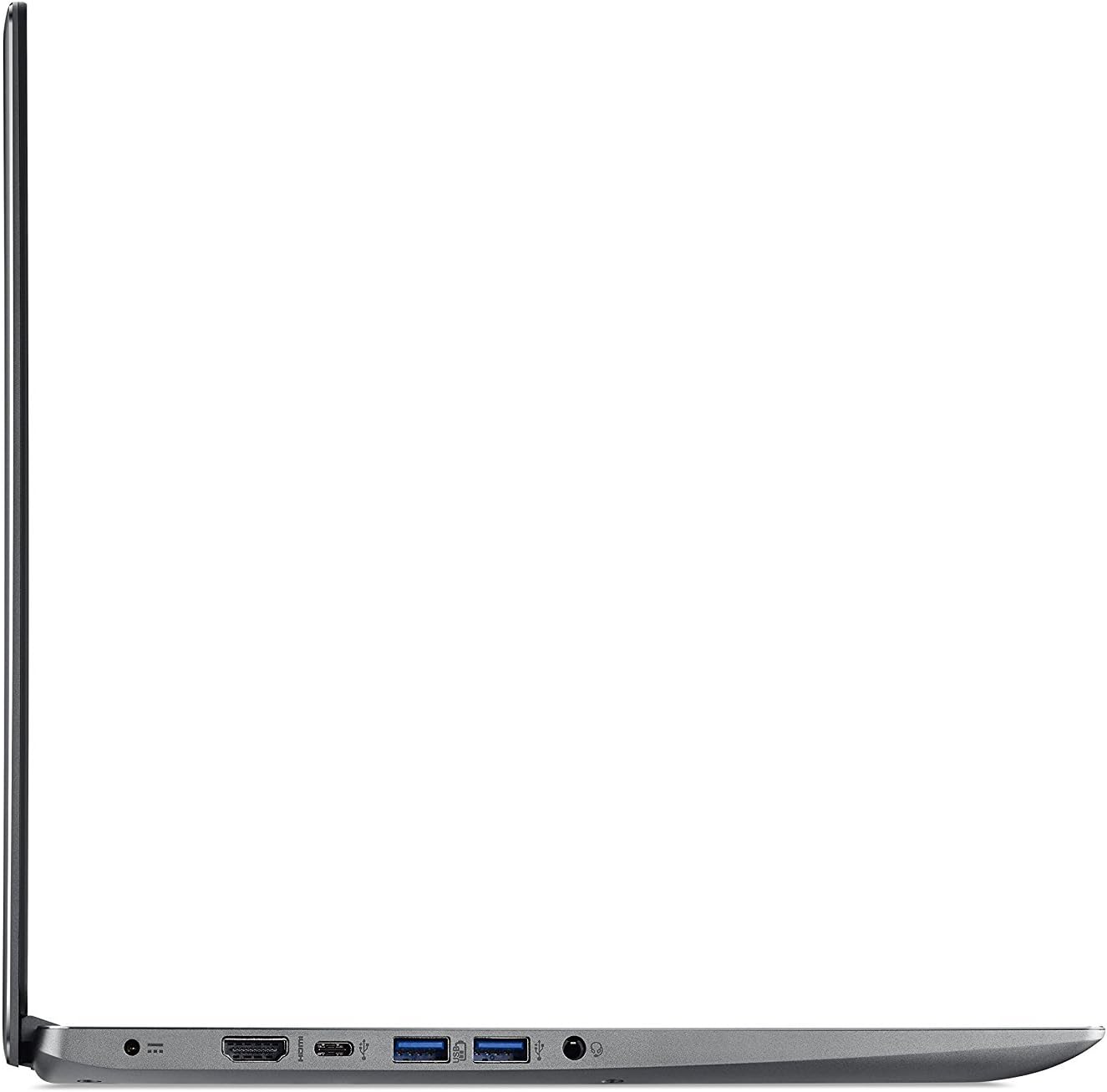
Gambar: Hiji sisi view of the Acer Swift 3 laptop, showing the left-side ports including HDMI, USB-C, and two USB-A 3.0 ports. This helps users locate and identify connection points for peripherals.

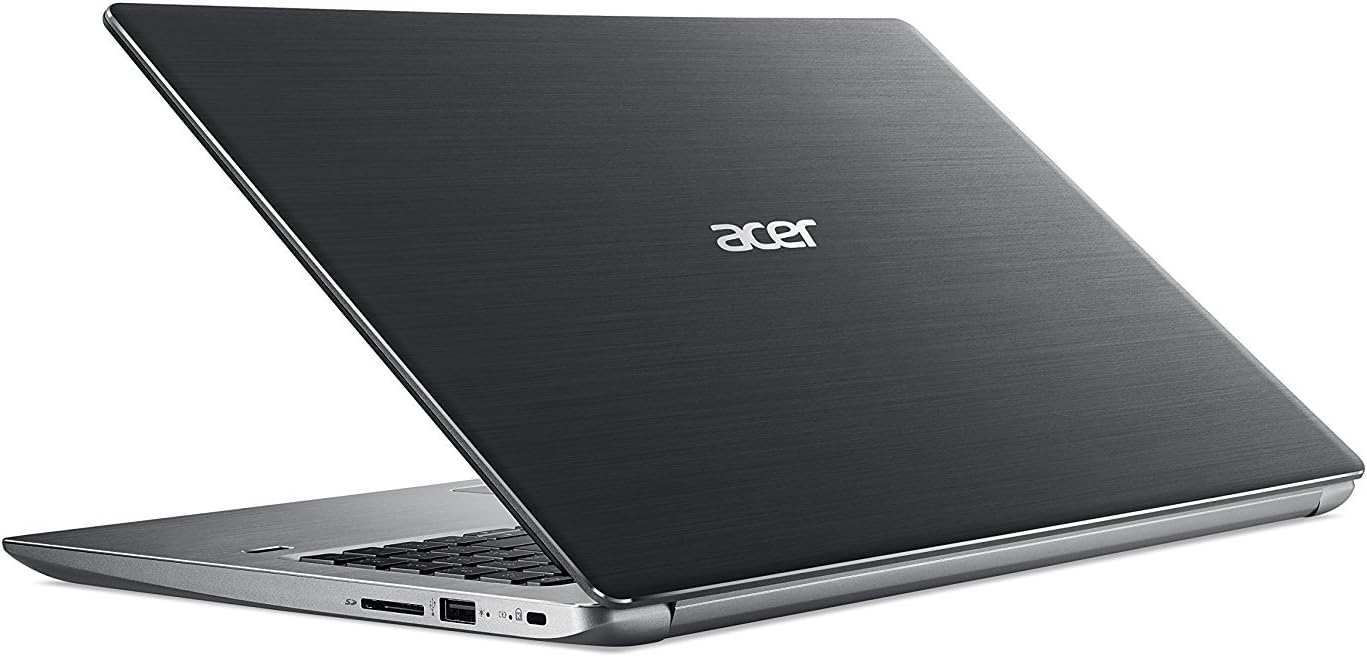
Gambar: Hiji sisi view of the Acer Swift 3 laptop, showing the right-side ports including a USB-A 2.0 port and an SD card reader. This helps users locate and identify additional connection points.
3.3 Konéktipitas Wireless
The laptop supports 802.11ac Wi-Fi with 2x2 MU-MIMO technology (Dual-Band 2.4GHz and 5GHz) and Bluetooth 4.1. Access network settings in Windows to connect to Wi-Fi networks or pair Bluetooth devices.
3.4 Ngagunakeun Webkaméra
HD anu terintegrasi Webcam (1280 x 720) supports Super High Dynamic Range (SHDR) for clear video calls. Access it through applications like Camera or video conferencing software.
4. Pangropéa
4.1 Ngabersihan Laptop Anjeun
- layar: Anggo kaén anu lemes sareng teu aya serat anu hampang dampDieusian ku cai atanapi pembersih layar. Ulah menyemprot cleaner langsung kana layar.
- Keyboard sareng Chassis: Paké lawon lemes, garing. Pikeun kokotor nekad, a rada damp lawon bisa dipaké, mastikeun euweuh cairan anu asup kana liangna.
- ventilasi: Periodically clean dust from the cooling vents using compressed air to maintain optimal airflow and prevent overheating.
4.2 Perawatan Batré
To maximize battery life, avoid extreme temperatures and fully discharging the battery frequently. For long-term storage, charge the battery to about 50% and store the laptop in a cool, dry place.
4.3 Apdet parangkat lunak
Regularly update your Windows operating system and drivers to ensure security, stability, and performance. Access Windows Update through the Settings menu.
5. Cara ngungkulan
| Masalah | Solusi anu mungkin |
|---|---|
| Laptop teu hurung. | Ensure the AC adapter is securely connected and the power outlet is functional. Check if the battery is charged. Try holding the power button for 10-15 seconds for a hard reset. |
| Layar kosong atanapi kedap-kedip. | Connect an external monitor to check if the issue is with the laptop's display. Update graphics drivers. Adjust screen brightness. |
| Masalah sambungan Wi-Fi. | Restart your router and modem. Check Wi-Fi settings on the laptop. Ensure Wi-Fi is enabled. Update wireless drivers. |
| kinerja lalaunan. | Close unnecessary applications. Check for malware. Ensure sufficient free space on the SSD. Update Windows and drivers. |
Catetan: Upami masalahna masih aya, mangga tingal dukungan Acer websitus atanapi ngahubungan layanan palanggan.
6. Spésifikasi
| Fitur | Rincian |
|---|---|
| Prosesor | AMD Ryzen 7 2700U Quad-Core (2.2GHz up to 3.8GHz) |
| Grafika | AMD Radeon RX 540 with 2 GB GDDR5 VRAM |
| tampilan | 15.6" Full HD (1920 x 1080) IPS LED-backlit with Corning Gorilla Glass |
| Ram | 8GB DDR4 Onboard Memory |
| Panyimpenan | 256GB SSD |
| Sistem operasi | Windows 10 Imah |
| Konéktipitas Wireless | 802.11ac Wi-Fi (2x2 MU-MIMO), Bluetooth 4.1 |
| Palabuhan | 1x USB 3.1 Type-C, 2x USB 3.0, 1x USB 2.0, 1x HDMI, SD Card Reader |
| Webkaméra | HD Webcam (1280 x 720) with SHDR |
| Kahirupan batré | Nepi ka 9 jam |
| Beurat | 4.63 lbs (2.1 kg) |
| Ukuran (L x W x H) | 14.56 x 10.04 x 0.74 inci |
7. Garansi jeung Rojongan
7.1 Émbaran jaminan
Your Acer Swift 3 SF315-41G-R6MP laptop comes with a standard manufacturer's warranty. Please refer to the warranty card included with your product or visit the official Acer websitus pikeun istilah sareng kaayaan anu lengkep ngeunaan cakupan jaminan, durasi, sareng prosedur jasa.
7.2 Rojongan Palanggan
Kanggo bantosan téknis, undeuran supir, atanapi dukungan salajengna, mangga buka dukungan resmi Acer websitus. Anjeun tiasa mendakan FAQ, pituduh ngungkulan, sareng inpormasi kontak pikeun layanan palanggan.
- Rojongan Acer Websitus: www.acer.com/support


