Bubuka
This manual provides essential instructions for the safe and efficient use of your AKG Y100 Wireless Bluetooth Earbuds. Please read this manual thoroughly before using the product and retain it for future reference.
The AKG Y100 earbuds are designed to deliver crisp, clean sound with the convenience of wireless connectivity. They feature a lightweight, ergonomic neckband and multi-point connectivity for seamless switching between devices.
Émbaran Kasalametan
- Do not expose the earbuds to extreme temperatures, humidity, or corrosive environments.
- Ulah nepi ka muragkeun atawa ngabalukarkeun earbud kakeunaan benturan anu kuat.
- Do not disassemble or attempt to repair the earbuds yourself. This may void the warranty and cause damage.
- Keep the earbuds away from children and pets.
- Anggo ukur kabel ngecas anu disayogikeun atanapi anu sarimbag anu disertipikasi.
- Listening at high volumes for extended periods can cause hearing damage. Adjust volume to a safe level.
Eusi pakét
Pastikeun yén sadaya item aya dina pakét produk anjeun:
- AKG Y100 Wireless Bluetooth Earbuds
- 3 Size ear tips (Small, Medium, Large)
- Micro USB kabel ngecas
- Kasus pelindung
- Pituduh Mimitian Gancang (henteu kalebet dina manual digital ieu)
Produk Leuwihview
Familiarize yourself with the components and controls of your AKG Y100 earbuds.
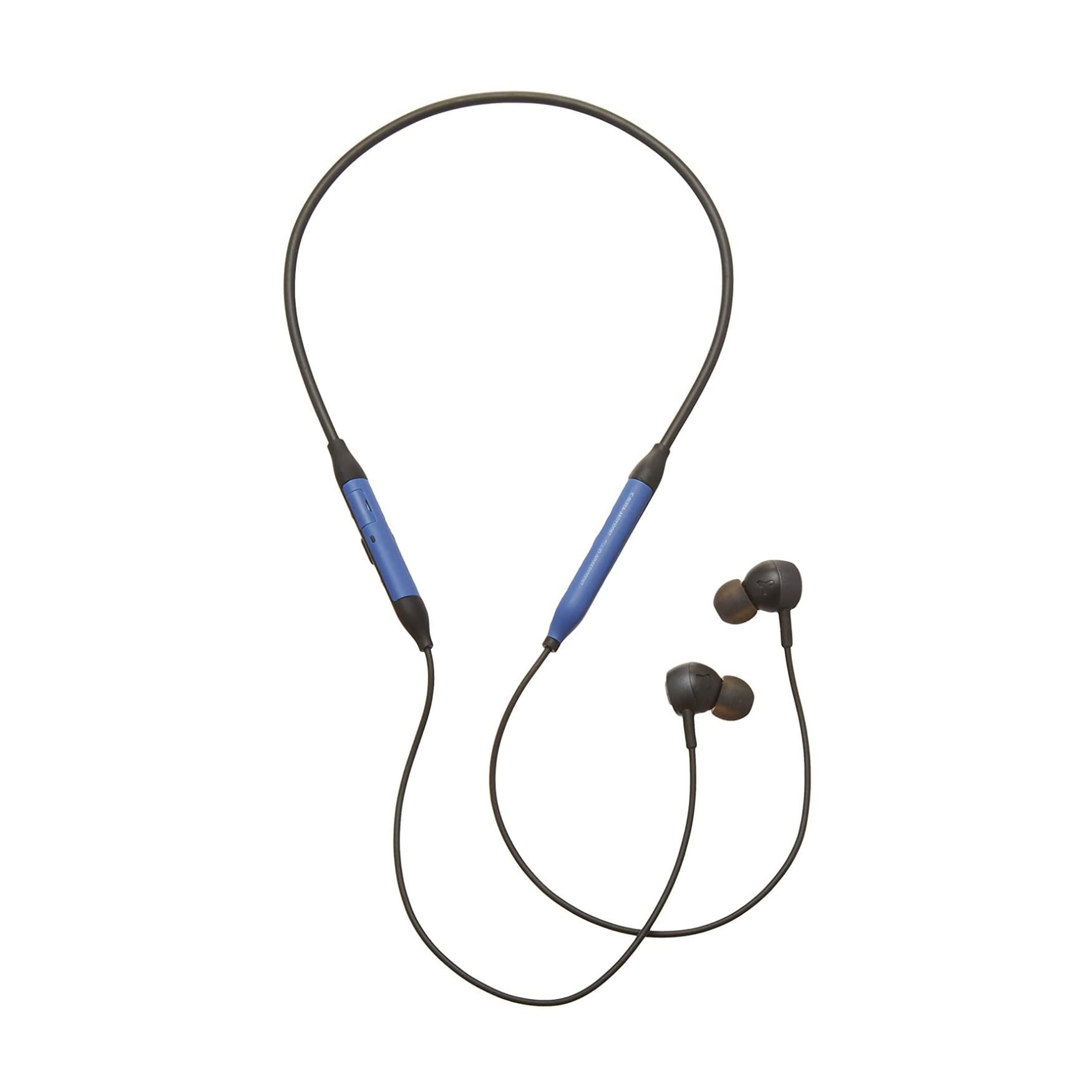
Gambar: Hareupeun view of the AKG Y100 Wireless Bluetooth Earbuds, highlighting the blue AKG logo on each earbud.

Image: The AKG Y100 Wireless Bluetooth Earbuds showing the inline remote control with buttons for volume and playback.
Kadali:
- Tombol Daya: Located on the inline remote. Used for powering on/off and Bluetooth pairing.
- Tombol Luhur / Turun: Saluyukeun volume audio.
- Tombol multi-fungsi: Ngontrol pamuteran musik (maén/ngeureunkeun, ngaliwatan lagu) sareng manajemen telepon (ngajawab/ngaréngsékeun telepon).
- Mikropon: Integrated for hands-free calling and voice control.
- Port ngecas: Micro USB port for charging the earbuds.
Disetél
1. Ngecas Earbuds
Before first use, fully charge your AKG Y100 earbuds.
- Connect the Micro USB charging cable to the charging port on the inline remote.
- Sambungkeun tungtung kabel anu sanés ka sumber daya USB (contona, komputer, adaptor témbok).
- The LED indicator will show charging status. A full charge provides up to 8 hours of playback. A 15-minute speed charge can provide an additional hour of music.
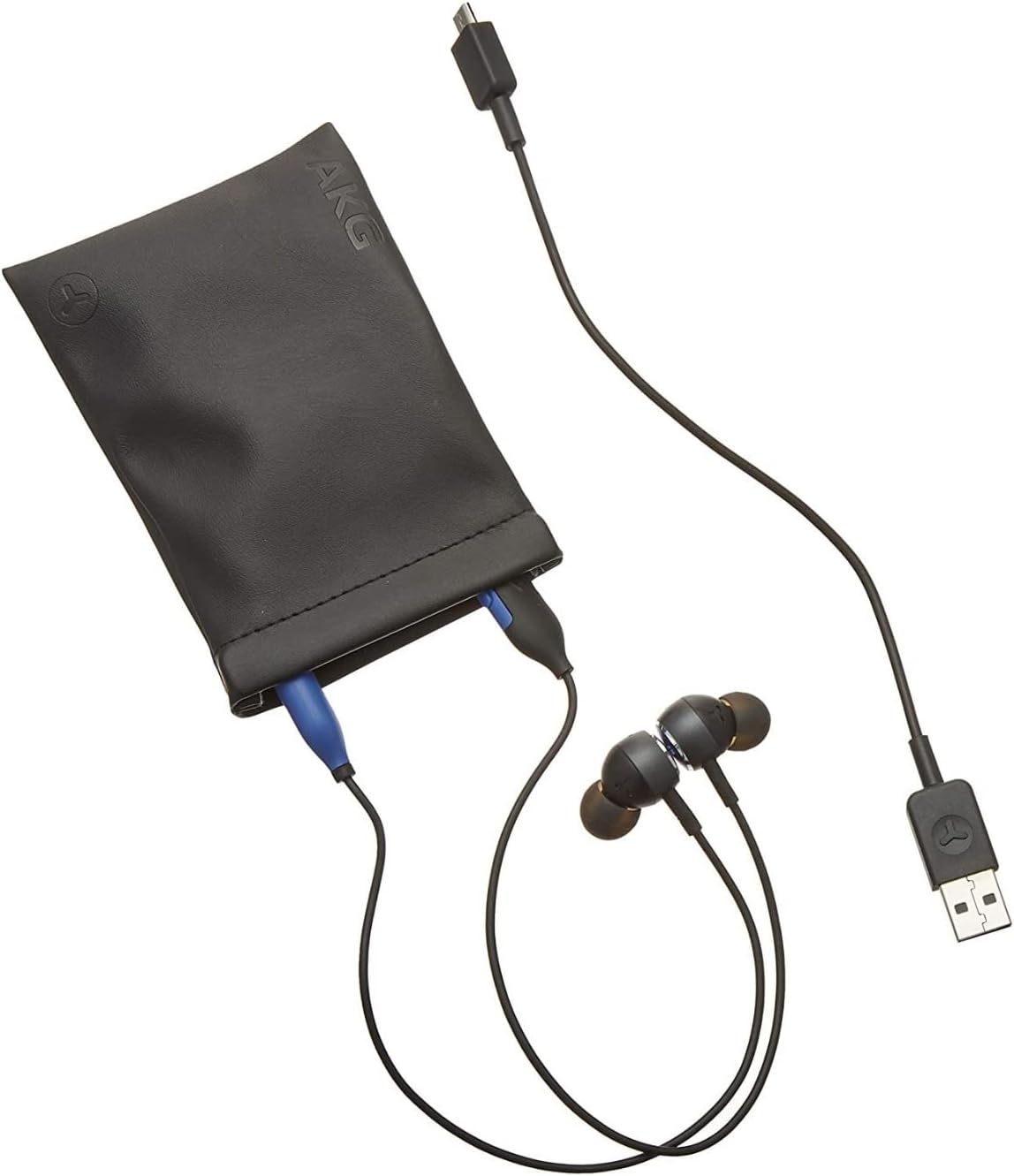
Image: The AKG Y100 Earbuds, protective case, and Micro USB charging cable, illustrating the components included.
2. Papasangan Bluetooth
Pikeun nyambungkeun earbud anjeun ka alat:
- Pastikeun yén earbuds dieusi sareng dipareuman.
- Pencét jeung tahan tombol Daya nepi ka indikator LED hurung biru jeung beureum, nuduhkeun mode papasangan.
- Dina alat anjeun (smartphone, tablet, komputer), aktipkeun Bluetooth sareng milarian alat anu sayogi.
- Select "AKG Y100" from the list of found devices.
- Sakali nyambung, indikator LED bakal némbongkeun lampu biru padet atawa biru kedip-kedip laun.
Konektipitas Multi-titik: The AKG Y100 supports connecting to two Bluetooth devices simultaneously. After pairing with the first device, put the earbuds back into pairing mode and connect to the second device. The earbuds will intelligently switch between the two connected devices for audio and calls.
3. Nyocogkeun Earbuds
For optimal sound quality and comfort, choose the correct size ear tips.
- Experiment with the three provided ear tip sizes (Small, Medium, Large).
- Gently insert the earbuds into your ears, ensuring a snug fit that seals the ear canal.
- The ergonomic neckband should rest comfortably around your neck.

Image: A person wearing the AKG Y100 Wireless Bluetooth Earbuds, demonstrating the comfortable fit of the neckband and earbuds.
Ngoperasikeun Earbuds
Daya Hurung/Pareuman
- Daya Hurung: Press and hold the Power button for approximately 2 seconds until the LED indicator flashes blue.
- Pareum listrik: Press and hold the Power button for approximately 3 seconds until the LED indicator flashes red and then turns off.
Puterkeun Musik
- Puter / Reureuh: Pencét tombol Multi-fungsi sakali.
- Lagu salajengna: Pencét dua kali tombol Multi-fungsi.
- Lagu Sateuacanna: Pencét-pencét tombol Multi-fungsi.
- Volume Up: Pencét tombol Volume Up.
- Volume Turun: Pencét tombol Jilid Turun.
Manajemén Telepon
- Ngajawab / mungkas Telepon: Pencét tombol Multi-fungsi sakali.
- Nolak Telepon: Pencét jeung tahan tombol Multi-fungsi salila 2 detik.
- Aktipkeun Asisten Sora: Press and hold the Multi-function button for 2 seconds when not on a call.
Ambient Aware Mode
The AKG Y100 features an Ambient Aware mode, which allows you to hear your surroundings more clearly without removing your earbuds. This is useful for situations where you need to be aware of your environment, such as during commutes or in an office setting.
- Activate/Deactivate Ambient Aware: Refer to your device's Bluetooth settings or the AKG app (if available) for specific controls, as this feature may be managed through software. On some models, a dedicated button or a specific combination of button presses on the inline remote may control this function.
Pangropéa
- beberesih: Wipe the earbuds and neckband with a soft, dry cloth. Do not use harsh chemicals or abrasive materials. Remove ear tips and clean them with mild soap and water, then dry thoroughly before reattaching.
- Panyimpenan: When not in use, store the earbuds in the provided protective case to prevent damage. Avoid storing in direct sunlight or extreme temperatures.
- Tahan cai: The earbuds are water resistant. However, they are not waterproof. Avoid submerging them in water or exposing them to heavy rain. Dry thoroughly if they get wet.
Pamérésan masalah
| Masalah | Mungkin Cukang lantaranana | Solusi |
|---|---|---|
| Earbuds teu hurung. | batré lemah. | Charge the earbuds fully using the Micro USB cable. |
| Teu tiasa dipasangkeun sareng alat. | Earbuds henteu dina mode papasangan; alat Bluetooth pareum; jauh teuing ti alat. | Ensure earbuds are in pairing mode (flashing blue/red LED). Turn on Bluetooth on your device. Move earbuds closer to the device (within 10 meters). |
| Taya sora atawa kualitas sora goréng. | Volume too low; earbuds not properly seated; device not connected. | Increase volume on earbuds and device. Adjust earbud fit. Re-pair the earbuds with your device. |
| Masalah sambungan multi-titik. | Incorrect switching; device compatibility. | Ensure both devices are paired. The earbuds prioritize active audio/calls. If issues persist, disconnect and re-pair one device at a time. |
spésifikasi
| Ngaran modél | Y100 |
| Téhnologi konektipitas | Nirkabel (Bluetooth) |
| Vérsi Bluetooth | 4.2 |
| Didukung Bluetooth Profiles | HFP V1.7, A2DP V1.3, AVRCP V1.5 |
| Kahirupan batré | Nepi ka 8 Jam |
| Ngecas Speed | 15 minutes for 1 hour playback |
| Tipe Kontrol | Voice Control, Touch-based controller |
| Item Beurat | 24 Gram (0.847 ons) |
| Tingkat Résistansi Cai | Tahan cai |
| Produsén | Samsung (AKG by Harman) |
| Dimensi produk | 3.86 x 2.01 x 5.91 inci |
Garansi sareng Rojongan
For warranty information and technical support, please refer to the documentation included with your purchase or visit the official AKG/Samsung support websitus. Simpen bukti pameseran anjeun pikeun klaim garansi.
If you encounter issues not covered in this manual, please contact customer service for assistance.