Bubuka
This manual provides essential information for the safe operation, maintenance, and troubleshooting of your eufy BoostIQ RoboVac 30C. Please read it thoroughly before using the product and retain it for future reference.
Parentah Kasalametan penting
Nalika nganggo alat listrik, pancegahan dasar kedah diturutan, kalebet ieu:
- Baca sadaya parentah sateuacan nganggo alat ieu.
- Do not operate the RoboVac in areas with open flames or explosive materials.
- Ulah ngidinan barudak pikeun beroperasi RoboVac. Ngawaskeun barudak sareng piaraan nalika RoboVac beroperasi.
- Pastikeun voltase adaptor dayatage kompatibel jeung catu daya lokal Anjeun.
- Do not use the RoboVac on wet surfaces or in areas with standing water.
- Cabut cords kakuatan, objék leutik, jeung barang rapuh ti lantai saméméh operasi pikeun nyegah entanglement atawa karuksakan.
- Use only the original battery pack and charging base provided by the manufacturer.
Eusi pakét
Pastikeun yén sadaya komponén aya dina bungkusan:
- RoboVac 30C Unit
- Base ngecas
- Adaptor Daya AC
- Remote Control (2 batré AAA kaasup)
- Boundary Strips (13.2 ft)
- Sikat samping (4x)
- High-Performance Filters (extra set)
- Alat beberesih
- Cable Ties (5x)
- Wilujeng sumping Guide
Produk Leuwihview
The eufy BoostIQ RoboVac 30C is a robotic vacuum cleaner designed for efficient cleaning of hard floors and medium-pile carpets. It features Wi-Fi connectivity for app control, BoostIQ technology for automatic suction adjustment, and boundary strips for defining cleaning areas.
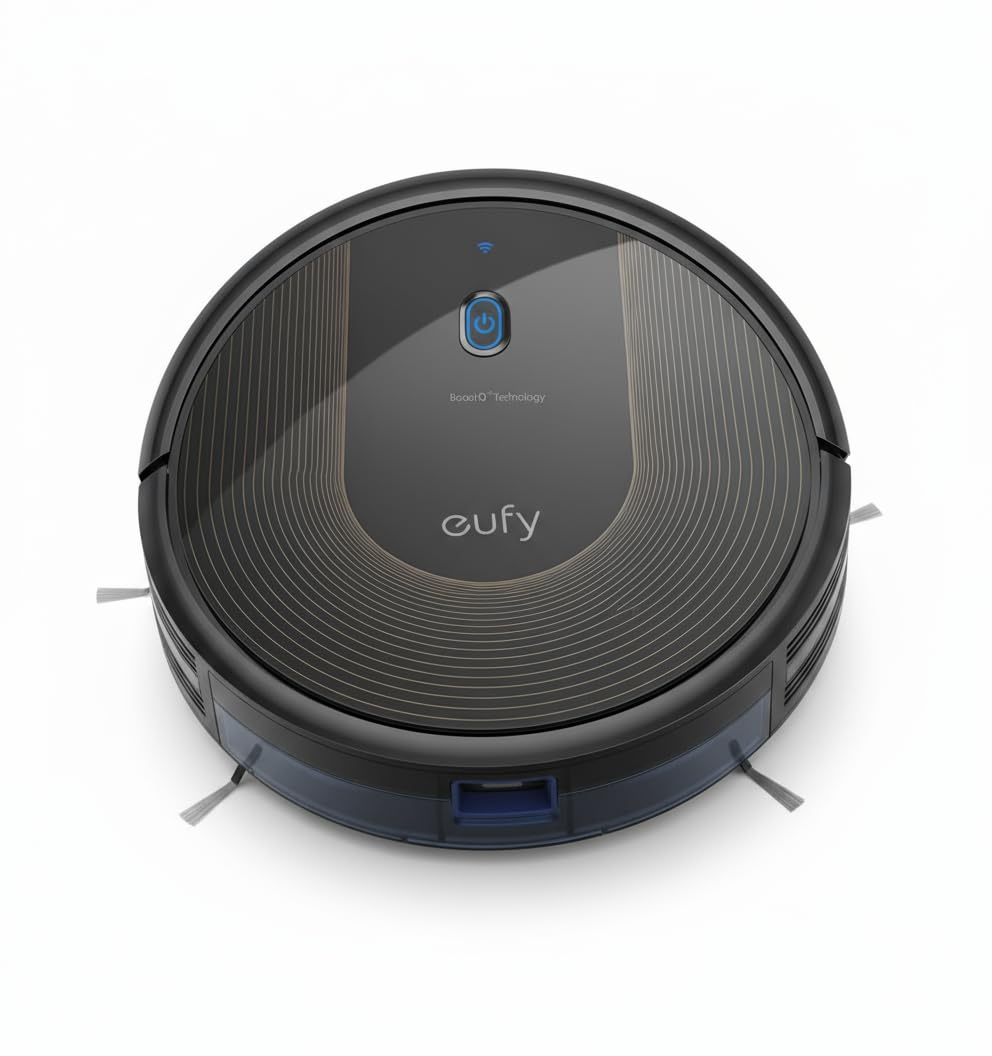
Image: The eufy BoostIQ RoboVac 30C unit, a circular black robot vacuum.
Disetél
1. Ngecas Base panempatan
Place the charging base on a hard, level surface against a wall. Ensure there is at least 3 feet (1 meter) of clear space on both sides of the charging base and 6 feet (2 meters) in front of it. Connect the AC power adapter to the charging base and a wall outlet.
2. Muatan Awal
Place the RoboVac onto the charging base. The indicator light on the RoboVac will pulse orange while charging and turn solid blue when fully charged. For first-time use, charge the RoboVac for at least 6 hours.
3. Sambungan Aplikasi (Setélan Wi-Fi)
Download the 'EufyHome' app from your smartphone's app store. Follow the in-app instructions to connect your RoboVac to your home Wi-Fi network. This enables remote control, scheduling, and voice control via Amazon Alexa or Google Assistant.

Image: A smartphone screen showing the EufyHome app interface with options to control the RoboVac, receive notifications, set schedules, and locate the robot.
4. Boundary Strips Installation
Use the included boundary strips to create off-limit areas for the RoboVac. Cut the strips to the desired length and place them flat on the floor. The RoboVac will not cross these strips.

Image: A RoboVac navigating near boundary strips placed on a wooden floor, indicating restricted cleaning zones.
Ngoperasikeun RoboVac
1. Starting a Clean Cycle
Press the power button on the RoboVac or the 'Start' button in the EufyHome app to begin a cleaning cycle. The RoboVac will automatically select a cleaning mode based on the environment or use the last selected mode.
2. BoostIQ Technology
The RoboVac is equipped with BoostIQ technology, which automatically increases suction power within 1.5 seconds when it detects a need for extra strength, such as transitioning from hard floors to carpets.

Image: A RoboVac moving from a hard floor onto a carpet, with a graphic overlay illustrating BoostIQ technology optimizing cleaning power.
3. Modeu beberesih
The RoboVac offers various cleaning modes accessible via the remote control or EufyHome app:
- Ngabersihan Otomatis: The RoboVac cleans automatically until the battery is low, then returns to the charging base.
- Bersihan titik: The RoboVac intensely cleans a specific area in a spiral pattern.
- Bersihan tepi: The RoboVac cleans sapanjang tembok jeung edges jati.
- Kamar Tunggal Bersih: The RoboVac cleans a single room for a set duration.
4. Ngajadwalkeun
Set daily cleaning schedules using the EufyHome app or the remote control. The RoboVac will automatically start cleaning at the programmed time.
5. Kontrol sora
Integrate your RoboVac with Amazon Alexa or Google Assistant for convenient voice-activated cleaning commands.
Pangropéa
Regular maintenance ensures optimal performance of your RoboVac.
1. Emptying nu Dustbin
Press the dustbin release button and pull out the dustbin. Open the dustbin cover and empty its contents into a trash can. It is recommended to empty the dustbin after each use.
2. Ngabersihan Filter
Remove the filter from the dustbin. Tap the filter to remove dust and debris. Do not wash the high-performance filter with water. Replace the filter every 3-6 months, or as needed.
3. Ngabersihkeun Sikat
Remove the main rolling brush and side brushes. Use the cleaning tool to cut and remove any hair or debris tangled around the brushes. Reinstall the brushes securely.
4. Cleaning the Sensors and Charging Pins
Wipe the drop sensors, infrared sensors, and charging pins on both the RoboVac and the charging base with a dry cloth. Keep these components clean for proper navigation and charging.
Pamérésan masalah
Upami RoboVac anjeun mendakan masalah, tingal masalah sareng solusi umum ieu:
| Masalah | Mungkin Cukang lantaranana | Solusi |
|---|---|---|
| RoboVac henteu hurung atanapi ngecas. | Battery depleted; charging pins dirty; power adapter not connected. | Ensure RoboVac is on the charging base; clean charging pins; check power connection. |
| RoboVac sering macét. | Obstacles (cables, rugs); drop sensors dirty. | Clear floor of obstacles; use boundary strips; clean drop sensors. |
| Ngurangan kakuatan nyeuseup. | Tempat sampah pinuh; saringan mampet; sikatna kusut. | Empty dustbin; clean/replace filter; clean brushes. |
| RoboVac is noisy. | Brushes tangled; foreign object in suction inlet. | Clean main brush and side brushes; check for obstructions. |
| Teu tiasa nyambung ka Wi-Fi/App. | Incorrect Wi-Fi password; router issues; RoboVac too far from router. | Verify password; restart router; move RoboVac closer to router. |
spésifikasi
| Fitur | Rincian |
|---|---|
| merek | eufy |
| Ngaran modél | RoboVac 30C |
| Fitur husus | APP and Voice Control, Auto-Docking, Quiet, Wi-Fi Compatible |
| Warna | Hideung |
| Dimensi produk | 12.79 "L x 12.79" W x 2.85" H |
| Komponén Kaasup | 1 x Robotic vacuum cleaner |
| Jenis Filter | Kartrid |
| Kahirupan batré | 100 menit |
| Kapasitas tong sampah | 0.6 liter |
| Sumber Daya | Batré Powered |
| Métode kontrol | Sora, Aplikasi, Kadali Jarak Jauh |
| Alat nu cocog | Amazon Echo, Imah Google |
| Item Beurat | 5.9 pon |
| Surface Rekomendasi | Karpét, Hard Floors |
Garansi sareng Rojongan
Your eufy BoostIQ RoboVac 30C comes with a worry-free 12-month warranty. For technical support, warranty claims, or additional information, please visit the official eufy support websitus atanapi hubungi layanan palangganna. Simpen resi pameseran anjeun kanggo validasi garansi.


