Bubuka
This manual provides essential information for the safe and efficient use of your AOC 22P1D 21.5-inch Full HD LED Monitor. Please read these instructions carefully before operating the device and retain them for future reference.
Émbaran Kasalametan
Always observe the following safety precautions to prevent damage to the monitor and ensure personal safety:
- Ulah ngalaan monitor ka hujan atawa beueus pikeun nyegah seuneu atawa shock bahaya.
- Ulah muka monitor casing. Henteu aya bagian anu tiasa dilayanan ku pangguna di jero. Rujuk sadayana jasa ka tanaga jasa anu mumpuni.
- Teundeun monitor dina tempat nu datar, stabil pikeun nyegah ragrag.
- Pastikeun ventilasi ditangtoskeun sabudeureun monitor. Ulah meungpeuk bukaan ventilasi.
- Paké ngan kabel kakuatan jeung adaptor disadiakeun kalawan monitor.
- Cabut colokan monitor tina stop kontak listrik nalika badai kilat atanapi nalika henteu dianggo kanggo waktos anu lami.
Eusi pakét
Pastikeun yén sadaya item aya dina bungkusan:
- AOC 22P1D Monitor
- Stand Monitor (Dasar sareng Beuheung)
- Kabel Daya
- Kabel HDMI
- VGA Kabel
- Kabel Audio (3.5mm)
- User Manual (on CD, if applicable)
Parentah Setup
1. Ngarakit Stand
Carefully remove the monitor and stand components from the packaging. Attach the stand neck to the monitor panel, then secure the base to the neck. Ensure all connections are firm.

Gambar: Tukangeun view of the AOC 22P1D monitor, showing the stand assembly point.
2. Nyambungkeun Monitor
Connect the necessary cables to the monitor and your computer. The AOC 22P1D supports HDMI and VGA inputs.
- Sambungan Daya: Sambungkeun kabel kakuatan ka input kakuatan monitor lajeng ka stop kontak témbok.
- Sambungan Video (HDMI): Sambungkeun hiji tungtung kabel HDMI kana port HDMI dina monitor sareng tungtung anu sanésna kana port HDMI dina komputer anjeun.
- Video Connection (VGA): Alternatively, connect one end of the VGA cable to the VGA port on the monitor and the other end to the VGA port on your computer.
- Sambungan Audio: If using VGA or a source without audio over HDMI, connect the 3.5mm audio cable from your computer's audio output to the monitor's audio input for sound through the monitor's built-in speakers.
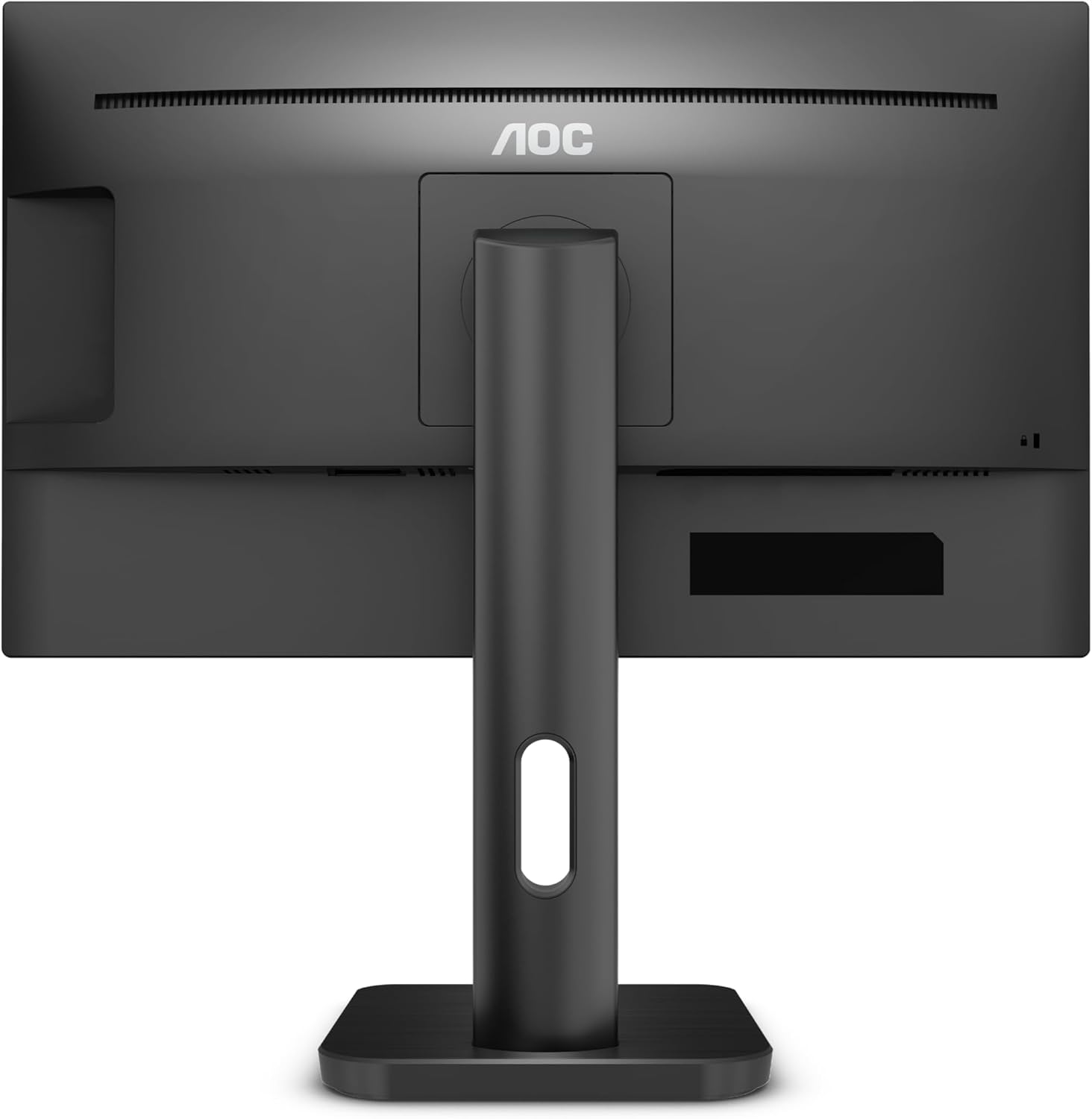
Gambar: Tukangeun view of the AOC 22P1D monitor, highlighting the various input ports for connectivity.
3. Daya Awal Hurung
After connecting all cables, press the power button on the monitor to turn it on. The monitor will automatically detect the active input signal. If no signal is detected, ensure your computer is powered on and the correct input source is selected on the monitor.
Parentah Operasi
1. Daya Hurung / Pareum
Pencét tombol daya anu aya di bezel katuhu handap monitor pikeun ngahurungkeun atanapi mareumanana.

Gambar: Hareupeun view of the AOC 22P1D monitor, showing the power button location and key features.
2. Napigasi Menu dina Layar (OSD).
The OSD menu allows you to adjust various monitor settings. Use the control buttons on the bottom right bezel to navigate the menu.
- Pencét éta ménu tombol pikeun muka OSD.
- Ngagunakeun éta Luhur/Turun tombol pikeun nganapigasi ngaliwatan pilihan menu.
- Pencét éta Pilih button to enter a sub-menu or confirm a setting.
- Pencét éta Kaluar tombol pikeun balik deui atawa nutup OSD.
3. Setélan Gambar
Adjust the display quality to your preference:
- Caang: Ngadalikeun luminance sakabéh layar.
- Kontras: Saluyukeun bédana antara wewengkon caang jeung poék.
- Suhu warna: Selects preset color modes (e.g., Warm, Cool, Normal) or custom RGB settings.
- Low Blue Mode: Ngurangan émisi cahaya biru pikeun kanyamanan panon.
- Bebas kedip-kedip: Technology to reduce screen flickering.
4. Pamilihan Input
If you have multiple devices connected, use the OSD menu or a dedicated input button to switch between HDMI and VGA inputs.
5. Setélan Audio
If using the monitor's built-in speakers, adjust the volume through the OSD menu. Ensure your computer's audio output is directed to the monitor.
Pangropéa
Ngabersihan Monitor
To maintain optimal performance and appearance, follow these cleaning guidelines:
- Salawasna cabut monitor tina stop kontak sateuacan beberesih.
- Make kaen nu lemes, teu aya lint rada dampDieusian ku cai atanapi pembersih layar anu hampang sareng henteu abrasive.
- Ulah menyemprot cleaner langsung kana layar. Larapkeun heula kana lawon.
- Avoid using benzene, thinner, ammonia-based cleaners, or abrasive cleaning agents, as these can damage the screen or casing.
- Ngusap layar gently pikeun miceun lebu jeung smudges.
Pamérésan masalah
Upami anjeun mendakan masalah sareng monitor anjeun, tingal masalah sareng solusi umum ieu:
| Masalah | Mungkin Cukang lantaranana | Solusi |
|---|---|---|
| Taya Daya | kabel kakuatan teu disambungkeun; Stopkontak teu aktip. | Pastikeun kabel kakuatan disambungkeun aman ka duanana monitor jeung stop kontak. Nguji outlet sareng alat sejen. |
| Taya Sinyal | Kabel vidéo teu nyambung; Sumber input anu dipilih salah; Komputer teu dihurungkeun. | Check video cable connections (HDMI/VGA). Select the correct input source via the OSD menu. Ensure computer is on and outputting video. |
| Kualitas Gambar Miskin | Incorrect resolution; Brightness/Contrast settings incorrect; Dirty screen. | Set display resolution to 1920x1080. Adjust brightness and contrast via OSD. Clean the screen as per maintenance instructions. |
| Taya Sora | Audio cable not connected (for VGA); Monitor volume too low; Computer audio output incorrect. | If using VGA, connect the 3.5mm audio cable. Increase monitor volume via OSD. Check computer's audio settings to ensure output is to the monitor. |
spésifikasi
Technical specifications for the AOC 22P1D monitor:
| Fitur | Spésifikasi |
|---|---|
| Nomer modél | 22P1D |
| Ukuran layar | 21.5 inci |
| Téknologi tampilan | LED |
| Resolusi | 1920 x 1080 (HD lengkep) |
| Rasio Aspék | 16:9 |
| Refresh Laju | 60 Hz |
| Waktu Tanggapan | 2 Milidetik |
| Babandingan Kontras | 1000:1 |
| Palabuhan Input | 1x HDMI, 1x VGA |
| Diwangun-di Speaker | Sumuhun |
| Warna | Hideung |
| Dimensi produk | 50.6 x 19.8 x 50.4 cm |
| Item Beurat | 4.2 kg |
| Konsumsi Daya | 22 Watt (biasa) |

Gambar: Hareupeun view of the AOC 22P1D monitor with approximate dimensions shown.
Émbaran jaminan
Your AOC 22P1D monitor comes with a standard manufacturer's warranty. Please refer to the warranty card included in your product packaging or visit the official AOC websitus pikeun istilah sareng kaayaan anu lengkep ngeunaan cakupan jaminan, durasi, sareng prosedur jasa.
Rojongan Palanggan
For further assistance, technical support, or service inquiries, please contact AOC customer support. You can find contact information and additional resources on the official AOC websitus:
Please have your monitor's model number (22P1D) and serial number ready when contacting support.


