1. Bubuka
This manual provides detailed instructions for the Joyroom JR-P1 Bluetooth Headset. Please read this manual carefully before using the product to ensure proper operation and to maximize your user experience. The JR-P1 is a wireless on-ear headset designed for mobile phone compatibility, featuring a built-in microphone for calls and touch controls.
2. Produk Langkungview
The Joyroom JR-P1 features an ergonomic ear-hook design for comfortable and stable wear. It is lightweight and designed for various activities.
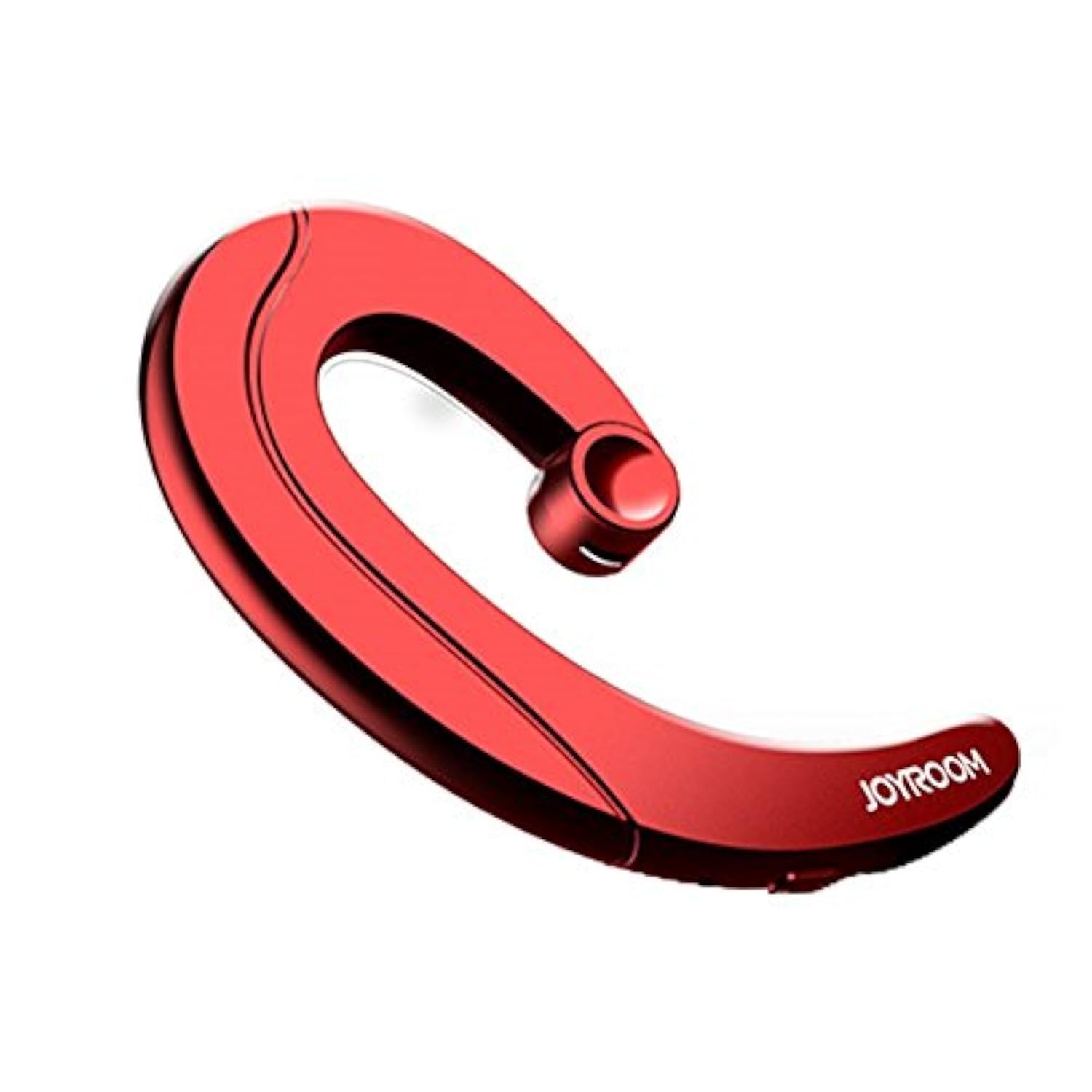
Figure 2.1: Joyroom JR-P1 Bluetooth Headset, showcasing its ear-hook design.
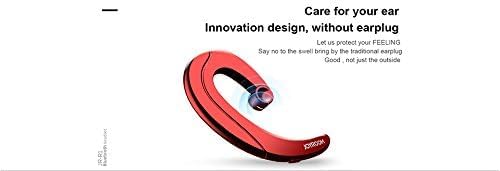
Figure 2.2: Illustration of the innovative design, providing comfort without an earplug.
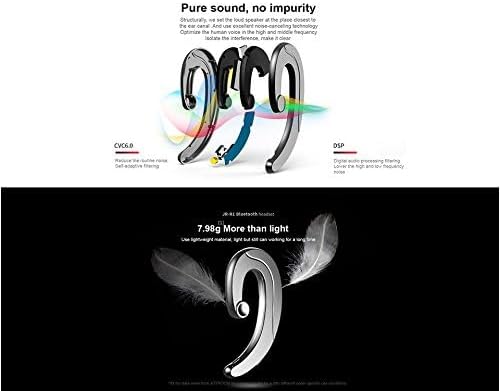
Figure 2.3: Internal technologies including CVC6.0 for noise reduction and DSP for digital audio processing.
3. Setélan
3.1 Ngecas Headsét
Before first use, fully charge the headset. Connect the charging cable (not specified, assume standard USB) to the charging port on the headset and to a compatible USB power source. The indicator light will show charging status and turn off or change color when fully charged.
3.2 Nyapasangkeun Bluetooth
- Pastikeun headset tos dicas sareng dipareuman.
- Press and hold the power button (or multi-function button) on the headset until the indicator light flashes red and blue, indicating pairing mode.
- On your mobile phone or device, enable Bluetooth and search for available devices.
- Select "JR-P1" from the list of found devices.
- Once connected, the indicator light on the headset will typically flash blue slowly or turn off.
- Upami dipenta pikeun kecap akses, lebetkeun "0000".
4. Parentah Operasi
The JR-P1 headset uses touch controls for various functions.
4.1 Daya Hurung/Pareuman
- Daya Hurung: Press and hold the multi-function button for approximately 3 seconds until the indicator light flashes.
- Pareum listrik: Press and hold the multi-function button for approximately 5 seconds until the indicator light turns off.
4.2 Manajemén Telepon
- Ngajawab / mungkas Telepon: Tap the multi-function button once.
- Nolak Telepon: Pencet jeung tahan tombol multi-fungsi salami 2 detik.
- Telepon deui Nomer Panungtungan: Double-tap the multi-function button.
4.3 Puterkeun Musik
- Puter / Reureuh: Tap the multi-function button once.
- Lagu salajengna: Triple-tap the multi-function button.
- Lagu Sateuacanna: Quadruple-tap the multi-function button.
4.4 Volume Control
Volume is typically controlled via your connected mobile device. Some headsets may have dedicated volume buttons; refer to the physical design of your JR-P1 headset.

Figure 4.1: The JR-P1 headset is suitable for hands-free communication, such as during driving.
5. Pangropéa
Proper maintenance ensures the longevity and performance of your Joyroom JR-P1 headset.
- beberesih: Use a soft, dry, lint-free cloth to clean the headset. Do not use harsh chemicals or abrasive materials.
- Tahan cai: Headset ieu henteu tahan cai. Avoid exposure to water, moisture, rain, or sweat to prevent damage.
- Panyimpenan: Simpen headset di tempat anu tiis sareng garing jauh tina sinar panonpoé langsung sareng suhu anu ekstrim.
- Ngecas: Do not overcharge the battery. Disconnect the charger once the headset is fully charged.
6. Cara ngungkulan
If you encounter issues with your JR-P1 headset, refer to the following common solutions:
| Masalah | Solusi |
|---|---|
| Headset teu hurung. | Ensure the headset is fully charged. Press and hold the power button for a longer duration. |
| Teu tiasa dipasangkeun sareng alat. | Ensure the headset is in pairing mode (flashing red/blue). Turn off and on Bluetooth on your device. Move the headset closer to your device. Clear previous Bluetooth connections on your device. |
| Taya sora atawa kualitas sora goréng. | Check the volume level on both the headset and your connected device. Ensure the headset is properly connected. Try re-pairing the headset. |
| Mikropon teu jalan. | Ensure the headset is properly connected and selected as the audio input device on your phone. Check for any obstructions on the microphone. |
7. Spésifikasi
Key technical specifications for the Joyroom JR-P1 Bluetooth Headset:
- merek: Joyroom
- Jumlah modél: JR-P1
- Téknologi konektipitas: Nirkabel
- Téknologi nirkabel: Bluetooth
- Faktor Bentuk Headset: On-ear (Ear-hook)
- Métode kontrol: Toél
- Ngawengku Mikropon: Sumuhun
- Isolasi Noise: No
- Alat anu cocog: Hapé
- Dianjurkeun pamakéan: Nelepon
- beurat: 20 gram
- Ukuran produk: 7.36 x 3.89 x 0.65 cm
- Tingkat tahan cai: Teu tahan cai
- Fitur kabel: Without cable
8. Émbaran Kasalametan
Mangga perhatikeun tungtunan kaamanan di handap ieu:
- Do not disassemble or modify the headset. This may cause damage and void the warranty.
- Keep the headset away from extreme temperatures, humidity, and corrosive substances.
- Hindarkeun dengekeun dina tingkat polumeu luhur pikeun période anu panjang pikeun nyegah karusakan dédéngéan.
- Use caution when using the headset in situations requiring awareness of your surroundings, such as driving or walking in traffic.
- Buang produk sareng batréna sacara tanggung jawab nurutkeun peraturan lokal.
9. Garansi jeung Rojongan
For warranty information or technical support, please refer to the documentation included with your purchase or contact Joyroom customer service. Keep your proof of purchase for warranty claims.


