1. Bubuka
The Elitech RC-5 is a multi-purpose temperature data logger designed for reliable and accurate temperature monitoring. It features a large storage capacity of 32,000 recording points, a wide measurement range, and a built-in USB connector for direct PDF report generation. This device is suitable for various applications requiring temperature tracking, such as cold chain logistics, storage, and environmental monitoring.
This manual provides essential instructions for setting up, operating, and maintaining your Elitech RC-5 data logger. Please read it thoroughly before use to ensure proper functionality and data integrity.

Image: The Elitech RC-5 Temperature Data Logger, showing its compact design and LCD screen.
2. Fitur konci
- Multi-purpose Temperature Data Logger: Records up to 32,000 temperature points.
- Rentang Ukur Lebar: -30 ℃ nepi ka 70 ℃ (-22 ℉ ka 158 ℉).
- Integrated USB Connector: No cable or reader needed for data download or PDF report generation.
- Clear LCD Indication: Displays temperature data, recorded points, alarm status, and other key information.
- Ngaganti Fahrenheit/Celsius: Configurable via free software.
- Peunteun panyalindungan IP65: Provides protection against dust and water jets.
- Alarm Suhu: User-configurable high and low temperature alarms.
- Hirup batré anu panjang: Up to 6 months with a replaceable CR2032 battery.
3. Eusi Paket
Pastikeun yén sadaya item aya dina bungkusan:
- 1 x Elitech RC-5 Data Logger
- 1 x Manual Pamaké
- 1 x Validation Certificate
- 1 x Batré CR2032
- 1 x Software Installation CD (or download link)
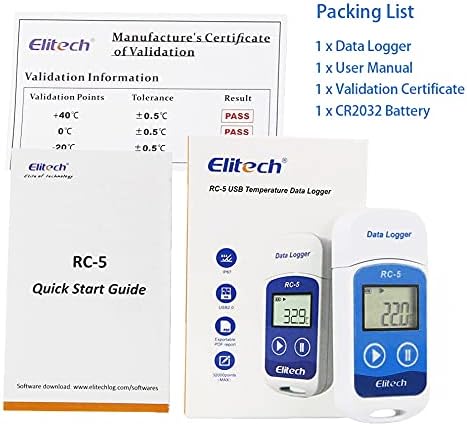
Image: Contents of the Elitech RC-5 package, including the data logger, user manual, validation certificate, and CR2032 battery.
4. Setup jeung Pamakéan Awal
4.1. Pamasangan batré
The RC-5 data logger uses a CR2032 button cell battery. Follow these steps to install or replace the battery:
- Teang panutup batre dina tonggong alat.
- Use a coin or a flat tool to turn the battery cover counter-clockwise to the "OPEN" position.
- Remove the old battery (if replacing) and insert a new CR2032 battery with the positive (+) side facing up.
- Align the battery cover and turn it clockwise to the "CLOSE" position until it is secure.
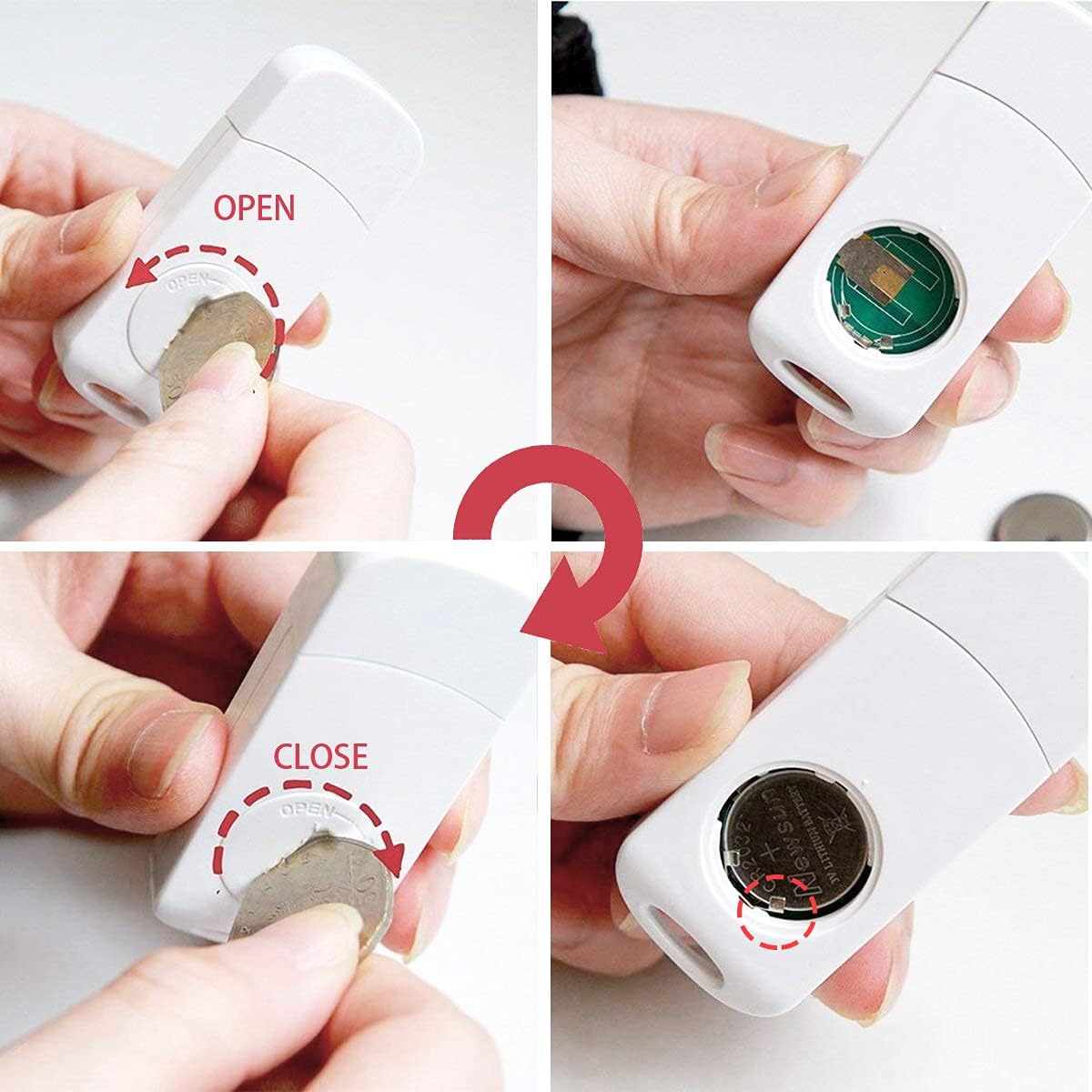
Image: A four-panel illustration demonstrating how to open the battery compartment, insert the CR2032 battery, and close the compartment.
4.2. Pamasangan parangkat lunak
To configure the data logger and download data, you need to install the Elitechlog software. The software is compatible with Windows and Mac operating systems.
- Insert the provided CD into your computer's CD-ROM drive, or download the latest version of Elitechlog software from the official Elitech websitus (www.elitechlog.com/softwares).
- Turutan pitunjuk dina layar pikeun ngarengsekeun pamasangan.
- Once installed, connect the RC-5 data logger to your computer's USB port. The software should automatically detect the device.

Image: An illustration showing the Elitech RC-5 connected to a laptop via USB, with icons representing PDF, Word, Excel, and TXT export options, and the Elitechlog software interface.
5. Parentah Operasi
5.1. Alat Leuwihview
The RC-5 features an LCD screen and two buttons for operation:
- Left Button (Play/Start): Used to start recording and cycle through display modes.
- Right Button (Pause/Stop): Used to stop recording and access settings.
- USB Protection Cover: Protects the USB connector.
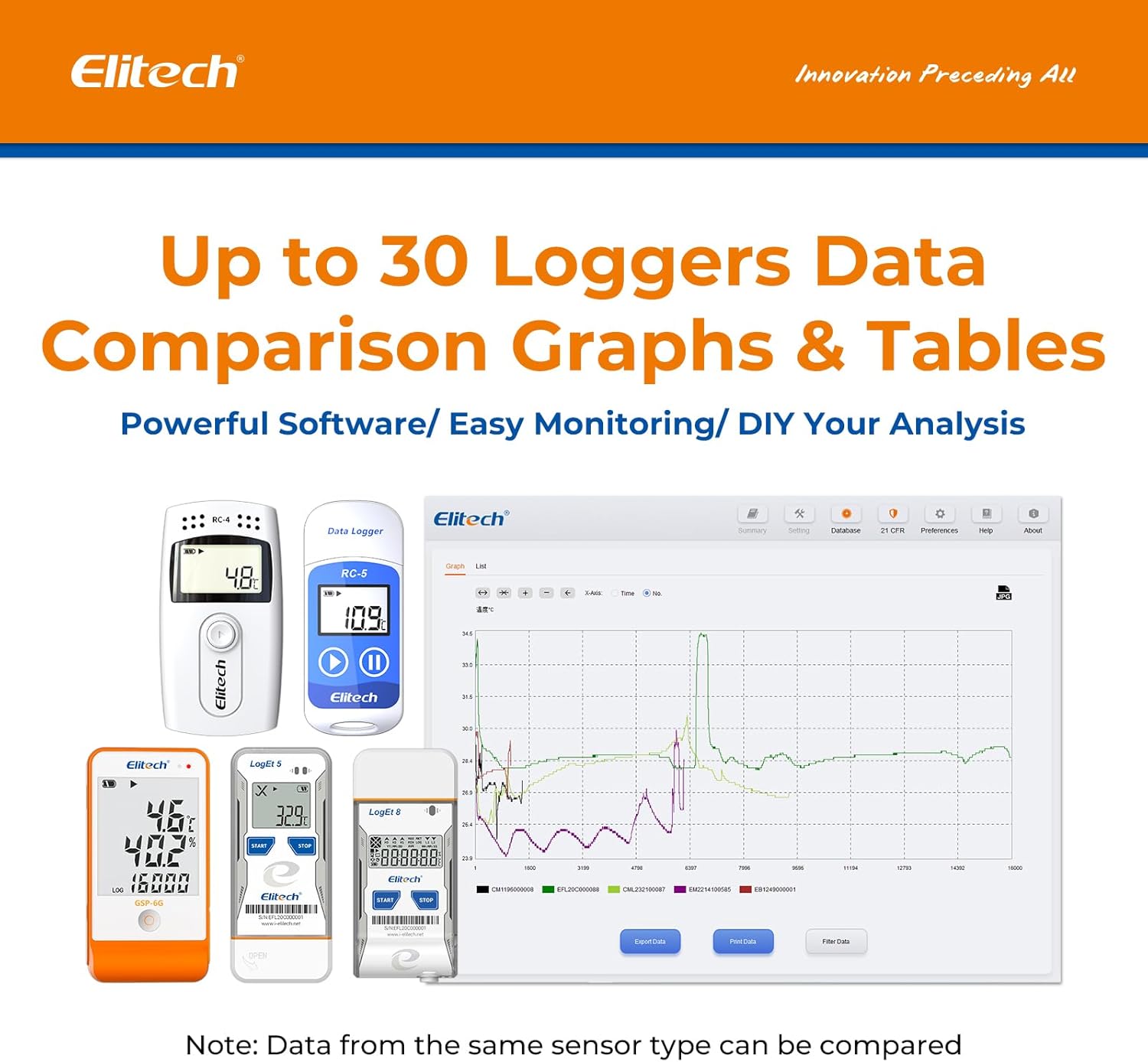
Image: A diagram of the Elitech RC-5 data logger with labels pointing to the USB protection cover, screen, left button, and right button.
5.2. Starting a Recording
To start recording data:
- Pencét jeung tahan tombol Tombol kénca (Play/Start) for approximately 3 seconds until the "REC" icon appears on the LCD screen.
- The device will begin recording temperature data at the pre-configured interval.
5.3. Stopping a Recording
To stop recording data:
- Pencét jeung tahan tombol Tombol Katuhu (Pause/Stop) for approximately 3 seconds until the "STOP" icon appears on the LCD screen.
- The device will cease recording.

Image: A visual guide showing how to start recording by long-pressing the left button and stop recording by long-pressing the right button, with corresponding LCD displays.
5.4. Viewing Data on LCD
Pencét éta Tombol kénca (Play/Start) briefly to cycle through different display modes on the LCD screen:
- Suhu Ayeuna
- Recorded Points (LOG)
- Waktos ayeuna
- Tanggal Ayeuna
- Maximum Temperature (MAX)
- Minimum Temperature (MIN)

Image: A series of LCD screen displays showing current temperature, recorded points, current time, current date, maximum temperature, and minimum temperature.
5.5. Data Download and Report Generation
After recording, connect the RC-5 to a computer via its USB port. The Elitechlog software will automatically recognize the device and allow you to:
- Download recorded data.
- Generate PDF, Excel, or TXT reports.
- View data in tabular or graphical format.

Image: A screenshot of the Elitechlog software interface on a laptop, showing data comparison graphs and tables from multiple loggers.
6. Pangropéa
6.1. Ngagantian batré
Replace the CR2032 battery when the low battery indicator appears on the LCD screen. Refer to section 4.1 for detailed instructions on battery installation.
6.2. beberesih
Rapihkan alat dengan lembut, damp cloth. Do not use abrasive cleaners or immerse the device in water. Ensure the USB port is dry before connecting to a computer.
7. Cara ngungkulan
| Masalah | Mungkin Cukang lantaranana | Solusi |
|---|---|---|
| Alat henteu hurung. | Batré lemah atanapi pareum; batréna dipasang kalayan teu leres. | Replace the CR2032 battery. Ensure it is installed correctly with the positive (+) side up. |
| Cannot connect to computer/software. | Software not installed; USB port issue; device not recognized. | Ensure Elitechlog software is installed. Try a different USB port. Restart the computer. Check if the device is recognized in Device Manager (Windows) or System Information (Mac). |
| Data not recording. | Recording not started; memory full. | Press and hold the Left Button to start recording. Download data and clear memory if full. |
| Bacaan suhu teu akurat. | Sensor obstruction; extreme environmental conditions. | Ensure the sensor area is clear. Avoid placing the device in direct sunlight or near heat sources. If issues persist, contact support. |
8. Spésifikasi
| Fitur | Rincian |
|---|---|
| Modél | RC5 |
| Rentang pangukuran | -30 ℃ dugi ka 70 ℃ (-22 ℉ dugi ka 158 ℉) |
| Akurasi Suhu | ±0.5℃ (±0.9℉) for -20℃ to +40℃; ±1℃ (±1.8℉) for other ranges |
| Resolusi | 0.1 ℃ / 0.1 ℉ |
| Kapasitas Panyimpenan Data | 32,000 titik |
| Interval Logging | Configurable via software (e.g., 10 seconds to 24 hours) |
| Batré | CR2032 button cell (replaceable) |
| Kahirupan batré | Nepi ka 6 bulan (pamakéan has) |
| Peunteun panyalindungan | IP65 |
| Diménsi | 8 x 2.49 x 1.19 cm (3.1 x 0.99 x 0.48 inci) |
| Beurat | 22.7 g (0.8 oz) |
| Konektipitas | USB |
| Sertifikasi | CE, EN12830 |
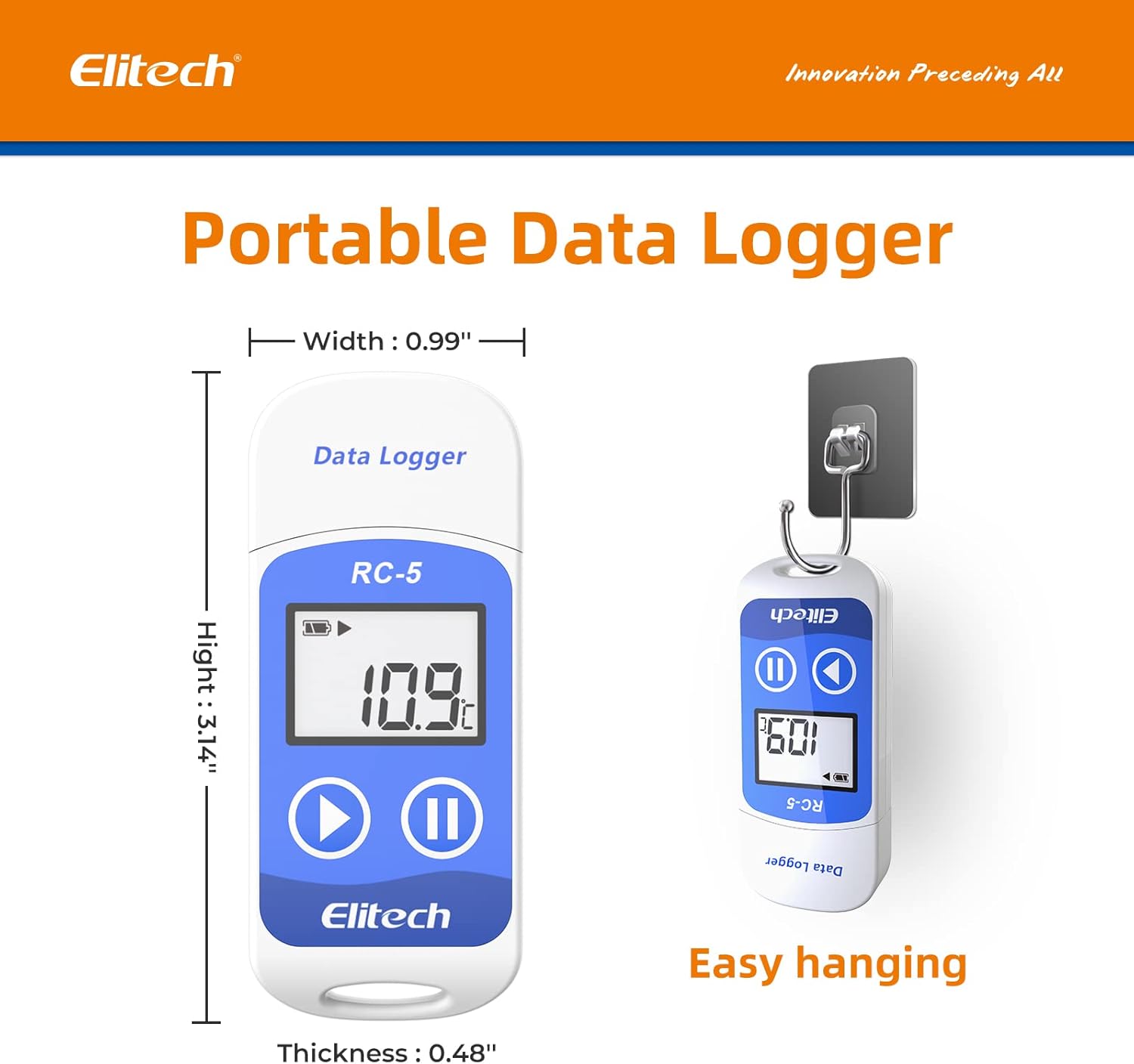
Image: A visual representation of the Elitech RC-5 data logger highlighting its IP67 rating and key specifications like measurement range, accuracy, and resolution.
9. Aplikasi Biasa
The Elitech RC-5 is suitable for a variety of temperature monitoring applications, including but not limited to:
- Cold Chain Containers
- És Chests
- Inkubator
- Cold Trucks
- Food Storage and Transportation
- Pharmaceutical Storage and Transportation (e.g., vaccines)
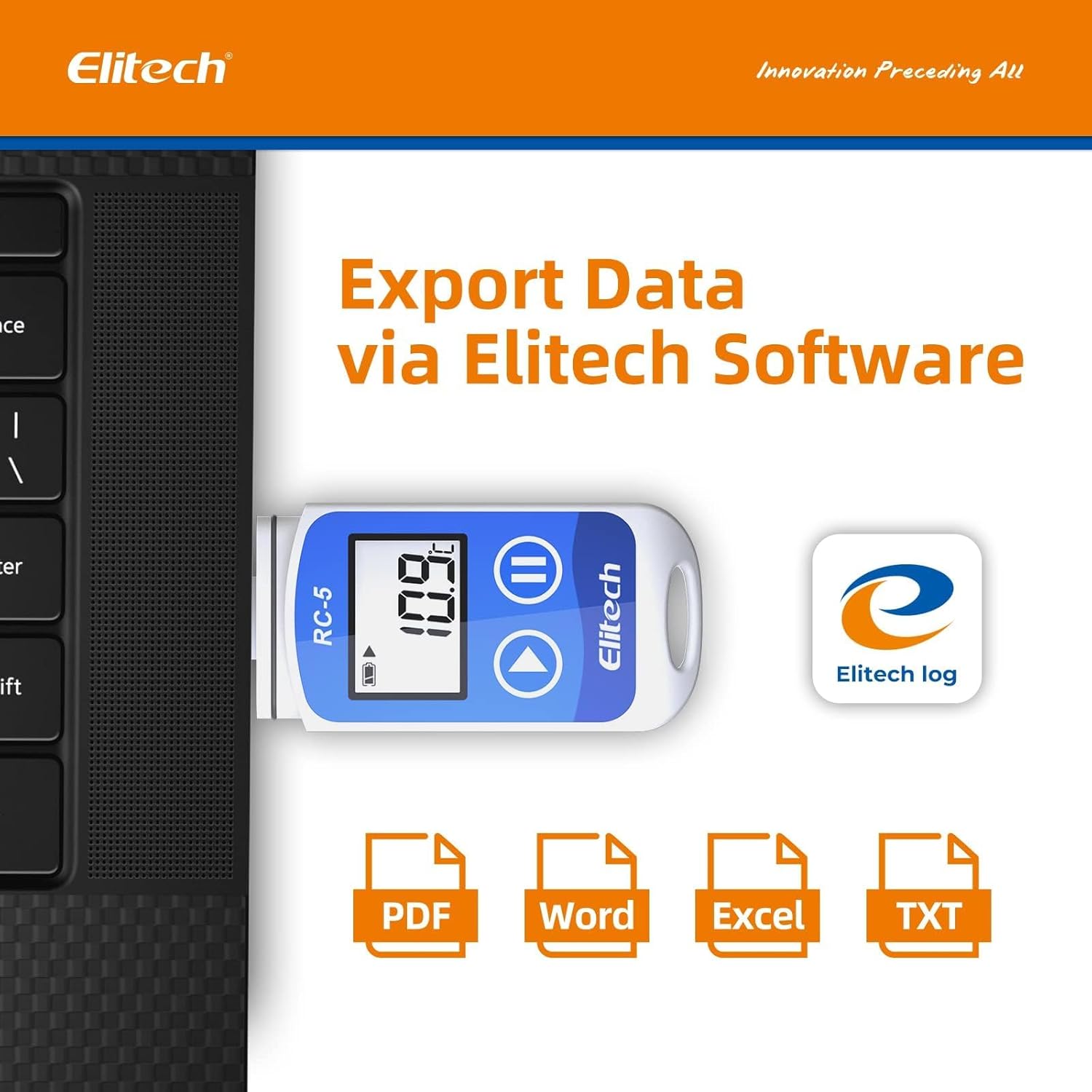
Image: A collage showing various applications for the Elitech RC-5 data logger, including use in an ice chest, cold chain containers, an incubator, and a cold truck.
10. Garansi jeung Rojongan
Elitech provides a standard warranty for its products. For specific warranty terms and conditions, please refer to the documentation included with your product or visit the official Elitech websitus.
For technical support, troubleshooting assistance, or to obtain a calibration certificate, please contact Elitech customer service. You can typically find contact information on the Elitech websitus atanapi dina bungkusan produk.
Note: Please email Elitech to obtain the calibration certificate.


