Bubuka
This manual provides instructions for the setup, operation, and maintenance of your DigiTech 2-Tech WD-4379 Digital Alarm Clock. Please read these instructions carefully before using the product.
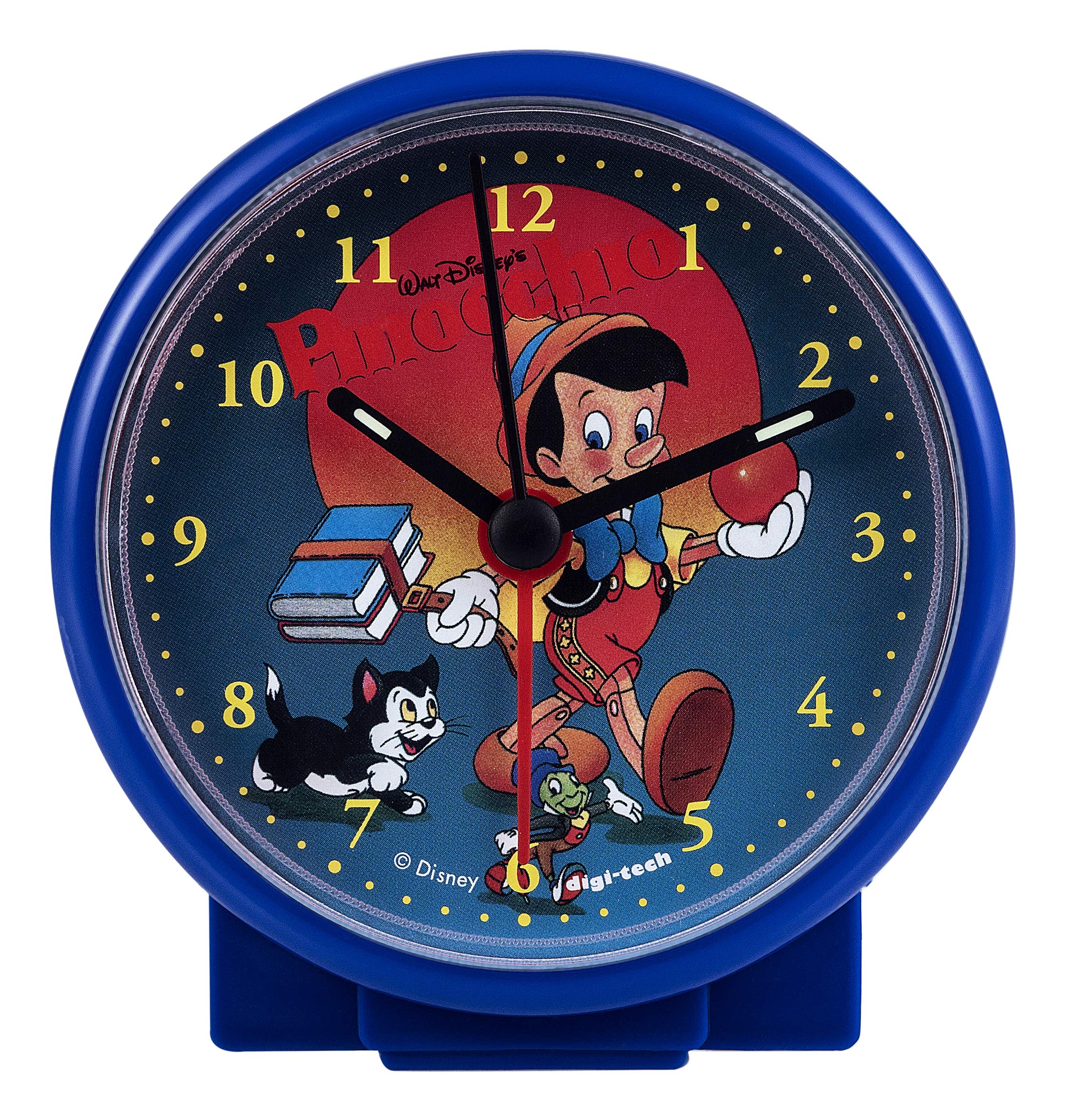
The DigiTech 2-Tech WD-4379 is a portable, battery-powered alarm clock featuring an analog display with a Pinocchio dial. Its compact design makes it suitable for various indoor settings, including bedrooms and travel.
Eusi pakét
- DigiTech 2-Tech WD-4379 Digital Alarm Clock
- Kartu Palayanan
Note: One AA battery is required and not included in the package.
Disetél
1. Pamasangan batré
- Panggihan panutup kompartemen batréna di tukang jam alarm.
- Gently slide or unclip the cover to open it.
- Insert one (1) AA battery, ensuring the polarity (+ and -) matches the indicators inside the compartment.
- Pasang deui panutup kompartemen batré, pastikeun ditutup pageuh.
Gambar: Balik view of the alarm clock, illustrating the battery compartment and setting controls. The model number "DIGI-TECH REF WD-4379" is visible.
2. Netepkeun Waktos
- Locate the time setting knob on the back of the clock (usually labeled "TIME SET" or similar).
- Puterkeun kenop searah jarum jam atawa ngalawan arah jarum jam nepi ka jarum jam jeung menit némbongkeun waktu ayeuna nu bener.
Parentah Operasi
1. Nyetél Alarm
- Locate the alarm setting knob on the back of the clock (usually labeled "ALARM SET" or similar).
- Rotate the alarm setting knob to move the alarm hand to your desired alarm time.
- Ensure the alarm ON/OFF switch (if present) is in the "ON" position.
2. Turning the Alarm On/Off
- To activate the alarm, slide the alarm switch (often located on the side or back) to the "ON" position.
- To deactivate the alarm, slide the alarm switch to the "OFF" position.
- To temporarily stop a sounding alarm, press the snooze button (if available, typically on top). The alarm will sound again after a few minutes.
Pangropéa
beberesih
- Lap bagian luar jam ku lawon anu lemes sareng garing.
- Ulah nganggo pembersih abrasif, pangleyur, atanapi semprotan kimia, sabab ieu tiasa ngaruksak lapisan akhir.
Ngagantian batré
When the clock's display dims or the alarm sound weakens, it is time to replace the battery. Follow the "Battery Installation" steps in the Setup section to replace the AA battery.
Pamérésan masalah
- Jam teu jalan: Ensure the AA battery is inserted correctly with the correct polarity and is not depleted. Replace the battery if necessary.
- Alarm teu disada: Check that the alarm is set to the desired time and the alarm ON/OFF switch is in the "ON" position. Ensure the battery has sufficient power.
- Tampilan waktos anu salah: Adjust the time using the time setting knob on the back of the clock.
spésifikasi
| Fitur | Rincian |
|---|---|
| merek | DigiTech |
| Modél | 2-Tech WD-4379 |
| Warna | Blue (Pinocchio dial) |
| Tipe tampilan | Analog |
| Gaya | Modern |
| Fitur husus | Alarem |
| Sumber Daya | Battery Powered (1x AA, not included) |
| Tipe Kamar | Pangkeng |
| Wangun | Buleud |
| Pamakéan | jero rohangan |
| Bahan | palastik |
| Ukuran (L x W x H) | 100 mm x 40 mm x 100 mm |
| Beurat | 100 g |
Émbaran jaminan
This product comes with a standard manufacturer's warranty. Please refer to the service card included in your package for specific warranty terms and conditions. Keep your proof of purchase for any warranty claims.
Ngarojong
For technical assistance, troubleshooting not covered in this manual, or warranty inquiries, please contact DigiTech customer support. Contact details can typically be found on the product packaging or the official DigiTech websitus.