
Bubuka
The Seek Thermal RevealPRO RQ-AAA is a high-resolution infrared camera designed for thermal imaging professionals. This rugged and easy-to-use device combines a high-performance 320 x 240 thermal sensor with intuitive software to facilitate faster job completion and reduce callbacks. It features a powerful 300-lumen LED light, adjustable thermal level, span, and emissivity settings, a long-lasting rechargeable battery, and a large color display, all housed within a durable, rubberized casing.
Fitur konci
- Desain Ruggedized: Built for durability on job sites and for home use.
- High-Resolution Thermal Sensor: Features a 320 x 240 thermal sensor for clear and detailed thermal images.
- Problem Identification: Helps identify issues invisible to the naked eye, such as energy loss, electrical and mechanical failures, and water damage.
- Senter LED terpadu: A powerful 300-lumen LED light is available at the touch of a button.
- Setélan adjustable: Offers adjustable thermal level, span, and emissivity settings for precise measurements.
- Batré Awét: Dilengkepan batré anu tiasa dicas deui kanggo panggunaan anu lami.
- Tampilan Warna Ageung: Provides a clear and intuitive interface for viewdata termal.
Disetél
- Ngecas Alat: Connect the provided USB cable to the device's USB-C port and to a compatible USB power adapter. Allow the device to fully charge before first use.
- Hurungkeun/Pareuman: Pencét terus tahan tombol daya anu aya dina alat pikeun ngahurungkeun atanapi mareumanana.
- Kalibrasi awal: The device will perform an initial calibration upon startup. Ensure it is held steady during this process.
Parentah Operasi
- Viewing Thermal Images: Point the camera towards the area of interest. The thermal image will be displayed on the large color screen.
- Adjusting Palettes: Use the navigation buttons to cycle through the 9 available color palettes to best visualize temperature differences.
- Adjusting Thermal Level & Span: Access the settings menu to fine-tune the thermal level and span for specific measurement requirements.
- Setélan Émisivitas: Select from 4 emissivity presets or manually adjust the emissivity based on the material being inspected for accurate temperature readings.
- Nyokot poto: Press the designated capture button to save thermal images to the device's internal storage.
- Ngagunakeun Senter LED: Activate the 300-lumen LED flashlight by pressing its dedicated button for illumination in dark environments.
Pangropéa
- Ngabersihan lensa: Use a soft, lint-free cloth to gently clean the thermal lens. Avoid abrasive materials or harsh chemicals.
- Perawatan batré: Recharge the device regularly. Avoid fully depleting the battery for prolonged periods to maintain battery health.
- Panyimpenan: Simpen alat dina tempat anu tiis sareng garing jauh tina sinar panonpoé langsung sareng suhu anu ekstrim.
- Apdet parangkat lunak: Pariksa produsén urang websitus pikeun sagala apdet firmware sadia pikeun mastikeun kinerja optimal.
Pamérésan masalah
- Alat Teu Dihurungkeun: Ensure the battery is sufficiently charged. Connect to a power source and attempt to power on again.
- Unclear Thermal Images: Verify the lens is clean. Adjust thermal level, span, and emissivity settings to suit the environment and target.
- Pembacaan Suhu anu teu akurat: Confirm the correct emissivity setting is applied for the material being measured. Ensure the device is within its specified operating temperature range.
- Alat Beku: Perform a soft reset by holding down the power button until the device restarts. If the issue persists, contact customer support.
spésifikasi
| Produsén | Néangan Thermal |
| Nomer Bagian | RQ-AAA |
| Item Beurat | 0.176 ons |
| Dimensi produk | 1.5 x 2 x 2 inci |
| Nomer Modél Item | RQ-AAA |
| Batré | 1 batré Litium Ion diperlukeun (kaasup) |
| Gaya | RevealPRO |
| Termal Sensor | 320 x 240 |
| widang View | 32° |
| Laju pigura | 9 Hz |
| Rentang deteksi | -40°F nepi ka 626°F |
| Senter LED | 300 Lumén |
Garansi sareng Rojongan
Specific warranty and support details are not provided in the product information. Please refer to the official Seek Thermal website or contact their customer service for comprehensive warranty information and support options.
Média Produk

Seek Thermal RevealPRO held in hand, displaying a thermal image of an electrical circuit with hot spots.

Seek Thermal RevealPRO showing a thermal image of a pipe with a hot spot.

Seek Thermal RevealPRO displaying a thermal image of mechanical components with heat signatures.
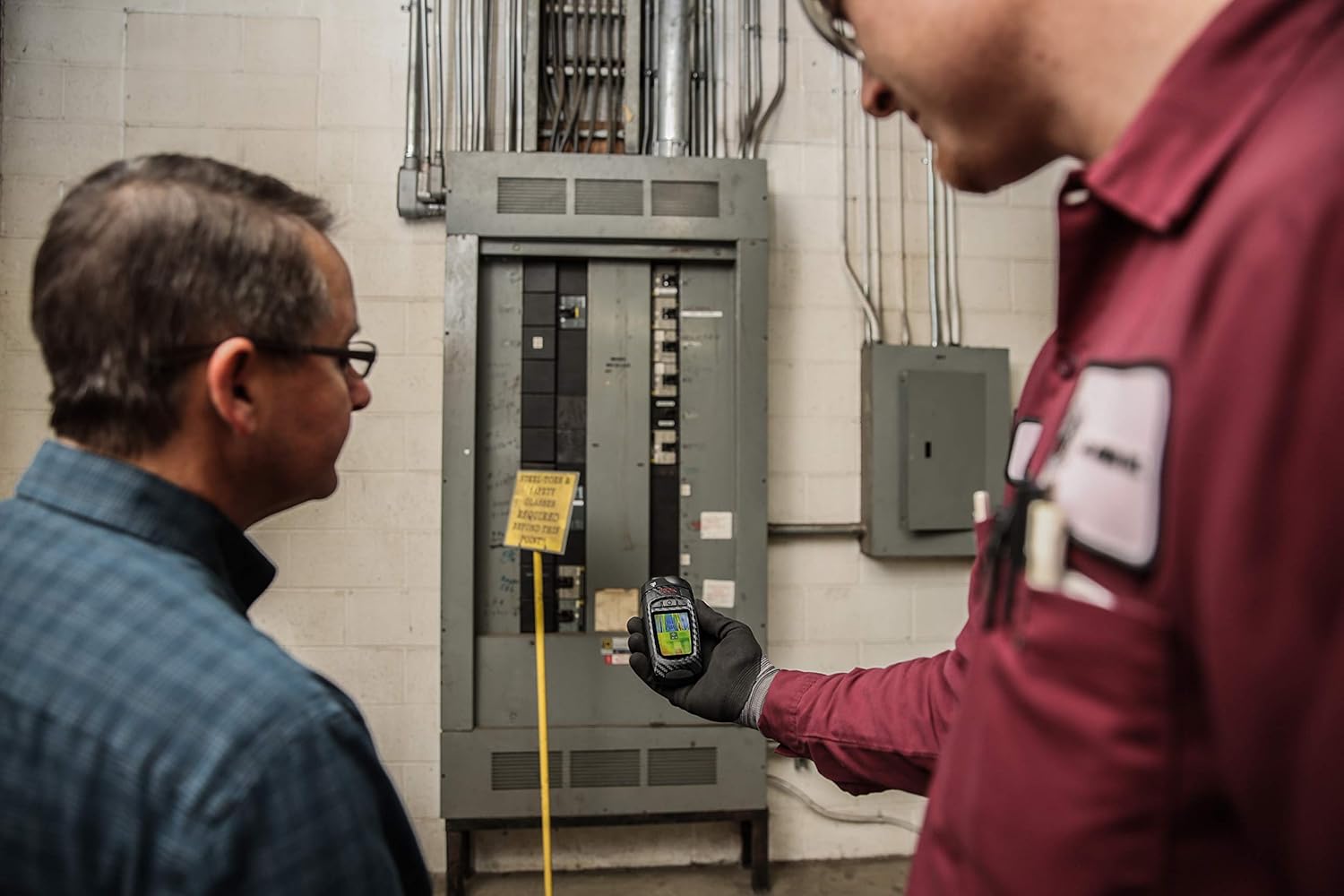
Two technicians inspecting an electrical panel using the Seek Thermal RevealPRO camera.

Seek Thermal RevealPRO on a workbench with tools, showing a thermal image of a structure.
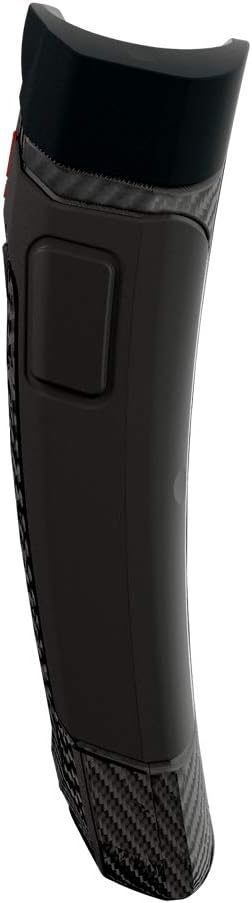
Sisi profile of the Seek Thermal RevealPRO camera, highlighting its ergonomic design.
Official product video demonstrating the Thermal Master Expert Thermal Imager in various professional inspection scenarios.