1. Bubuka
This manual provides comprehensive instructions for the installation, operation, and maintenance of the FAAC E600 (D600) Electronic Board Remote Control. Please read this manual carefully before using the product to ensure safe and efficient operation. Keep this manual for future reference.
2. Émbaran Kasalametan
Salawasna merhatikeun pancegahan kaamanan di handap ieu pikeun nyegah tatu atanapi karusakan produk:
- Ensure the power supply is disconnected before any installation or maintenance procedures.
- Ngan tanaga anu mumpuni kedah ngalaksanakeun pamasangan sareng perbaikan.
- Ulah ngalaan alat ka suhu ekstrim, kalembaban, atawa sinar panonpoé langsung.
- Jauhkeun alat ti barudak jeung piaraan.
- Use only original FAAC spare parts and accessories.
3. Eusi Paket
Pastikeun yén sadaya item aya dina bungkusan:
- FAAC E600 (D600) Electronic Board Remote Control
- Manual pangguna (dokumén ieu)
- Hardware dipasang (upami aya)
4. Produk Langkungview
The FAAC E600 (D600) is an electronic board remote control designed for reliable operation of compatible FAAC systems. It features a robust design and ergonomic handling.
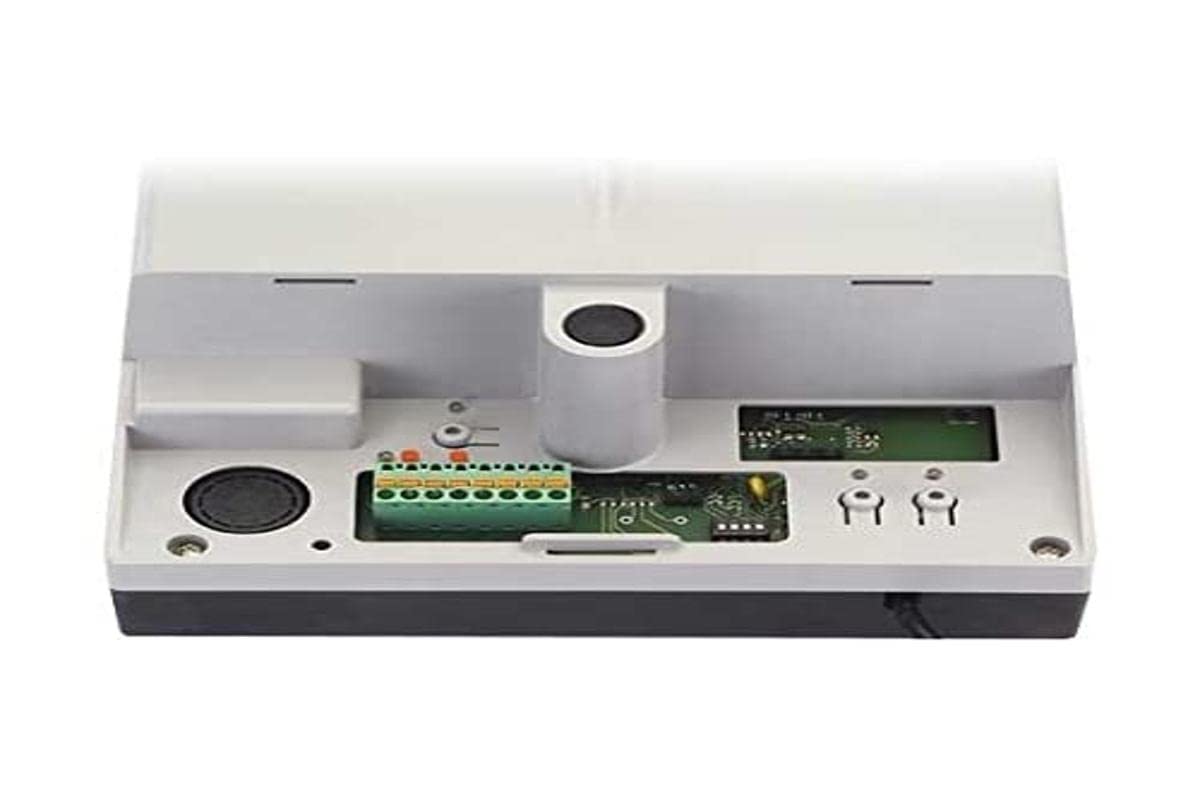
Image 1: FAAC E600 (D600) Electronic Board Remote Control. This image shows the compact design of the remote control unit.
fitur konci ngawengku:
- Desain ergonomis: Nyaman dicekel sareng dianggo.
- Konektipitas: Radio frequency and Infrared technology for versatile control.
- Jumlah Kancing: 1 button for simple operation.
5. Setup jeung Instalasi
Follow these steps to set up your FAAC E600 (D600) remote control:
- Pamasangan batré:
Open the battery compartment on the back of the remote control. Insert the required batteries, ensuring correct polarity (+/-). Close the compartment securely.
- Masangkeun sareng Receiver:
Refer to the manual of your FAAC receiver unit (e.g., gate opener, barrier system) for specific pairing instructions. Typically, this involves pressing a programming button on the receiver and then pressing the button on the E600 (D600) remote control within a short timeframe.
- Uji coba:
After successful pairing, test the remote control's functionality by operating the connected device from a safe distance.
6. Parentah Operasi
The FAAC E600 (D600) remote control is designed for simple, single-button operation.
- Pikeun Aktipkeun: Press and hold the single button on the remote control. The connected FAAC device will respond according to its programmed function (e.g., open/close gate, activate barrier).
- rentang: Ensure you are within the operational range of the receiver for reliable communication. Obstacles can reduce the effective range.
7. Pangropéa
Pikeun mastikeun umur panjang sareng kinerja optimal tina kadali jauh anjeun, turutan tungtunan pangropéa ieu:
- beberesih: Ngusap kadali jauh ku lawon lemes, garing. Ulah make cleaners abrasive atawa pangleyur.
- Ngagantian batré: Replace batteries when the operational range decreases or the indicator light (if present) signals low power. Dispose of old batteries responsibly.
- Panyimpenan: Store the remote control in a dry place, away from direct sunlight and extreme temperatures, when not in use for extended periods.
8. Cara ngungkulan
If you encounter issues with your FAAC E600 (D600) remote control, refer to the following table:
| Masalah | Mungkin Cukang lantaranana | Solusi |
|---|---|---|
| Kadali jauh teu jalan. | Batré paéh. | Ganti batré. |
| Remote control has short range. | Low batteries; Obstruction between remote and receiver. | Replace batteries; Ensure clear line of sight or reduce distance. |
| Device not responding after battery change. | Remote control lost pairing with receiver. | Re-pair the remote control with the receiver (refer to Section 5). |
If the problem persists, contact FAAC customer support or a qualified technician.
9. Spésifikasi
| Fitur | Rincian |
|---|---|
| merek | FAAC |
| Ngaran modél | E600 (D600) |
| Fitur husus | Érgonomis |
| Alat nu cocog | FAAC Camera Systems (and other compatible FAAC devices) |
| Téhnologi konektipitas | Radio Frequency, Infrared |
| Jumlah Kancing | 1 |
| Tipe Controller | Tombol Control |
| Item Beurat | 100 gram |
| Kode Artikel Internasional (EAN) | 08055195014853 |
10. Garansi jeung Rojongan
For warranty information and technical support, please refer to the official FAAC website or contact your authorized FAAC dealer. Keep your proof of purchase for warranty claims.


