1. Bubuka
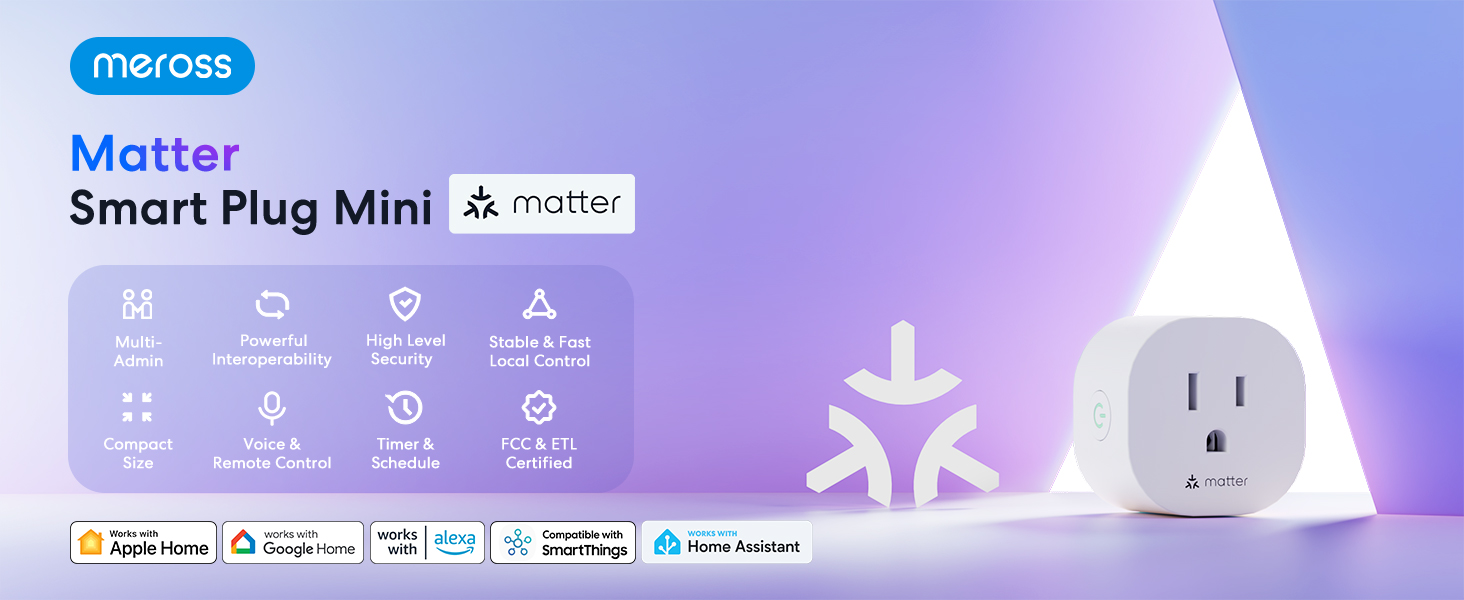
The Meross Matter Smart Plug Mini (MSS115) is designed to integrate seamlessly into your smart home ecosystem, offering multi-platform compatibility and enhanced privacy. This manual provides detailed instructions for setup, operation, maintenance, and troubleshooting to ensure optimal use of your device.
Fitur konci:
- Matter Multi-platform Compatibility: Works across certified smart home platforms including Apple Home, Alexa, Google Home, and SmartThings.
- 100% Privacy & LAN & No Cloud: Offers direct access without cloud reliance, ensuring continuous operation even if your home internet is offline.
- Customizable Schedules & Timer: Set specific times for devices to turn on or off, optimizing energy consumption.
- Aplikasi & Kontrol Sora: Manage devices via the Meross app or voice commands with HomeKit, Google Assistant, or Alexa.
- Super Easy Setup: Quick setup by plugging in, scanning a QR code, and syncing with the app.
- Fire Retardant & Compact Size: Designed with fire-retardant materials and a compact form factor to avoid blocking adjacent outlets.

2. Naon dina Box
- 2 x Matter Smart Plug Mini
- 1 x Manual Pamaké
3. Spésifikasi
| Fitur | Rincian |
|---|---|
| Nomer modél | MSS115 |
| Tipe Panyambung | Colokkeun |
| Jumlah Kutub | 2 |
| Jumlah Kawat | 3 |
| Format Colokkeun | Tipe B |
| Ampumur | 10 Amps |
| Voltage | 120 volt |
| Dimensi produk | 2 "D x 2" W x 2" H |
| Item Beurat | 4.6 ons |
| Bahan | Polikarbonat (PC) |
| Warna | Bodas |
| Sertifikasi | CE, CSA, NEMA, UL, cUL, cULus |


4. Setélan
4.1 Sarat
- Jaringan Wi-Fi 2.4 GHz anu tos aya.
- A smartphone with iOS 16.1 or higher, or Android 8.1 or higher.
- A Matter-compatible Home Hub (e.g., Apple HomePod, Apple TV 4K, Amazon Echo, Google Nest Hub). iPads are not supported as Matter hubs.
4.2 Setup Awal
- Plug in the Meross Smart Plug Mini into an outlet near your main Wi-Fi router.
- Download the Meross app from the App Store or Google Play, or use your preferred Matter-compatible smart home app (Apple Home, Alexa, Google Home).
- Pastikeun telepon anjeun disambungkeun ka jaringan Wi-Fi 2.4GHz sareng Bluetooth diaktipkeun.
- Scan the QR code located on the device, packaging, or user manual to initiate the pairing process.

4.3 Adding to Apple Home
Video 1: Add Your Device to Apple Home. This video demonstrates the process of adding your Meross Smart Plug Mini to Apple Home.
- Buka aplikasi Apple Home dina alat Anjeun.
- Tap the '+' symbol, then select 'Add or Scan Accessory'.
- Scan the setup QR code on your Matter device.
- Wait for your device to connect. This might take a few moments.
- Pilih lokasi pikeun alat anjeun sareng pasihan nami.
- Tap 'Done' to complete the setup.
4.4 Adding to Amazon Alexa
Video 2: Add Your Device to Alexa. This video guides you through connecting your Meross Smart Plug Mini to Amazon Alexa.
- Open the Amazon Alexa app on your device.
- Tap the '+' symbol, then select 'Add Device'.
- Choose 'Matter' from the list of device types.
- Tap 'Try Numeric Code Instead'.
- Tap 'Enter Code'.
- Enter the temporary pairing code obtained from the first platform (e.g., Apple Home).
- Tungguan alat Anjeun nyambung.
4.5 Adding to Google Home
Video 3: Add Your Device to Google Home. This video illustrates how to add your Meross Smart Plug Mini to Google Home.
- Open the Google Home app on your device.
- Tap the '+' symbol, then select 'New Device'.
- Choose 'Matter' from the list of device types.
- Tap 'Continue Without Scanning'.
- Enter the temporary pairing code obtained from the first platform (e.g., Apple Home or Alexa).
- Tungguan alat Anjeun nyambung.
- Pilih lokasi pikeun alat anjeun sareng pasihan nami.
- Tap 'Done' when the device is connected.
4.6 Generating a New Pairing Code for Additional Platforms
If you have already added your device to one platform (e.g., Apple Home) and wish to add it to another (e.g., Alexa or Google Home), you will need to generate a new temporary pairing code from the platform where the device is already added.
- Go to the settings page of your device within the app where it is already connected (e.g., Apple Home app).
- Look for an option like 'Turn On Pairing Mode' (Apple Home) or 'Other Assistants and Apps' then 'Add Another' (Alexa) or 'Linked Matter apps & services' then 'Link apps & services' (Google Home).
- Copy the new setup code that appears. This code is temporary and typically expires in 15 minutes.
- Use this new code to add the device to the next desired platform following the steps above.

5. Ngoperasikeun Smart Colokkeun
5.1 App Control
Once connected, you can control your smart plug directly from the Meross app or your chosen smart home platform app (Apple Home, Alexa, Google Home, SmartThings). This includes turning the plug on/off, setting schedules, and timers.

5.2 Kontrol sora
Use voice commands with Siri, Alexa, or Google Assistant to control your connected devices hands-free.
- Siri: "Hey Siri, turn on my living room TV."
- Alexa: "Alexa, turn on my living room TV."
- Asisten Google: "Hey Google, turn on my living room TV."

5.3 Offline Functionality
With Matter-certified devices on your local area network (LAN), schedules and timers will continue to function normally even if your home internet connection goes offline.
Video 4: Power Your Convenient Life. This video highlights the convenience features of the Meross Smart Plug Mini, including offline routine execution.
6. Pangropéa
To ensure the longevity and proper functioning of your Meross Matter Smart Plug Mini, follow these maintenance guidelines:
- Keep the device clean and dry. Avoid exposure to water or excessive humidity.
- Ulah nyobian ngabongkar atawa ngalereskeun alat sorangan. Kontak rojongan lamun masalah timbul.
- Pastikeun colokan geus aman diselapkeun kana stop kontak nu.
- Regularly check for firmware updates through the Meross app to ensure optimal performance and security.
7. Cara ngungkulan
7.1 LED and Button Rules
The LED indicator on the smart plug provides important status information:
- Amber padet: Initialization/Reset/Firmware upgrading mode.
- Flashing Amber and Green (slowly): Modeu konfigurasi.
- Flashing Green (rapidly): Modeu panyambungan Wi-Fi.
- Héjo padet: Hasil disambungkeun, sarta stop kontak dina status ON.
- Beureum padet: Taya sambungan internét, sarta stop kontak dina status ON.
- Pareum: Stop kontakna dina status OFF atanapi Meross Smart Plug dipareuman.
The button on the side of the plug can be used to turn the socket ON or OFF. Press and hold the button for 5 seconds until the LED is solid amber to initiate a factory reset process.
7.2 Isu umum jeung Solusi
- Alat teu nyambung ka Wi-Fi:
- Pastikeun jaringan Wi-Fi anjeun 2.4GHz.
- Check your main Wi-Fi's internet connection.
- Make sure your Wi-Fi password hasn't been changed.
- Ensure the Meross Smart Plug is not too far from the main Wi-Fi router.
- Factory reset the Meross Smart Plug and try to add it again.
- Cannot pair with HomeKit:
- Ensure you have a compatible Home Hub (HomePod, Apple TV 4K). iPads are not supported.
- Verify your iOS version is 16.1 or later.
- Pastikeun Bluetooth diaktipkeun dina telepon anjeun.
- If issues persist, refer to the Meross support page for HomeKit pairing: Meross HomeKit Pairing FAQ.
- Device unresponsive or offline:
- Check the power supply to the smart plug.
- Pariksa heula jaringan Wi-Fi anjeun aktip sareng stabil.
- Restart your Wi-Fi router and the smart plug.

8. Jaminan & Dukungan
8.1 Émbaran jaminan
Meross provides a 1-year warranty for the Smart Plug Mini (MSS115) from the date of purchase. This warranty covers manufacturing defects and ensures the product meets its specified performance standards under normal use.
8.2 Rojongan Palanggan
For any inquiries, technical assistance, or warranty claims, please contact Meross customer support:
- Surélék: support@meross.com
- Websitus: Visit the official Meross websitus pikeun FAQs jeung sumber rojongan.
- Rojongan In-App: Access the help section within the Meross app for pairing instructions and additional assistance.


