1. Bubuka
This manual provides comprehensive instructions for the installation, operation, and maintenance of your LoraTap Wireless Switch Kit. This kit allows for convenient remote control of lighting and other electrical appliances without the need for complex wiring. Please read this manual thoroughly before installation and use to ensure proper function and safety.

Figure 1: LoraTap Wireless Switch Kit components, including the receiver and transmitter.
2. Produk Langkungview
2.1 Transmitter (Remote Control)
- ukuran: 7 x 1.6 cm
- Jangkauan nirkabel: Up to 30 meters indoors (even through walls), up to 200 meters outdoors (without obstacles)
- Frékuénsi Radio: 868 MHz, high security with self-learning program
- Jangka waktu hirup: More than 220,000 clicks
- Kahirupan batré: Leuwih ti 10 taun
- Jenis Batré: CR2032 (included and pre-installed)

Figure 2: LoraTap remote control with magnetic base and battery details.
2.2 Panarima
- ukuran: 2.46 x 5.03 x 6.03 cm
- Input: 85-265 VAC, 50/60 Hz
- Kaluaran: 85-265 V AC, 50/60 Hz
- Beban maksimum: 10A
- Daya maksimum:
- For energy-saving lamps (LED, fluorescent): up to 300W (10A)
- For incandescent, tungsten, halogen lamps: up to 2500W (10A)
- For other electrical appliances: up to 2500W (10A)
3. Émbaran Kasalametan
Salawasna perhatikeun pancegahan kaamanan di handap ieu:
- Ensure power is disconnected at the main circuit breaker before installing or servicing the receiver.
- Pamasangan kedah dilakukeun ku tukang listrik anu mumpuni upami anjeun henteu yakin kana kabel listrik.
- Do not exceed the maximum load and power ratings specified for the receiver.
- Jauhkeun alat tina cai sareng suhu anu ekstrim.
- This product is designed for indoor use unless otherwise specified for outdoor components. The IP20 rating indicates protection against solid objects larger than 12.5mm, but no protection against water.
4. Setélan
4.1 Receiver Wiring
The receiver must be wired between the power source and the load (e.g., light fixture). Follow these steps:
- Pegatkeun Daya: Turn off the main power supply at your circuit breaker before starting any wiring.
- Input Sambungkeun: Connect the Live (L) and Neutral (N) wires from your power supply to the 'Input' terminals on the receiver.
- Kaluaran Sambungkeun: Connect the Live (L) and Neutral (N) wires from your load (e.g., lamp) to the 'Output' terminals on the receiver.
- Sambungan Aman: Ensure all wire connections are secure. A small screwdriver is often included for this purpose.
- Mulangkeun Daya: Once all connections are secure and the receiver is safely housed, restore power at the circuit breaker.
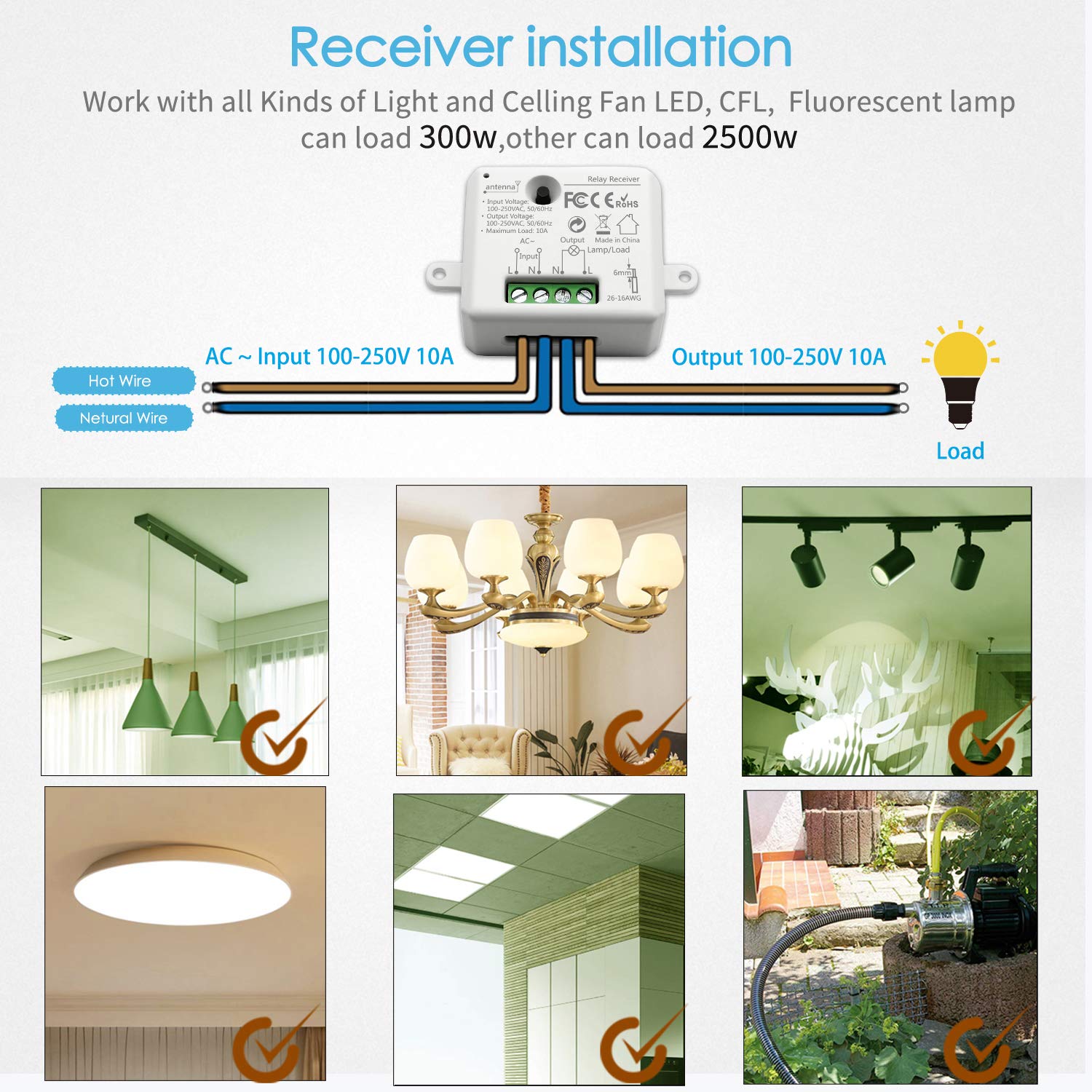
Figure 3: Receiver wiring diagram and compatible load types.
4.2 Pairing the Transmitter with the Receiver
The transmitter and receiver are typically pre-paired. If re-pairing is needed or for additional transmitters:
- Pastikeun panarima diaktipkeun.
- Press and hold the pairing button on the receiver (refer to receiver diagram for exact location) until its indicator light starts flashing.
- Within a few seconds, press either the 'ON' or 'OFF' button on the wireless transmitter.
- The receiver's indicator light will stop flashing, indicating successful pairing.
4.3 Pasang pamancar
The transmitter features a magnetic base for flexible mounting:
- Pamasangan napel: Use the included double-sided adhesive sticker to fix the magnetic base to a desired wall surface.
- Attachment magnét: The transmitter can then be magnetically attached to or removed from this base, allowing it to function as a wall switch or a portable remote control.
5. Parentah Operasi
5.1 Basic ON/OFF Function
Simply press the 'ON' button on the transmitter to turn the connected appliance on, and the 'OFF' button to turn it off.
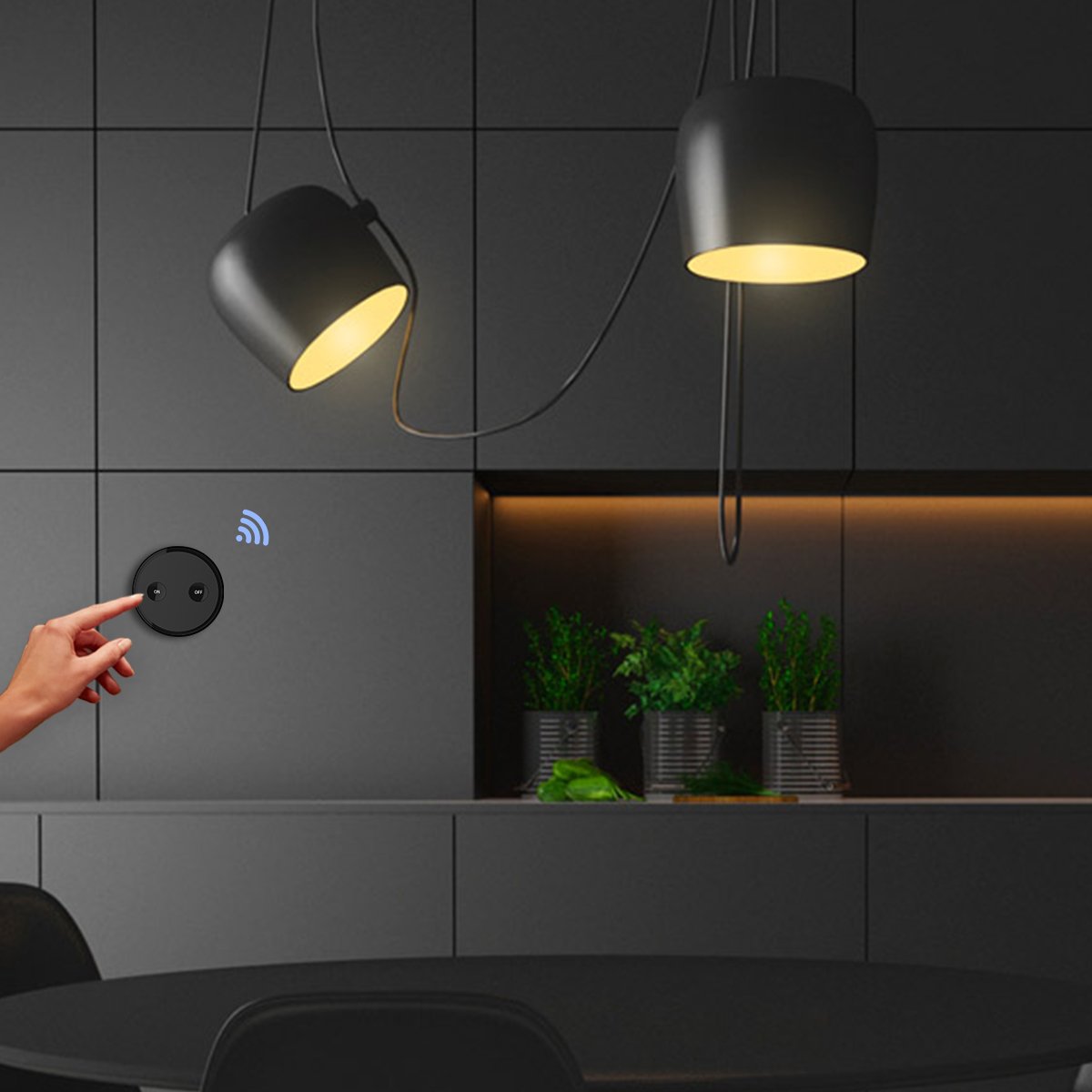
Figure 4: Operating the LoraTap wireless switch.
5.2 Portable Remote Control
Due to its magnetic attachment, the transmitter can be easily removed from its wall base and used as a portable remote control, offering flexibility in controlling your devices from anywhere within its range.

Figure 5: Transmitter used as a portable remote control.
5.3 Flexible Pairing Options
The LoraTap system supports flexible pairing configurations:
- Sababaraha Pemancar ka Hiji Panarima: Several transmitters can be paired to control a single receiver, allowing for multiple control points for one light or appliance.
- One Transmitter to Multiple Receivers: A single transmitter can be paired to control multiple receivers simultaneously, ideal for controlling groups of lights.
- The 868MHz frequency ensures no interference when using multiple units in the same area.

Figure 6: Flexible pairing configurations.
5.4 Signal Transmission
The wireless signal is designed to transmit effectively through walls, providing reliable control across rooms and even between floors.

Figure 7: Signal transmission through walls and control range.
6. Pangropéa
6.1 Battery Replacement (Transmitter)
The transmitter uses a CR2032 battery with an expected life of over 10 years. To replace the battery:
- Taliti muka pamancar casing (refer to product diagram for battery compartment access).
- Leupaskeun batré CR2032 heubeul.
- Selapkeun batré CR2032 anyar, mastikeun polaritasna bener.
- Tutup casing aman.
6.2 beberesih
Wipe the surfaces of the transmitter and receiver with a soft, dry cloth. Do not use liquid cleaners or abrasive materials.
7. Cara ngungkulan
- Alat teu ngabales:
- Check if the receiver has power.
- Ensure the transmitter battery is not depleted.
- Re-pair the transmitter and receiver as described in Section 4.2.
- Verify that the load connected to the receiver is within the specified power limits.
- Reduced control range:
- Ensure there are no new large metal objects or thick walls obstructing the signal path.
- Check for sources of strong radio interference nearby.
- The maximum range is achieved in open areas; indoor range is reduced by obstacles.
8. Spésifikasi
| merek | LoraTap |
| Nomer Modél Item | 0745844206767 |
| ASIN | B079DV4W3B |
| Operasi Voltage | 85-265 Volt AC |
| Peunteun ayeuna | 10 A |
| Daya Maksimum | 2500W (Incandescent/Halogen), 300W (LED/Fluorescent) |
| Modeu Operasi | HUJUNG-HUJUNG-PAreum |
| Pindah Tipe | Remote control, Two-way (Va et vient) |
| Tipe Aktuator | Two-way (Va et vient) |
| Tipe Pamasangan | Tembok Gunung |
| Bahan | Acrylonitrile Butadiene Styrene (ABS) |
| Rating Perlindungan Internasional (IP) | IP20 |
| Battery Type (Transmitter) | 1 Lithium metal (CR2032) |
9. Garansi jeung Rojongan
The LoraTap Wireless Switch Kit comes with a garansi 5 taun. This product is CE and RoHS certified, ensuring compliance with European safety, health, and environmental protection standards. For technical support or warranty claims, please contact LoraTap customer service through your purchase platform or the official LoraTap websitus.


