1. Bubuka
The Audio-Technica PRO24CM is a lightweight, compact stereo condenser microphone designed for digital recording with high-fidelity stereo sound. It is optimized for use with camcorders that feature an accessory shoe and a stereo microphone input. The microphone utilizes a pair of cardioid elements in an X-Y configuration to capture the spatial impact and realism of a live sound field.
This manual provides essential information for the proper setup, operation, and maintenance of your PRO24CM microphone.
2. Eusi Paket
Pastikeun yén sadaya item di handap ieu kalebet dina pakét anjeun:
- PRO24CM Stereo Condenser Microphone with permanently attached 6-12 inch coiled cable and right-angle 3.5 mm stereo mini plug
- Video-camera shoe mount
- LR44 battery (1.5V)
- Kaca hareup
- Kantong pelindung lemes

Image: Included accessories for the PRO24CM microphone.
3. Setélan
3.1 Pamasangan batré
The PRO24CM can operate on a 1.5V LR44 battery or via plug-in power from your camcorder. If your camcorder does not provide plug-in power, battery installation is required.
- Locate the battery compartment on the microphone body.
- Carefully open the compartment.
- Insert one LR44 battery, ensuring correct polarity (+/-).
- Tutup kompartemen batré anu aman.
Image: The LR44 battery for microphone power.
3.2 Masang Mikropon
The PRO24CM is designed to attach to a camcorder's accessory shoe.
- Slide the video-camera shoe mount onto your camcorder's accessory shoe.
- Secure the mount by tightening its locking mechanism.
- Insert the microphone into the shoe mount.
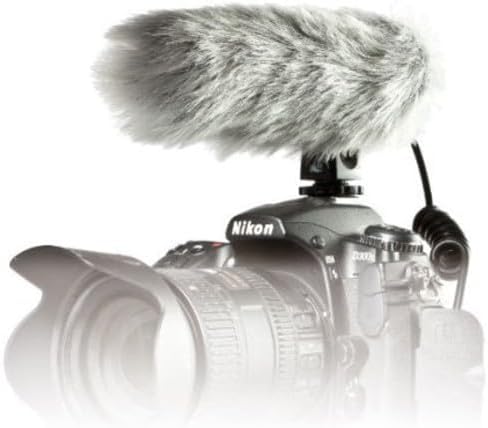
Image: PRO24CM microphone attached to a camcorder.
3.3 Connecting to a Camcorder
Connect the microphone to your camcorder's stereo microphone input.
- Locate the 3.5 mm stereo mini plug on the microphone's coiled cable.
- Insert the plug firmly into the microphone input jack on your camcorder.

Image: The PRO24CM microphone showing its coiled cable and 3.5mm connector.
3.4 Ngagunakeun Kaca Depan
For outdoor recording or in windy conditions, attach the included windscreen to reduce wind noise and plosives.
- Gently slide the foam windscreen over the microphone's capsule.
- Ensure it fits snugly without obstructing the microphone elements.
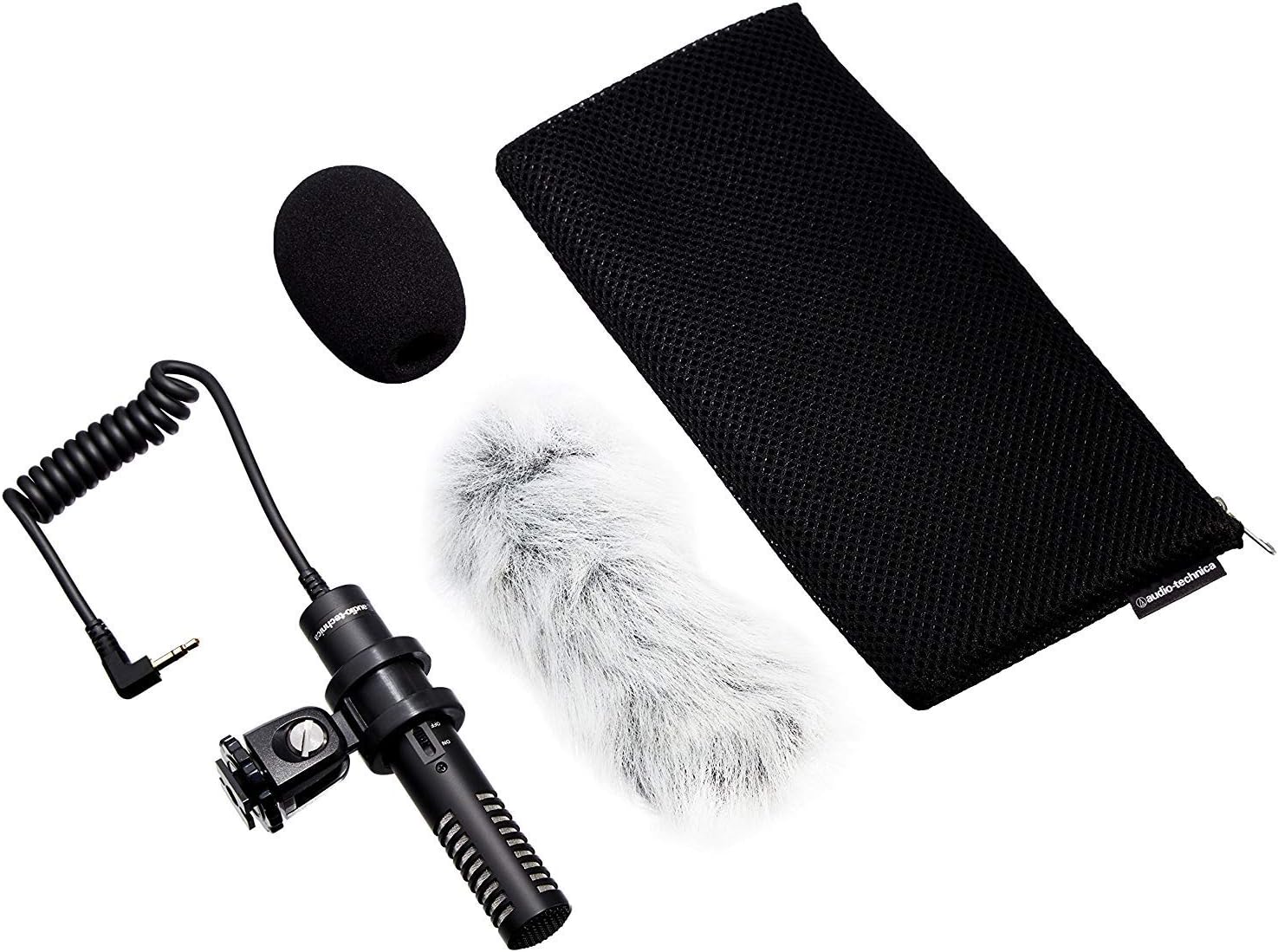
Image: PRO24CM microphone with windscreen and other accessories.
4. Operasi
4.1 Powering on / Pareum
The PRO24CM features an on/off switch for convenient operation.
- To turn the microphone ON, slide the switch to the "ON" position.
- To turn the microphone Pareum, slide the switch to the "OFF" position.
When using plug-in power from your camcorder, the microphone will draw power directly from the camcorder, and battery operation is not required. However, it is still recommended to turn the microphone off when not in use to conserve battery life if a battery is installed.
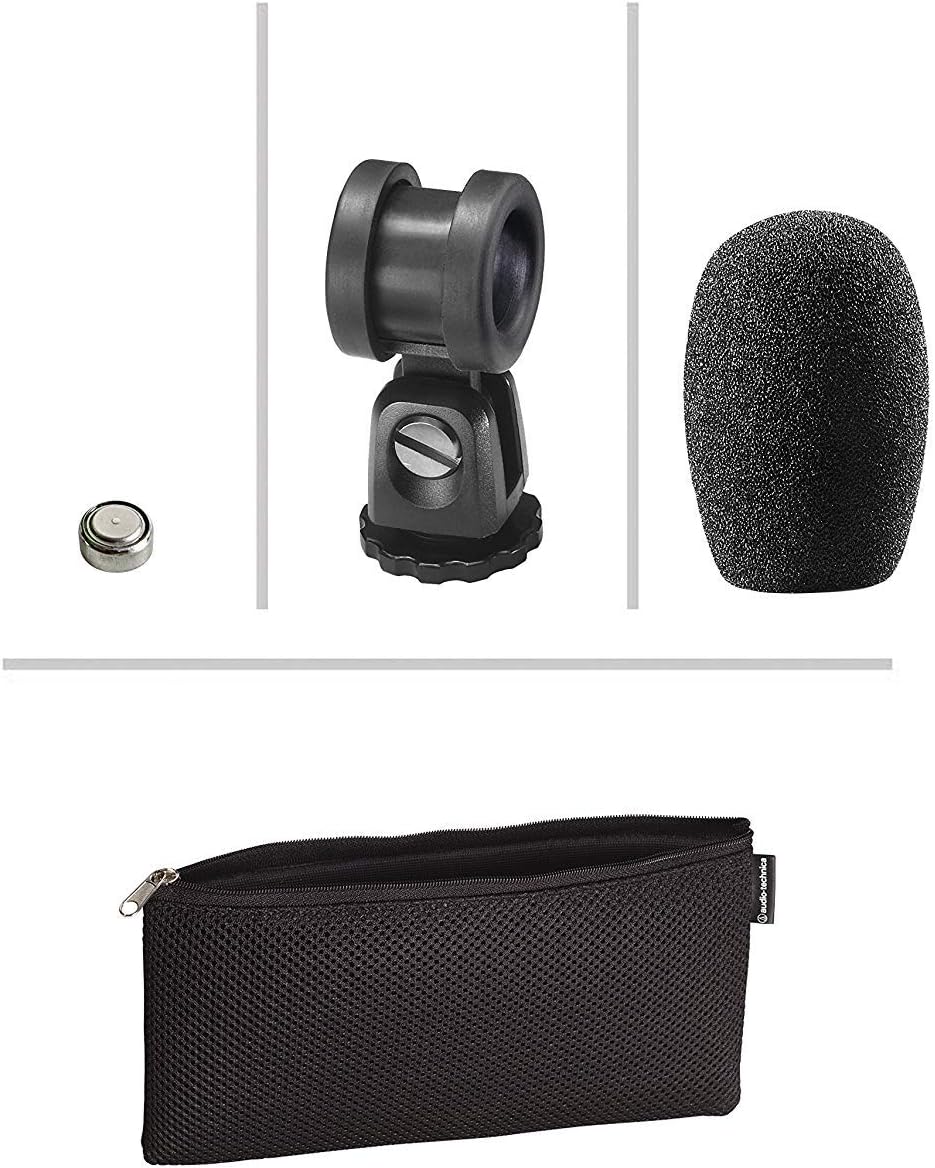
Image: The PRO24CM microphone with its on/off switch visible.
4.2 Recording Considerations
- panempatan: Position the microphone to capture the desired sound source. The X-Y stereo configuration is designed to provide a natural stereo image.
- Ngawaskeun: Always monitor your audio through headphones connected to your camcorder to ensure optimal sound quality and to detect any unwanted noise.
- Tingkat gain: Adjust the input gain on your camcorder to prevent clipping (distortion) while ensuring a strong signal.
5. Pangropéa
- beberesih: Anggo lawon anu lemes sareng garing pikeun ngabersihkeun awak mikropon. Ulah nganggo bahan kimia anu kasar atanapi bahan anu kasar.
- Panyimpenan: When not in use, store the microphone in its protective pouch to prevent dust and damage. Remove the battery if storing for extended periods to prevent leakage.
- Perawatan kabel: Avoid sharp bends or kinks in the microphone cable.
6. Cara ngungkulan
- Henteu aya sora:
- Ensure the microphone's on/off switch is in the "ON" position.
- Pariksa naha batréna parantos dipasang kalayan leres sareng gaduh muatan anu cekap. Ganti upami diperyogikeun.
- Verify the 3.5 mm plug is fully inserted into the camcorder's microphone input.
- Confirm the camcorder's audio input settings are correct and the input gain is not set to zero.
- Sora distort:
- Reduce the input gain on your camcorder.
- Ensure the microphone is not too close to the sound source, causing overload.
- Sora Angin Kaleuleuwihi:
- Pastikeun windscreen geus bener dipasang.
- Consider using an additional furry wind muff for extreme conditions (not included).
7. Spésifikasi
| Fitur | Spésifikasi |
|---|---|
| unsur | Dibereskeun-muatan deui plat condenser polarized permanén |
| Pola Polar | X/Y Stereo |
| Réspon Frékuénsi | 100-17,000 Hz |
| Sensitipitas Sirkuit Buka | -50 dB (3.1 mV) ulang 1V dina 1 Pa |
| Impedansi | 600 emh |
| Level Sora Input Maksimum | 119 dB SPL, 1 kHz dina 1% THD |
| Dynamic Range (typical) | 82 dB, 1 kHz dina Max SPL |
| Rasio Signal-to-Noise | 57 dB, 1 kHz jam 1 Pa |
| Sarat kakuatan | 2-10V DC plug-in power or 1.5V LR44 battery |
| Jenis Batré | 1.5V LR44 |
| Batré Ayeuna / Hirup | 0.6 mA / 200 jam has |
| Pindah | Hurung/pareum |
| Beurat | 3.9 oz (111 g) / 120 Grams |
| Dimensions (L x Max Body Dia.) | 4.59" (116.5 mm) long, 0.83" (21.0 mm) maximum body diameter |
| Konektor Kaluaran | 3.5 mm stereo mini plug on cable |
| kabel | Permanently attached 152.4 mm - 304.8 mm (6"-12") coiled cable with right-angle molded 3.5 mm stereo mini-plug |
8. Émbaran Kasalametan
- Ulah ngantepkeun mikropon ka suhu anu ekstrim, kalembaban, atanapi sinar panonpoé langsung.
- Ulah nepi ka ngalungkeun mikropon atawa ngagebugan mikropon kalawan tarik.
- Jauhkeun mikropon tina médan magnét anu kuat.
- Do not attempt to disassemble or modify the microphone. This will void any warranty.
- Buang batré anu dipaké sacara tanggung jawab nurutkeun peraturan lokal.
9. Garansi jeung Rojongan
For warranty information or technical support, please contact Audio-Technica customer service or visit their official websitus. Simpen resi pameseran anjeun salaku bukti pameseran.
Audio-Technica Contact Information:
- Resmi Audio-Technica Websitus
- Tingali kana bungkusan produk anjeun atanapi resmi website for specific regional contact details.


