1. Bubuka
This user manual provides essential information for the safe and efficient operation, maintenance, and troubleshooting of your Festool CTM 26 E AC 1200W Vacuum Cleaner. Please read this manual thoroughly before using the product for the first time and keep it for future reference.
The Festool CTM 26 E AC is designed for professional use, offering high suction power and automatic filter cleaning (AUTOCLEAN) to maintain consistent performance. Its robust design and antistatic function ensure reliable operation in demanding environments.
2. Parentah Kasalametan
WARNING: Always observe the following safety precautions to prevent electric shock, fire, and serious injury.
- Pastikeun catu daya cocog sareng voltage anu ditangtukeun dina pelat peringkat panyedot debu.
- Do not operate the vacuum cleaner in wet conditions or immerse it in water.
- Do not vacuum flammable or explosive materials, hot ashes, or sharp objects.
- Always unplug the vacuum cleaner before performing any maintenance, cleaning, or when changing accessories.
- Jauhkeun barudak sareng jalma anu henteu sah ti daérah operasi.
- Use only genuine Festool accessories and spare parts.
- Regularly inspect the power cord and hose for damage. Do not use if damaged.
- Wear appropriate personal protective equipment (PPE) such as hearing protection, especially during prolonged use, as the unit can be noisy.
3. Produk Langkungview
The Festool CTM 26 E AC is a powerful mobile dust extractor designed for efficient dust collection. Below are key components and features.
3.1 Komponén utama

Figure 3.1: The Festool CTM 26 E AC 1200W Vacuum Cleaner shown with its main components including the vacuum unit, suction hose, and filter bags.
- Vacuum Unit: The main body housing the motor, filter, and collection tank.
- Selang nyeuseup: Flexible hose for connecting to tools or for general vacuuming.
- Kantong saringan: SELFCLEAN filter bags for efficient dust collection and disposal.
- SYS-Dock: Integrated system for connecting SYSTAINER cases directly to the vacuum.
- Panél kontrol: Located on the front, with various switches and indicators.
3.2 Panel kontrol jeung Fitur

Gambar 3.2: Detil view of the control panel, showing power buttons, suction control, and the AUTOCLEAN activation switch.
- Saklar kakuatan: Kontrol hurung/pareum pikeun unit.
- Kontrol Daya Nyeuseup: Rotary knob to adjust suction strength.
- AUTOCLEAN (AC) Function: Automatic main filter cleaning system to maintain consistent suction.
- Antistatic Function: Prevents static charge buildup during operation.
- Reel kabel: Panyimpenan terpadu pikeun kabel listrik.
4. Setélan
4.1 Ngabongkar sareng Inspeksi
Carefully remove the vacuum cleaner and all accessories from the packaging. Inspect for any signs of damage during transit. Report any damage to your dealer immediately.
4.2 Installing the Filter Bag
Open the vacuum unit's lid. Insert a new SELFCLEAN filter bag into the designated compartment, ensuring it is properly seated and sealed. Close the lid securely.
4.3 Connecting the Suction Hose

Figure 4.3: The suction hose properly connected to the vacuum cleaner's inlet port.
Connect the suction hose to the inlet port on the front of the vacuum cleaner. Ensure a secure, airtight connection. For tool connection, attach the other end of the hose to your Festool power tool's dust extraction port.
4.4 Sambungan Daya
Extend the power cord from the integrated cable reel. Plug the power cord into a suitable grounded electrical outlet. Ensure the outlet's voltage matches the vacuum cleaner's requirements.
5. Operasi
5.1 Starting the Vacuum Cleaner
Press the main power switch on the control panel to turn on the vacuum cleaner. The unit will start in normal operation mode.
5.2 Nyaluyukeun kakuatan nyeuseup
Rotate the suction power control knob on the control panel to increase or decrease the suction strength as needed for your application.
5.3 Using the AUTOCLEAN (AC) Function
The AUTOCLEAN function automatically cleans the main filter to maintain optimal suction power. This function is particularly useful when working with fine dust. The system will periodically pulse to dislodge dust from the filter.
5.4 Connecting SYSTAINER Cases

Figure 5.4: A Festool SYSTAINER case securely docked onto the vacuum cleaner's SYS-Dock for integrated transport and workflow.
Place your Festool SYSTAINER case onto the SYS-Dock on top of the vacuum cleaner. Use the T-LOC function to securely lock the SYSTAINER in place for convenient transport and organization.
5.5 Angkutan Unit
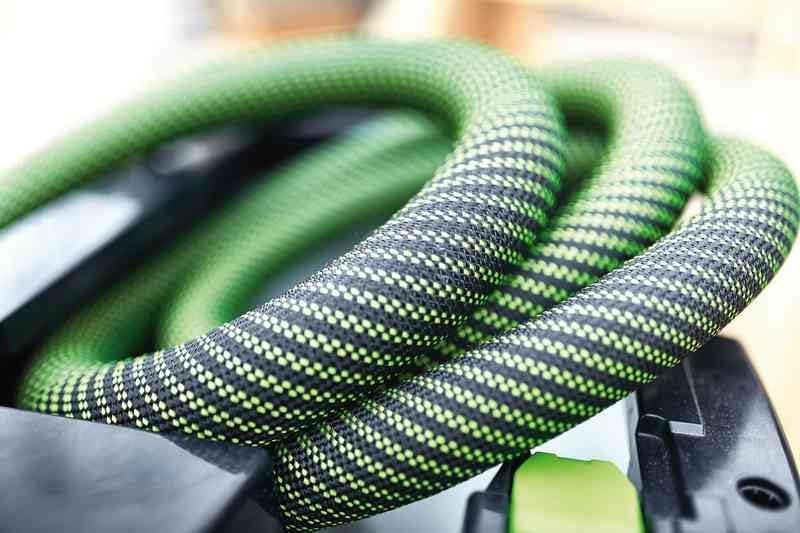
Figure 5.5: The Festool CTM 26 E AC being transported, demonstrating its portability and integrated handles for easy lifting.
The vacuum cleaner is designed for easy transport. Utilize the integrated handles and wheels to move the unit. For lifting, ensure a firm grip on the designated handles.
6. Pangropéa
Regular maintenance ensures the longevity and optimal performance of your Festool CTM 26 E AC vacuum cleaner.
6.1 Emptying/Replacing the Filter Bag
When the filter bag full indicator illuminates or suction power decreases significantly, it's time to empty or replace the SELFCLEAN filter bag. Unplug the unit, open the lid, and carefully remove the full bag. Dispose of dust responsibly and insert a new bag.
6.2 Cleaning the Main Filter
The AUTOCLEAN function largely handles main filter cleaning. However, for thorough cleaning or if suction remains low, manually activate the AUTOCLEAN function or remove and gently tap the main filter to dislodge stubborn dust. Do not wash the main filter with water.
6.3 Cleaning the Housing and Accessories
Ngusap bagian luar vacuum cleaner nganggo iklanamp cloth. Clean the suction hose and accessories as needed to prevent blockages. Ensure all parts are dry before reassembly or storage.
6.4 Cord and Hose Inspection
Periodically inspect the power cord and suction hose for cuts, kinks, or other damage. Replace damaged components immediately to ensure safety and performance.
7. Cara ngungkulan
This section provides solutions to common issues you might encounter with your Festool CTM 26 E AC vacuum cleaner.
| Masalah | Mungkin Cukang lantaranana | Solusi |
|---|---|---|
| Taya kakuatan | Not plugged in; tripped circuit breaker; damaged cord. | Check power connection; reset circuit breaker; inspect cord for damage. |
| kakuatan nyeuseup low | Full filter bag; clogged hose/accessories; dirty main filter; improper lid seal. | Replace/empty filter bag; clear blockages; activate AUTOCLEAN or clean main filter; ensure lid is securely closed. |
| Sora teu biasa | Foreign object in fan/motor; worn motor bearings. | Unplug and inspect for foreign objects (if safe); contact Festool service for motor issues. |
| Lebu nu kaluar ti unit | Damaged filter bag; improperly installed filter bag; damaged main filter. | Replace filter bag; ensure filter bag is correctly installed; inspect and replace main filter if damaged. |
If the problem persists after attempting these solutions, please contact Festool customer support or an authorized service center.
8. Spésifikasi
| Parameter | Nilai |
|---|---|
| Ngaran modél | CTM 26 and AC |
| Nomer Modél Item | 574978 |
| Kakuatan | 350 - 1200 W |
| Max. Capacity (Airflow) | 3900 l / mnt |
| Maximum Depression | 24000 Pa |
| Filtering Surface | 6318 cm² |
| Panjang kabel kakuatan | 7.50 m (rubber insulation) |
| Container/Filter Bag Volume | 26 / 24 l |
| Ukuran (L x W x H) | 630 x 365 x 540 mm |
| Kaluaran kakuatan maksimum | 2400 W |
| Kelas lebu | M |
| Beurat | 14.70 kg (34.7 pon) |
| Jenis Filter | Cartridge (HEPA Filter included) |
| Tingkat Noise | 65 dB |
| Ampumur | 5.22 Amps |
| GTIN | 04014549283332 |
9. Garansi jeung Rojongan
Festool products are known for their quality and durability. For specific warranty information, please refer to the warranty card included with your product or visit the official Festool websitus. Simpen bukti pameseran anjeun pikeun klaim garansi.
For technical support, spare parts, or service inquiries, please contact Festool customer service or an authorized Festool dealer in your region. You can find contact information on the official Festool websitus atawa ngaliwatan titik pameseran Anjeun.
Sumberdaya Online:


