
1. Bubuka
The eufy RoboVac 11c Pet Edition is a self-charging robotic vacuum cleaner designed to efficiently clean hard floors and medium-pile carpets. It features BoostIQ™ technology for increased suction, a 3-point cleaning system, and Wi-Fi connectivity for convenient control via the EufyHome app or voice assistants.

Figure 1: The eufy RoboVac 11c Pet Edition.
2. Setélan
2.1 Naon dina Box
- RoboVac 11c Pet Edition
- Remote control (2 batré AAA kaasup)
- Boundary strips
- Dasar ngecas
- adaptor kakuatan AC
- Alat beberesih
- Sakumpulan filter kinerja tinggi tambahan
- Extra set of side brushes
- Wilujeng sumping pituduh
2.2 Charging Base Installation
Place the charging base on a hard, level surface against a wall. Ensure there is at least 3 feet (1 meter) of clear space to the front and 1 foot (0.3 meters) to each side of the charging base. Connect the AC power adapter to the charging base and a wall outlet. Ensure the charging base is always powered on.
2.3 Muatan Awal
Before first use, fully charge the RoboVac. Place the RoboVac onto the charging base, ensuring the charging pins align. The indicator light will show charging status. A full charge typically takes 5-6 hours.
2.4 Connecting to Wi-Fi and App Control
Download the EufyHome app from your smartphone's app store. Follow the in-app instructions to connect your RoboVac to your home Wi-Fi network. This enables remote control, scheduling, and monitoring.
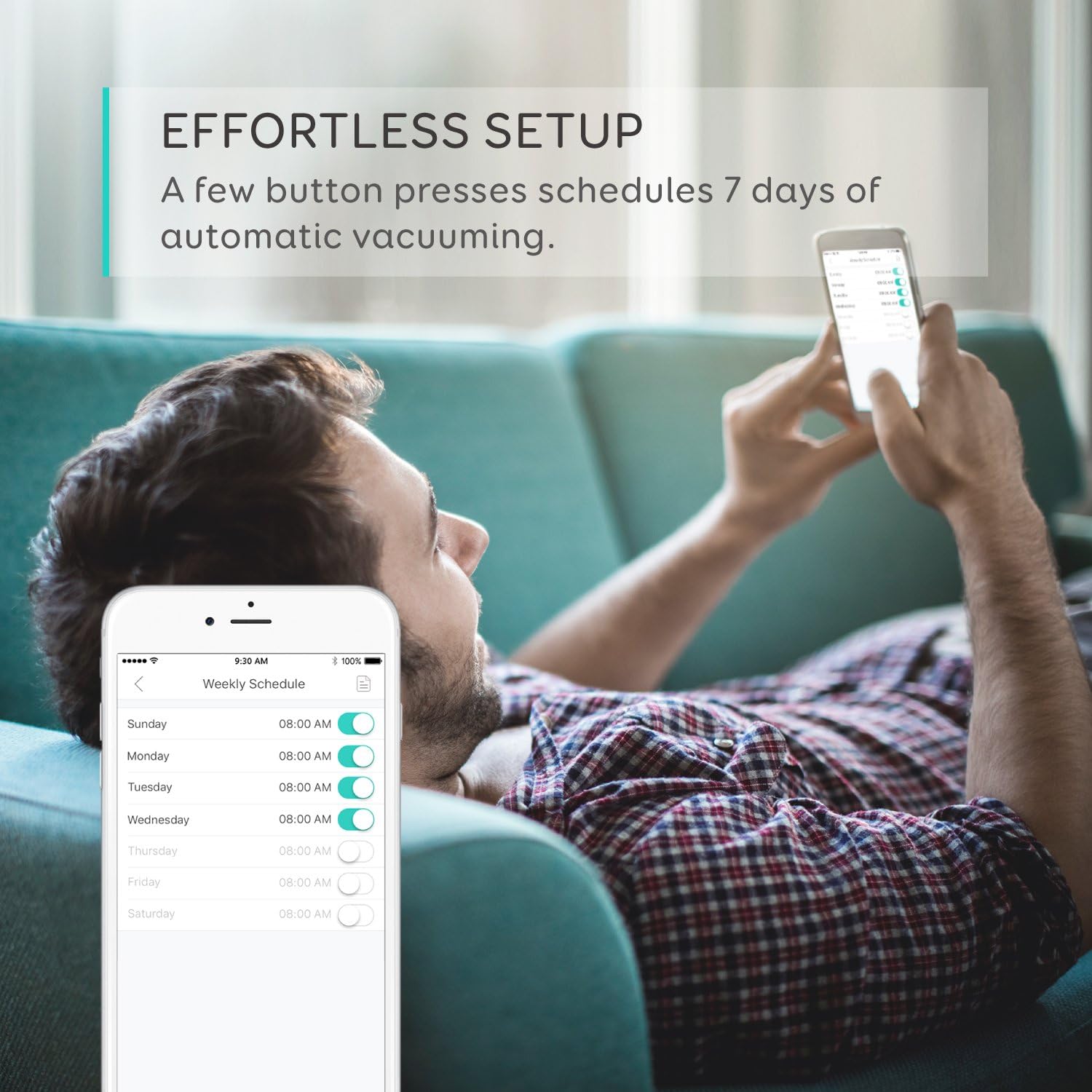
Figure 2: Control and scheduling via the EufyHome app.
2.5 Ngagunakeun strips wates
Use the provided boundary strips to create virtual walls, preventing the RoboVac from entering specific areas or falling down stairs. Cut the strips to the desired length and place them flat on the floor.

Figure 3: Boundary strips define cleaning areas.
3. Operasi
3.1 Modeu beberesih
The RoboVac 11c Pet Edition offers various cleaning modes:
- beberesih otomatis: The RoboVac automatically cleans your home, adjusting its path and suction power (BoostIQ™) as needed.
- Beberesihan Tempat: Museur kana area khusus pikeun beberesih intensif.
- Bersihan Tepi: Cleans sapanjang tembok jeung edges jati.
The BoostIQ™ technology automatically increases suction power when transitioning from hard floors to carpets, ensuring thorough cleaning on different surfaces.

Figure 4: Key cleaning performance features.
3.2 Ngajadwalkeun beberesih
You can set a cleaning schedule using the EufyHome app. This allows the RoboVac to automatically start cleaning at a predetermined time each day.
3.3 Kontrol sora
The RoboVac 11c Pet Edition is compatible with Amazon Alexa and Google Assistant. Once connected, you can use voice commands to start, stop, or send the RoboVac back to its charging base.

Figure 5: Voice-activated cleaning with smart assistants.
3.4 Jauh Jauh
Use the included remote control to manually direct the RoboVac, change cleaning modes, or send it back to the charging base.
3.5 Multi-Terrain Capability
The RoboVac is designed with larger climbing wheels to traverse ledges and clean various floor types, including hard floors and medium-pile carpets.

Figure 6: RoboVac's ability to clean multiple floor types.
3.6 Pet Edition Features
The Pet Edition is optimized for homes with pets, featuring increased suction power to effectively extract pet fur and debris from floors and carpets.

Figure 7: Designed for pet owners.
4. Pangropéa
Regular maintenance ensures optimal performance of your RoboVac.
4.1 Ngosongkeun Koléktor Lebu
Empty the dust collector after each use. Press the release button, remove the dust collector, and discard collected debris.
4.2 Ngabersihan Sikat Rolling
Remove the rolling brush cover and lift out the brush. Use the cleaning tool to remove hair and debris tangled around the brush. Reinstall the brush and cover.
4.3 Ngabersihan Sikat Sisi
Periodically check side brushes for tangled hair or debris. Gently pull them off to clean, and replace if damaged. An extra set of side brushes is included.
4.4 Saringan beberesih
Remove the filters from the dust collector and tap them to remove dust. Do not wash the filters with water. Replace filters every 3-6 months, or as needed. An extra set of high-performance filters is included.
4.5 Sénsor beberesih
Wipe the drop sensors and charging contacts on the RoboVac and charging base with a dry cloth to ensure proper function.
5. Cara ngungkulan
Upami RoboVac anjeun mendakan masalah, tingal solusi umum ieu:
- RoboVac henteu ngecas: Ensure the charging base is powered on and the RoboVac's charging contacts are clean and properly aligned with the base.
- RoboVac macét: Clear obstacles like loose cables, small toys, or thick rugs from the cleaning path. Use boundary strips to block off problematic areas.
- RoboVac not returning to base: Ensure the charging base is in an open area without obstructions. The RoboVac may need manual assistance if it's too far from the base or in a different room.
- Masalah sambungan Wi-Fi: Verify your Wi-Fi network is 2.4GHz. Ensure the RoboVac is within range of your router. Restart your router and the RoboVac, then attempt to reconnect via the EufyHome app.
- Ngurangan kakuatan nyeuseup: Empty the dust collector, clean the filters, and check the rolling brush for blockages.
6. Spésifikasi
| Fitur | Rincian |
|---|---|
| merek | eufy |
| Nomer modél | AK-T21111J1 |
| Surface Rekomendasi | Carpet, Hard Floor, Tile |
| Fitur husus | Bageur |
| Tipe Controller | Kadali jauh |
| Jenis Filter | Disk |
| Kahirupan batré | 100 menit |
| Jenis Batré | Litium Ion |
| Sumber Daya | Batré Powered, Corded Electric |
| Métode kontrol | Jauh |
| Batré Litium Voltage | 14.4 volt |
| Alat nu cocog | Amazon Echo |
| Faktor Bentuk | Robotik |
| Item Beurat | 10.2 pon |
| UPC | 848061065374 |
7. Jaminan & Dukungan
7.1 Émbaran jaminan
The eufy RoboVac 11c Pet Edition comes with a worry-free 12-month warranty. Please retain your proof of purchase for warranty claims.
7.2 Rojongan Palanggan
For further assistance, technical support, or warranty inquiries, please contact eufy customer service. Refer to the contact information provided in your product's welcome guide or visit the official eufy support websitus.