1. Bubuka
The Polar Handlebar Mount is designed to provide a secure and convenient way to attach your compatible Polar cycling computer or sports watch to your bicycle's handlebars. This allows for easy visibility of your training data, such as speed, distance, and heart rate, during your rides. This universal mount is compatible with various Polar wrist units, including the V650 and M450 models.
Please read these instructions carefully before installation and use to ensure proper setup and optimal performance.
2. Setup jeung Instalasi
2.1 Eusi pakét
- Polar Handlebar Mount
- Zip ties (typically two or more for secure fastening)
2.2 Léngkah-léngkah Instalasi
Follow these steps to securely attach the handlebar mount to your bicycle:
- Posisi Gunung: Place the Polar Handlebar Mount on a suitable section of your bicycle's handlebars. Ensure it is positioned centrally and does not obstruct your view or access to other controls.
- Amankeun nganggo Tali Resleting: Thread the provided zip ties through the designated slots on the mount and around the handlebar. Pull the zip ties tight to secure the mount firmly in place.
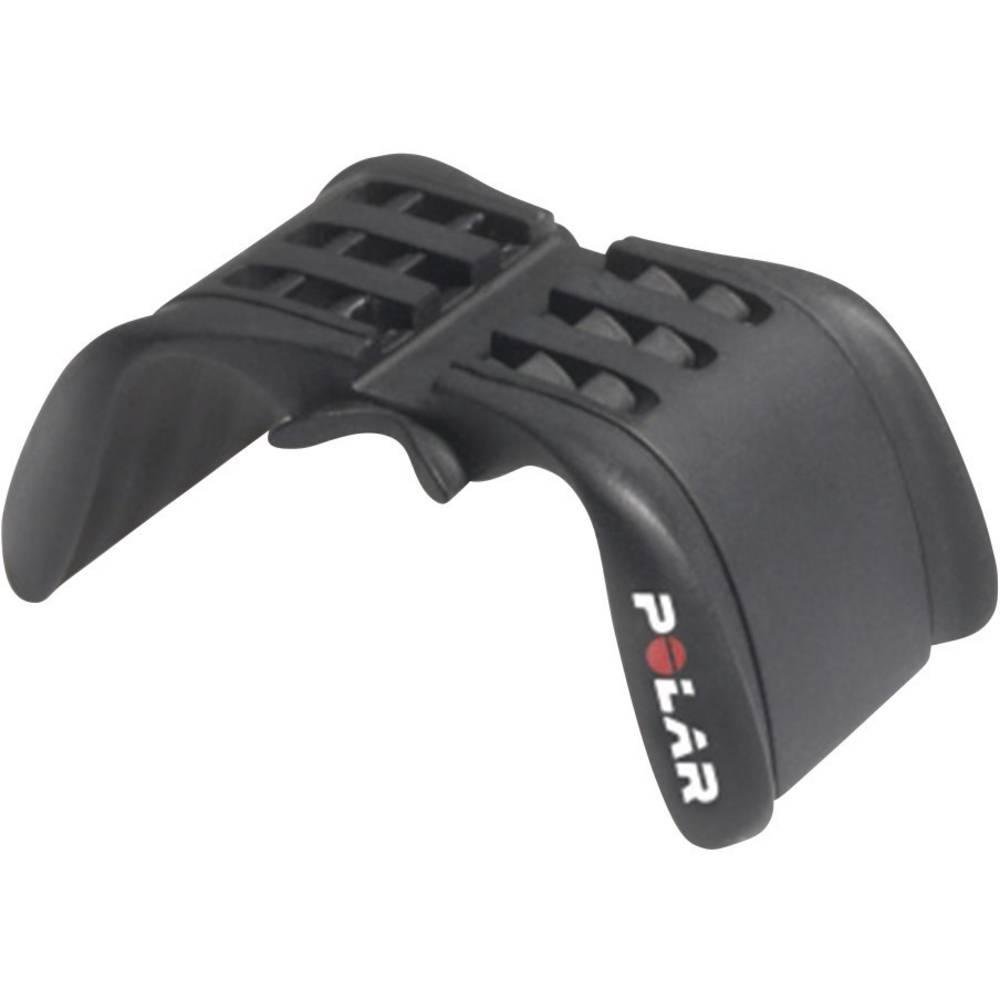
Image: The Polar Handlebar Mount shown attached to a bicycle handlebar using two black zip ties. The mount is positioned centrally on the bar, with the Polar logo visible on the side. This image illustrates the correct method for securing the mount.
- kaleuwihan motong: Once the mount is firmly secured and does not move, trim any excess length from the zip ties using scissors or a cutting tool. Ensure no sharp edges remain.
- Stabilitas Uji: Gently try to move the mount by hand to confirm it is stable and will not shift during your ride. Adjust the zip ties if necessary.
penting: Ensure the mount is extremely stable. A loose mount could lead to your device falling off during a ride.
3. Parentah Operasi
3.1 Attaching Your Polar Device
The Polar Handlebar Mount is designed to hold your Polar cycling computer or sports watch securely.
- Nyiapkeun alat: Remove your Polar device from its wrist strap.
- Align Device: Align the back of your Polar device with the mounting grooves on the handlebar mount.
- Geser sareng Amankeun: Gently slide the device into the mount until it clicks into place. Ensure it is fully seated and does not wobble.
3.2 Detaching Your Polar Device
To remove your Polar device from the mount:
- Press Release Mechanism: Locate the release tab or button on the back or side of your Polar device (refer to your device's specific manual for exact location).
- Slide Out: While pressing the release, gently slide the device out of the handlebar mount.
Awas: Do not force the device into or out of the mount. If it feels stuck, re-check alignment or the release mechanism.
4. Pangropéa
- beberesih: Clean the mount periodically with a damp cloth. Avoid using harsh chemicals or abrasive cleaners, as these can damage the plastic.
- Pamariksaan: Regularly inspect the mount and zip ties for any signs of wear, cracks, or damage. Replace the mount or zip ties if any damage is observed to prevent your device from falling.
- Panyimpenan: Upami henteu dianggo salami lami, simpen dudukan ieu di tempat anu tiis sareng garing, sareng jauh tina sinar panonpoé langsung.
5. Cara ngungkulan
| Masalah | Mungkin Cukang lantaranana | Solusi |
|---|---|---|
| Mount is loose on handlebar. | Zip ties are not tight enough or are damaged. | Tighten the existing zip ties or replace them with new ones. Ensure they are pulled very taut. |
| Device does not fit into the mount. | Incorrect device model or improper alignment. | Verify your Polar device is compatible with this mount (e.g., V650, M450). Ensure the device is aligned correctly with the mount's grooves before sliding. |
| Device falls out of the mount during use. | Device not fully secured or mount is damaged. | Ensure the device clicks firmly into place. Inspect the mount for any cracks or broken tabs that might prevent a secure fit. Replace if damaged. |
6. Spésifikasi
- model: 91053127
- merek: Polar
- Bahan: palastik
- warna: Hideung
- Tipe Pamasangan: Stang
- Alat anu cocog: Polar V650, Polar M450, and other compatible Polar sports watches/cycling computers.
- Ukuran (L x W x H): Kira-kira 30 x 10 x 5 cm (11.8 x 3.9 x 2.0 inci)
- beurat: Kira-kira 40.82 gram (1.44 ons)
- Fitur: Bisa diatur viewing angle (via device rotation), secure zip-tie fastening.
7. Pangrojong sareng Jaminan
For further assistance, product information, or warranty details, please visit the official Polar support websitus atanapi ngahubungan layanan palanggan maranéhna.
Punten tahan bukti pameseran anjeun pikeun klaim garansi.


