1. Bubuka
This manual provides comprehensive instructions for the assembly, operation, and maintenance of your Zinus Tresa Metal Desk with Storage and Monitor Stand, Large. Designed for home office or den use, this desk features a durable metal frame, an espresso wood-like finish tabletop, a movable monitor stand, a hanging hook, a side storage tray, and a built-in cable organizer. Please read all instructions carefully before assembly and use to ensure proper function and safety.

Figure 1: Zinus Tresa Metal Desk, Large. This image shows the assembled desk with a monitor, lamp, and small plant, highlighting its functional design.
2. Émbaran Kasalametan
Mangga perhatikeun tungtunan kaamanan di handap ieu pikeun nyegah tatu atawa karuksakan produk:
- Salawasna ngumpul meja nurutkeun parentah disadiakeun.
- Ulah ngaleuwihan wates beurat tina 100 lbs (45 kg).
- Ensure the desk is stable and secure before use.
- Keep the work area clear of obstacles to prevent accidents.
- Ulah nangtung atawa diuk dina meja.
- Tetep bagian leutik jauh ti barudak salila assembly.
3. Eusi Paket
Pariksa yén sadaya komponén aya sateuacan ngamimitian assembly. Lamun aya bagian nu leungit atawa ruksak, mangga ngahubungan rojongan customer.

Figure 2: Product Packaging. The desk components are efficiently packed in one compact box for shipping.
Komponén Kaasup:
- Desk Tabletop (Espresso Finish)
- Desk Legs and Frame (Steel)
- Nangtung Stand
- Side Storage Tray
- Kait Gantung
- Cable Management Organizer
- Perangkat Keras Perakitan (sekrup, baut, jsb.)
- Assembly Tools (ratchet tool)
- Instruksi Manual
4. Parentah Majelis
Assembly is designed to be straightforward and typically takes under 30 minutes with one person. All necessary tools are included.
- Ngabongkar komponén: Cabut sadaya bagian tina bungkusna kalayan ati-ati teras simpen dina permukaan anu bersih sareng lemes pikeun nyegah goresan. Pariksa sadaya bagian aya dina daptar eusi bungkus.
- Pasangkeun Suku kana Pigura: Securely attach the desk legs to the main frame using the provided hardware. Ensure all connections are tight but do not overtighten.
- Pasang Meja: Carefully place the tabletop onto the assembled frame. Align the pre-drilled holes and secure the tabletop using the designated screws.
- Pasang Asesoris: Attach the monitor stand, side storage tray, hanging hook, and cable organizer to their respective positions as indicated in the detailed assembly diagram (refer to the included printed manual for specific diagrams).
- Cék ahir: Once assembled, gently lift and move the desk to its desired location. Ensure all connections are secure and the desk is stable before placing any items on it.
5. Pamakéan
Nangtung Stand
The movable monitor stand helps elevate your screen to an ergonomic height, reducing neck and back strain. It can be positioned anywhere on the desk surface to suit your setup.
Side Storage Tray
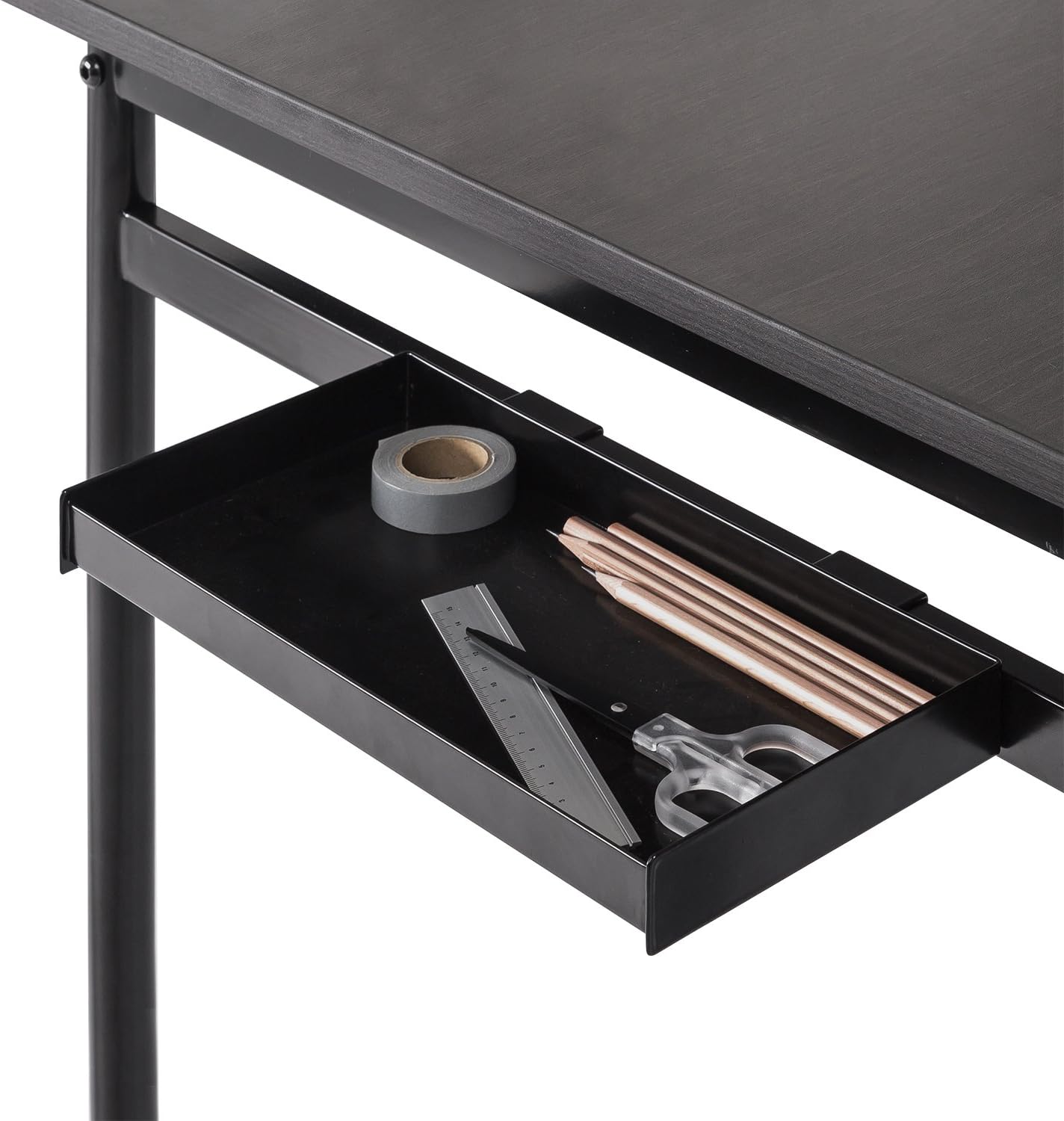
Figure 3: Side Storage Tray. This tray provides convenient access for small office supplies like pens, pencils, and rulers.
The integrated side storage tray is ideal for keeping small office essentials, such as pens, pencils, and other accessories, within easy reach.
Kait Gantung

Figure 4: Hanging Hook. A bag is shown hanging from the hook, demonstrating its use for personal items.
Utilize the hanging hook to keep bags, headphones, or other items off the floor and within easy access, helping to maintain a tidy workspace.
Cable Management Organizer

Figure 5: Cable Management Organizer. This image illustrates how cables can be routed through the organizer to keep them neat and prevent tangling.
The built-in cable organizer helps manage and route power cords and other cables, preventing clutter and ensuring a clean, organized desk surface.
6. Pangropéa
To maintain the appearance and longevity of your Zinus Tresa Metal Desk, follow these simple care instructions:
- beberesih: Ngusap permukaan méja kalayan iklanamp lawon. Hindarkeun ngagunakeun bahan kimia anu kasar atanapi pembersih abrasive, anu tiasa ngarusak finish.
- Pamariksaan: Périodik pariksa sagala screws sareng sambungan pikeun mastikeun aranjeunna tetep kedap. Retighten lamun perlu.
- Hindarkeun Uap kaleuleuwihan: Do not expose the desk to excessive moisture or direct sunlight for prolonged periods.
7. Cara ngungkulan
Upami anjeun mendakan masalah sareng méja anjeun, tingal solusi umum ieu:
- Meja téh goyah: Ensure all bolts and screws are securely tightened. Check that the desk is on a level surface. If the floor is uneven, consider using furniture pads to stabilize.
- Bagian anu leungit: If any parts were missing upon unboxing, please contact Zinus customer support immediately for assistance.
- Damage During Assembly: If a part was damaged during assembly, cease assembly and contact customer support.
8. Spésifikasi

Figure 6: Desk Dimensions. This image provides a visual representation of the desk's key measurements in centimeters.
| Fitur | Rincian |
|---|---|
| merek | Zinus |
| Ngaran modél | Tresa |
| Nomer modél | OLB-DS-PL55 |
| Ukuran produk (L x W x H) | 55"D x 22.53"W x 32.52"H (approx. 139.7 cm x 57.2 cm x 82.6 cm) |
| Item Beurat | 53.73 Pon (kira-kira 24.37 kg) |
| Rekomendasi beurat maksimum | 100 Pon (kira-kira 45 kg) |
| Jenis Bahan | Engineered Wood, Steel |
| Tipe rengse | Steel frame, Espresso wood-like tabletop |
| Fitur husus | Adjustable Monitor Stand, Side Storage Tray, Hanging Hook, Cable Organizer |
| Majelis Diperlukeun | Yes (Tools included, 1 person recommended) |
| Tipe Kamar | Dormitory, Office, Study Room |
9. Jaminan & Dukungan
Émbaran jaminan
The Zinus Tresa Metal Desk is covered by a Garansi 1 taun tanpa rasa hariwang ti tanggal pameseran. Garansi ieu ngawengku cacad manufaktur dina bahan sareng padamelan. Mangga simpen bukti pameseran anjeun pikeun klaim garansi.
Rojongan Palanggan
For any questions, missing parts, or warranty claims, please contact Zinus customer support. Refer to the contact information provided in your product packaging or visit the official Zinus websitus pikeun pitulung.


