Bubuka
Thank you for choosing the ECHTPower Solar Lights Outdoor. This product is designed to provide efficient and reliable outdoor lighting with advanced features such as a motion sensor, multiple lighting modes, and remote control. Its robust IP65 waterproof design ensures durability in various weather conditions. This manual provides detailed instructions for installation, operation, maintenance, and troubleshooting to ensure optimal performance and longevity of your solar light.
The warm white light offers a soft and gentle illumination, creating a comfortable and relaxing ambiance for your outdoor spaces.
Eusi pakét
Punten parios yén sadaya komponén aya dina bungkusan:
- 1 x ECHTPower Solar Light (60 LED)
- 1 x Unit Kadali Jauh
- 2 x Ékspansi Tihang-engsel
- 2 x Masang Screws
- 1 x Manual Pamaké (dokumén ieu)
Fitur konci
- 60 LED Super Caang: Emits over 1300 lumens, providing illumination for areas up to 540-860 square feet.
- Panel Surya Efisiensi Tinggi: Absorbs sunlight to charge the built-in 3.2V, 5000mAh LFP battery, ensuring long-lasting operation.
- Sensor Gerak Pir: Detects movement within 16-33 feet (5-10 meters) and a 120-degree wide angle.
- 5 Modeu Pencahayaan: Easily switch between modes using the included remote control for various lighting needs.
- IP65 Waterproof & Heatproof: Designed to withstand harsh weather conditions, ensuring reliable outdoor performance.
- Kontrol nirkabel: Conveniently adjust settings with the remote control.
Setup sareng Instalasi
Proper placement is crucial for the optimal performance of your solar light. Ensure the solar panel receives maximum direct sunlight throughout the day.
- Pilih Lokasi: Select an outdoor location that receives at least 6-8 hours of direct sunlight daily. Avoid areas under eaves, trees, or other obstructions that might block sunlight from reaching the solar panel. Ideal locations include front doors, yards, garages, decks, and porches.
- Tanda titik pangeboran: Hold the solar light against the desired mounting surface (wall, fence, etc.) and mark the positions for the two screw holes.
- liang bor: Use an appropriate drill bit to drill holes at the marked positions.
- Insert Expansion Pillar-hinges: Insert the provided expansion pillar-hinges into the drilled holes.
- Pasang Lampu: Align the solar light's mounting holes with the pillar-hinges and secure it firmly using the provided installing screws.
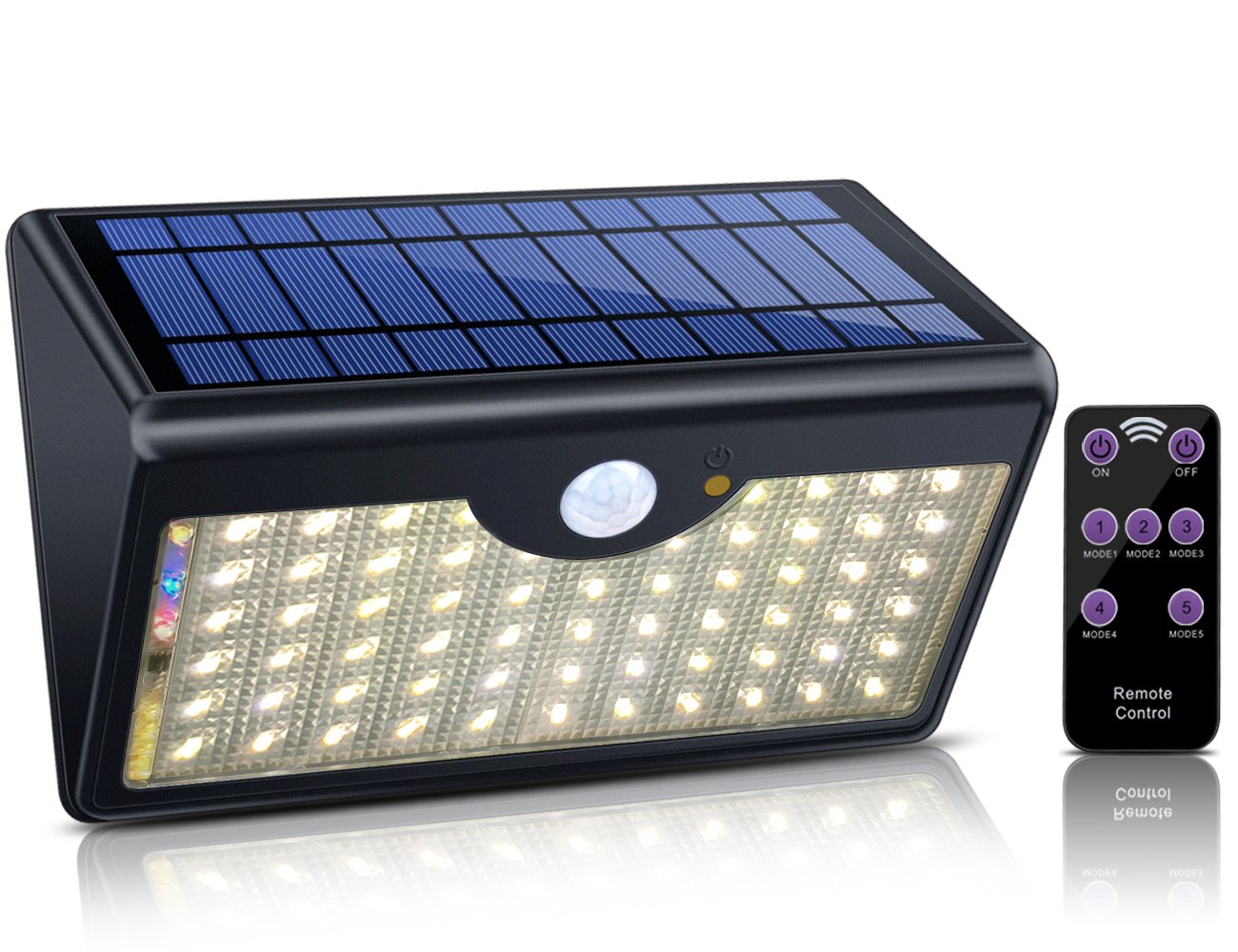
Image: ECHTPower Solar Light with its remote control, illustrating the product's design and components.

Gambar: Examples of the ECHTPower Solar Light installed in different outdoor environments, including a house facade, garage, and garden area, demonstrating its versatility.
Parentah Operasi
The ECHTPower Solar Light features 5 distinct lighting modes, controllable via the included remote. Ensure the remote control is pointed towards the light for effective communication. The remote control has a range of 5-7 meters (16-23 feet) and a 120-degree angle.

Image: Visual representation of the 5 distinct lighting modes, showing how the light behaves in different scenarios and settings.

Image: Diagram illustrating the effective range and angle of the remote control for the solar light, showing typical usage scenarios.
Modeu cahaya:
- MODE 1 (Motion Sensor + Low Light): The light stays on at a low brightness. When motion is detected, it switches to full brightness. After motion ceases, it returns to low brightness.
- MODE 2 (Motion Sensor - Power Saving): The light remains off. When motion is detected, it turns on at full brightness. After approximately 15 seconds of no motion, the light turns off completely to conserve power.
- MODE 3 (Always Lighting): The light automatically turns on at night and stays on at a constant brightness for approximately 5 hours, then switches off.
- MODE 4 (Automatic Mode): The light operates in Mode 3 when the battery power is above 60%. If the battery power drops below 60%, it automatically switches to Mode 2 to conserve energy.
- MODE 5 (Emergency Light Mode): The light turns on at full brightness and stays on for 1 hour, then automatically turns off. This mode is useful for temporary, continuous illumination.
Fungsi Remote Control:
- ON/OFF: Turns the light on or off manually.
- MODE 1-5 Buttons: Selects the desired lighting mode.
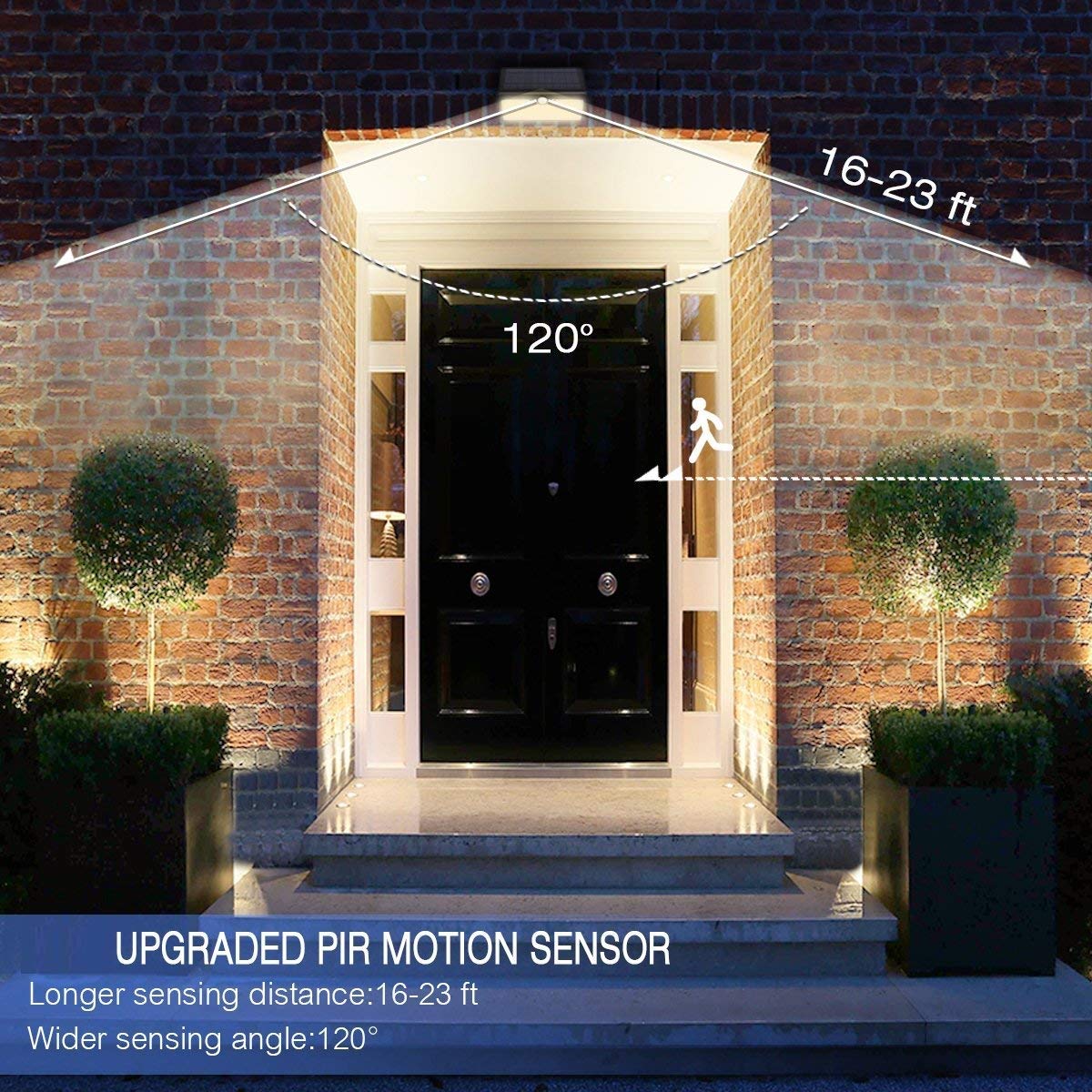
Image: Illustration of the PIR motion sensor's detection range and angle, showing its effectiveness in detecting movement in front of the light.
Pangropéa
To ensure the longevity and optimal performance of your ECHTPower Solar Light, follow these simple maintenance guidelines:
- Ngabersihan Panel Surya: Rutin ngusap panel surya ku lemes, damp lawon pikeun ngaleungitkeun lebu, kokotor, daun, atanapi salju. Panel bersih mastikeun nyerep sinar panonpoé maksimal sareng efisiensi ngecas.
- Pariksa Karusakan: Periodically check the light for any physical damage, loose screws, or signs of wear.
- Perawatan batré: The built-in LFP battery is designed for long life. Avoid prolonged periods of storage without charging. If storing for an extended time, ensure the battery is partially charged.
- Desain waterproof: The IP65 rating means the light is protected against dust and low-pressure water jets. While it is designed to be waterproof, avoid submerging it in water.

Image: Depiction of the solar light's IP65 waterproof and heatproof capabilities, showing it enduring rain, highlighting its durability for outdoor use.
Pamérésan masalah
If you encounter issues with your ECHTPower Solar Light, refer to the following common problems and solutions:
| Masalah | Mungkin Cukang lantaranana | Solusi |
|---|---|---|
| Lampu teu hurung peuting. | Insufficient sunlight exposure; Battery not charged; Light is in OFF mode. | Ensure the solar panel receives 6-8 hours of direct sunlight daily. Clean the solar panel. Use the remote to turn the light ON or select a mode. |
| Cahya taram atanapi ngan ukur hurung kanggo sakedap. | Insufficient charging; Battery degradation over time. | Relocate the light to an area with more direct sunlight. Ensure the solar panel is clean. |
| Sénsor gerak teu ngadeteksi gerakan. | Sensor obstructed; Incorrect mode selected; Sensor range issues. | Ensure the sensor lens is clean and unobstructed. Verify the light is in Mode 1 or Mode 2. Check the installation height and angle. |
| Kadali jauh teu jalan. | Remote battery low/dead; Obstruction between remote and light; Remote out of range. | Replace the remote control battery. Ensure a clear line of sight to the light. Operate the remote within 5-7 meters of the light. |
spésifikasi
Detailed technical specifications for the ECHTPower Solar Light:
| Atribut | Nilai |
|---|---|
| merek | ECHPower |
| Nomer modél | LT01012-NG-US01 |
| Tipe Sumber Cahaya | LED (60 LEDs) |
| Fluks Luminous | 1300 Lumén |
| Warna Cahaya | Bodas haneut |
| Sumber Daya | Solar Powered |
| Jenis Batré | LFP (Litium Beusi Fosfat) |
| Kapasitas batré | 5000 mah |
| Voltage | 3.2 volt |
| Wattage | 10 Watt |
| Rentang Sénsor gerak | 16-33 suku (5-10 méter) |
| Sudut Sénsor gerak | 120 derajat |
| Peunteun waterproof | IP65 |
| Bahan | Acrylonitrile Butadiene Styrene, Polikarbonat |
| Item Beurat | 680 g |
| Ukuran (L x W x H) | 21.3 x 13.5 x 10.4 Centimeters (approx. 8.4 x 5.3 x 4.1 Inches) |

Image: Diagram highlighting the high solar transfer efficiency of the panel (up to 18.2%) and the brightness of the 60 SMD2835 LEDs (1300LM), along with product dimensions.
Garansi sareng Rojongan
ECHTPower stands behind the quality of its products. Your ECHTPower Solar Light comes with the following warranty and support:
- 3 Months Refund Policy: If you are not satisfied with your purchase, you may be eligible for a refund within 3 months from the date of purchase.
- 24 Months Free Replacement: We offer a 24-month free replacement service for any manufacturing defects or functional issues that arise under normal use.
For any inquiries, technical assistance, or warranty claims, please contact ECHTPower customer support through your purchase platform or the official ECHTPower websitus.


