Bubuka
This user manual provides detailed instructions for the safe and efficient operation of your Kaiser Donker Professional Rechargeable Amplified Wireless Speaker Kit. This 15-inch speaker system features KSR-Link technology for connecting multiple units, Bluetooth connectivity, FM radio, and various input options for a versatile audio experience. Please read this manual thoroughly before using the product and retain it for future reference.
Eusi pakét
Mangga cék kotak pikeun item di handap ieu:
- 1 x Rechargeable Speaker Unit
- 1 x Kadali Jauh
- 1 x Power Cable (for charging)
- 1 x Mikropon Kabel
Produk Leuwihview
Hareupeun View

The front of the speaker features a protective grille covering the 15-inch woofer, which illuminates with a blue light when active, and the tweeter. The Donker brand logo is prominently displayed across the center.
Panel Control Pungkur

The rear panel houses all the main controls and input/output ports. These include independent knobs for master volume, bass, treble, microphone volume, and echo. It also features a display, playback controls, 3.5mm audio input, 6.3mm microphone input, USB port, micro SD card slot, external battery terminals, and power input.
Mikropon kabel

A wired microphone is included for karaoke or public address functions. It connects to the 6.3mm microphone input on the rear panel.
Kadali jauh

The provided remote control allows for convenient operation of the speaker's functions, including power, mode selection, volume, track control, EQ, and FM scan.
Optional Speaker Stand
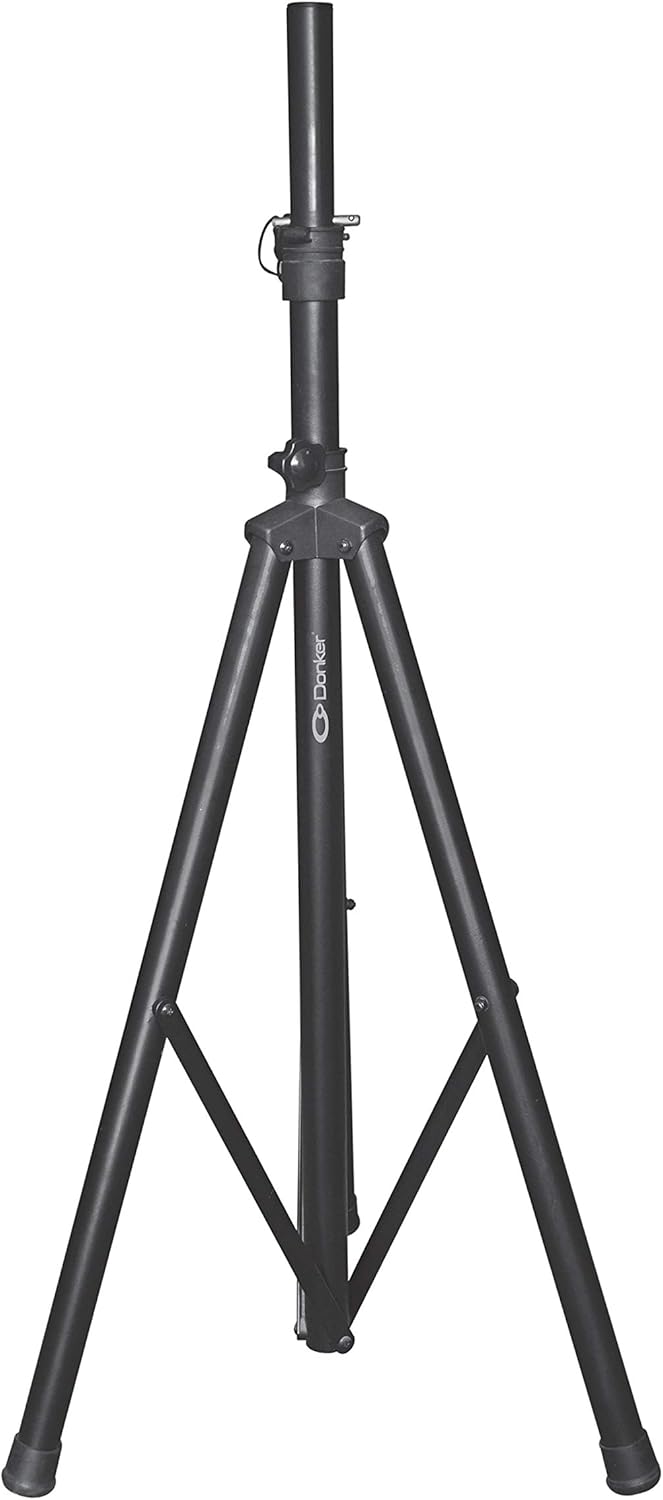
While not included in the standard package, the speaker is compatible with a standard tripod speaker stand (sold separately) for elevated sound projection.
Disetél
Ngecas Awal
- Before first use, fully charge the speaker for approximately 6 hours using the provided power cable.
- Connect the power cable to the speaker's power input and plug the other end into a standard electrical outlet.
- Lampu indikator ngecas bakal nunjukkeun status ngecas.
panempatan
- Tempatkeun speaker dina permukaan anu rata sareng stabil.
- For optimal sound dispersion, position the speaker in an open area, away from obstructions.
- If using a speaker stand, ensure it is securely locked and capable of supporting the speaker's weight (21 kg).
Parentah Operasi
Daya Hurung/Pareuman
Locate the power switch on the rear control panel. Flip it to the "ON" position to power on the speaker. Flip it to "OFF" to power off.
Papasangan Bluetooth
- Turn on the speaker. The display will show the current mode.
- Press the "Mode" button on the control panel or remote until "Bluetooth" mode is selected. The speaker will enter pairing mode, indicated by a flashing Bluetooth icon on the display.
- Dina alat sélulér anjeun, aktipkeun Bluetooth sareng milarian alat anu sayogi.
- Select "Kaiser Donker" (or similar name) from the list. Once paired, the speaker will emit a confirmation sound, and the Bluetooth icon will stop flashing.
- You can now play audio from your device through the speaker. The Bluetooth range is up to 10 meters.
Operasi Radio FM
- Press the "Mode" button until "FM Radio" mode is selected.
- Press the "SCAN" button on the remote or control panel to automatically scan and save available FM stations.
- Anggo tombol "Trek Saméméhna/Salajengna" pikeun napigasi antara stasiun anu disimpen.
USB / Micro SD Playback
- Insert a USB flash drive or a micro SD card into the corresponding slot on the rear panel.
- The speaker will automatically switch to USB or Micro SD mode and begin playing audio files. Upami henteu, pencét tombol "Mode" pikeun milih input anu leres.
- Use the playback controls (Play/Pause, Previous/Next Track) on the speaker or remote to manage your music.
Pamakéan Mikropon
- Connect the wired microphone to the 6.3mm microphone input on the rear panel.
- Adjust the "MIC VOL" knob to control the microphone's volume.
- Use the "ECHO" knob to add an echo effect to the microphone's output.
- The speaker features a "Microphone Audio Priority" function, which automatically lowers background music when the microphone is in use.
Rékam audio
The speaker supports audio recording. Ensure a USB drive or micro SD card is inserted. Press the "Record" button (if available on your model/remote) to start recording. Press again to stop.
Sambungan batré éksternal
For extended use, the speaker includes terminals for connecting an external 12V battery. Ensure correct polarity when connecting to avoid damage.
KSR-Link Technology
The KSR-Link 9.2 technology allows you to wirelessly connect two Kaiser Donker speakers with the same technology for a stereo sound experience. Refer to the KSR-Link specific instructions for detailed pairing steps (usually involves holding a dedicated button on both units).
Pangropéa
- beberesih: Anggo kaén anu garing sareng lemes pikeun ngabersihan bagian luar spéker. Ulah make cleaners abrasive atawa pangleyur.
- Panyimpenan: Lamun teu dipaké pikeun période nambahan, nyimpen speaker dina tiis, tempat garing, jauh ti sinar panonpoé langsung jeung hawa ekstrim.
- Perawatan batré: Pikeun manjangkeun umur batré, eusian heula speaker sacara pinuh sateuacan disimpen dina waktos anu lami. Ulah sering ngosongkeun batréna.
- Ventilasi: Pastikeun liang ventilasi speaker henteu katutup pikeun nyegah panas teuing.
Pamérésan masalah
| Masalah | Mungkin Cukang lantaranana | Solusi |
|---|---|---|
| Taya kakuatan | Battery drained; Power cable not connected; Power switch off. | Charge the battery; Ensure power cable is securely connected; Turn power switch to ON. |
| Taya sora | Volume too low; Incorrect input mode; Device not connected/paired. | Increase volume; Select correct input mode (Bluetooth, USB, AUX); Re-pair Bluetooth device or check cable connection. |
| Bluetooth teu nyambung | Speaker henteu dina mode papasangan; Alat jauh teuing; gangguan. | Ensure speaker is in Bluetooth pairing mode; Move device closer (within 10m); Turn off other Bluetooth devices. |
| Mikropon teu jalan | Microphone not connected; MIC VOL knob too low; Faulty microphone. | Ensure microphone is fully plugged in; Increase MIC VOL; Test with another microphone if possible. |
| Distorsi sora dina volume anu luhur | Volume too high; Input source distortion. | Reduce master volume; Check volume on connected device; Adjust bass/treble knobs. |
spésifikasi
| Fitur | Rincian |
|---|---|
| Modél | MSA-5715 |
| Kakuatan Audio | 25,000 W PMPO / 40 W RMS |
| Ukuran Speaker | 15 inci (38.1 cm) |
| Konektipitas | Bluetooth, USB, Micro SD, 3.5mm AUX, 6.3mm Microphone |
| Rentang Bluetooth | Nepi ka 10 méter |
| Fitur husus | KSR-Link 9.2 Technology, FM Radio, Audio Recording, Microphone Audio Priority, External Battery Terminals |
| Impedansi | 3.6 emh |
| Kahirupan Batré (Rata-rata) | 4 Jam |
| Ukuran produk (L x W x H) | 41.5 x 64.7 x 34.7 cm |
| Beurat produk | 21 kg |
Garansi sareng Rojongan
For warranty information and technical support, please refer to the warranty card included with your product or visit the official Kaiser websitus. Simpen resi pameseran anjeun salaku bukti pameseran pikeun klaim garansi.
For further assistance, you may contact Kaiser customer service through their official channels.


